

/v3/api-docs in your Spring Boot application. This guide walks you through updating your Jenkinsfile, creating a ZAP scan script, publishing HTML reports, and fixing security headers.
Prerequisites
1. Update the Jenkinsfile
Add an OWASP ZAP – DAST stage after your integration tests, and configure thepost section to publish the HTML report.
2. Create the zap.sh Script
This script retrieves your service’s NodePort, invokes the ZAP API scan against the OpenAPI spec, and organizes the report for Jenkins.
zap.sh, make it executable (chmod +x zap.sh), and commit it alongside your Jenkinsfile.
If OWASP ZAP exits with a non-zero code, the pipeline will fail. Review the HTML report to triage any findings.
3. Configure Jenkins to Publish HTML
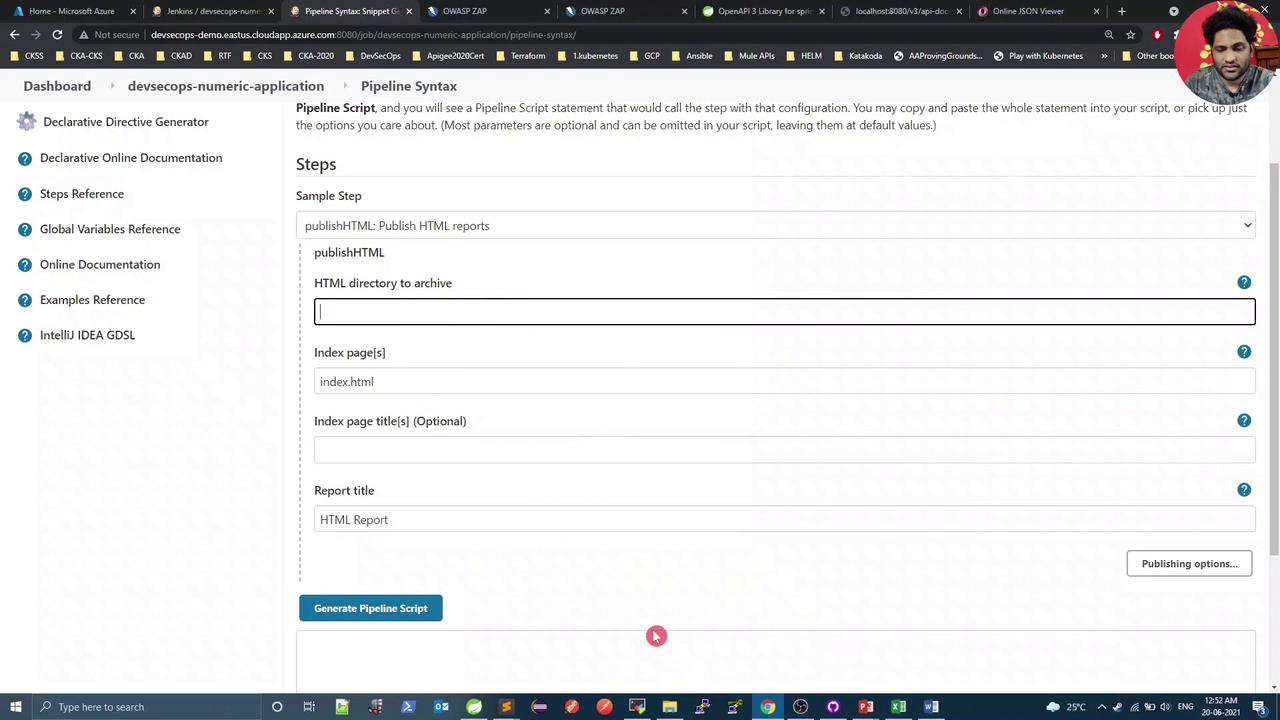
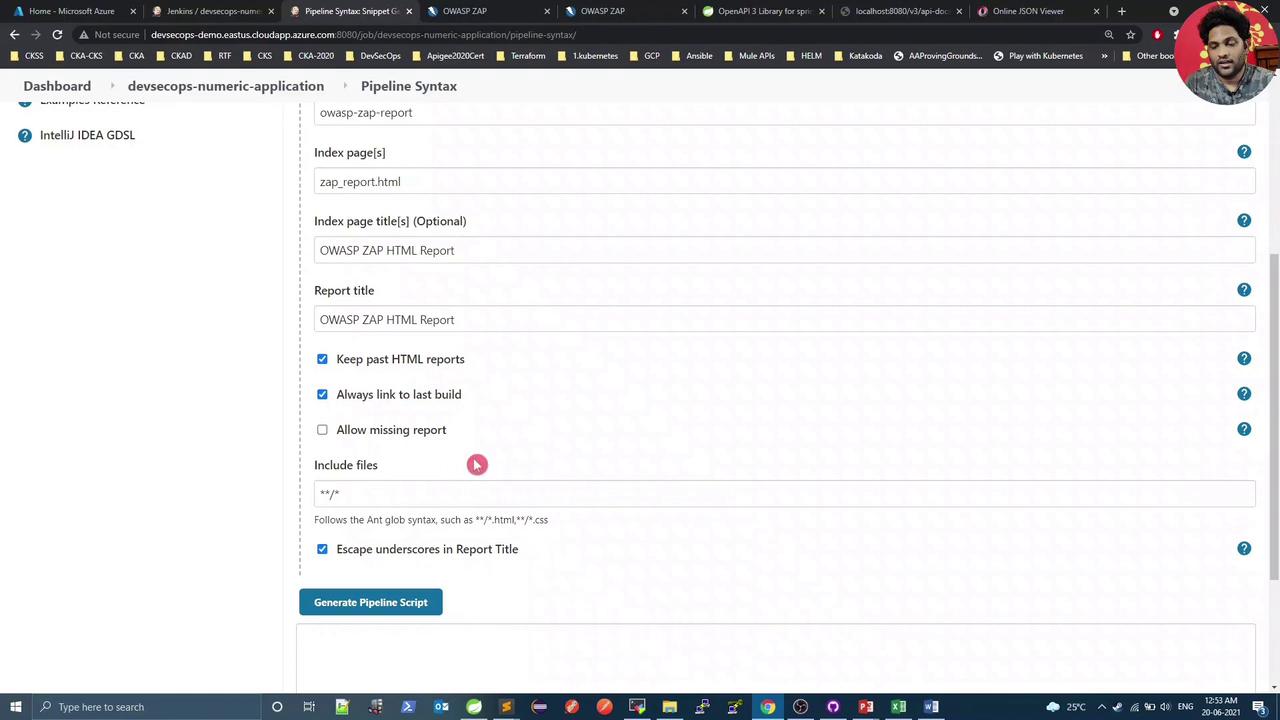
Use the Pipeline Syntax Snippet Generator in Jenkins to configure thepublishHTML step:
- HTML directory:
owasp-zap-report - Index page(s):
zap_report.html - Report title: OWASP ZAP HTML Report
4. Trigger a Build and Review
After pushing your commits, Jenkins will run a new build including the OWASP ZAP – DAST stage: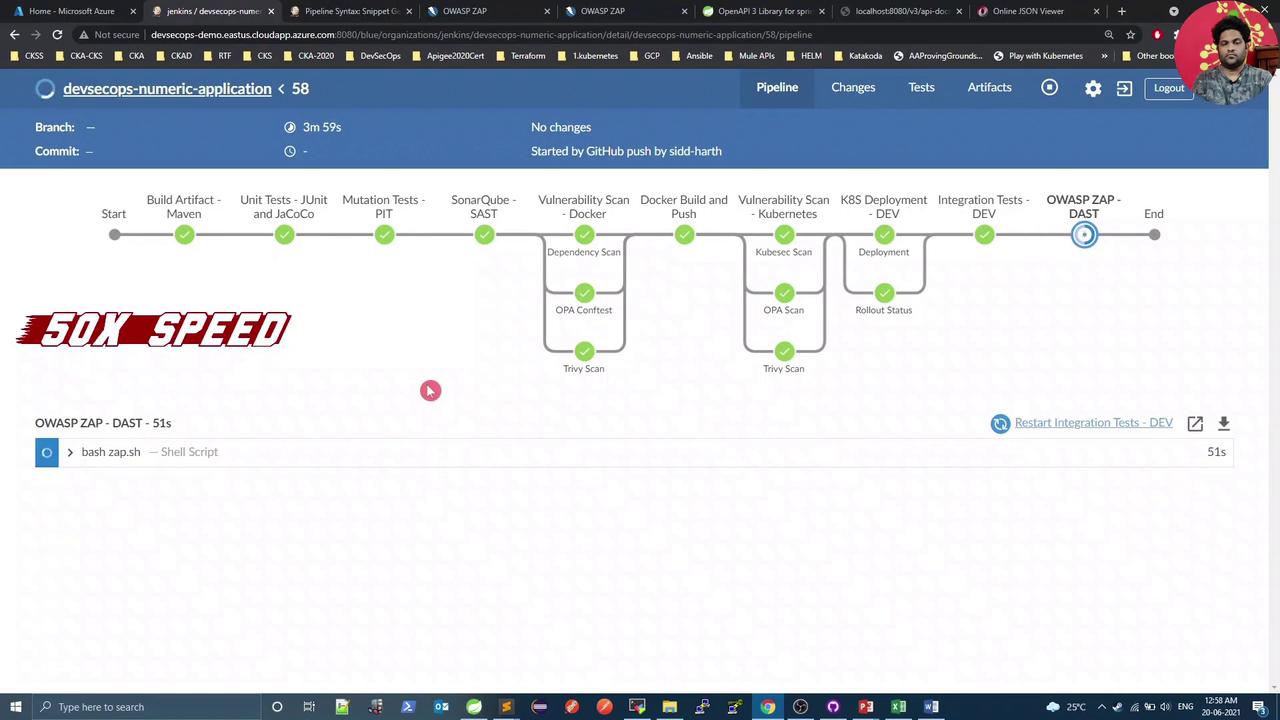
5. View the Published HTML Report
Open the OWASP ZAP HTML Report link on your Jenkins build page to explore vulnerabilities: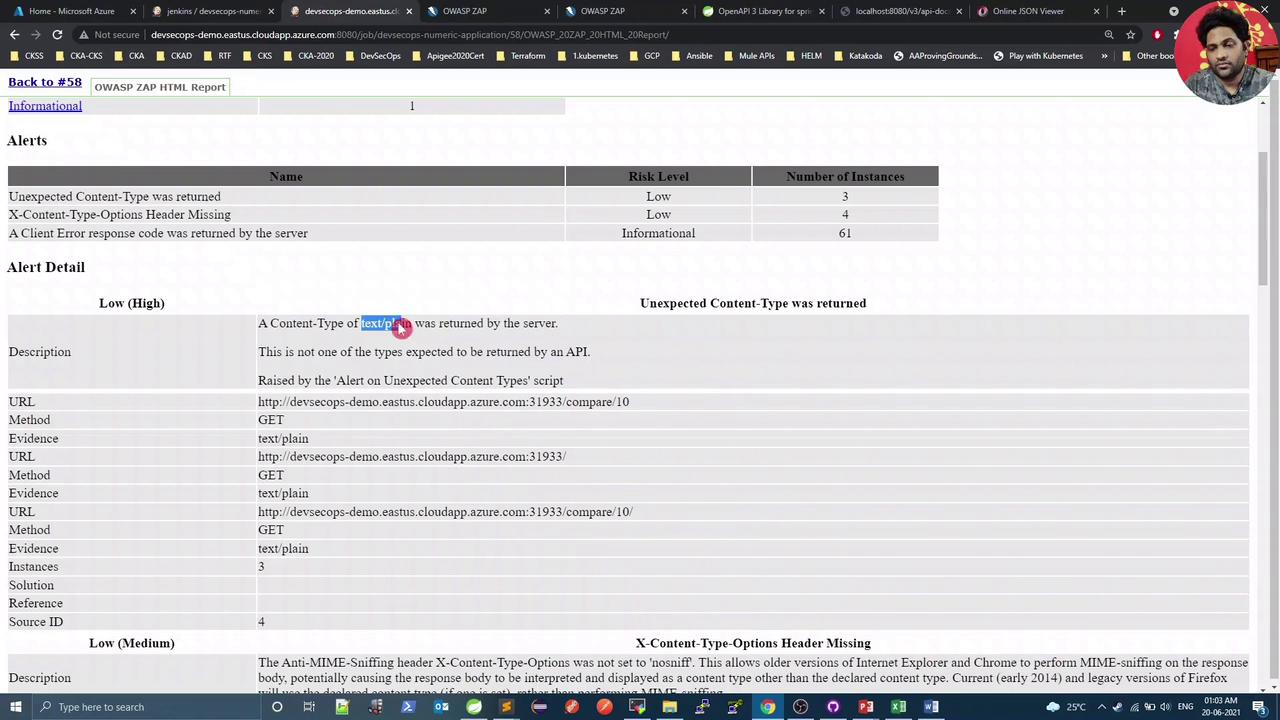
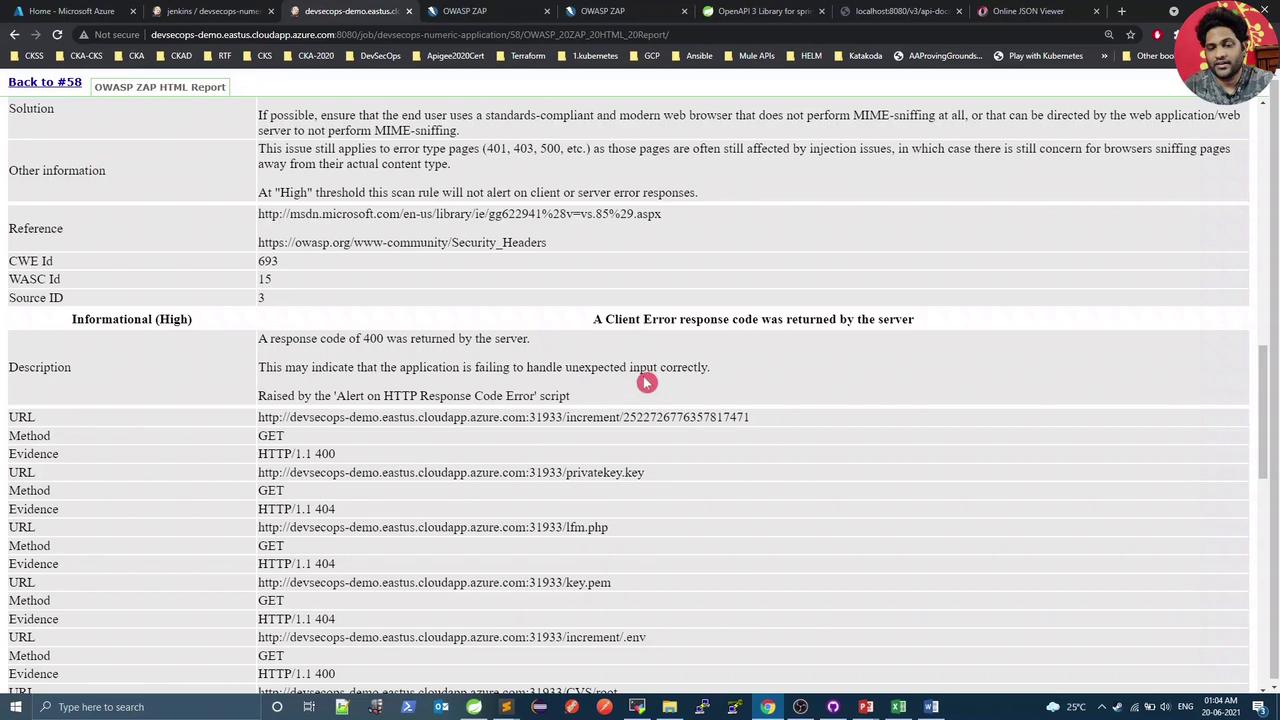
In this demo,text/plainresponses are expected and can be treated as false positives, but the missingX-Content-Type-Options: nosniffheader is a genuine low-risk issue.
6. Verify and Fix the Missing Header
Open your application endpoint in a browser and inspect the response headers under Developer Tools → Network. You should see thatX-Content-Type-Options is absent:
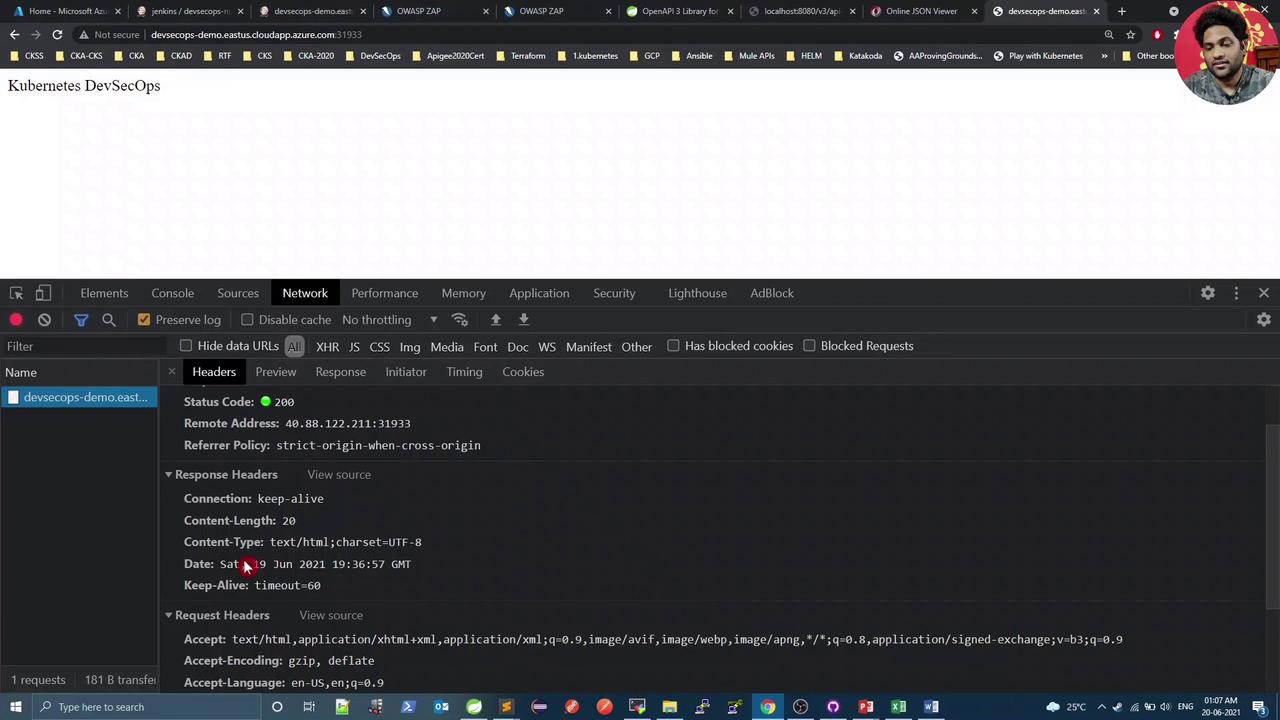
X-Content-Type-Options: nosniff header and eliminate the warning.
Links and References
- Springdoc OpenAPI
- OWASP ZAP DAST with Docker
- Jenkins Pipeline Syntax
- OWASP ZAP Official Documentation
- Jenkins HTML Publisher Plugin