

Table of Contents
- Prerequisites
- Falco Sidekick Overview
- Installing Helm 3
- Deploying Falco with Sidekick
- Verifying the Installation
- Accessing the Falco Sidekick UI
- Triggering an Alert
- Next Steps
- Links and References
Prerequisites
- A running Kubernetes cluster
kubectlconfigured for your clusterhelmCLI installed locally
Falco Sidekick Overview
Falco Sidekick extends Falco’s native alerting by routing events to various destinations:Installing Helm 3
Helm is the Kubernetes package manager. To install Helm 3:Deploying Falco with Sidekick
-
Create the
falconamespace: -
Add the Falco Security Helm repo:
- Install Falco with Sidekick and the Web UI:
Replace the placeholder webhook URL with your actual Slack (or Teams/Datadog) endpoint.
Verifying the Installation
Check Helm releases and Kubernetes resources:ClusterIP. To expose it:
Accessing the Falco Sidekick UI
Open your browser at: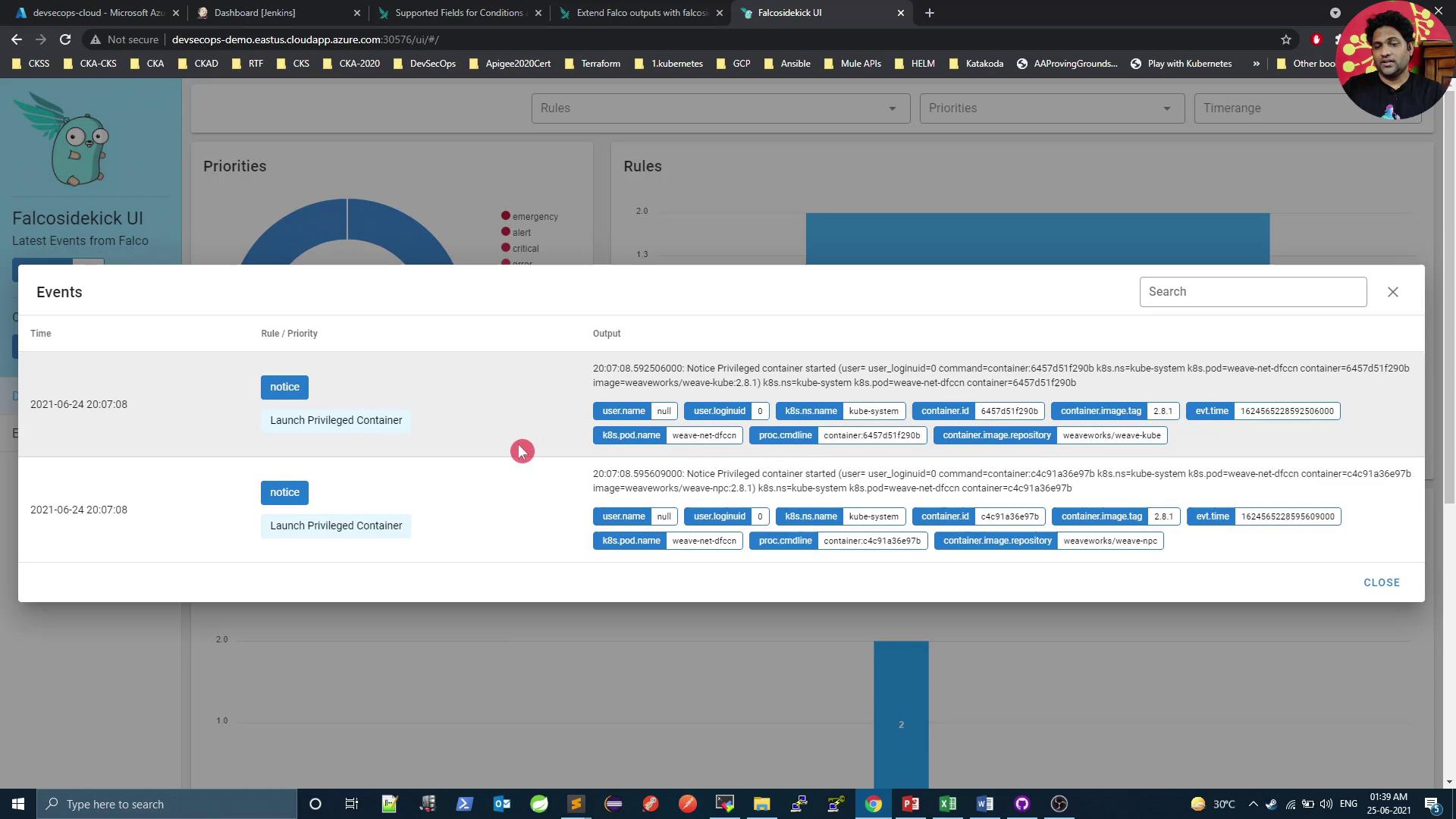
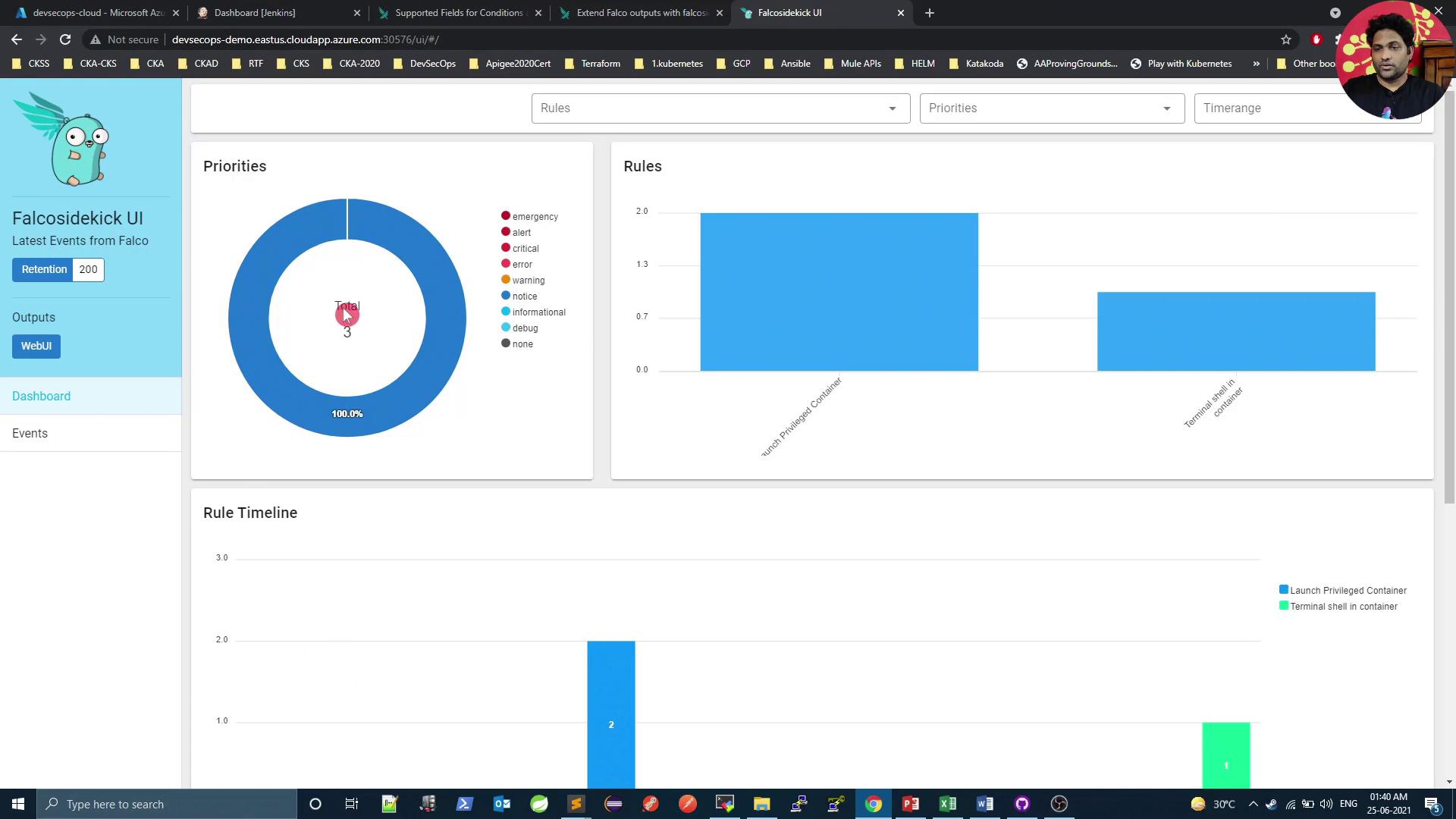
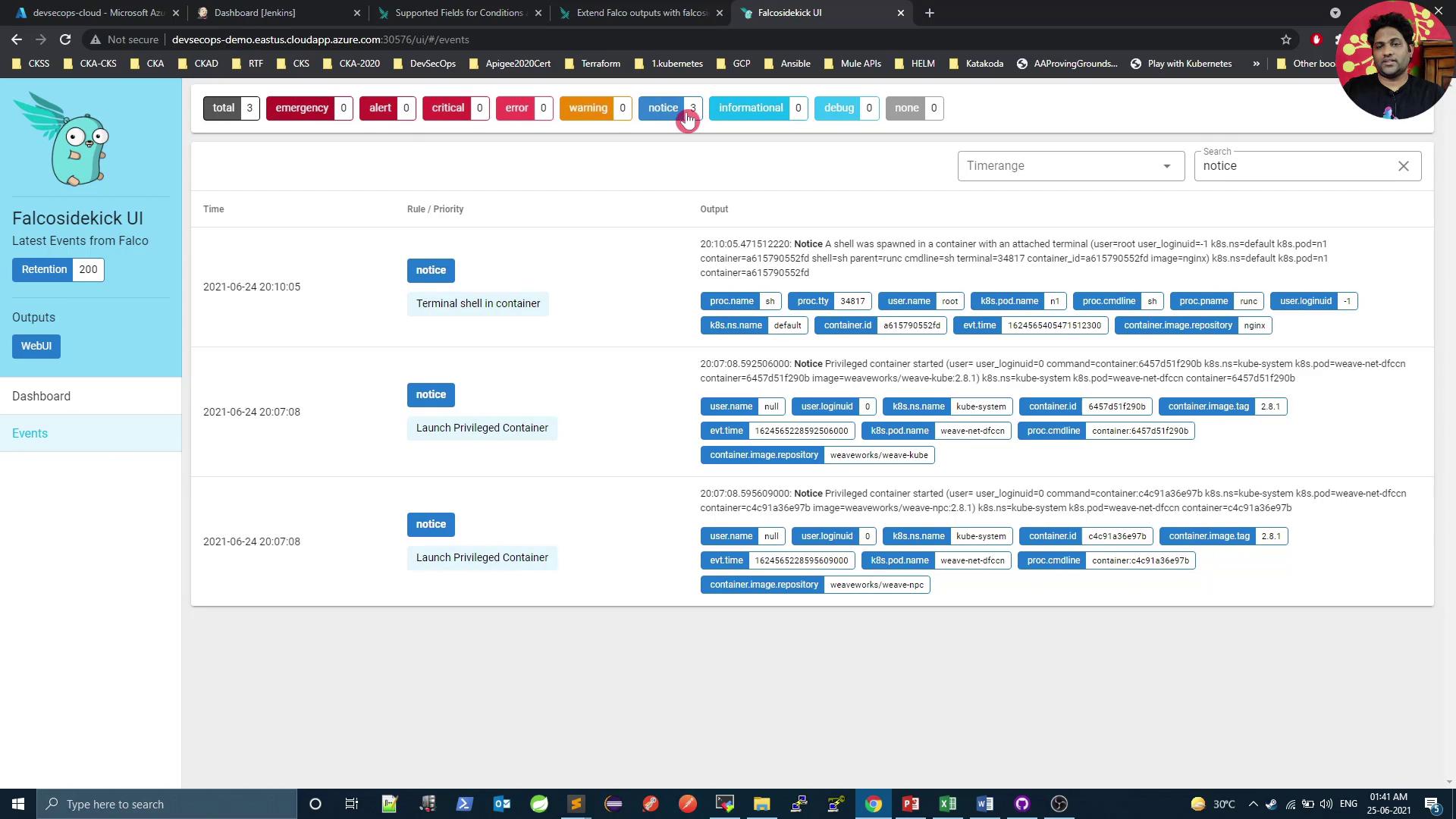
Triggering an Alert
Generate a new Falco event by executing a shell in any pod:Next Steps
In the next article, we’ll configure Sidekick to send alerts to a Slack channel. Reinstall Falco with your Slack webhook:Links and References
- Falco Documentation
- Falco Sidekick GitHub
- Helm Charts for Falco
- Kubernetes Official Docs
- Slack Incoming Webhooks