

Why Dependency Management Matters
As applications grow, they often incorporate numerous third-party libraries. Without proper oversight, these components can introduce known vulnerabilities that compromise your software’s security. Effective dependency management ensures you can:- Maintain visibility into every external dependency and its version.
- Quickly identify known vulnerabilities and assess their severity.
- Take actionable steps to remediate or suppress issues before they reach production.
What Is OWASP Dependency-Check?
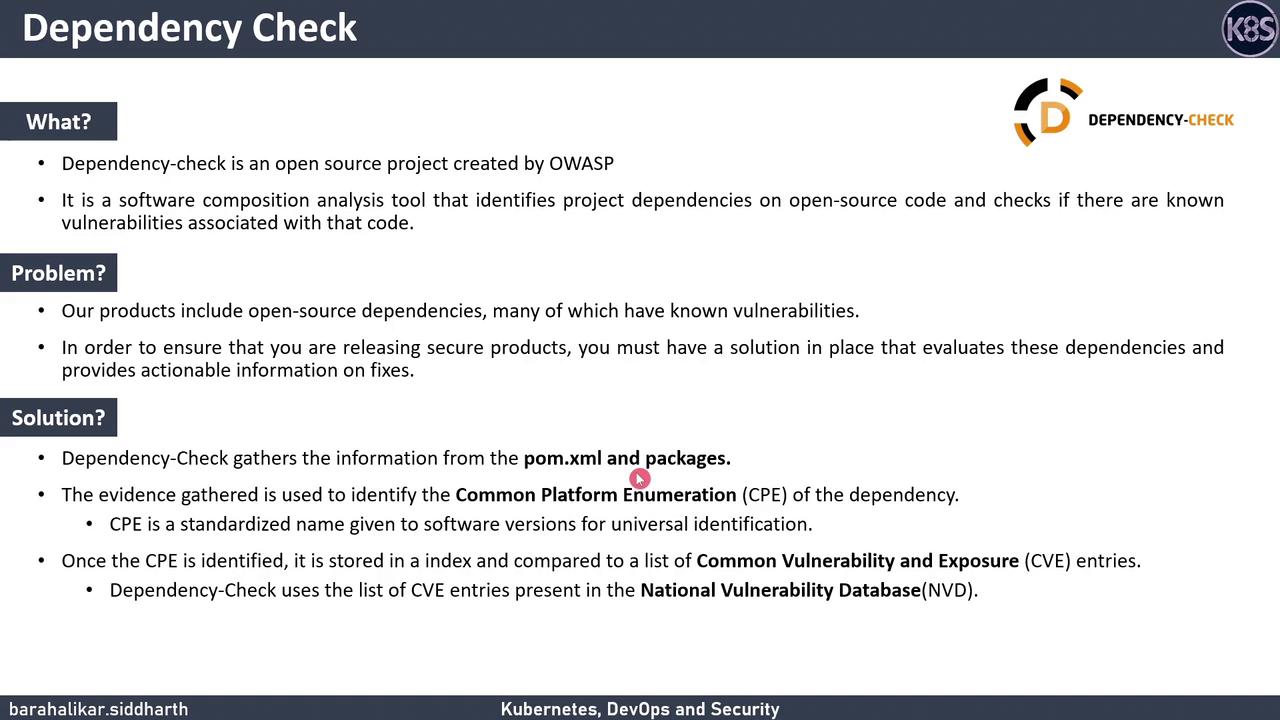
OWASP Dependency-Check is a free SCA plugin that:- Scans your project’s dependency files (e.g., POM,
package.json,Gemfile). - Extracts metadata to determine each component’s Common Platform Enumeration (CPE).
- Matches those CPEs against the National Vulnerability Database (NVD) to find associated CVEs.
Core Features
On the very first run, Dependency-Check must download and index the entire NVD feed, which can take 10+ minutes. Running it at least once every 7 days keeps subsequent updates under a minute.
Sample HTML Report
Here’s an example of the HTML report you’ll receive after a scan. It lists vulnerable files, CVE identifiers, severity levels, and weakness classifications.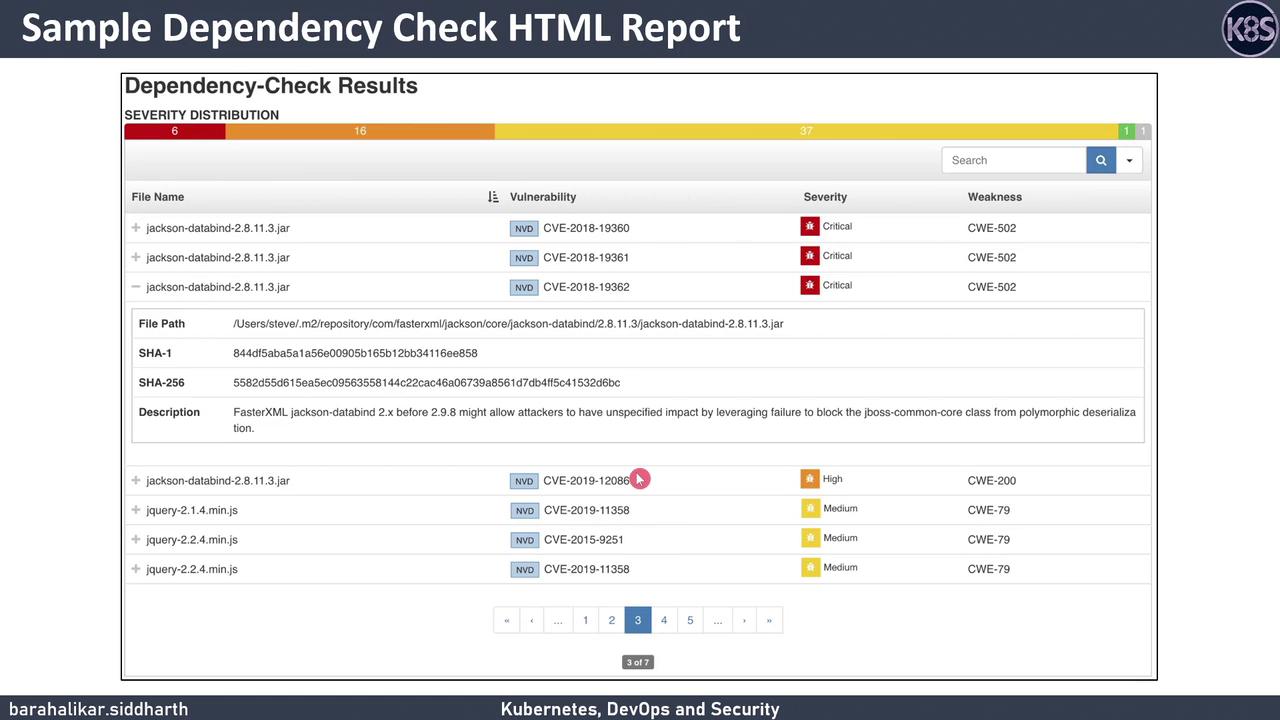
Integrating Dependency-Check with Jenkins
You can automate your scans in a Jenkins pipeline using the official Dependency-Check plugin. The followingJenkinsfile snippet demonstrates how to:
- Run the Dependency-Check analysis.
- Archive the HTML report.
- Fail or mark the build unstable based on a CVSS threshold.
Set a realistic
<failOnCVSS> threshold in your dependency-check.xml or CLI arguments to prevent build failures on low-severity CVEs. Failing on every issue can lead to pipeline fatigue.Links and References
- OWASP Dependency-Check Documentation
- National Vulnerability Database (NVD)
- Common Vulnerability Scoring System (CVSS)
- Jenkins Dependency-Check Plugin