

Why Git Hooks Matter
In 2015, a developer accidentally pushed AWS S3 access keys to GitHub. Within five minutes, automated bots exploited those keys for Bitcoin mining, accruing a $2,400 bill. Git hooks help you stop this from happening by running custom scripts at critical events like commits and pushes.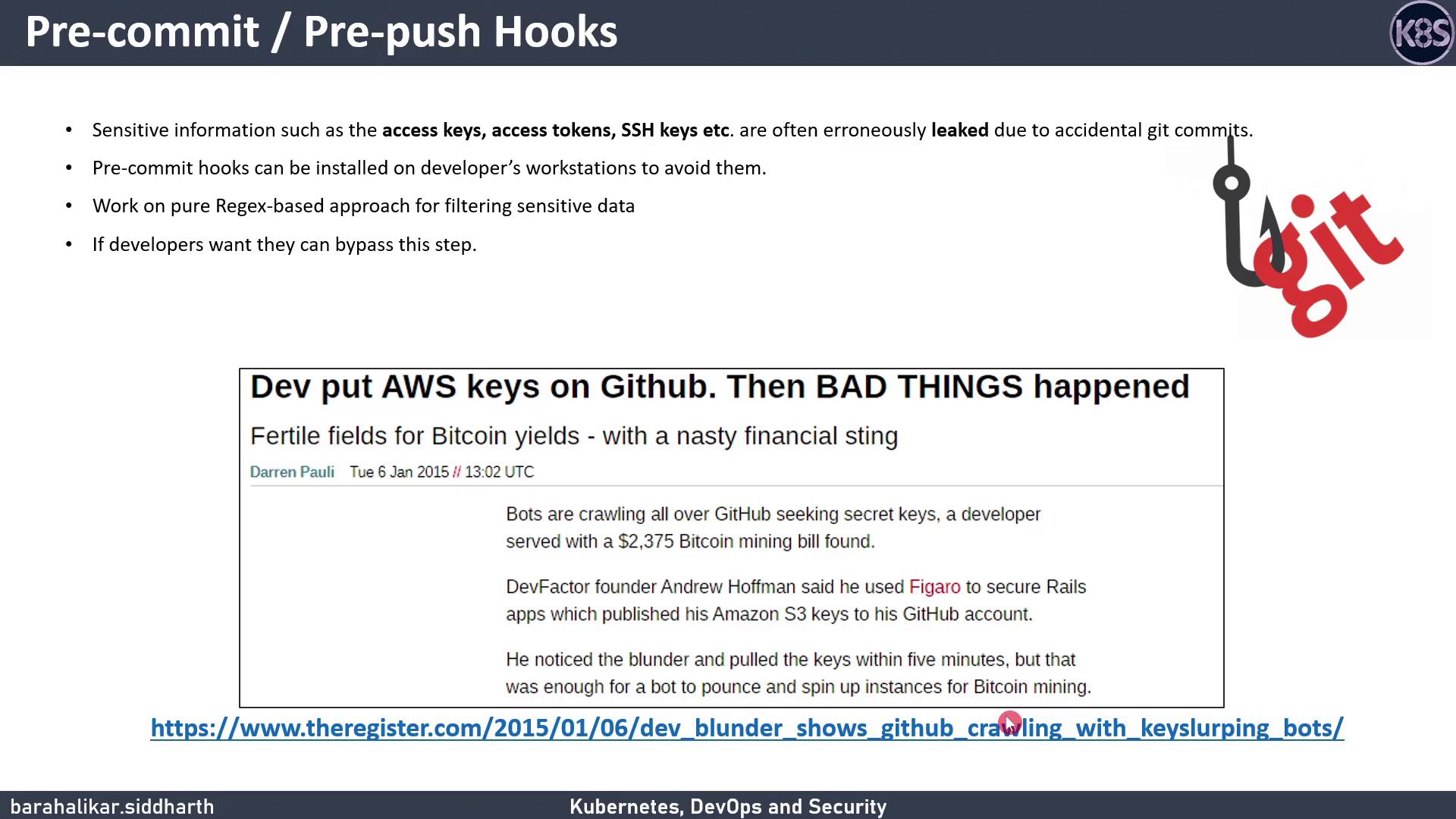
Common Git Hook Events
Introducing Talisman
Talisman installs Git hooks to scan outgoing changes for secrets—passwords, API tokens, private keys, credit-card numbers, and more. It also offers a history-scan feature to uncover any secrets already in your repo.
Installation Options
We’ll demonstrate the single-project approach with a pre-push hook.
If you want to apply Talisman globally, see the global_install_scripts in the Talisman repo.
How Talisman Works
When you rungit push, Talisman inspects your changes for:
- Base64 or hex-encoded secrets
- Common secret patterns (e.g., passwords, tokens)
- Large files with potential key material
- Credit-card numbers or sensitive file extensions (
.keys,.secrets,.credentials)
filename: aws
checksum: 14e3763161c3485181806245883bf1cebfa4f241dd23f4f01a5f9793ba45 When prompted:
.talismanrc. Otherwise, you can bypass Talisman with:
Bypassing hooks (
--no-verify) skips all pre-push checks. Use this only when you’re certain no sensitive data is included.Managing Talisman
To remove Talisman from your project, delete the hook scripts in.git/hooks/ (for example, pre-push or pre-commit).