

post { failure { … } } blocks to every stage.
Why Avoid Manual Post-Failure Blocks?
Addingpost { failure { … } } to each stage quickly becomes unmanageable as pipelines grow. Instead, we’ll use the Jenkins Blue Ocean Plugin API at the end of the build to discover failed stages automatically.
Programmatic Stage Discovery with Groovy
Define two Groovy helper methods—getStageResults to collect stage data and getFailedStages to extract failures. Place these in a Shared Library or at the top of your Jenkinsfile.
The methods are annotated with
@NonCPS to ensure they run outside the Pipeline CPS engine.Example Declarative Jenkinsfile
Below is a sample pipeline illustrating how to use these methods in the post section. On failure, we extract the first failed stage name and embed it in a Slack alert.
Handling Jenkins Script Approval
When running these API calls for the first time, Jenkins may block unapproved methods. Approve them via Manage Jenkins → In-process Script Approval.Ensure you only approve trusted methods. Unrestricted script approval can introduce security risks.

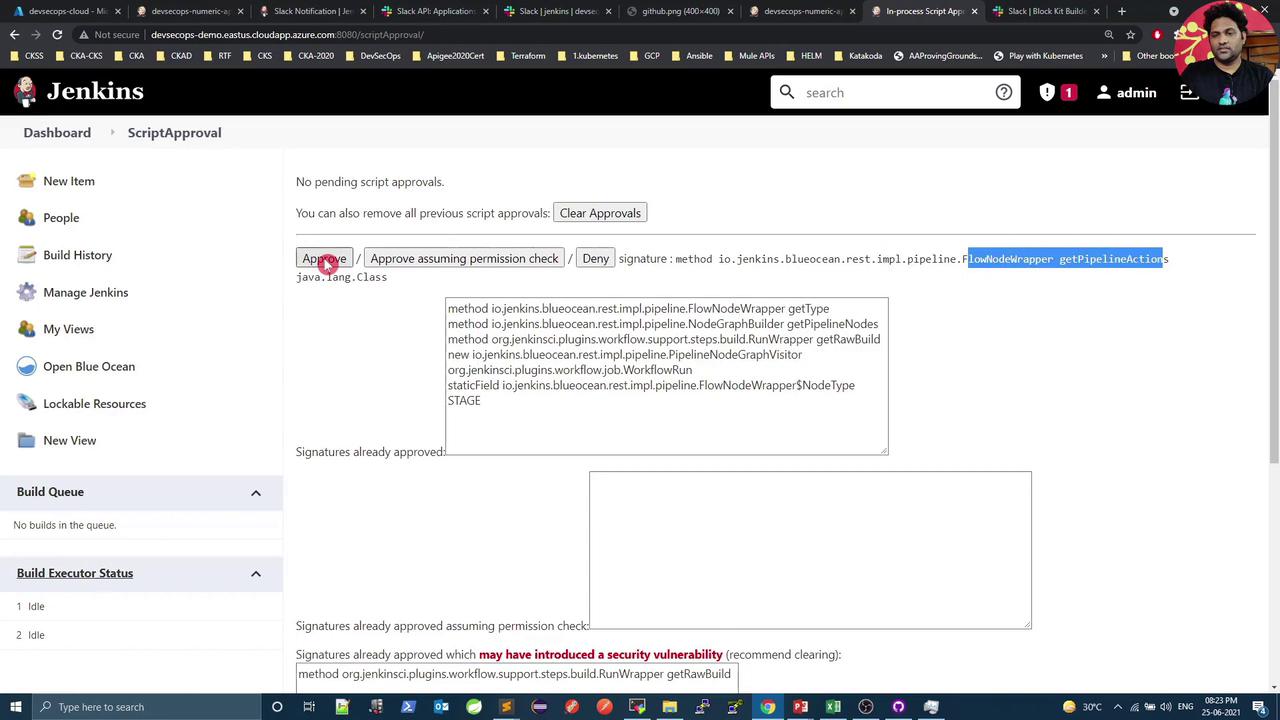
Verifying Failed Stages in Jenkins UI
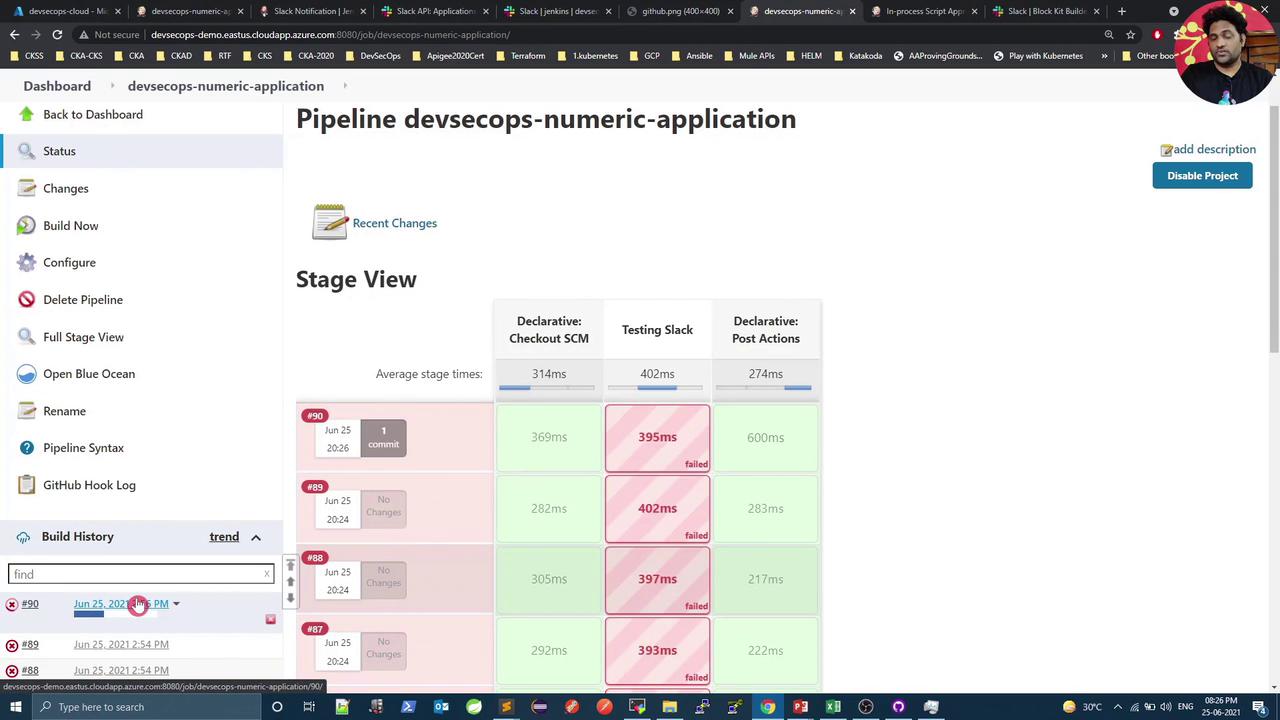
After granting approvals, rerun the pipeline. In the Classic UI’s Stage View, failed stages are highlighted in red: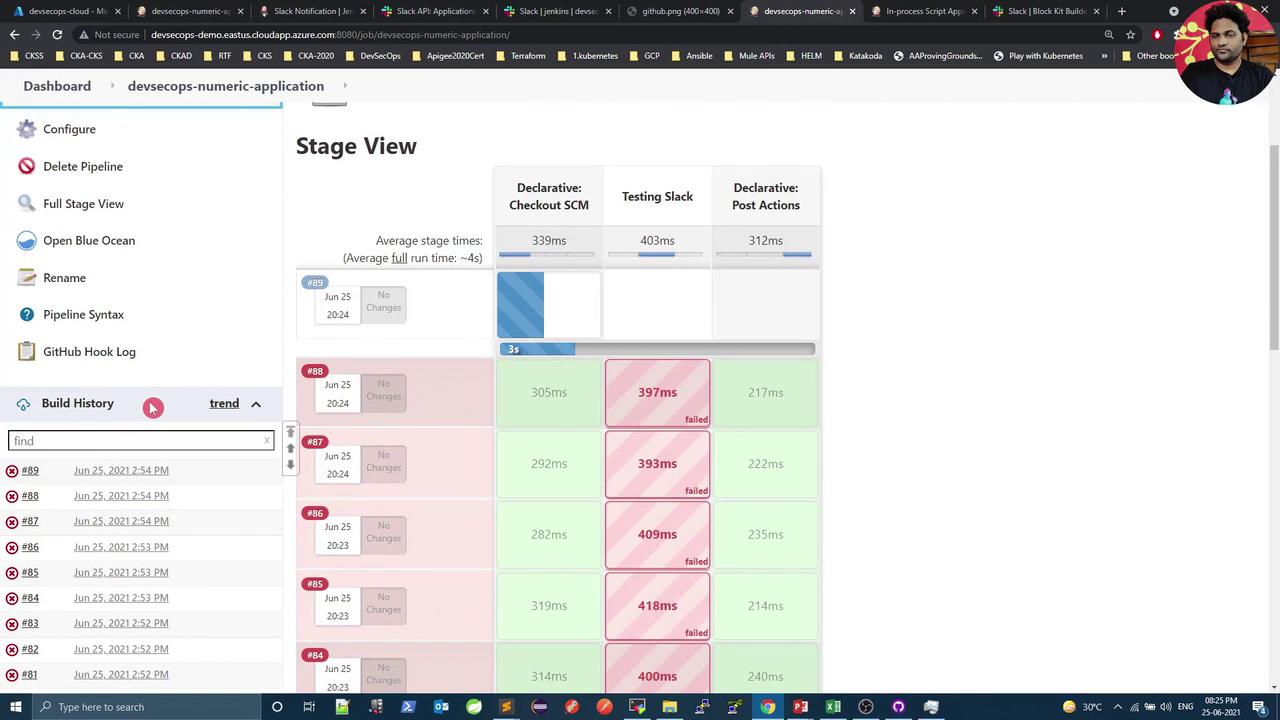

Slack Notifications on Failure
When a stage fails, the Slack app will receive a message identifying the failed stage: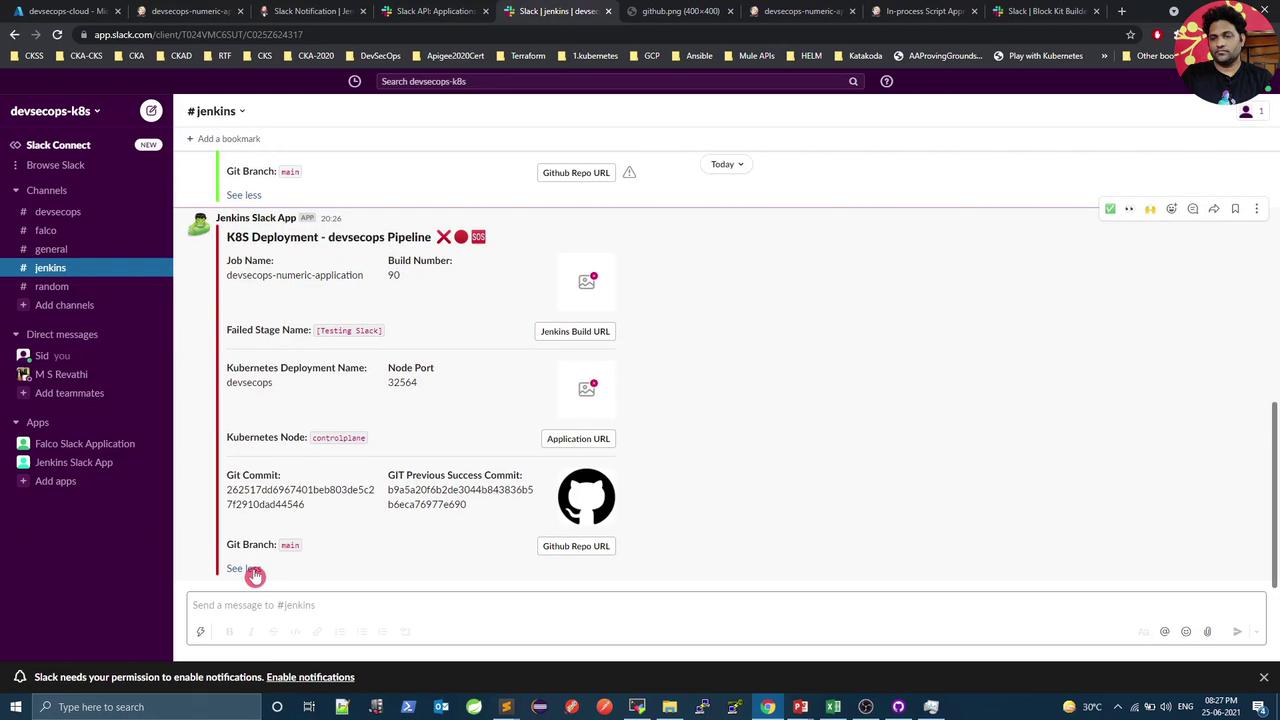
Confirming Success Notifications
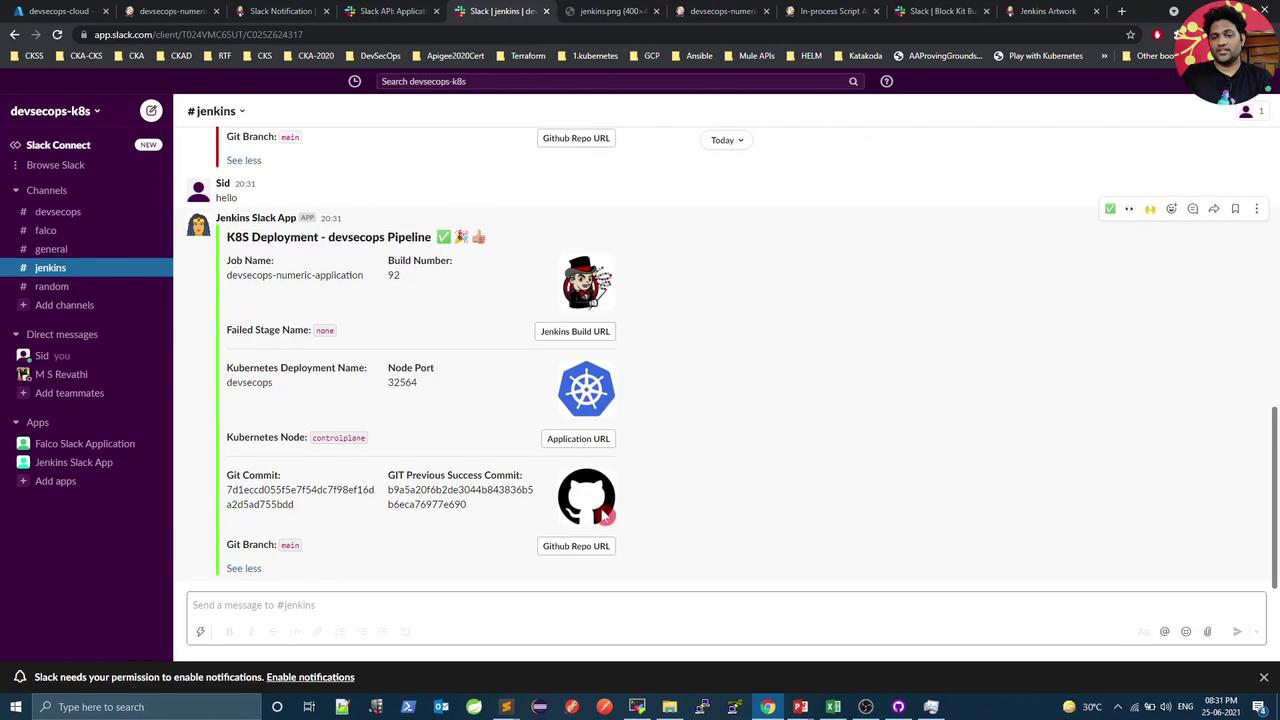
Use a simple two-stage pipeline to validate success notifications. Observe thatfailedStage is set to none on successful builds:
Conclusion
Leveraging the Jenkins Blue Ocean API to detect failed stages keeps your pipeline concise and scalable. You’ll get accurate Slack alerts pinpointing the exact stage that failed—no repetitivepost { failure { … } } blocks required.
References
- Jenkins Pipeline Shared Libraries
- Blue Ocean Plugin API
- Jenkins In-process Script Approval
- Slack Notification Plugin