

- Listing Istio Custom Resource Definitions (CRDs)
- Inspecting pods and services in the
prodnamespace - Observing traffic before and after mTLS
- Applying
DISABLE,PERMISSIVE, andSTRICTmTLS modes - Verifying encryption with packet capture
Prerequisites
- A running Kubernetes cluster with Istio installed
kubectlconfigured for your cluster- Kiali add-on for traffic visualization
1. List Istio CRDs
Istio installs several CRDs, including PeerAuthentication. To view them:2. Inspect the prod Namespace
List pods and services running in prod:
3. Observe Traffic
Generate continuous requests to thedevsecops-svc service:
4. Visualize in Kiali
Open Kiali’s Graph view for theprod namespace. By default, Istio uses PERMISSIVE mTLS, so you’ll see both plaintext and encrypted traffic between devsecops-svc and node-service.
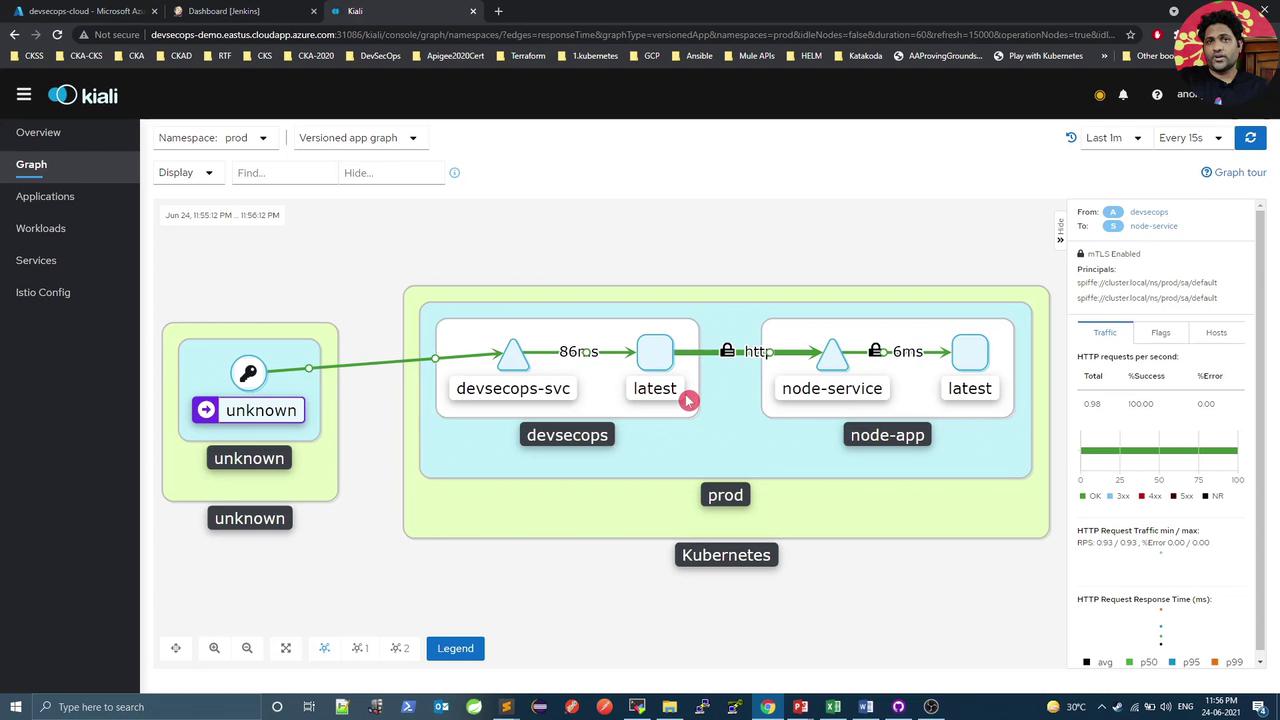
5. Disable mTLS Globally
Disabling mTLS will route all service-to-service traffic over plaintext HTTP, exposing your data in transit.
PeerAuthentication in the istio-system namespace:
6. Switch to Permissive Mode
Permissive mode allows both mTLS and plaintext connections simultaneously—ideal for gradual rollout.
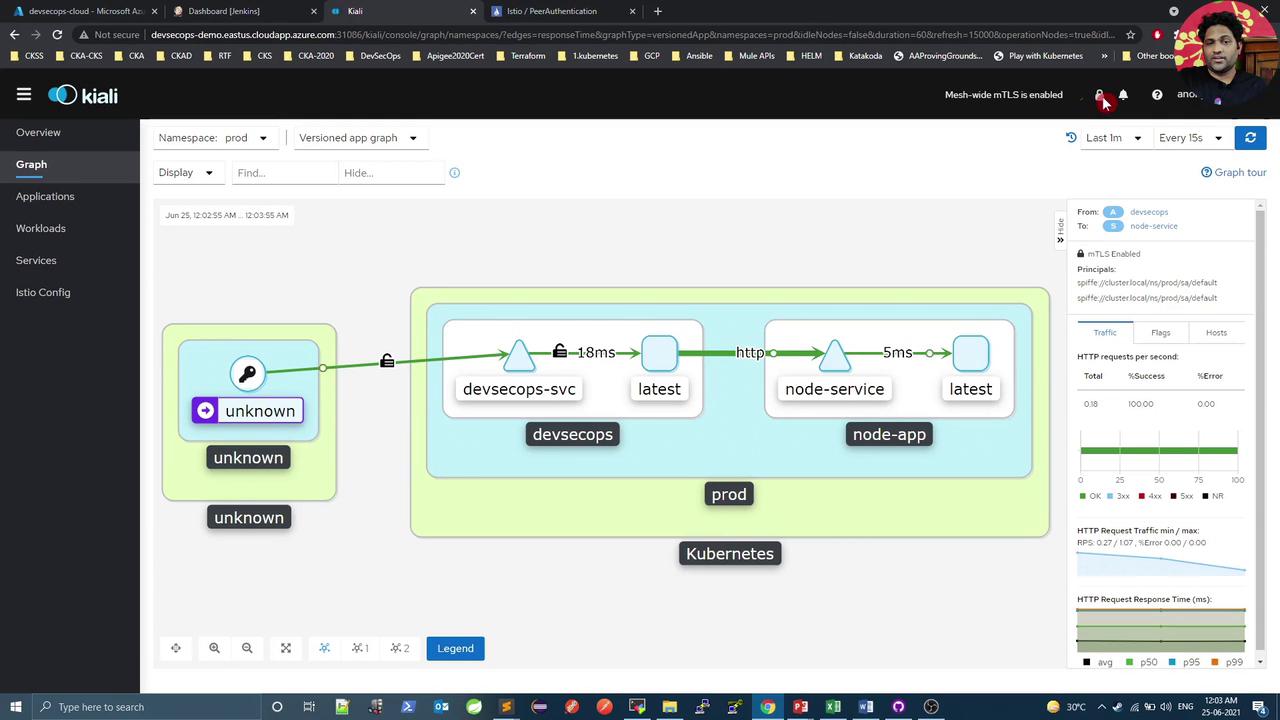
7. Enforce Strict mTLS Mode
To require mTLS for all workloads:curl loop will now fail, as plaintext requests are blocked. Kiali will show a fully locked mesh:
8. Verify with Packet Capture
Install theksniff plugin and capture traffic to confirm encryption:
15001.
In this lesson, you learned how to manage mTLS modes with Istio’s PeerAuthentication API and verify traffic encryption. Next, explore securing ingress traffic using the Istio ingress gateway.