

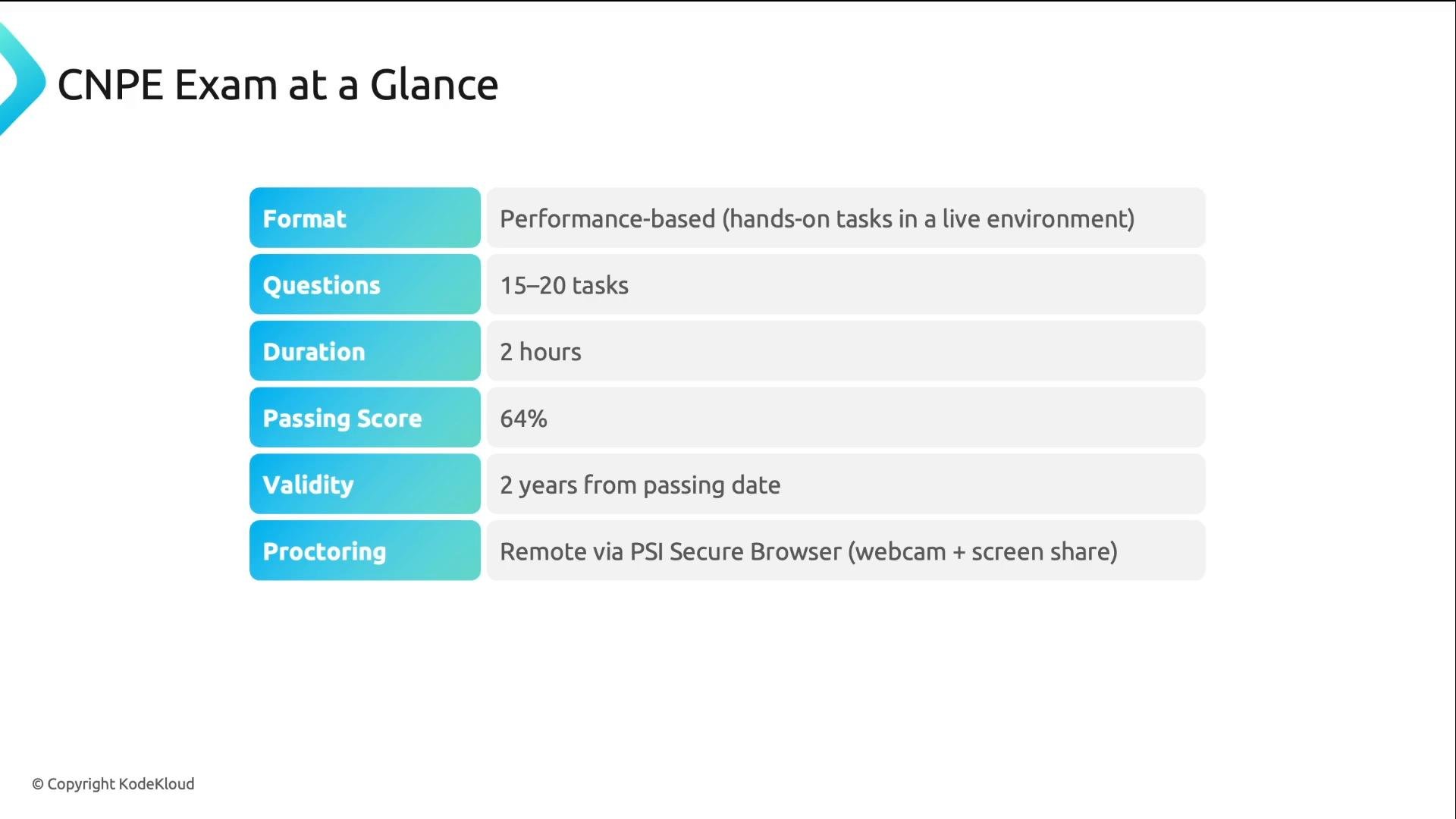
- The CNPE exam is performance-based: you perform real tasks on live Kubernetes clusters instead of answering multiple-choice questions.
- Expect 15–20 tasks to complete in two hours (average ~6–8 minutes per task). Some tasks are straightforward; others require multiple steps.
- The passing score is 64%. Because tasks require correct actions in a live environment, guessing is not effective.
- The exam is proctored remotely using the PSI Secure Browser.
- The exam is currently available in English only.
- The exam environment tracks recent Kubernetes releases and is updated typically within 4–8 weeks of a new release. At the time this lesson was created, the environment used Kubernetes
v1.32.
Together, GitOps and Platform APIs account for half of the exam weight, so allocate study time accordingly.
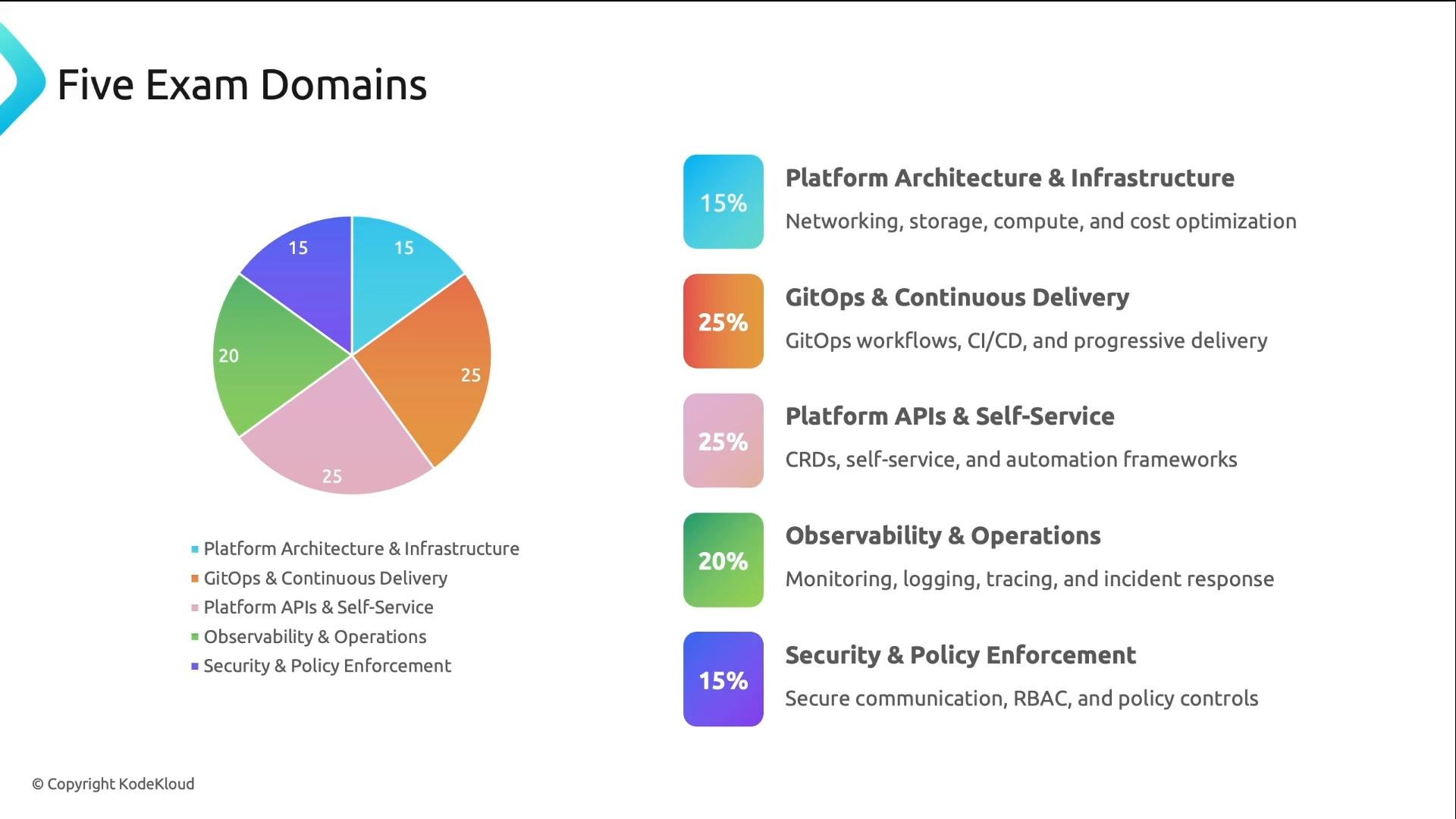
- The CNCF publishes a list of tools commonly seen on the exam. The exam focuses on concepts and problem solving rather than tool trivia.
- Each task provides a quick reference box linking to the relevant documentation. You are expected to read and use those docs — you do not need to memorize every CLI flag.
- Familiarity from hands-on labs will improve your speed; practice reduces the time you spend looking up commands.
You are allowed to use the documentation linked in each task’s quick reference box (for example
kubernetes.io/docs and tool-specific docs). Use those links — the exam expects you to read documentation efficiently rather than memorize every flag.- Allowed documentation includes
kubernetes.io/docs, the Kubernetes blog, and the tool-specific docs linked inside each task. - You can follow the quick-reference links within the exam environment, but navigation to external sites beyond those links is restricted.
- The exam runs in a Linux remote desktop inside your browser. Tasks instruct you to SSH into different hosts;
kubectlis preconfigured on those hosts. - Helpful conveniences are pre-installed: the
kalias, Bash auto-completion, common command-line tools (yq,curl,wget), and other CLIs that tasks might require. Firefox is available for web UIs and in-task docs.
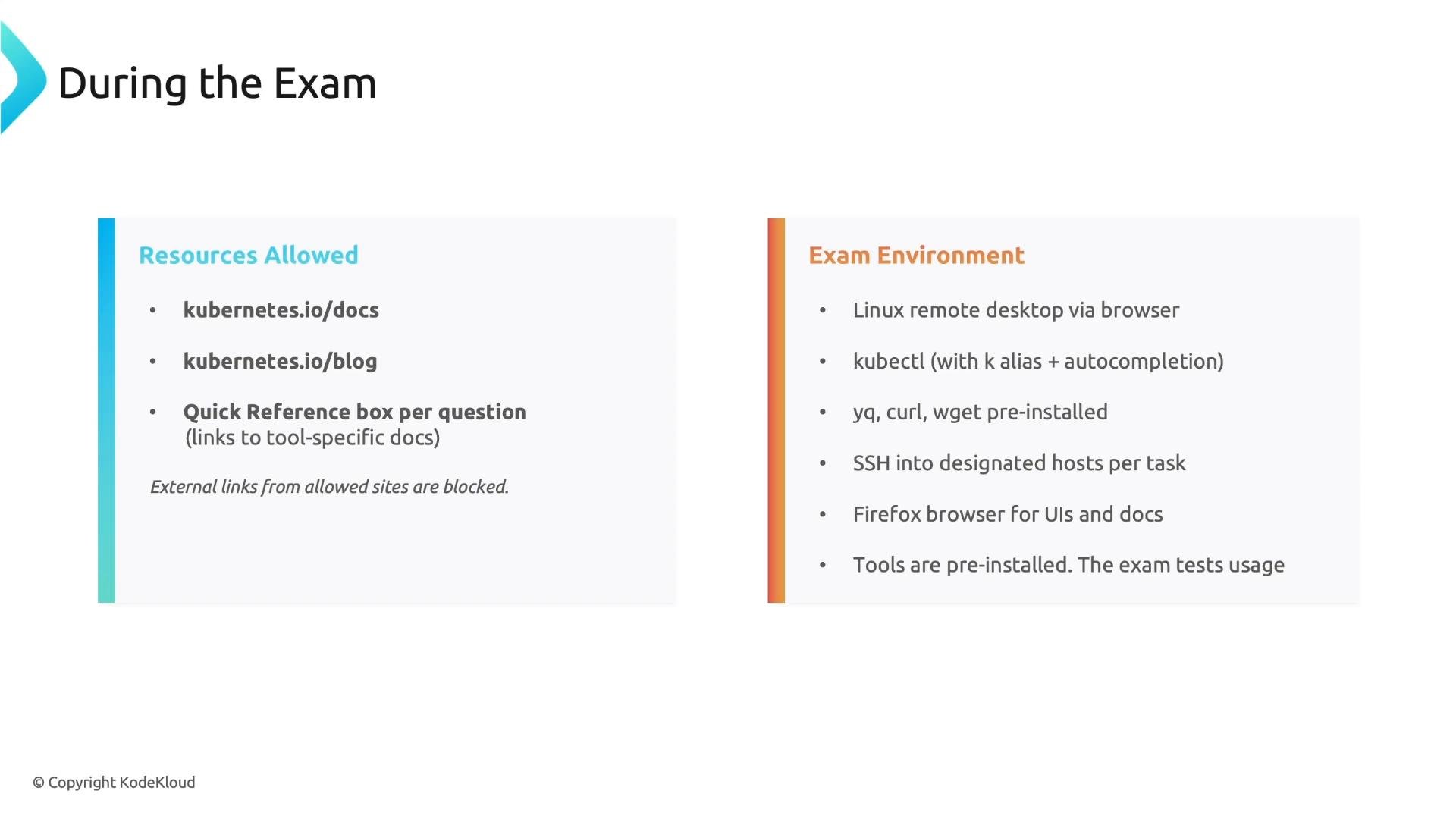
- You will not be required to install software; the exam evaluates usage and problem solving.
- Best preparation: complete hands-on labs and full mock exams to build accuracy and speed.
- Practice reading documentation efficiently — each task’s quick reference is your friend.
- Work on time management under exam-like conditions so you can complete tasks within the average allotted time.
Be aware the exam is remotely proctored via the PSI Secure Browser. Follow the proctoring rules and ensure your environment meets the system requirements before your scheduled exam.
- CNCF: https://www.cncf.io/
- Kubernetes docs: https://kubernetes.io/docs/
- Kubernetes blog: https://kubernetes.io/blog/