

- Verify Argo Rollouts is running
- Create a basic Rollout (Canary)
- Update canary steps to incrementally shift traffic
- Promote a canary and change images
- Adopt an existing Deployment with
workloadRef - Inspect Rollout status using the CLI and dashboard
Make sure you have the Argo Rollouts controller and dashboard installed and that you have the
kubectl argo rollouts plugin available. The examples below assume a canary-demo namespace.Prerequisites
- Kubernetes cluster with kubectl access
- Argo Rollouts controller and dashboard installed (namespace:
argo-rollouts) - Optional: traffic routing provider configured (Istio, NGINX, SMI) for precise traffic splitting
Creating a basic Rollout (Canary)
This Rollout uses a Canary strategy with two steps: set 25% traffic to the new ReplicaSet, then pause indefinitely until you promote.- Without a traffic provider, Rollouts approximates weights by scaling ReplicaSets (so weights map to pod counts).
- With a traffic routing provider (Istio, NGINX, SMI), Rollouts will use actual request routing to enforce weights.
step instead of steps). Fix the key and reapply.
Inspect the Rollout with the Argo Rollouts kubectl plugin:
Updating the canary steps
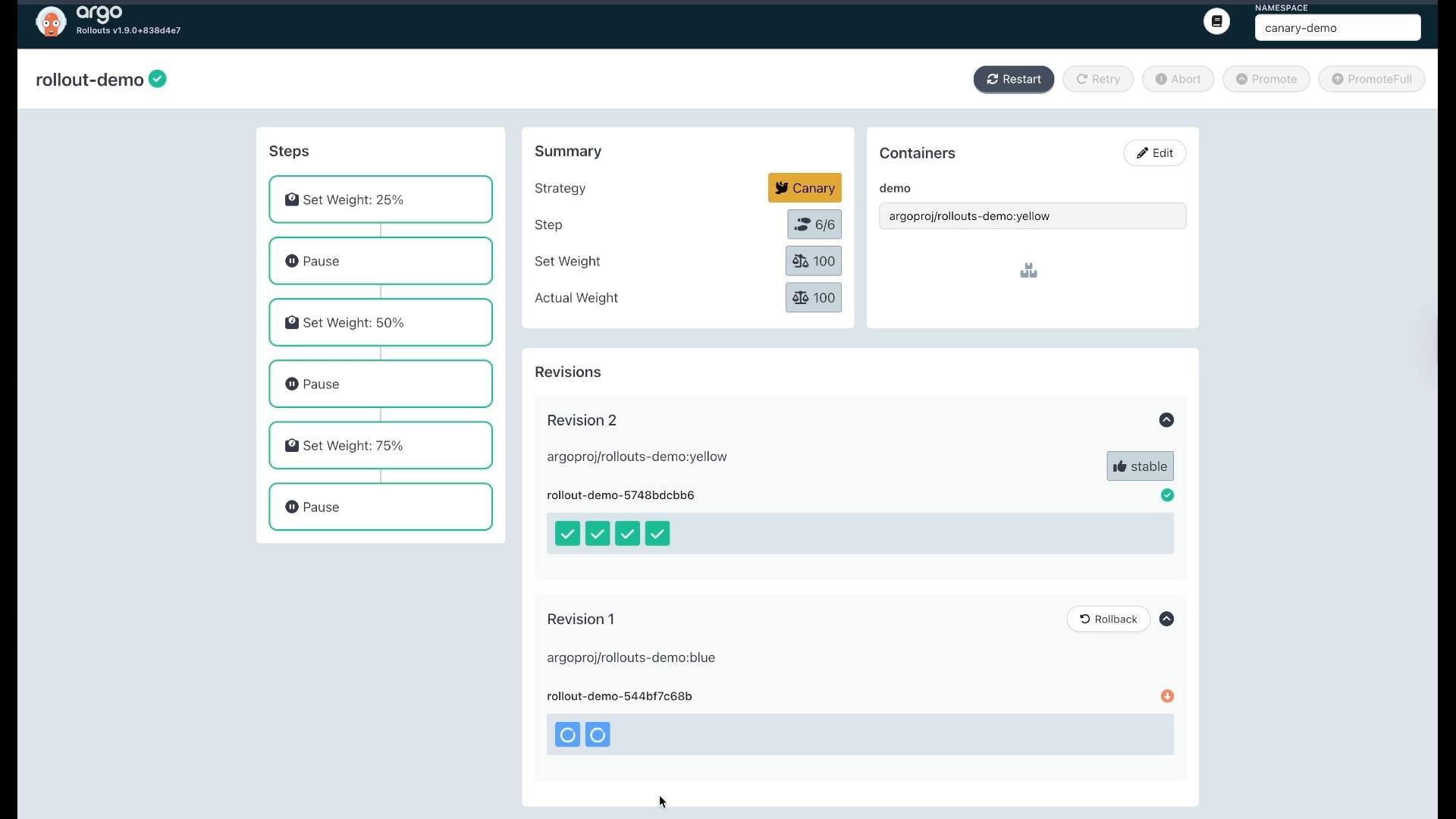
You can expand the canary steps to incrementally increase traffic, inserting pauses so you can observe metrics between increases. Example: 25%, 50%, 75%, then 100%:Promoting a canary
To move a paused canary to the next step via CLI:yellow:
Adopting an existing Deployment with workloadRef
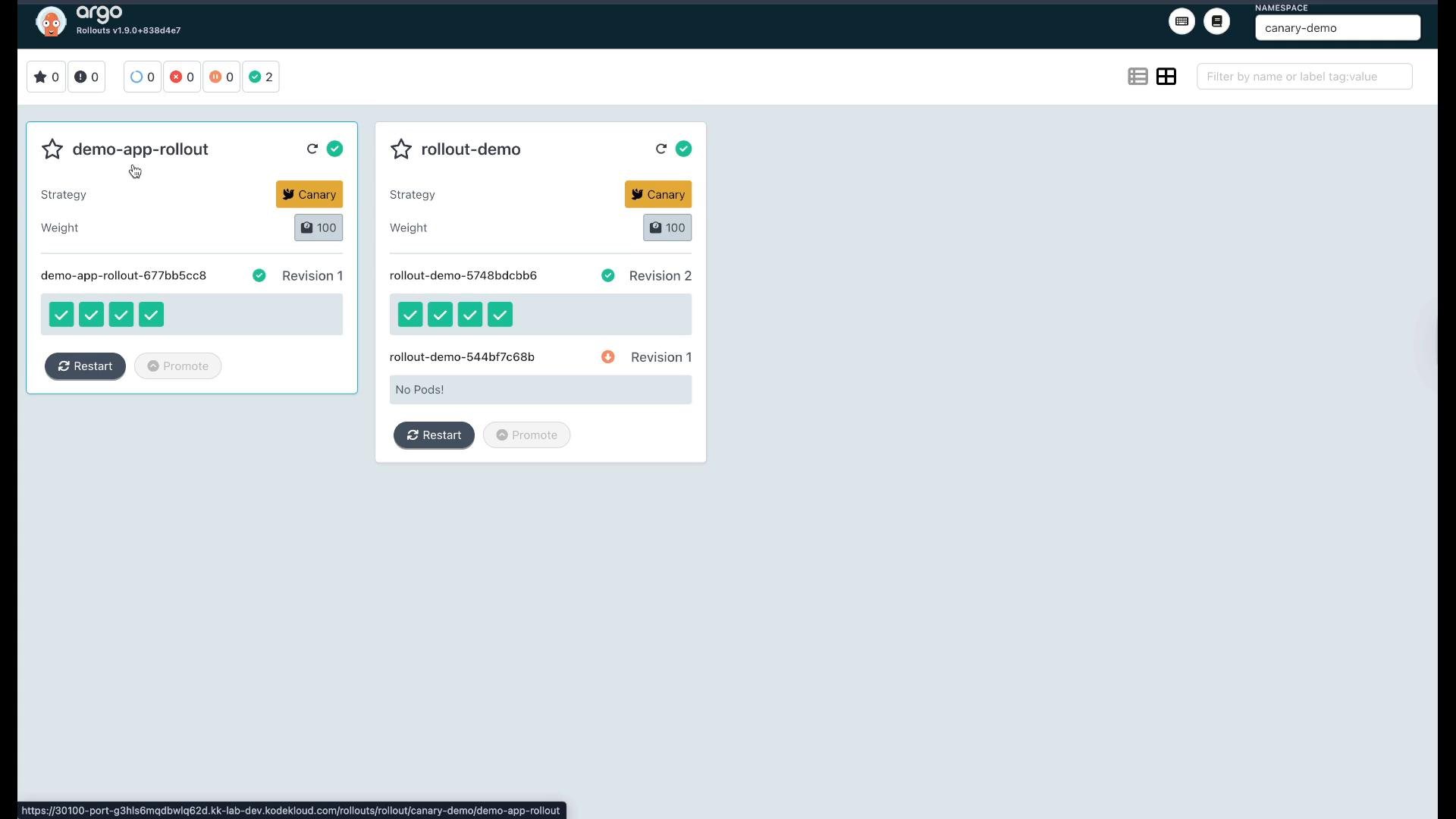
If you already have a Deployment running and want to add progressive delivery without recreating it, useworkloadRef. The Rollout will take control of the referenced Deployment, manage scaling, and create revisions.
Create a Deployment that Rollouts can adopt. Note: replicas: 0 so the Rollout will scale it when it takes control.
workloadRef:
Using
workloadRef is useful when you want to add progressive delivery to an existing Deployment without replacing or owning it immediately—Argo Rollouts will take control of scaling and revisions for that workload.Inspecting canary steps and revision history
You can view canary steps, revision history, and perform promote/rollback actions in the Rollouts dashboard. The UI shows each step (set weight / pause), the current traffic split, and revision details.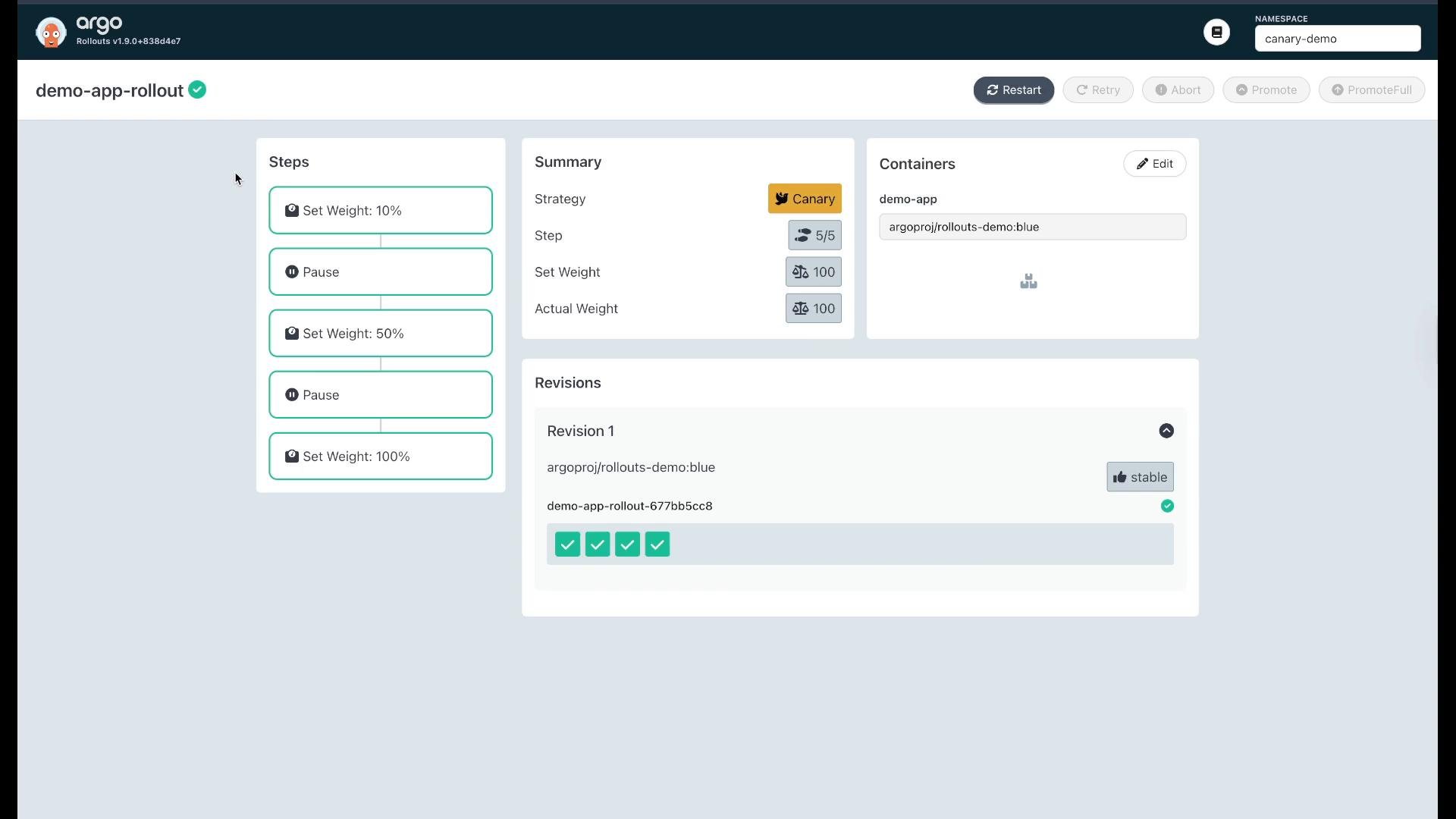
Quick reference: common Rollouts commands
Summary
- Argo Rollouts adds progressive delivery strategies (Canary, Blue/Green) and can act as a drop-in replacement for Deployments.
- Define
canary.stepsto control traffic weight and pauses; with a traffic provider the routing is precise, otherwise Rollouts approximates using pod counts. - Promote canaries via CLI (
kubectl argo rollouts promote) or the dashboard. You can also roll back to a stable revision. - Use
workloadRefto adopt existing Deployments without recreating them.
Links and references
- Argo Rollouts project: https://argoproj.github.io/argo-rollouts/
- Argo Rollouts GitHub: https://github.com/argoproj/argo-rollouts
- Kubernetes Deployments docs: https://kubernetes.io/docs/concepts/workloads/controllers/deployment/
- Istio traffic shifting (example provider): https://istio.io/latest/docs/tasks/traffic-management/
workloadRef.