

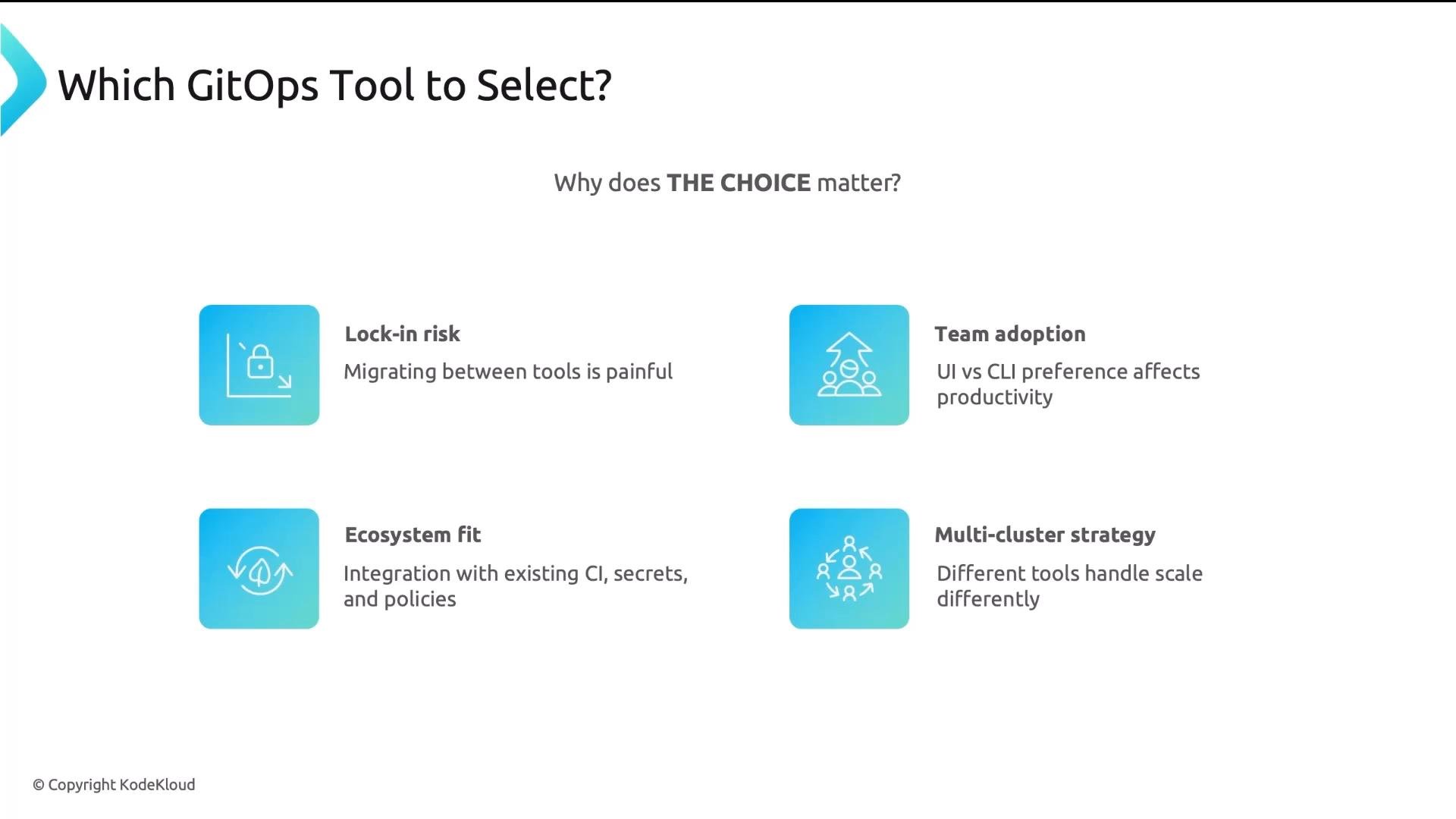
Tool selection affects team workflows, visibility, and operational overhead. Match the GitOps controller to your team’s experience and operational model to avoid long migrations.
- Lock-in risk: Switching controllers involves converting CRDs, webhooks, and integrations — it can be time-consuming.
- Team adoption: UI-first tools speed visibility for non-experts; Git/CLI-centric tools favor Git-native workflows.
- Ecosystem fit: How does the tool integrate with CI, secret stores, policy engines, and observability tooling?
- Multi-cluster strategy: Do you prefer a centralized control plane or decentralized per-cluster control?
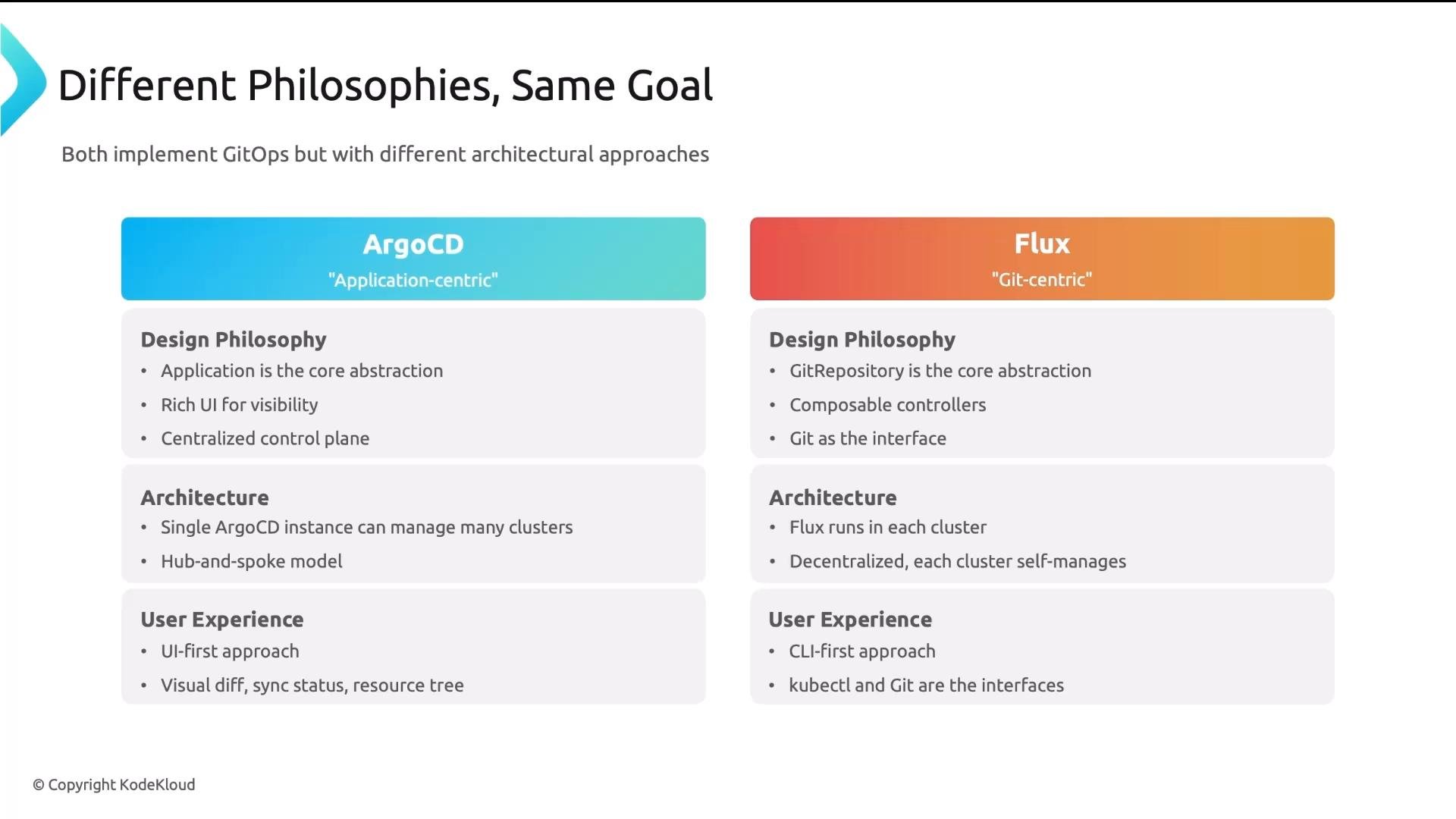
- Argo CD is application-centric. The Application resource is the primary abstraction. It provides a rich web UI and typically uses a centralized hub-and-spoke control plane.
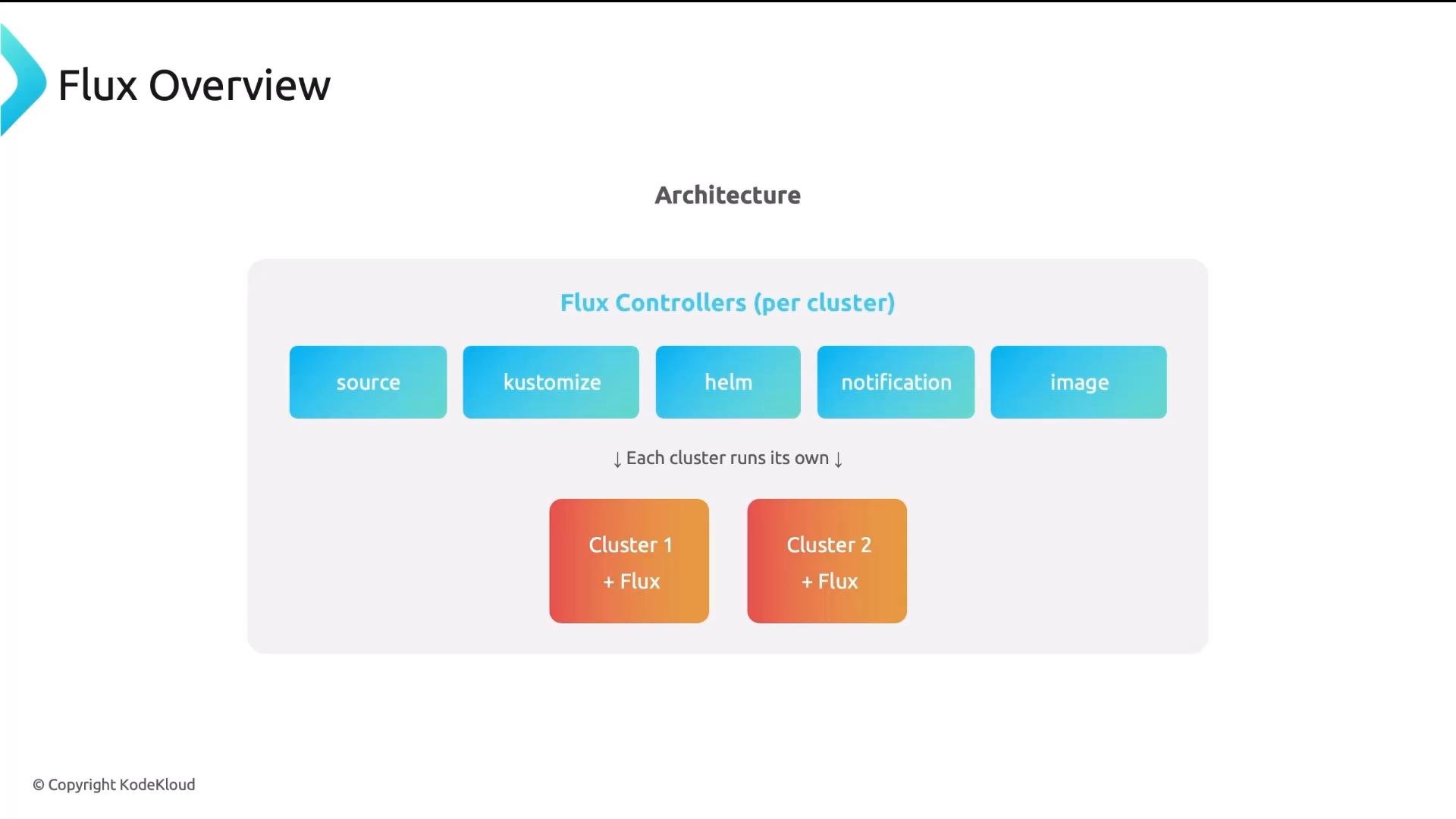
- Flux is Git-centric. The GitRepository (and related) resources are first-class. Flux is composed of small, focused controllers installed per cluster; each cluster reconciles itself.
- API server: serves the web UI and CLI endpoints.
- Repo server: clones Git repositories and renders manifests (Helm, Kustomize, etc.).
- Controller: reconciles desired state to target clusters.
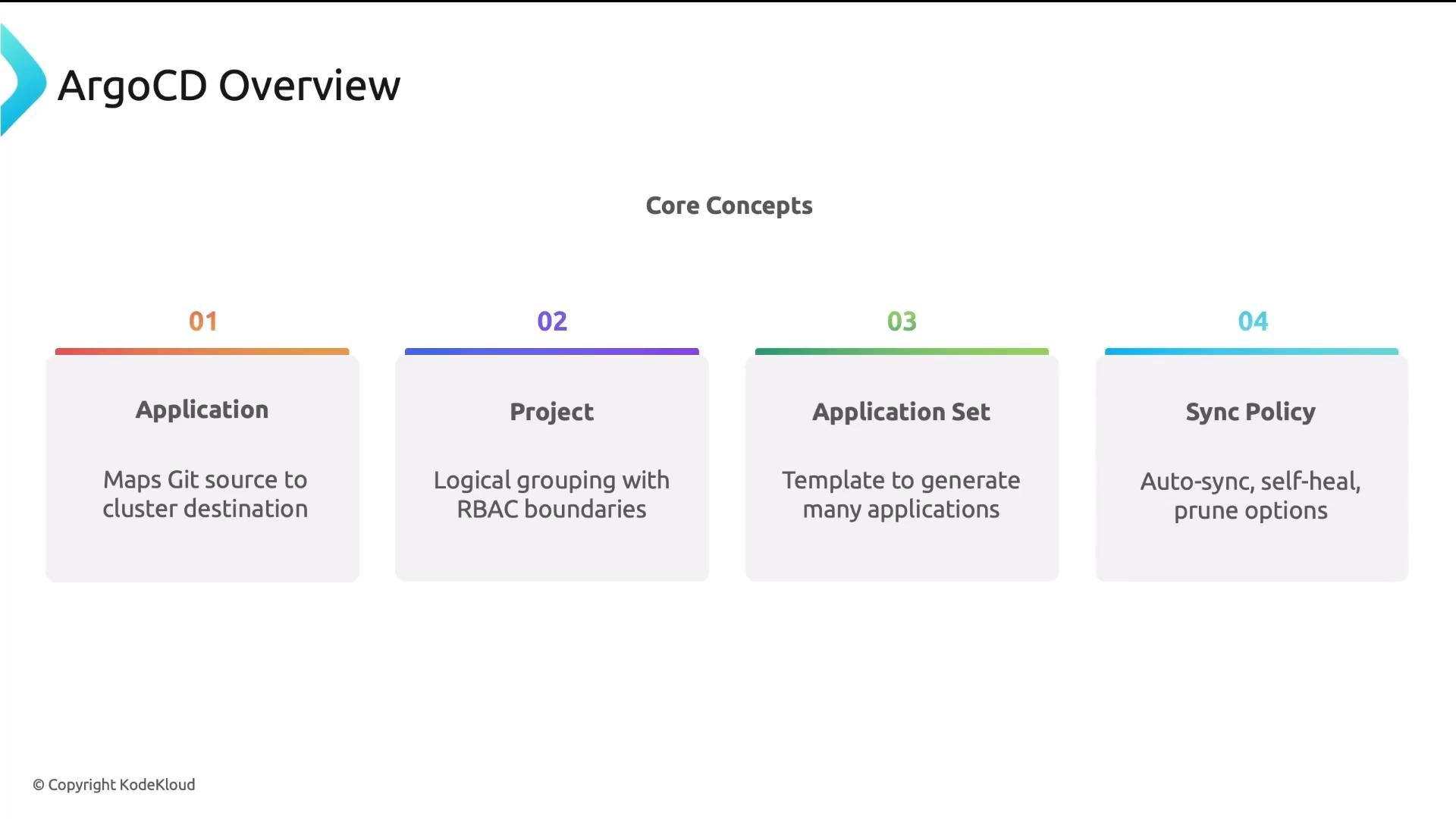
- Application: maps a Git source (repo/path) to a target cluster/namespace.
- Project: groups Applications with RBAC and policy boundaries (useful for multi-tenancy).
- ApplicationSet: generator/templates that create many Application resources (deploy same app to many clusters).
- Sync Policy: controls auto-sync, self-heal (auto-restore drift), and pruning behavior.
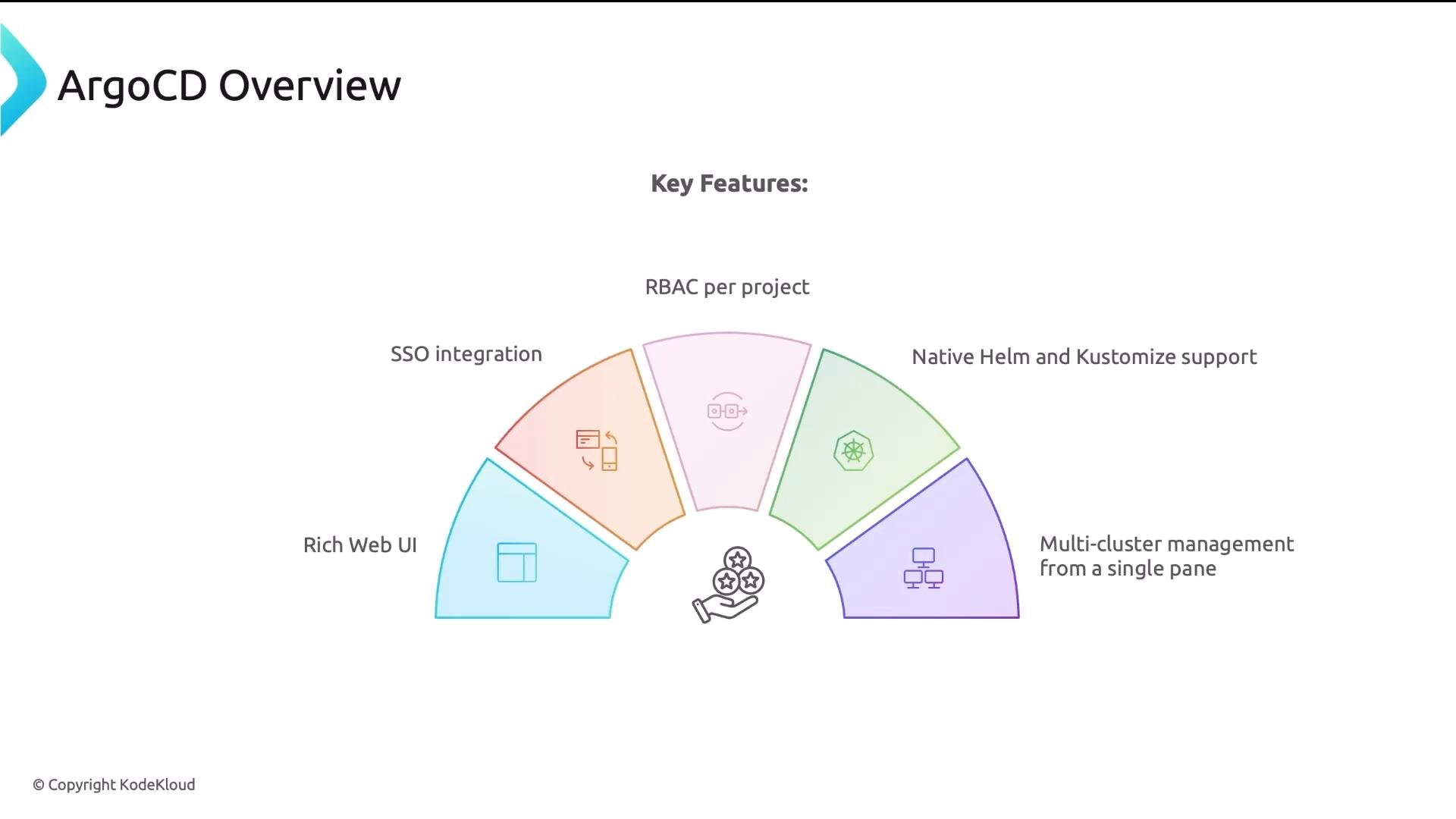
- Rich web UI for visibility and troubleshooting.
- SSO and enterprise auth integrations.
- Project-scoped RBAC for multi-tenancy.
- Native Helm and Kustomize rendering experience.
- Centralized multi-cluster management from a single pane.
- Source Controller: watches
GitRepository(and other sources) and fetches commits. - Kustomize Controller: applies manifests defined as
Kustomizations(note: Flux’sKustomizationis a generic apply primitive). - Helm Controller: manages Helm releases via
HelmReleaseCRDs. - Image Controller / ImagePolicy: automates manifest updates when new images are published.
- Notification Controller: sends alerts to Slack, email, etc.
GitRepository: defines a repository to watch (Git, OCI registry, bucket).Kustomization: declares how manifests from a source should be applied to the cluster.HelmRelease: CRD for managing Helm chart releases.ImagePolicy/ImageUpdateAutomation: controls image version selection and automation.
- Modular controllers — install only what you need.
- Built-in image automation via ImagePolicy and ImageUpdateAutomation.
- Per-cluster independence and strong multi-tenancy support.
- Integrations for Helm, Kustomize, and notifications.
Comparison of core components
Best-fit recommendations
-
Choose Argo CD if:
- You want a visual dashboard for many teams and users.
- You prefer centralized observability and a single control plane.
- Project-scoped RBAC and enterprise SSO are important.
-
Choose Flux if:
- You prefer Git-native workflows and want to operate clusters independently.
- You want image automation built into your GitOps pipeline.
- You favor composability and installing only the pieces you need.
Migration between controllers is possible but often time-consuming. Evaluate team workflows, visibility needs, and long-term operational models before committing to minimize rework.
- Argo CD image automation: Argo Image Updater — https://argoproj.github.io/argo-image-updater/
- Argo progressive delivery: Argo Rollouts — https://argoproj.github.io/argo-rollouts/
- Flux progressive delivery: Flagger — https://flagger.app/
- Kubernetes concepts: https://kubernetes.io/docs/concepts/overview/what-is-kubernetes/
- Both Argo CD and Flux implement GitOps and support Helm, Kustomize, and progressive delivery workflows.
- Argo CD is application-centric and UI-first with a centralized control plane.
- Flux is Git-centric, modular, and decentralized with per-cluster controllers and built-in image automation.
- Choose based on team culture, preferred workflow (UI vs Git), and your multi-cluster strategy.
- Argo CD — https://argo-cd.readthedocs.io/
- Flux — https://fluxcd.io/
- Argo Image Updater — https://argoproj.github.io/argo-image-updater/
- Argo Rollouts — https://argoproj.github.io/argo-rollouts/
- Flagger — https://flagger.app/
- Kubernetes Documentation — https://kubernetes.io/docs/