

- Is the platform healthy?
- Which services have increasing error rates?
- Are we approaching resource limits?
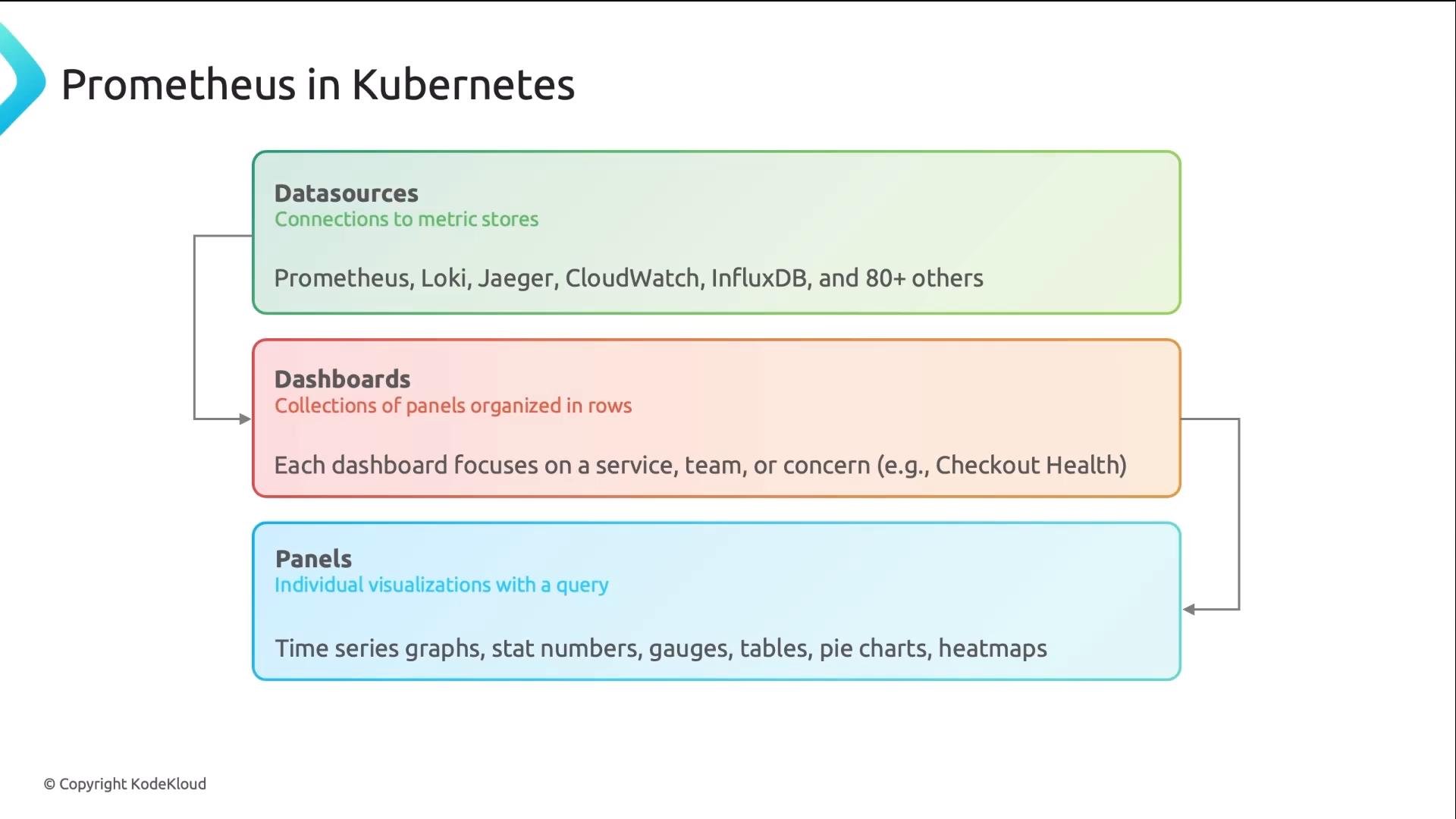
- Data sources — connectors to metric/trace/log stores (Prometheus, Loki, Jaeger, CloudWatch, etc.).
- Dashboards — collections of panels focused on a specific concern.
- Panels — individual visualizations; each embeds a PromQL query and a chart/stat/table type.
- In Grafana, go to Configuration → Data Sources → Add data source.
- Select “Prometheus”.
- Set the URL to your in-cluster Prometheus service address (point to the Kubernetes Service, not
localhostor an external IP). Example values:
- Toggle “Default” so new panels use this data source by default.
- Click Save & Test to verify Grafana can reach Prometheus.
If Grafana and Prometheus are deployed inside the same Kubernetes cluster, prefer the in-cluster Service DNS name (e.g.,
prometheus or prometheus-server) and port 9090. Using localhost is a common misconfiguration when Grafana runs as a separate pod.Using an external Prometheus endpoint without proper network rules or authentication will cause intermittent failures. Ensure network policies, service discovery, and any reverse proxies are configured before relying on the datasource in production dashboards.
Tips:
- Use
rate()for counters andavg()/sum()withby(...)for aggregations. - Avoid very long PromQL expressions in dashboards; encapsulate complex logic in recording rules (Prometheus) where possible.
- Row 1 — Status overview: Stat panels that answer “Is everything broken?” at a glance.
- Row 2 — Traffic & errors: Time series for request rate, error rate, and latency.
- Row 3 — Resources: Gauges for CPU, memory, disk and alerts for nearing capacity.
- Row 4 — Details & drill-downs: Tables and per-instance panels for root-cause analysis.
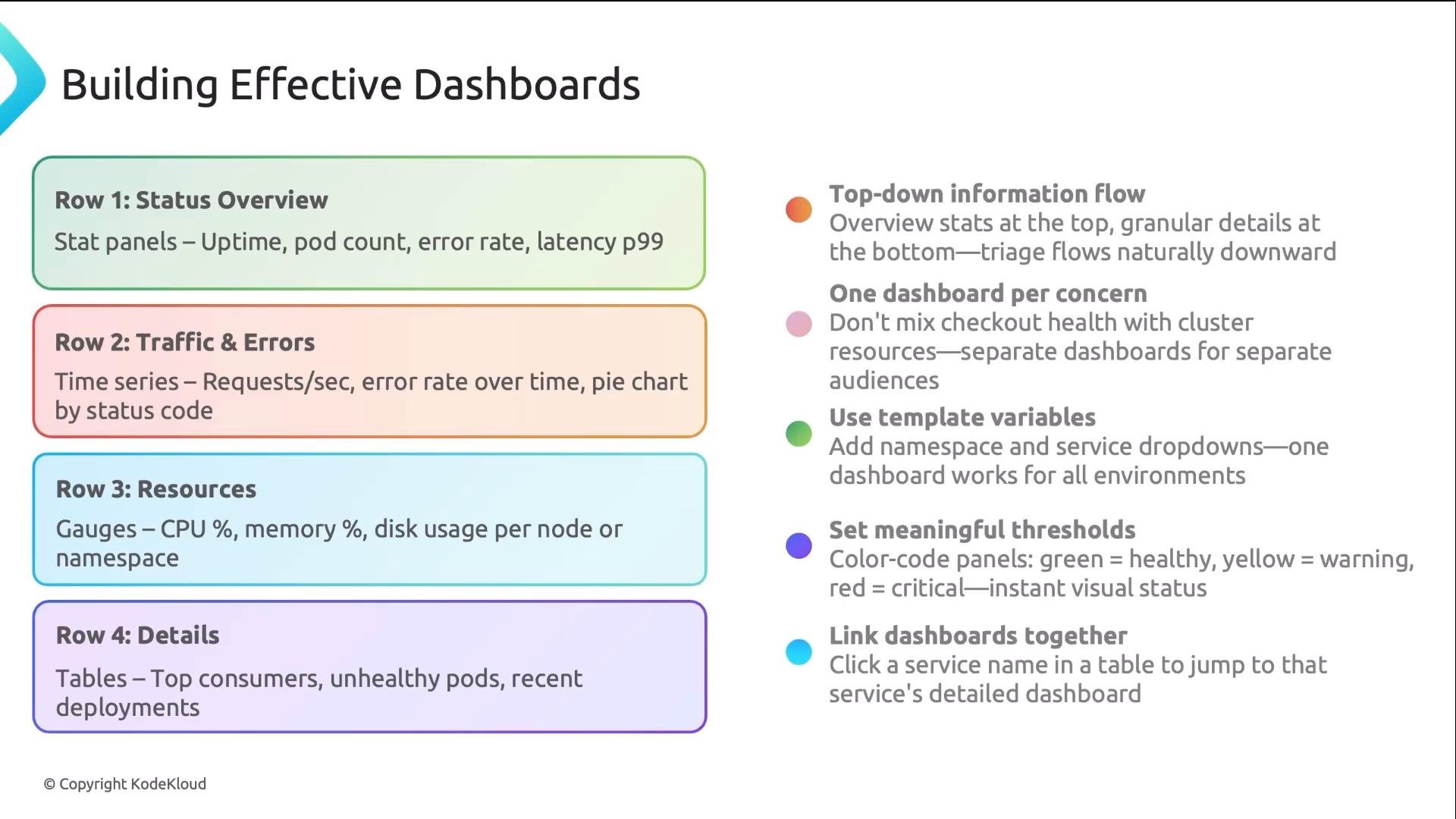
- One dashboard per concern (e.g., “API Platform”, “Payments”, “Cluster Health”) to avoid mixed signals.
- Use template variables for filtering by
service,namespace, orregionso a single dashboard can serve many contexts. - Set meaningful thresholds and color coding for quick interpretation (green/yellow/red).
- Add links between dashboards: overview → service → instance-level dashboards for rapid navigation.
- Use annotations for deployments or incidents so trends can be correlated with events.
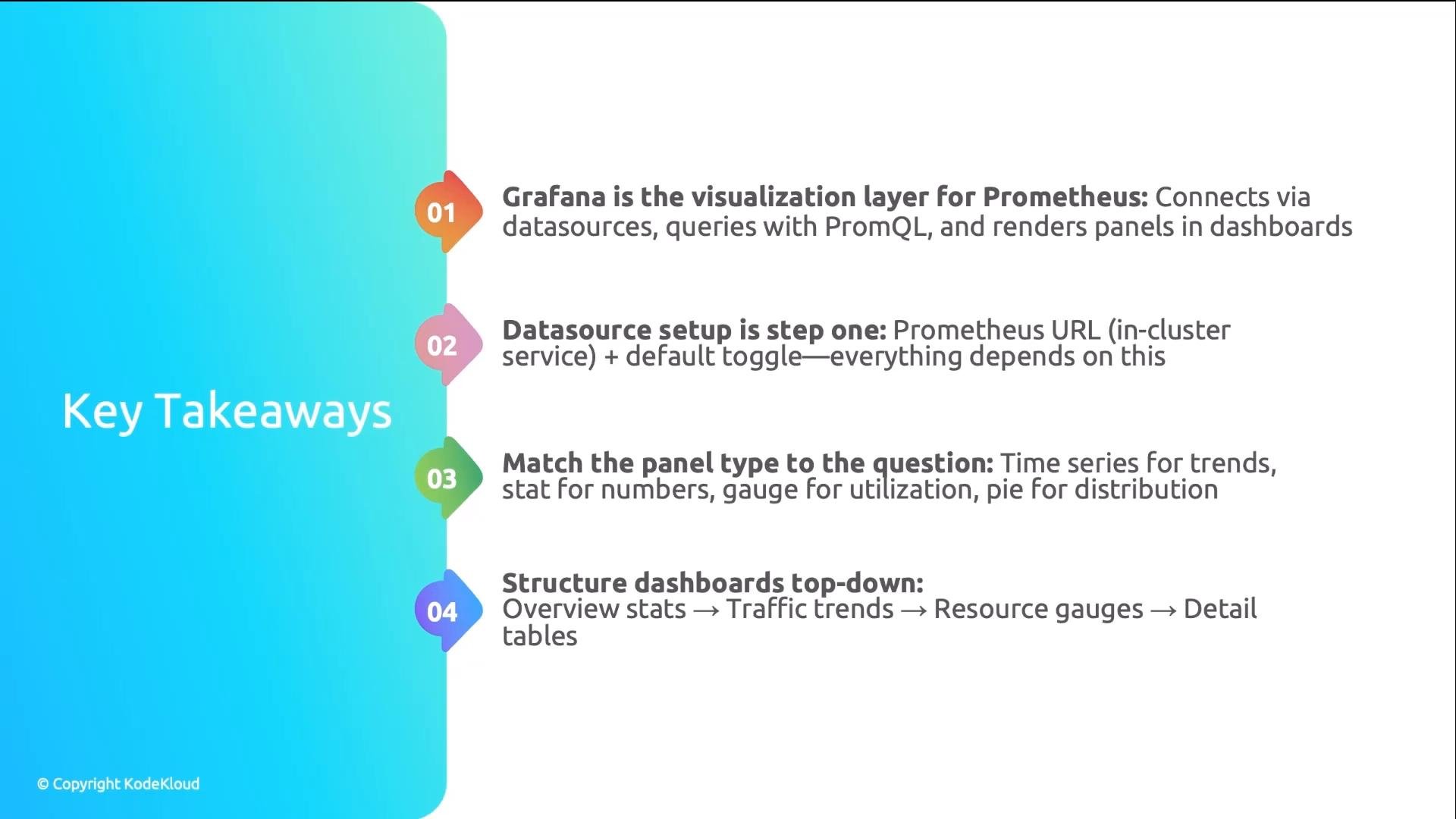
- Configure Prometheus as a Grafana data source (first step).
- Use PromQL or recording rules to produce reliable metrics.
- Pick the panel type that answers each operational question.
- Structure dashboards top-down for fast triage and drill-down.
- Grafana documentation: https://grafana.com/docs/
- Prometheus documentation: https://prometheus.io/docs/
- PromQL guide: https://prometheus.io/docs/prometheus/latest/querying/basics/
- Kubernetes Services: https://kubernetes.io/docs/concepts/services-networking/service/