

- Inspect Argo CD controllers and pods.
- Create Applications from a Git repo (manifest- and Helm-based).
- Sync Applications, observe Argo CD applying manifests, and watch drift detection and reconciliation.
- See how to enable Auto-Sync (self-heal) for Helm-based apps.
Prerequisite
Ensure Argo CD controllers are deployed and running in theargocd namespace:
If you installed Argo CD using the official manifests, the default admin user is
admin. The initial admin password is typically the name of the argocd-server pod (or a password you set). In this demo we used admin123 for convenience — replace that with your real initial password.Create a Manifest-Based Application (guestbook)
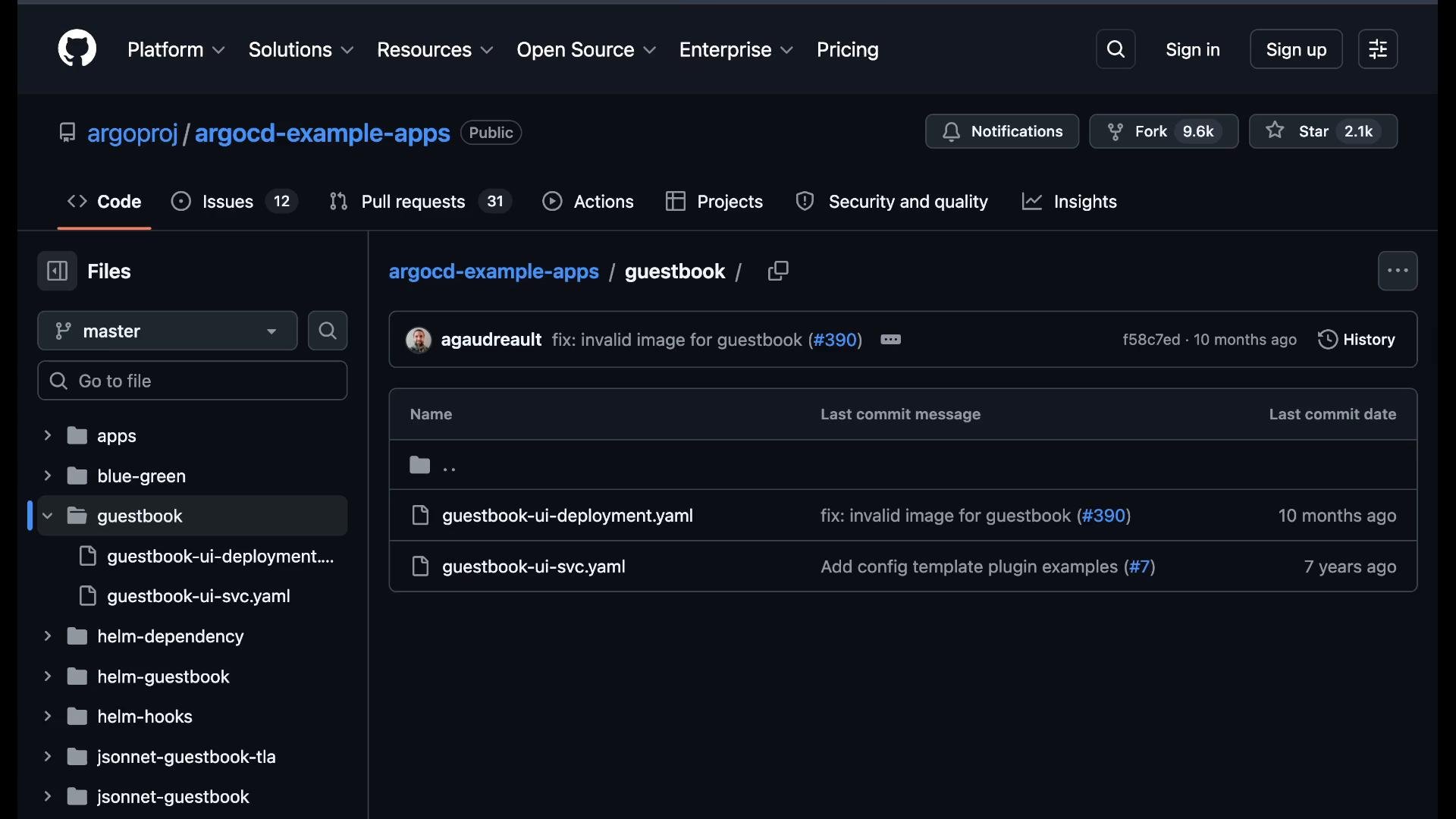
An Argo CD Application object connects a Git source to a destination cluster/namespace. We’ll create a manifest-based frontend application namedweb-frontend that points at the argoproj example repo.
- In the Argo CD UI click “New App”.
- Name:
web-frontend. - Project:
default. - Sync policy: choose
Manualfor an interactive demo. - Source: set repository to
https://github.com/argoproj/argocd-example-apps.git, revisionHEAD, and pathguestbook. - Destination: use the in-cluster API server
https://kubernetes.default.svcand namespaceapplications(Argo CD can also create this namespace for you).
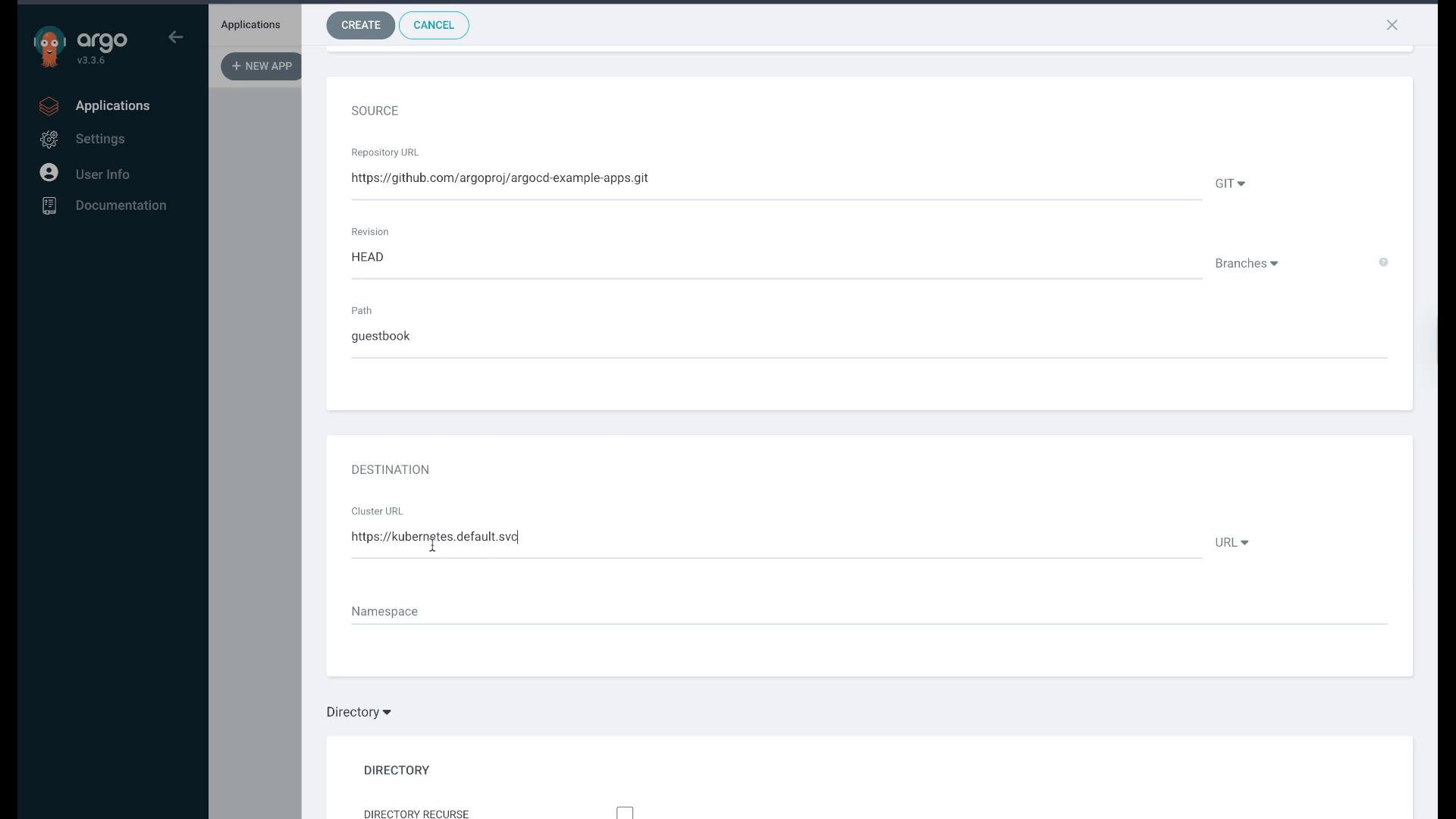
applications namespace exists (or allow Argo CD to auto-create it). After creating the Application, it will appear in the Applications list. Initially it will be OutOfSync because the cluster does not yet have the resources defined in Git.
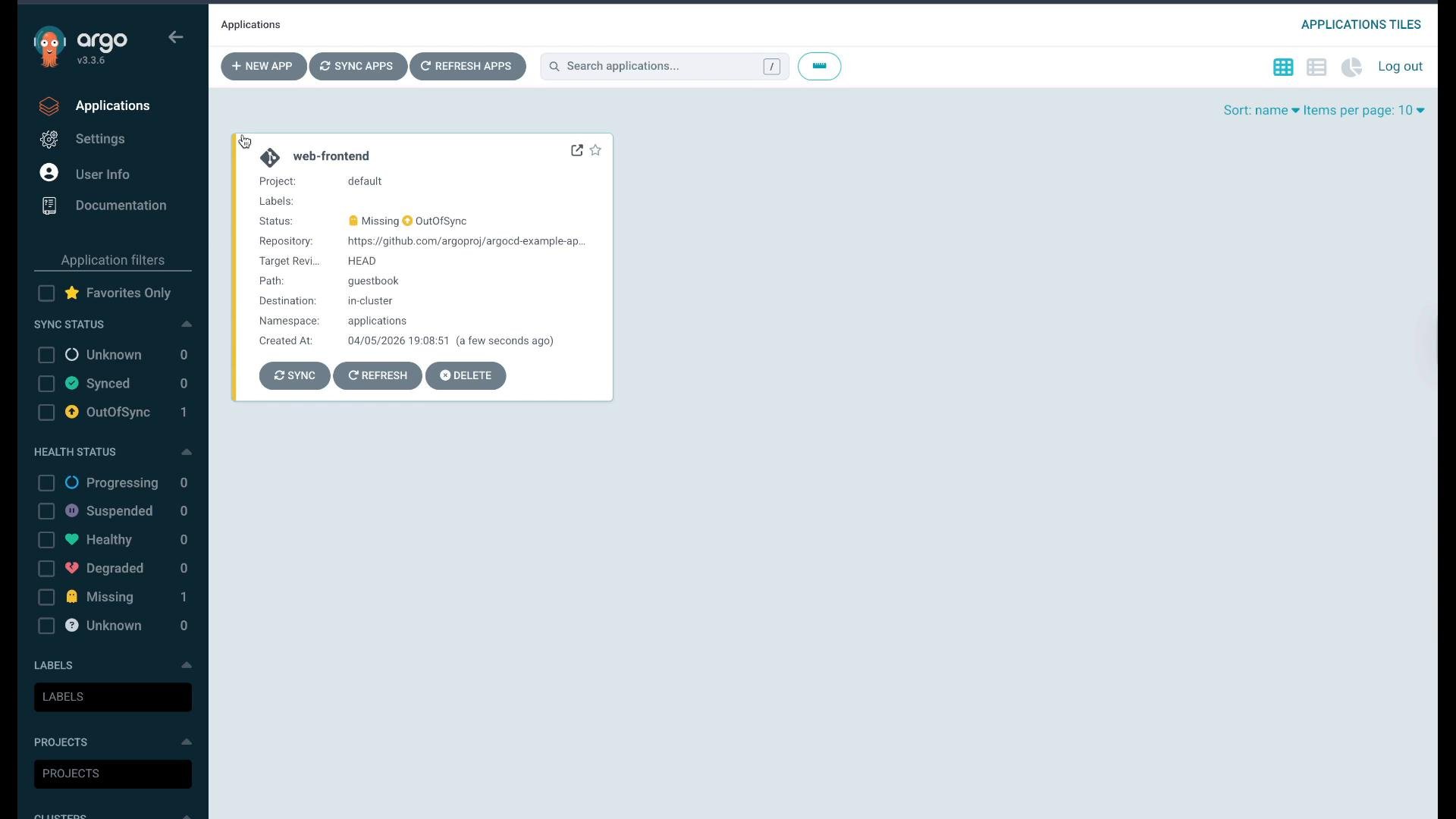
Inspect and Sync the Application
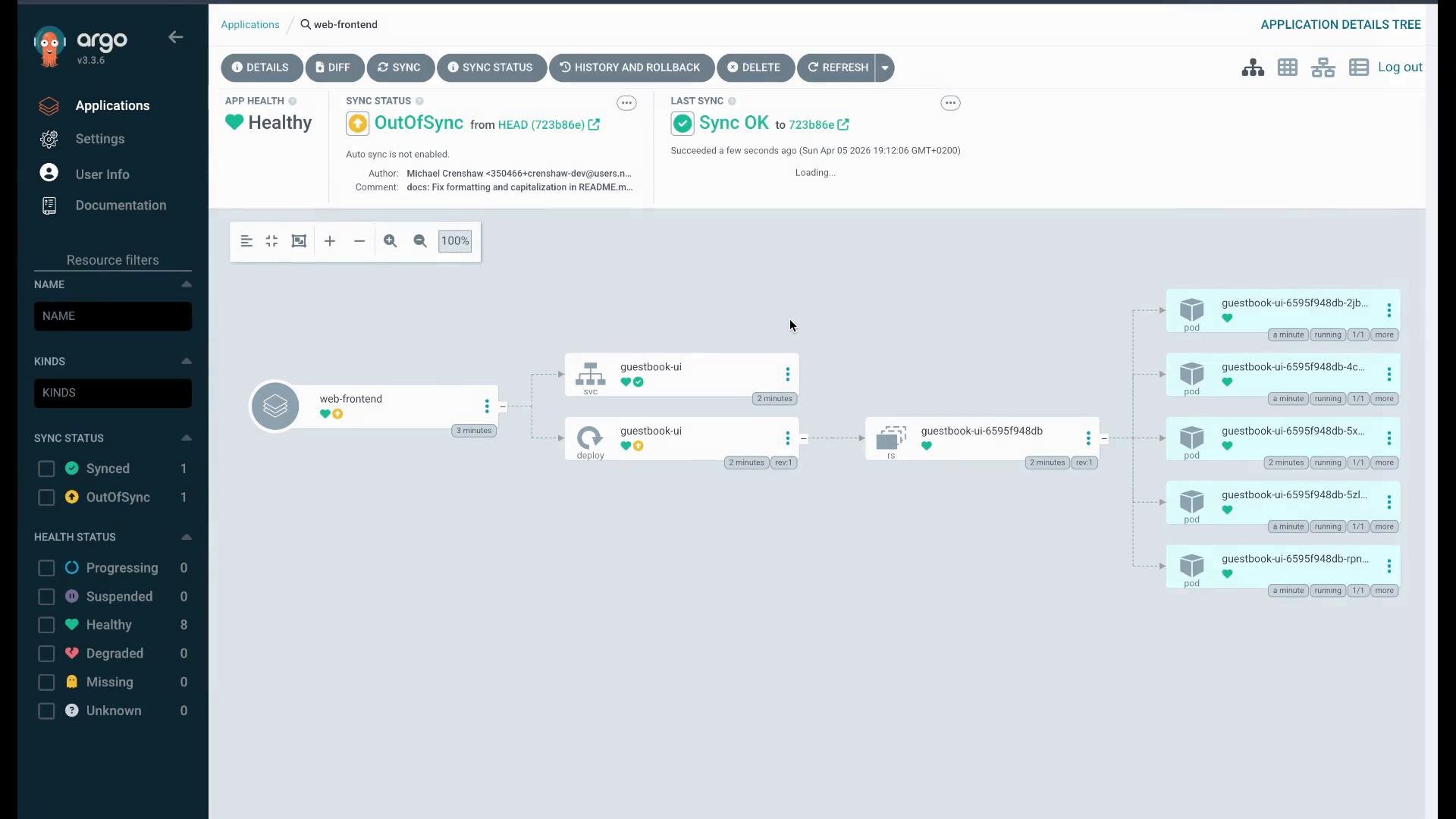
Click the application to open the resource tree. The tree shows Service, Deployment, ReplicaSet and Pods that are declared in Git. Yellow / OutOfSync indicates the resources are missing or differ from the cluster. Click “Sync” → “Synchronize” to have Argo CD apply the manifests. Argo CD will create the namespace (if requested) and apply the resources. After syncing, Argo CD should report the application as Synced and Healthy. Verify cluster resources:Drift Detection and Reconciliation
Argo CD continuously compares the live cluster state with the desired state in Git. To demonstrate drift detection, make a manual change on the cluster: scale theguestbook-ui Deployment to 5 replicas.
replicas: 5 on the cluster vs replicas: 1 in Git.
To view resource status and the tree while OutOfSync:
Creating a Helm-Based Application
Argo CD supports multiple generators: raw manifests, Kustomize, Helm charts, and many more. As an example, create a backend application from a Helm chart in the same example repository. The repo contains a Helm chart for the guestbook: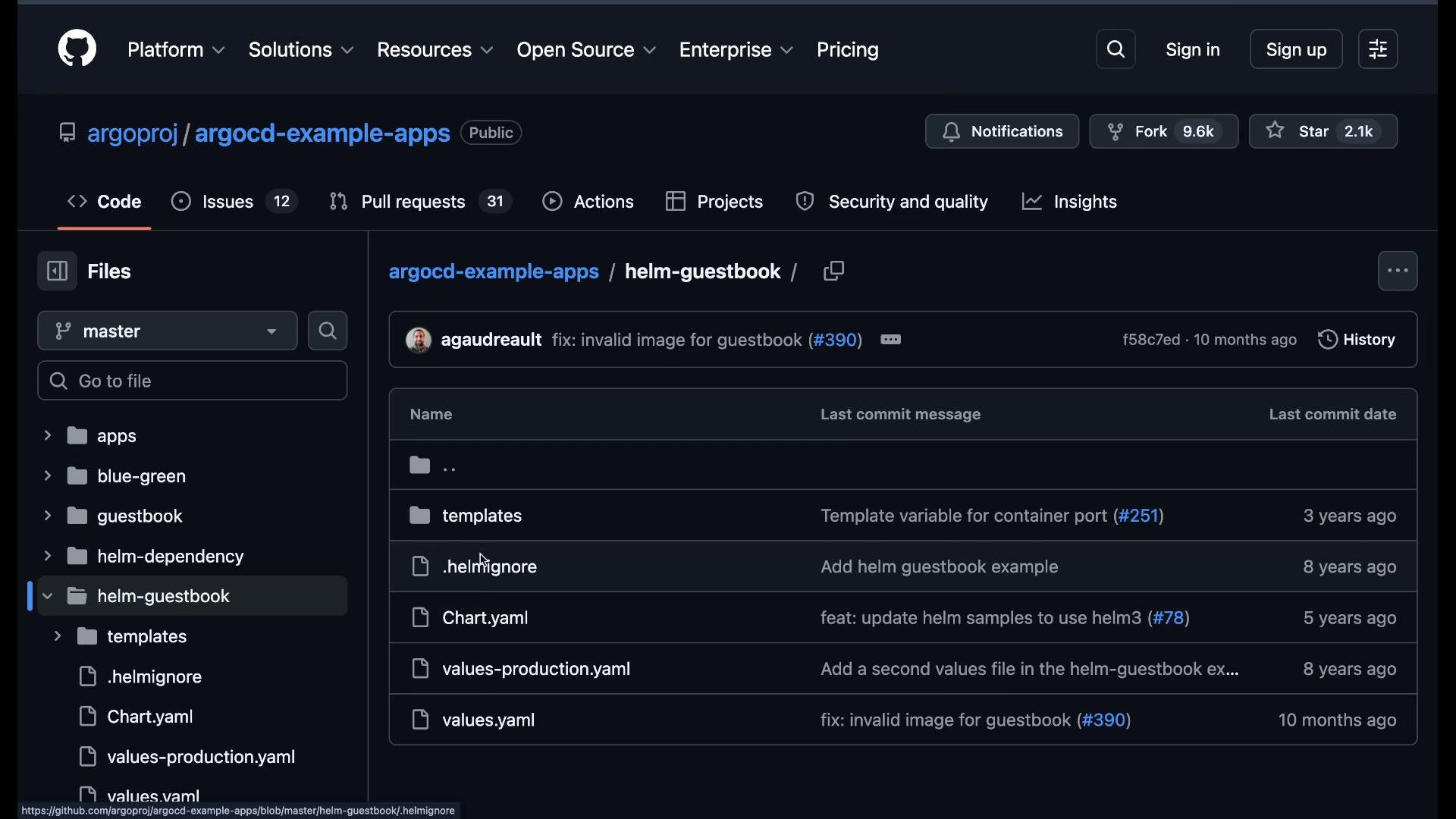
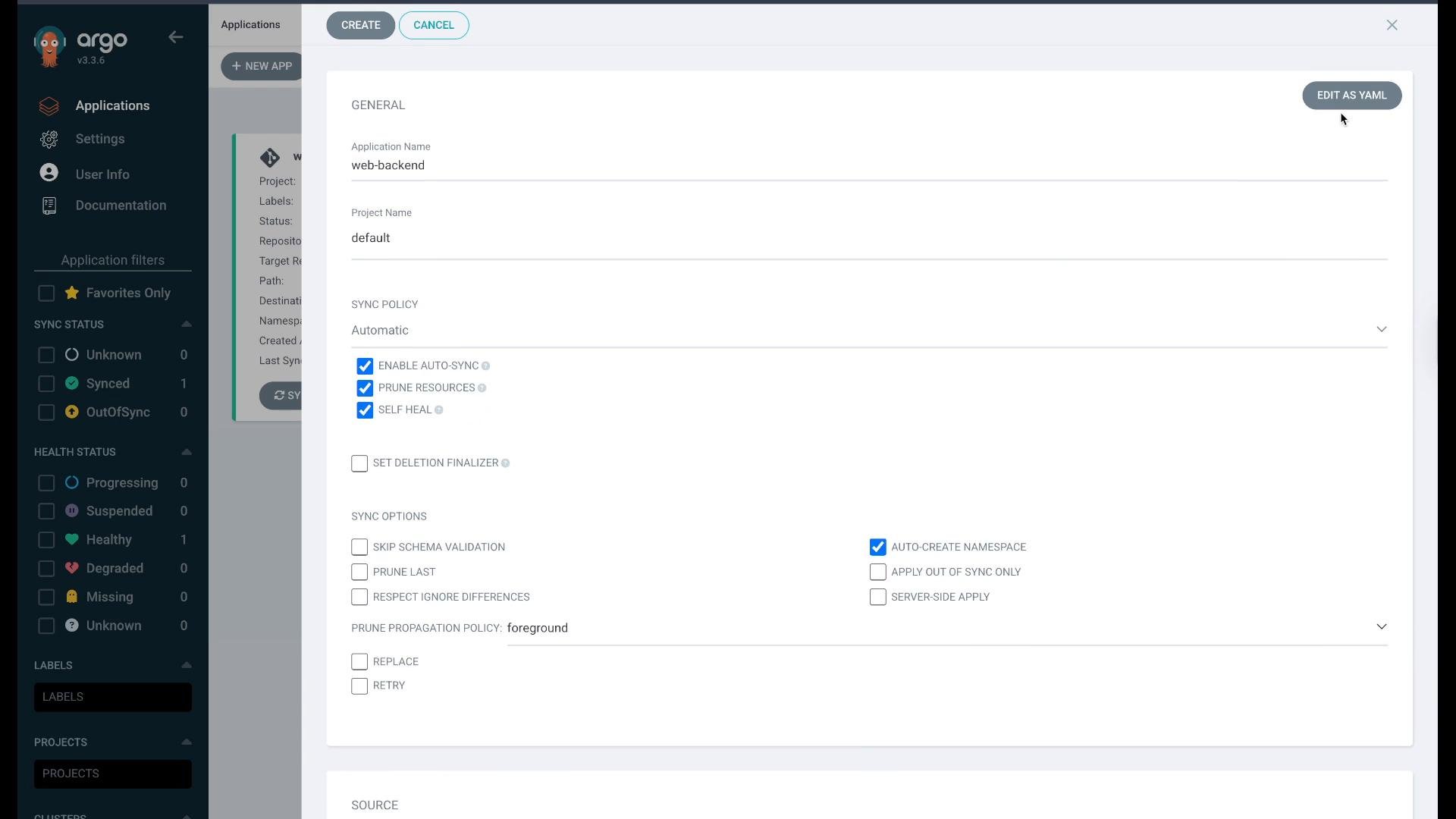
- Name:
web-backend - Sync policy: enable Auto-Sync (self-heal), enable Prune Resources, and optionally Auto-Create Namespace.
- Source:
https://github.com/argoproj/argocd-example-apps.git - Path:
applications-helm/guestbook(Argo CD auto-detects the chart as Helm) - Destination: same cluster, namespace
applications-helm(or let Argo CD create it)
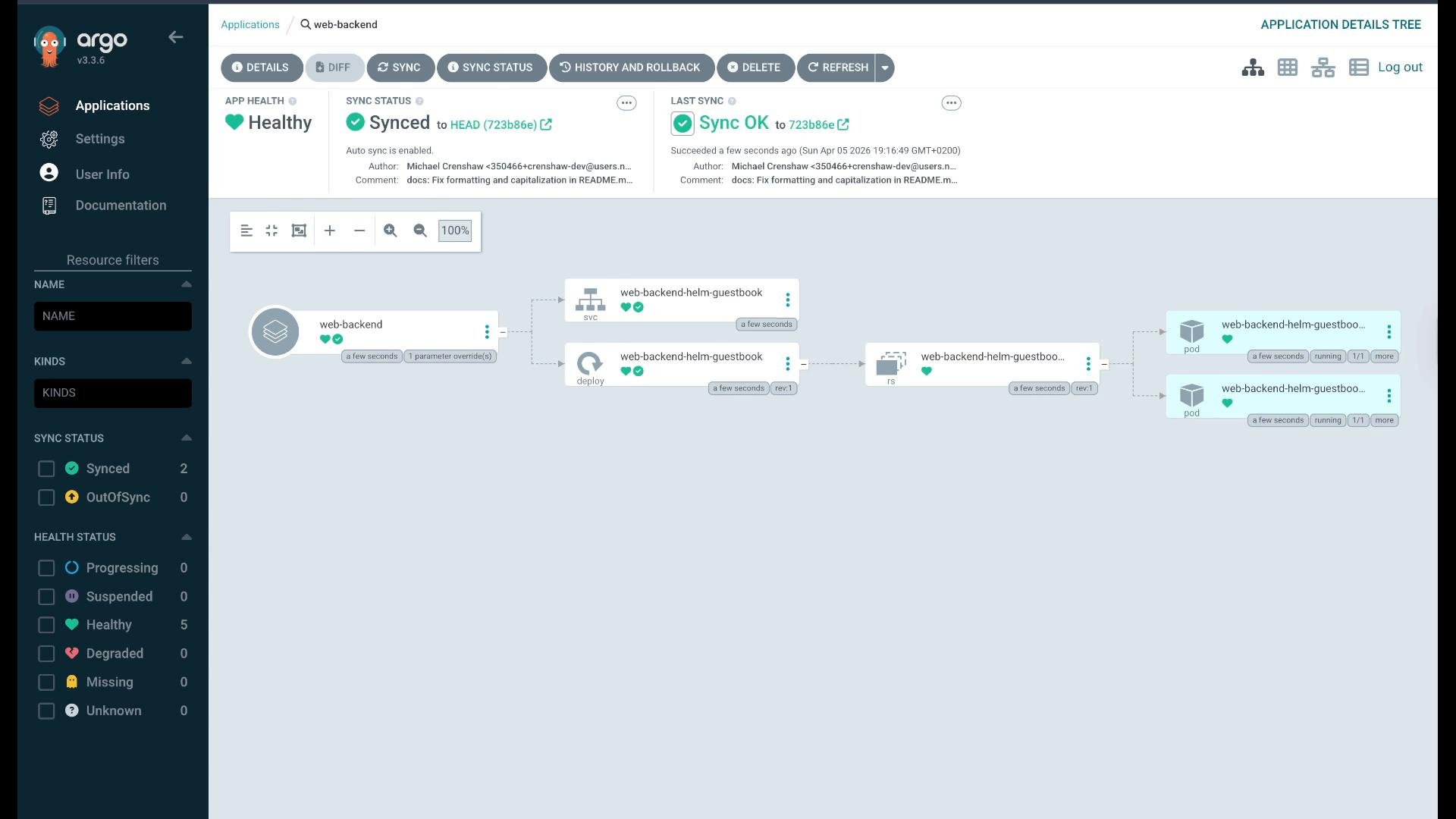
replicaCount: 2) before syncing the app.
Quick Reference: What an Argo CD Application Maps To
Useful Links and References
- Argo CD official docs: https://argo-cd.readthedocs.io/
- argoproj example apps repo: https://github.com/argoproj/argocd-example-apps
- Kubernetes docs: https://kubernetes.io/docs/
If you enable Auto-Sync with “Auto-Prune” and “Self Heal”, Argo CD will automatically remove resources not declared in Git and reconcile live state to match Git. Use these options only when your Git repo is the single source of truth.
Summary
In this walkthrough you learned how to:- Inspect Argo CD controllers and pods and log into the web UI.
- Create Argo CD Applications from a Git repository (manifest-based).
- Sync Applications and observe Argo CD applying manifests to the cluster.
- Trigger drift manually and watch Argo CD detect and reconcile differences.
- Create a Helm-based Application and enable Auto-Sync for self-healing.