

-
Alert
An alert fires via Alertmanager, PagerDuty, Slack, or a custom notifier. The alert message includes the metric that crossed a threshold and the timestamp. -
Assess
Spend a short, focused period (60–120 seconds) to determine scope and urgency: what’s affected, how severe, and what changed recently. -
Investigate
Use the three pillars of observability — metrics, traces, logs — in a funneled approach: metrics → traces → logs to find the root cause. -
Fix
Apply the minimum change required to restore service (rollback, scale, config change, resource tweak, or restart). Prefer the safest effective action. -
Validate
Confirm the remediation actually fixed the issue. Monitor metrics, dashboards, traces, and logs before closing the incident.
- Alerting & notification: Alertmanager, PagerDuty, Slack (Alert + Validate)
- Dashboards & metrics: Grafana, Prometheus (Assess + Validate)
- Tracing: Jaeger (Investigate)
- Logs: Loki or other log stores (Investigate)
- Control plane / deployment tooling:
kubectl, GitOps, Helm (Fix)
Always do a short, structured assessment before running commands. A focused 60–120 second review prevents many mistakes and wasted effort.
- Confirm the alert details: metric name, threshold crossed, alert start time, and any annotations or runbook links included by the rule.
- If the alert includes a runbook or playbook link, open it first — it often contains the recommended triage commands and safe mitigations.
- What’s broken? Identify the service and the metric that triggered the alert.
- How bad is it? Is the outage partial (some endpoints or regions) or total?
- Who’s affected? Single endpoint, single service, or global user impact?
- What changed recently? Check for deployments, config, or infra changes in the minutes before the alert.
-
Metrics (the 10,000‑foot view)
Inspect the PromQL expression behind the alert and open relevant Grafana dashboards. Determine timeline and scope: sudden crash vs. gradual degradation; compare to baseline (same time yesterday or pre‑incident). Metrics tell you who’s affected and when the problem began. -
Traces (the call path)
Search Jaeger for slow or failed traces (filter by duration, error tags, or service). Open the trace waterfall and find the longest or most error‑prone spans to localize the failing service or operation. -
Logs (the exact error)
Search logs by service name and timestamp, or use the trace ID from Jaeger to jump directly to correlated log lines. Logs typically reveal the concrete error message and stack trace.
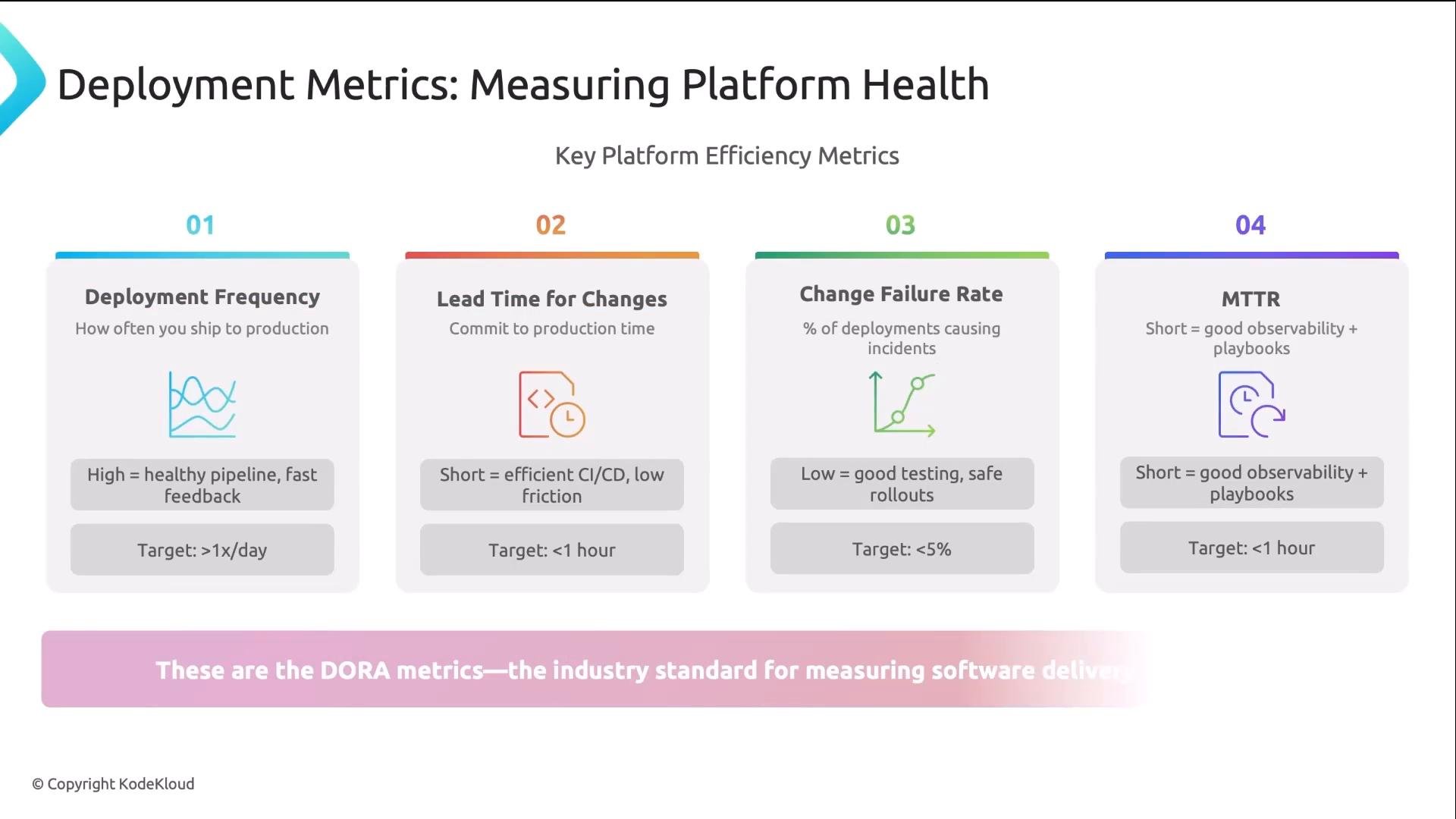
- Deployment frequency: How often do you ship? Target: at least once per day.
- Lead time for changes: Time from commit to production. Target: under 1 hour.
- Change failure rate: Percentage of deployments that cause incidents. Target: <5%.
- Mean time to recovery (MTTR): Time to restore service. Target: <1 hour.
- When a recent deployment is implicated, rollback immediately and debug later.
- If the issue is capacity-related, scale replicas temporarily to restore availability:
- For configuration errors (bad DB URL, expired secret), update the ConfigMap/Secret and restart the deployment to pick up changes:
- If pods are Pending due to resource shortages, options include reducing requests on noncritical workloads, adjusting LimitRanges/ResourceQuotas, or temporarily increasing node capacity. When using GitOps or Helm, prefer applying minimal changes through your normal pipeline to preserve history and auditability.
Avoid broad destructive actions (e.g., mass pod deletion or cluster restarts) unless you understand the impact. Always prefer targeted, auditable remediations that can be rolled back.
- Confirm the original alert clears and does not immediately reappear.
- Watch Grafana dashboards and Prometheus metrics for a few minutes (or longer if the metric requires a longer sampling window).
- Re-check traces and logs to ensure the previous errors no longer occur.
- If the remediation was temporary (e.g., scaling), schedule a follow‑up to implement a durable fix.
Key takeaways
- Follow the playbook consistently: Alert → Assess → Investigate → Fix → Validate.
- Never skip the Assess phase — a brief structured assessment prevents wasted effort and dangerous fixes.
- Use the three pillars as a funnel: metrics detect, traces locate, logs explain.
- Know which tools to use at each stage and keep remediation minimal and auditable.
- Track DORA metrics to measure platform health and process effectiveness over time.
- Prometheus: https://prometheus.io/
- Grafana: https://grafana.com/
- Jaeger: https://www.jaegertracing.io/
- Loki: https://grafana.com/oss/loki/
- Alertmanager: https://prometheus.io/docs/alerting/latest/alertmanager/
- Kubernetes
kubectldocs: https://kubernetes.io/docs/reference/kubectl/overview/