

What are Requests?
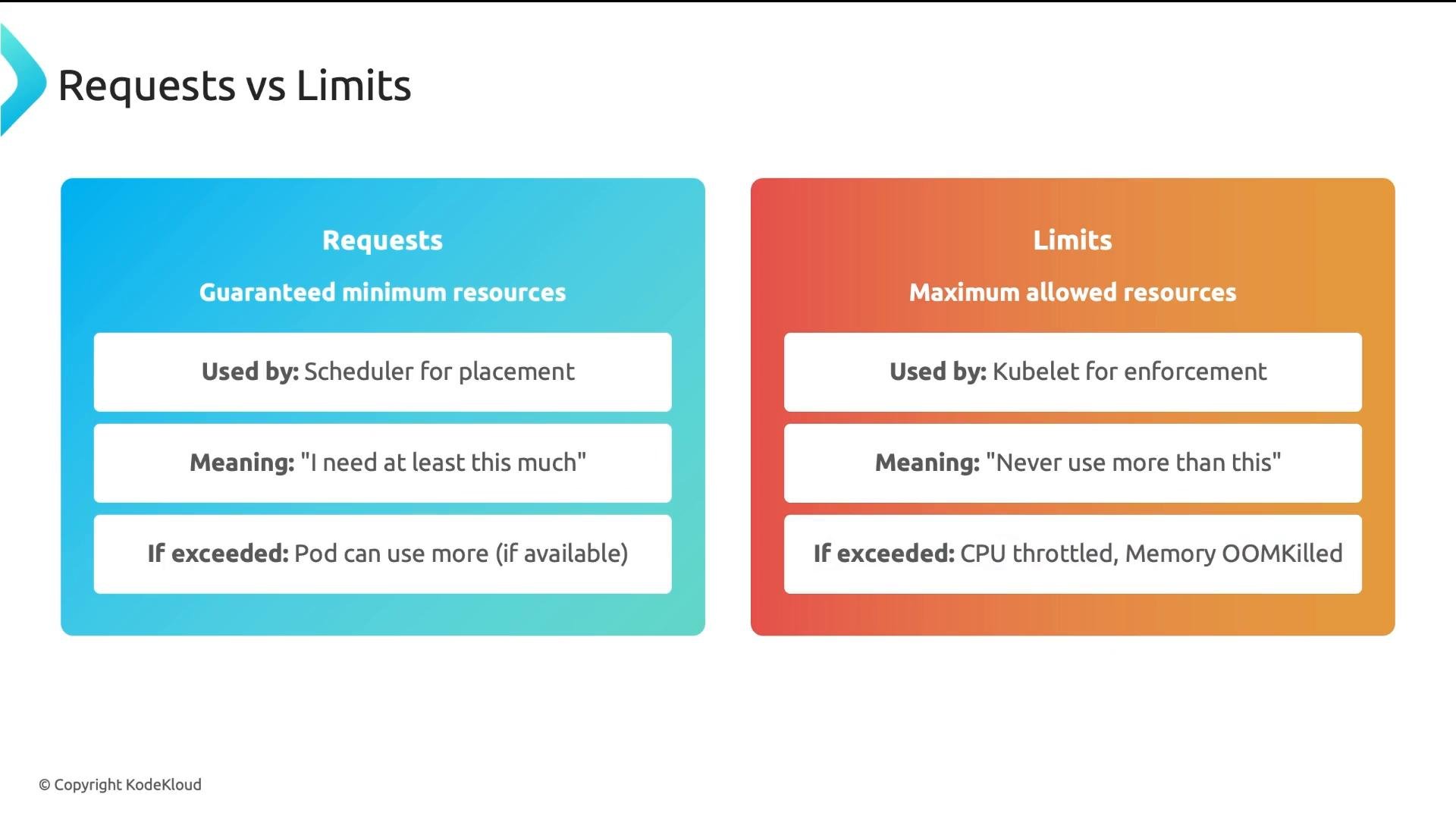
Requests are the minimum resources a Pod needs and are used by the Kubernetes scheduler to decide where to place Pods. When you set a container to request100m CPU and 128Mi memory, the scheduler treats that capacity as reserved on the target node before admitting the Pod.
Key points:
- Drives placement decisions.
- Guarantees that, under normal conditions, the Pod can use at least the requested amount.
- The scheduler sums requests across all Pods when deciding if a node has enough allocatable resources.
What are Limits?
Limits define the maximum resources a container may consume at runtime. The kubelet on the node enforces limits. Behavior when limits are exceeded:- CPU: the container is throttled (slower CPU access but continues running).
- Memory: the container is terminated (OOMKilled) if it exceeds the memory limit.
Scheduling example
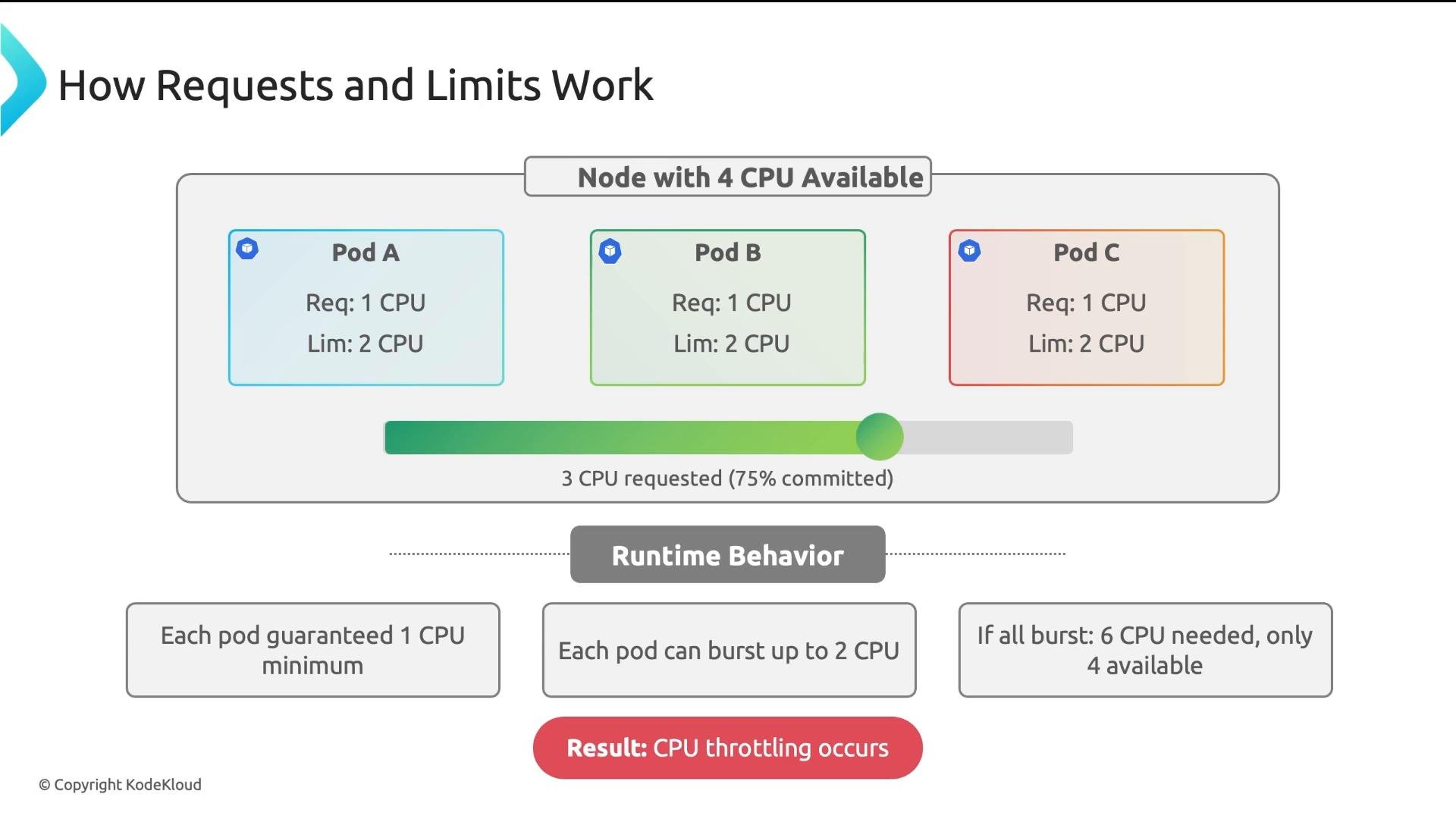
Imagine a node with 4 CPUs and three Pods arriving. Each Pod requests1 CPU and sets a limit of 2 CPUs.
- Scheduler considers only requests:
1 + 1 + 1 = 3CPU requested, so all three Pods are scheduled because 3 ≤ 4. - Node remaining allocatable CPU is
1. - If a fourth Pod arrives requesting
2CPUs, the scheduler will not place it because only1CPU remains allocatable.
Runtime behavior
At runtime, each Pod is guaranteed its request (1 CPU) and may burst up to its limit (2 CPUs). If all Pods burst simultaneously, total demand could reach 6 CPUs on a 4-CPU node. The Linux Completely Fair Scheduler (CFS) will fairly distribute CPU cycles between containers, resulting in throttling as workloads contend for limited CPU.
Practical implication: CPU bursting lets workloads be flexible, but simultaneous bursts cause performance degradation across contending Pods.
QoS classes
Kubernetes assigns a Quality of Service (QoS) class to each Pod based on how requests and limits are configured. You do not set the class directly—Kubernetes infers it.
Eviction priority under memory pressure: BestEffort → Burstable → Guaranteed.
Remember: CPU limit results in throttling (degraded latency/throughput), whereas memory limit can cause OOMKills (process termination). Treat memory limits conservatively.
Right-sizing workflow
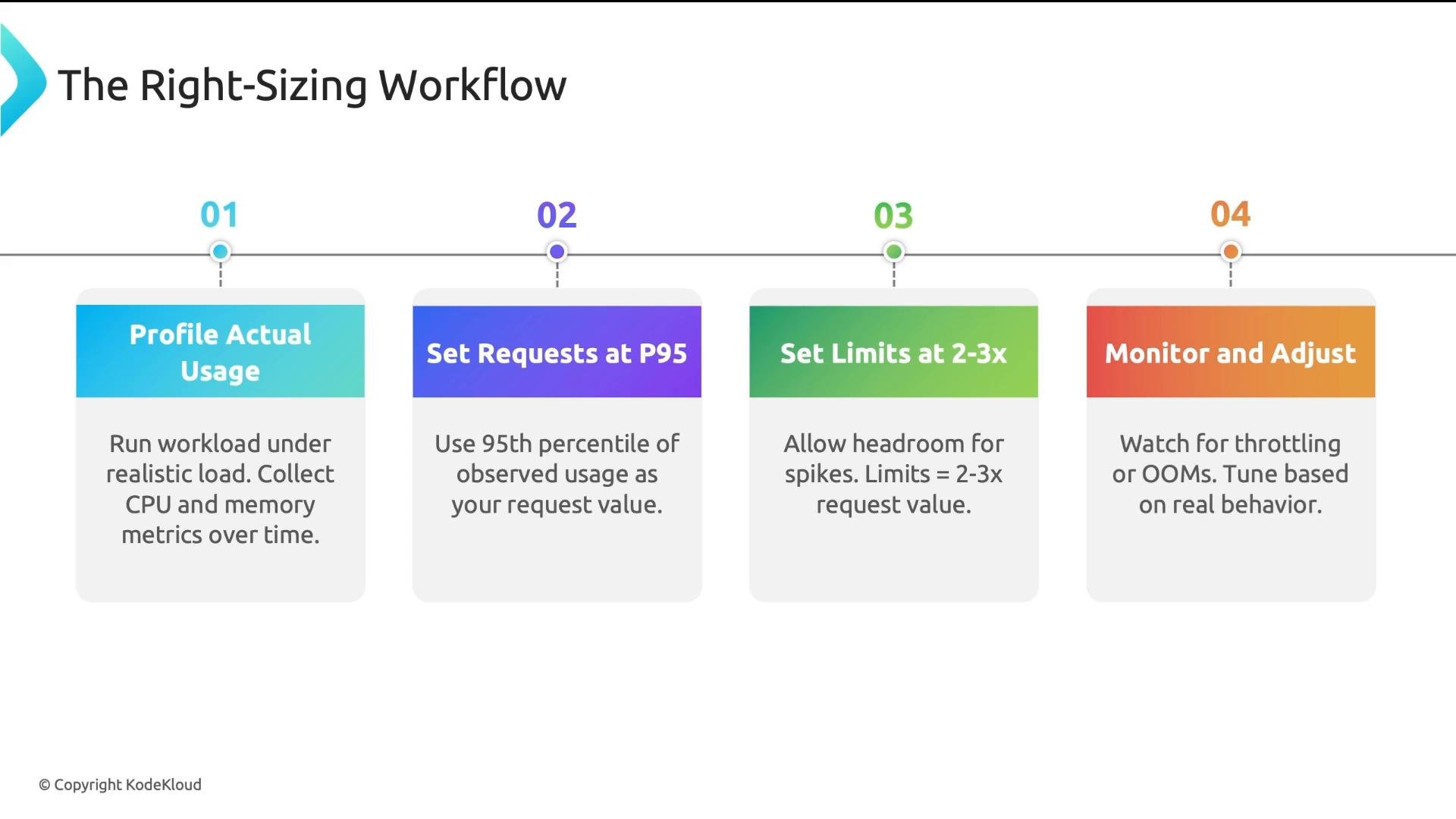
A repeatable workflow helps you choose requests and limits with confidence:- Profile actual usage
- Run workloads under realistic, production-like load for a representative time window (hours to weeks).
- Collect CPU/memory metrics using Prometheus,
kubectl top, or your monitoring stack.
- Set requests to a conservative percentile
- Use P95 (95th percentile) of observed usage for requests to cover normal operation and frequent spikes.
- Set limits to provide controlled headroom
- A common starting point is
2×–3×the request value. This prevents short spikes from triggering OOMKills while avoiding unbounded resource use. - Some teams intentionally omit CPU limits for extremely latency-sensitive services, but still set memory limits.
- A common starting point is
- Monitor and iterate
- Watch for CPU throttling metrics and OOMKills, then tune requests/limits.
- Consider automated recommendations from tools like the Vertical Pod Autoscaler (VPA).
- Requests determine scheduling placement; limits control runtime behavior—do not confuse them.
- Use QoS classes intentionally: set
requests == limitsfor critical workloads to achieve Guaranteed QoS. - CPU limits lead to throttling; memory limits can cause OOMKills—be conservative with memory.
- Profile first (P95 for requests), give reasonable limit headroom (often 2–3× requests), and continuously monitor or use tools like VPA to refine settings.