

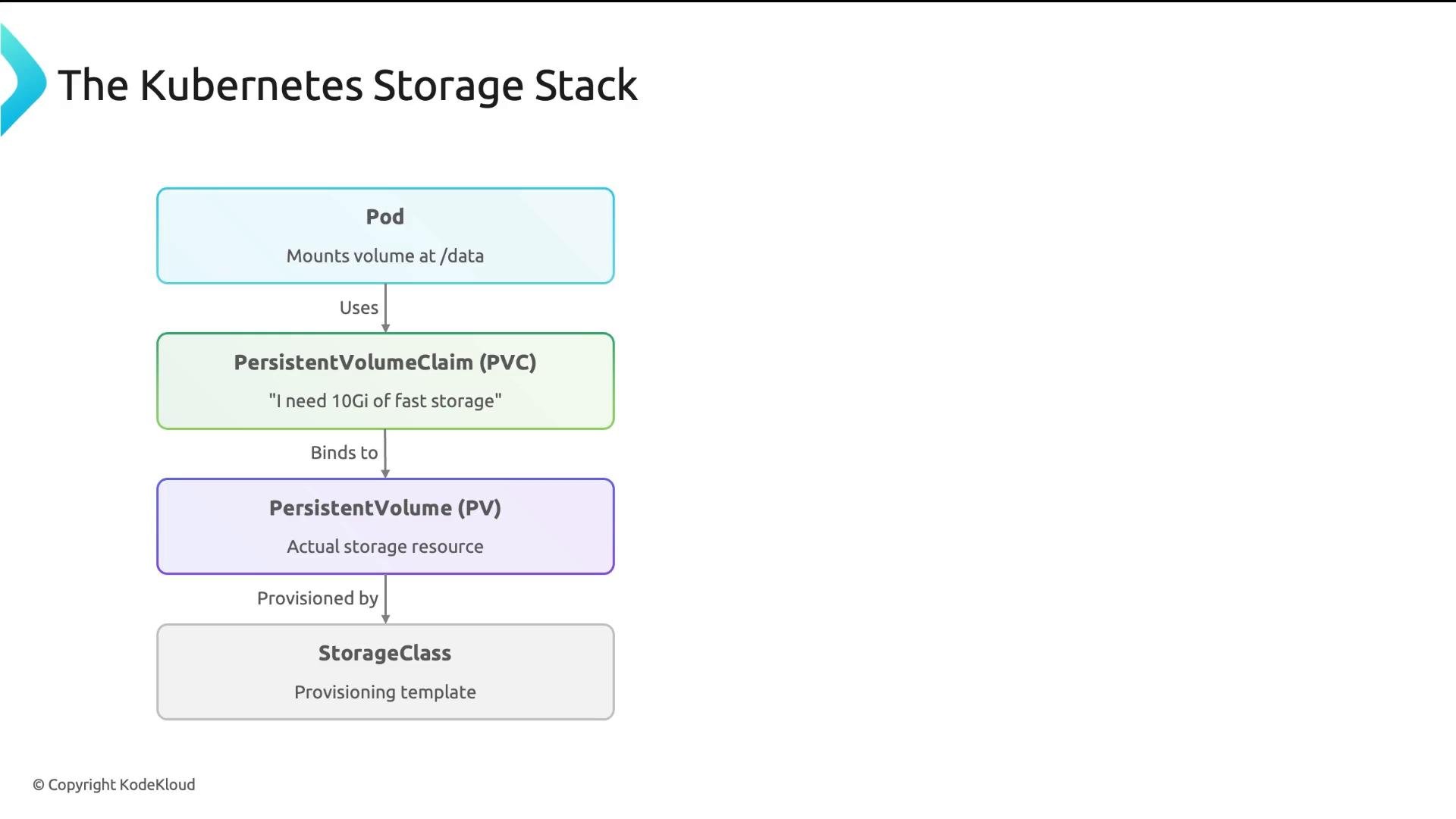
- How PersistentVolumeClaims (PVCs), PersistentVolumes (PVs), and StorageClasses relate.
- How Kubernetes provisions storage for workloads.
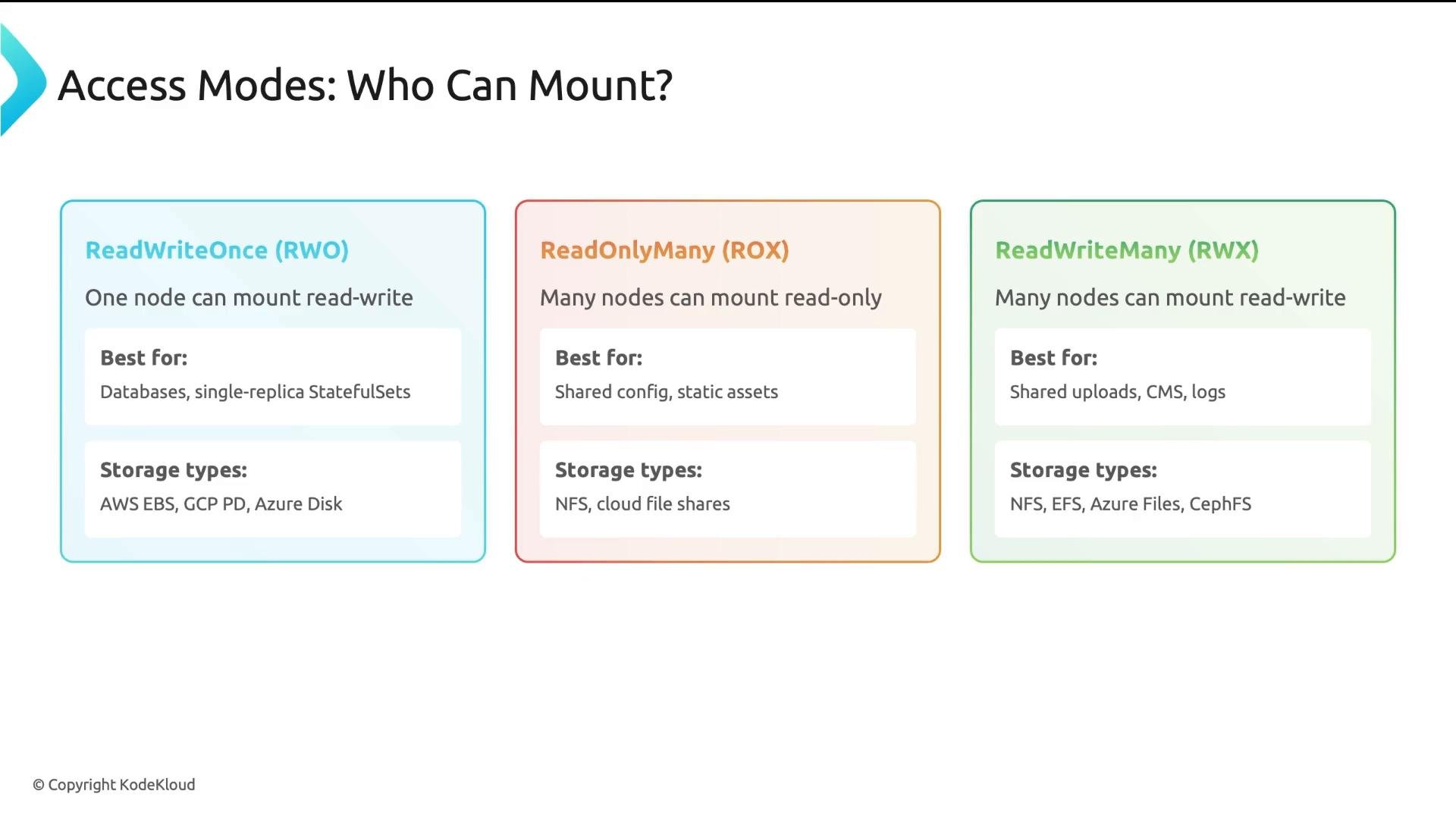
- The three access modes and which backends support them.
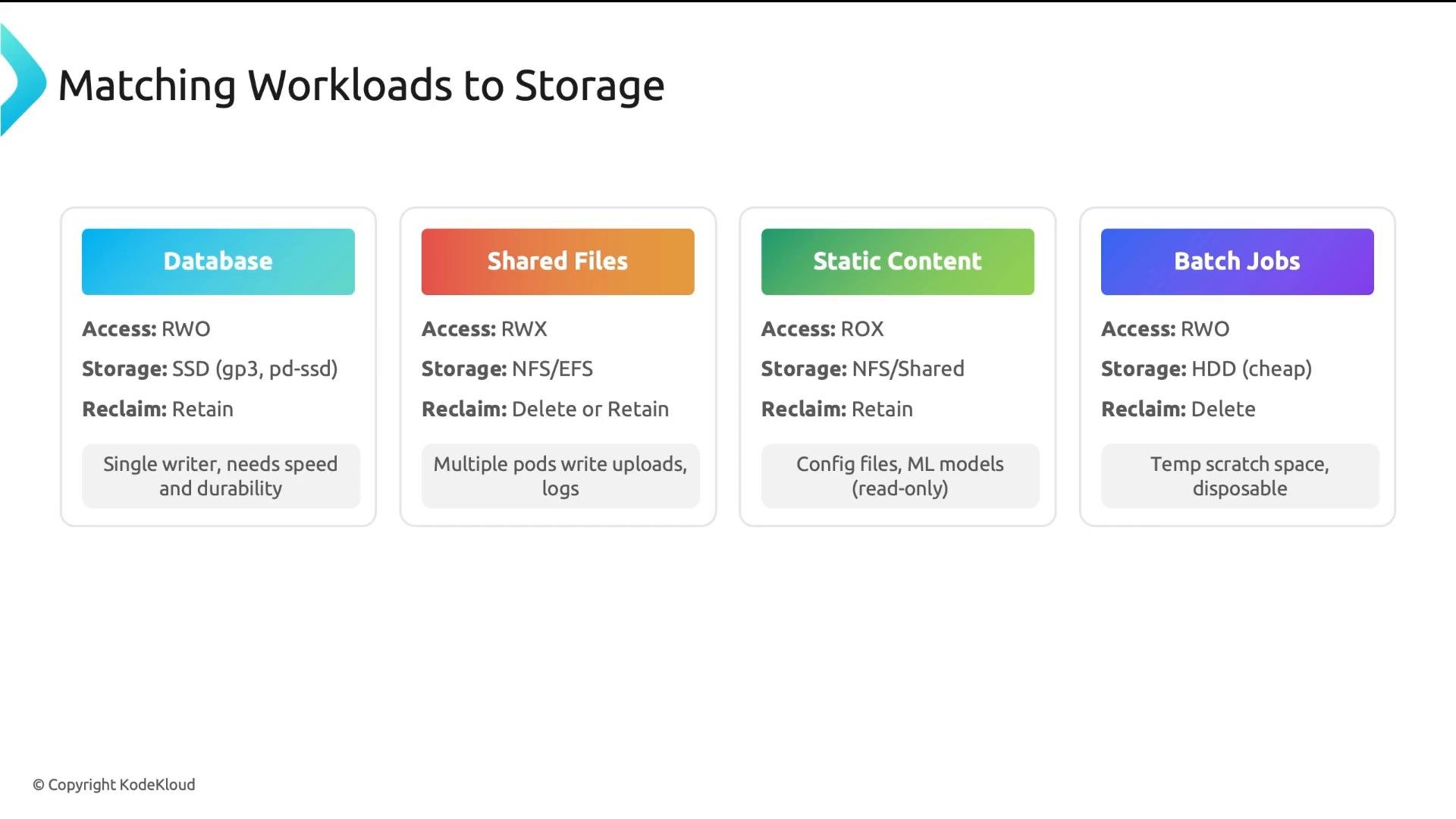
- How to match workload requirements to the right storage configuration.
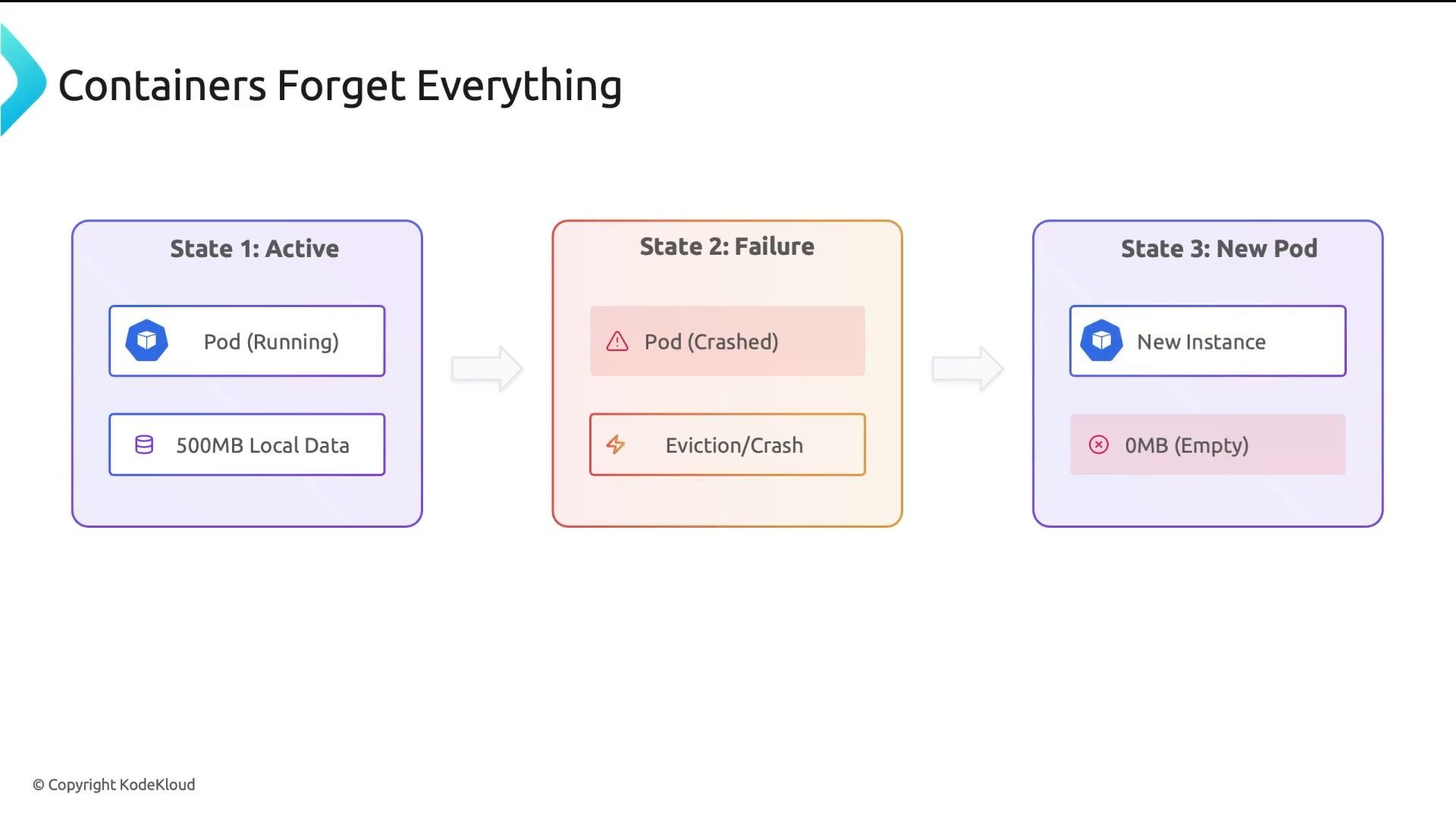
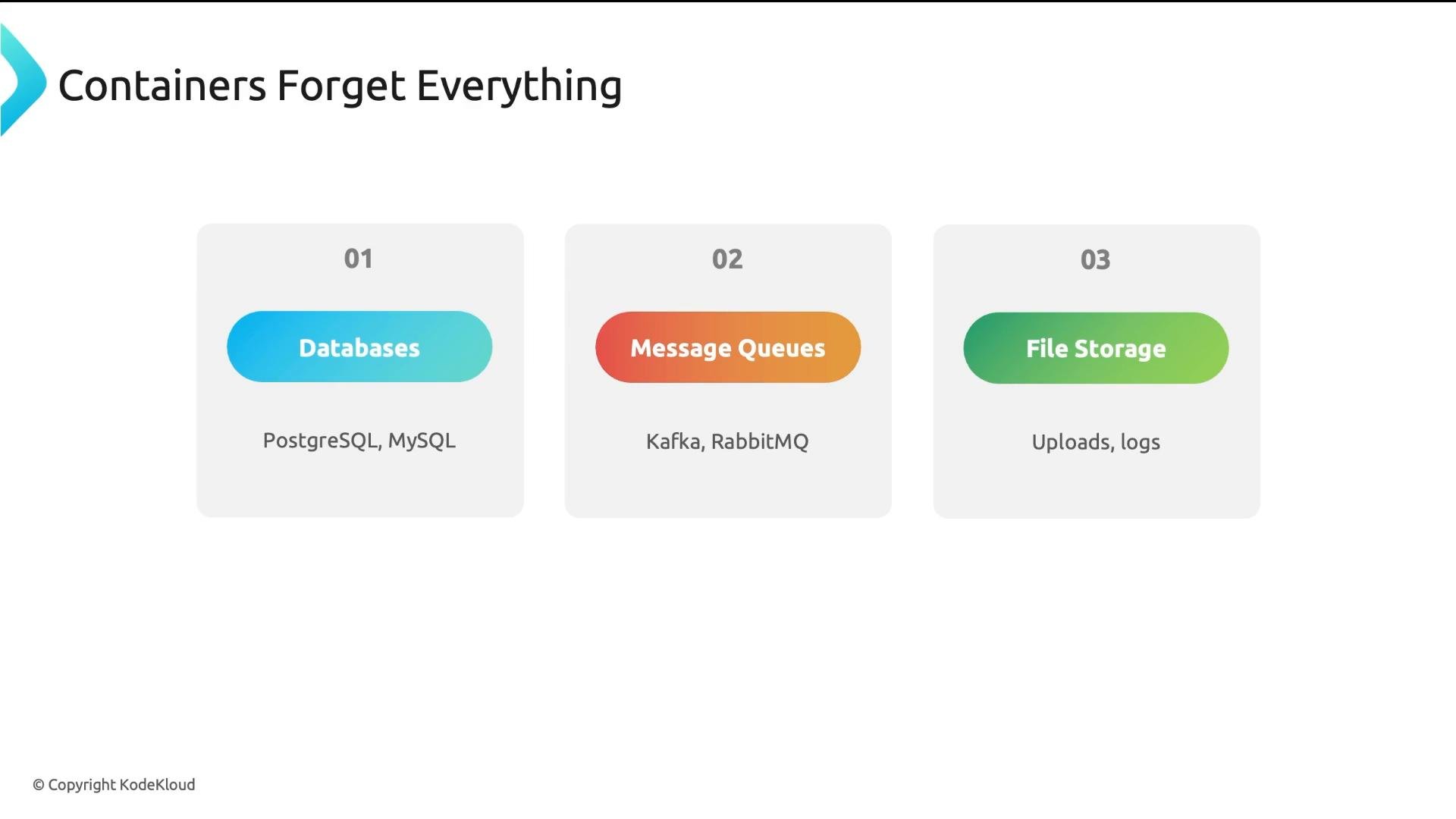
- Databases (PostgreSQL, MySQL) store critical business data.
- Message queues buffer messages in transit.
- File storage (user uploads, logs) needs to persist beyond a pod’s lifetime.
-
StorageClass
- A StorageClass is a provisioning template. It specifies the CSI driver (provisioner) and provider-specific parameters (disk type, IOPS, encryption).
- The platform team creates and manages StorageClasses. Think of it as the platform’s storage menu.
-
PersistentVolume (PV)
- A PV represents a real volume: a block device, network filesystem, or cloud volume.
- PVs can be statically created by an admin or dynamically provisioned by a StorageClass when a PVC is requested (dynamic provisioning is common in cloud environments).
-
PersistentVolumeClaim (PVC)
- A PVC is a developer’s request: it declares size, access mode, and which StorageClass to use.
- Kubernetes matches a PVC to a PV or uses the StorageClass to dynamically create a PV. A PVC binds one-to-one to a PV; a Pod mounts the PVC and reads/writes data as usual. The data persists independently of the Pod lifecycle.
ReadWriteOnce. The storageClassName must match an existing StorageClass; otherwise the PVC will remain Pending.
- Kubernetes looks up the requested StorageClass.
- The StorageClass’s provisioner (CSI driver) creates a volume if dynamic provisioning is enabled.
- Kubernetes creates a PV object representing the provisioned volume.
- The PV is bound to the PVC; the PVC status moves from Pending to Bound.
- Run
kubectl describe pvc <name>to inspect events. - Common causes:
storageClassNametypo or StorageClass not found.- Insufficient capacity in the backend.
- Requested access mode not supported by the backend.
- StorageClass
volumeBindingModeset toWaitForFirstConsumerand no Pod has referenced the PVC yet.
If you leave
storageClassName empty, Kubernetes will use the cluster’s default StorageClass (if one exists). If no default is configured and you omit the StorageClass, the PVC may remain Pending.provisioner identifies the CSI driver; parameters are provider-specific; reclaimPolicy controls what happens to the backing storage when a PVC is deleted.
provisioner: CSI driver used to create volumes.parameters: Provider-specific tuning (disk type, IOPS, encryption).reclaimPolicy:Delete— underlying storage is destroyed when the PVC is deleted (good for ephemeral workloads like CI caches).Retain— underlying data is preserved (recommended for databases and irreplaceable data).
volumeBindingMode:Immediate— PV is created as soon as PVC is created.WaitForFirstConsumer— PV creation is delayed until a Pod that uses the PVC is scheduled (prevents AZ/zone mismatches in multi-AZ clusters).
fast-ssd, shared-nfs, bulk-hdd). This helps developers choose the right class without hunting in docs, and it keeps your platform portable across clouds.
Five key takeaways
- PVCs request storage; PVs provide it. Developers create PVCs; the platform team manages StorageClasses. Clear separation of responsibilities avoids operational mistakes.
- Access modes determine mounting and sharing behavior. Verify backend capability before selecting an access mode.
- StorageClasses abstract provider details; name them by use case to preserve portability and reduce cognitive load.
- Match workload to storage: databases need fast SSDs +
Retain; shared files need RWX-capable filesystems; batch jobs can use cheaper disks +Delete. - Storage decisions affect both performance and cost—consider access mode, type, reclaim policy, and backup strategy when designing your platform.
Using
reclaimPolicy: Delete for critical data (databases, business records) can cause irreversible data loss when PVCs are removed. Use Retain for anything you cannot afford to lose and enforce backups.