

kubectl logs breaks at scale, what structured logging looks like, how a production logging pipeline is built, and how trace IDs let you jump from logs into traces.
A real-world example: a company runs 350 pods across two clusters. An escalation arrives for an error that occurred six hours earlier. The affected pods restarted twice and their local logs are gone. kubectl logs --previous doesn’t help because the pod was rescheduled to another node. Ninety minutes of triage later, no root cause. After a centralized logging pipeline is in place, the same investigation takes ≈8 seconds.
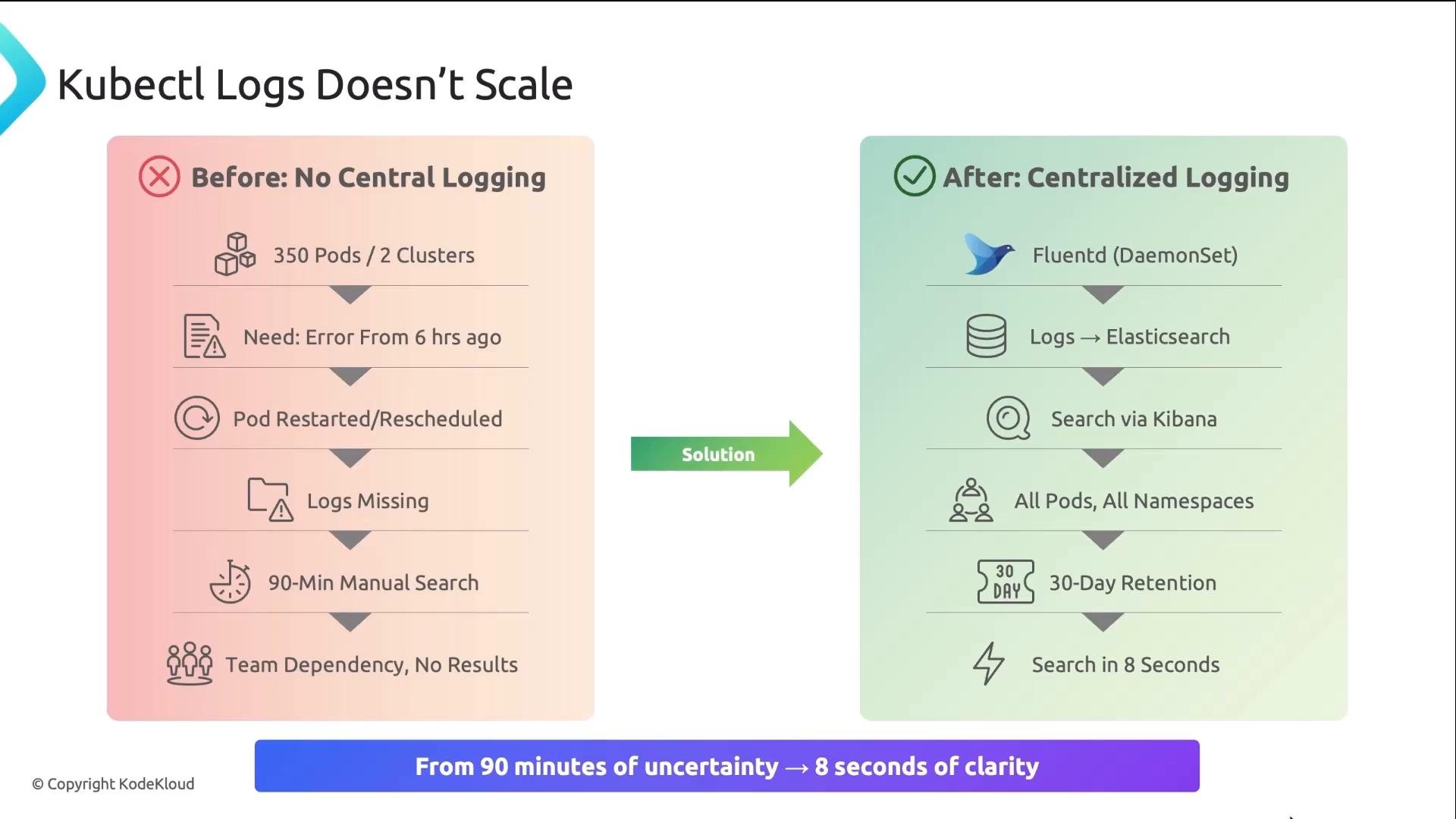
What breaks at scale
- Pod logs are ephemeral. Pods crash, get evicted, or are rescheduled and local logs disappear.
- There is no simple way to search across pods or correlate events between services without a central store.
- Critical logs (the ones you need for troubleshooting) often vanish first.
Structured vs. unstructured logs
Unstructured logs are plain text designed for humans. They look fine in a terminal, but machines struggle with them: parsing fields reliably often requires fragile regular expressions. Example unstructured log:trace_id field — this is how logs connect back to traces. With trace IDs available in logs, you can find an error log and jump to the corresponding Jaeger trace waterfall if your tools are integrated.
Benefits of structured JSON logs:
- Machine-parseable — no fragile regexes.
- Filterable — run precise queries such as
level="error" AND user_id=4821. - Aggregatable — count errors per service.
- Correlatable — follow a single ID across logs, traces, and metrics.
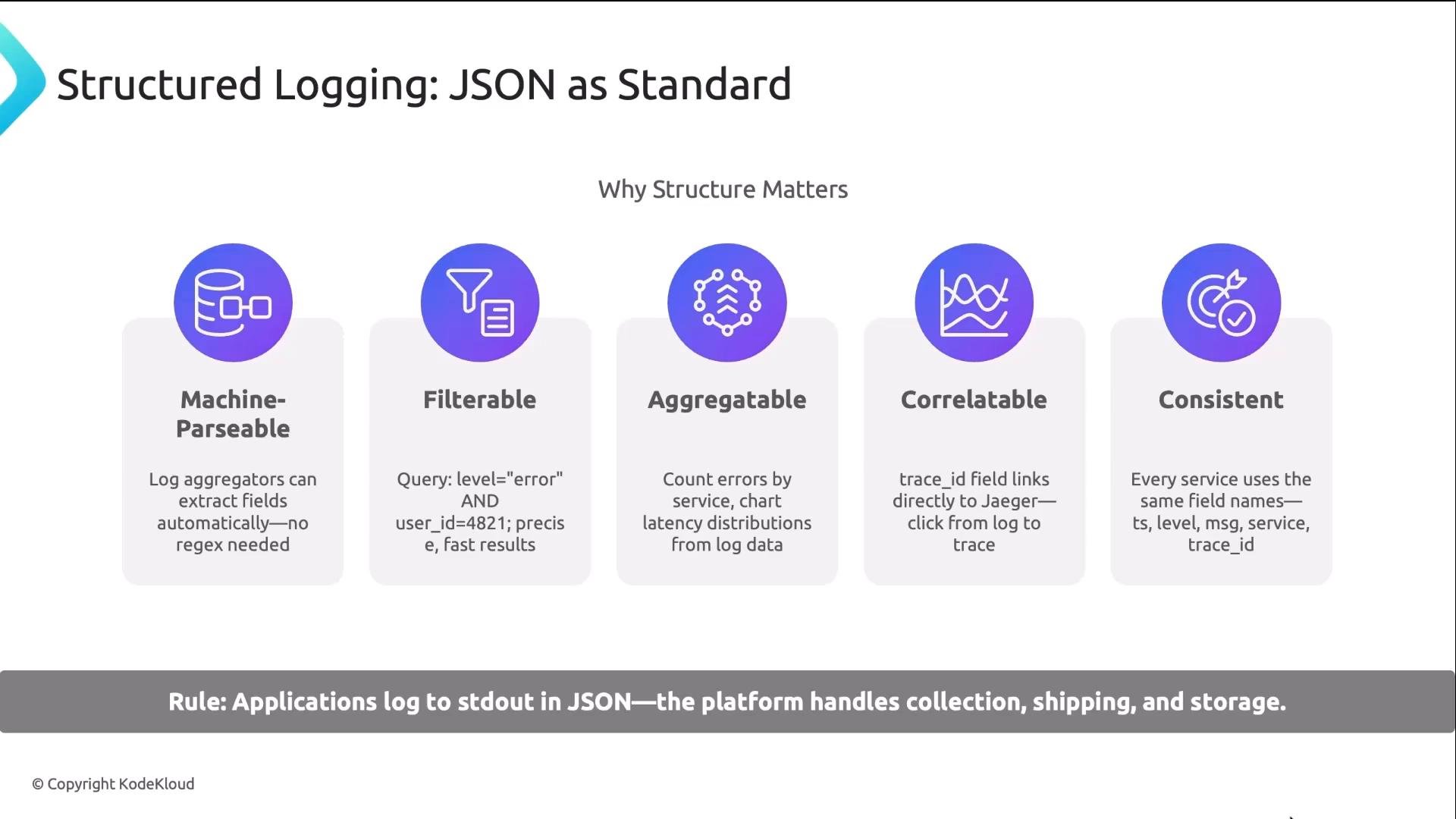
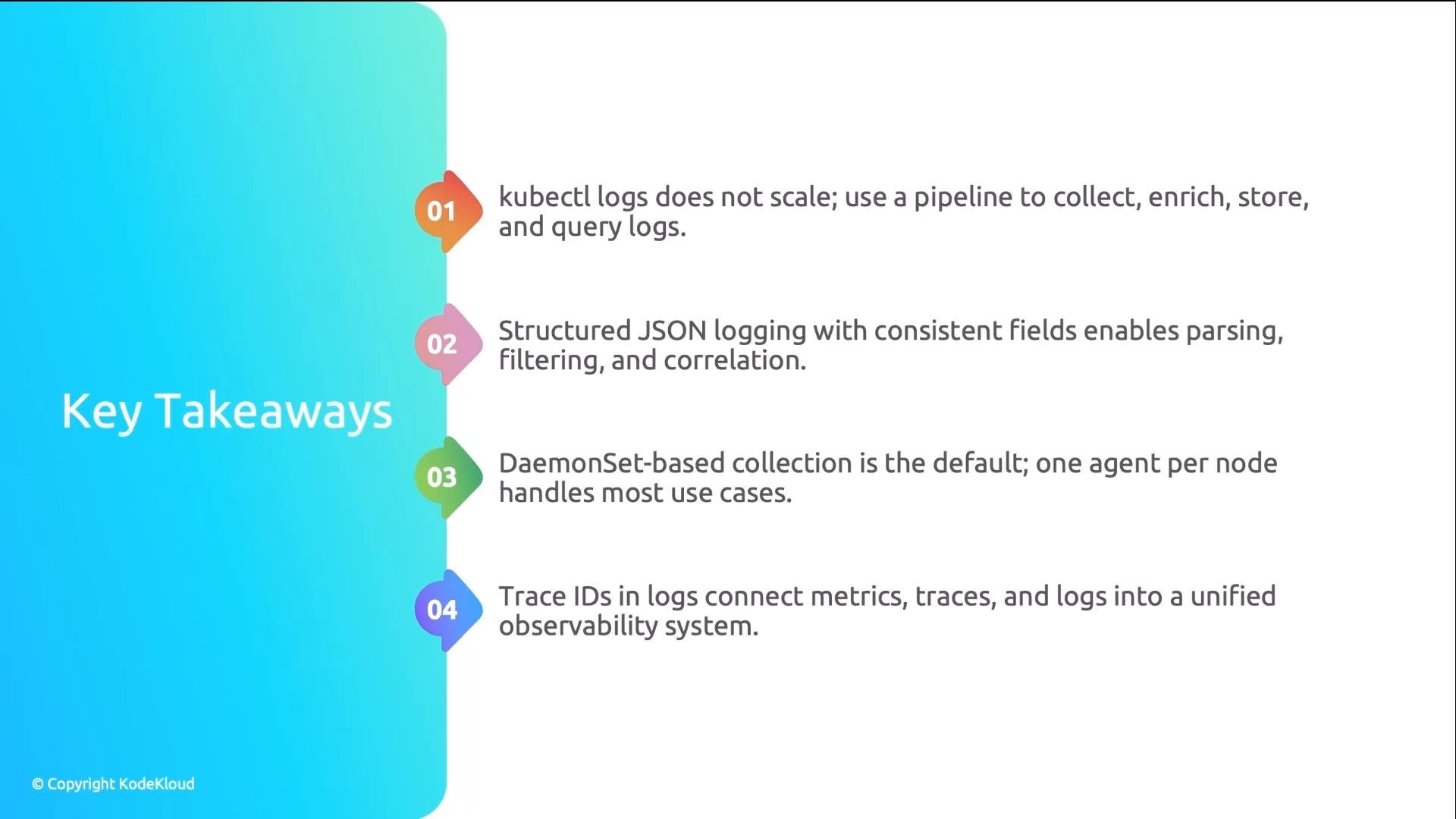
Applications should emit structured JSON logs to stdout/stderr. The platform is responsible for collecting, enriching, storing, and serving those logs.
The logging pipeline — stages and choices
A typical production logging pipeline has five stages. Each stage can affect cost, retention, and query performance.
Practical notes:
- Storage and indexing choices drive cost and query UX: full-text search is powerful but expensive; label-indexed stores are cheaper and scale better for high-volume logs.
- Ensure retention policies align with compliance and incident response needs (e.g., 30 days, 90 days, etc.).
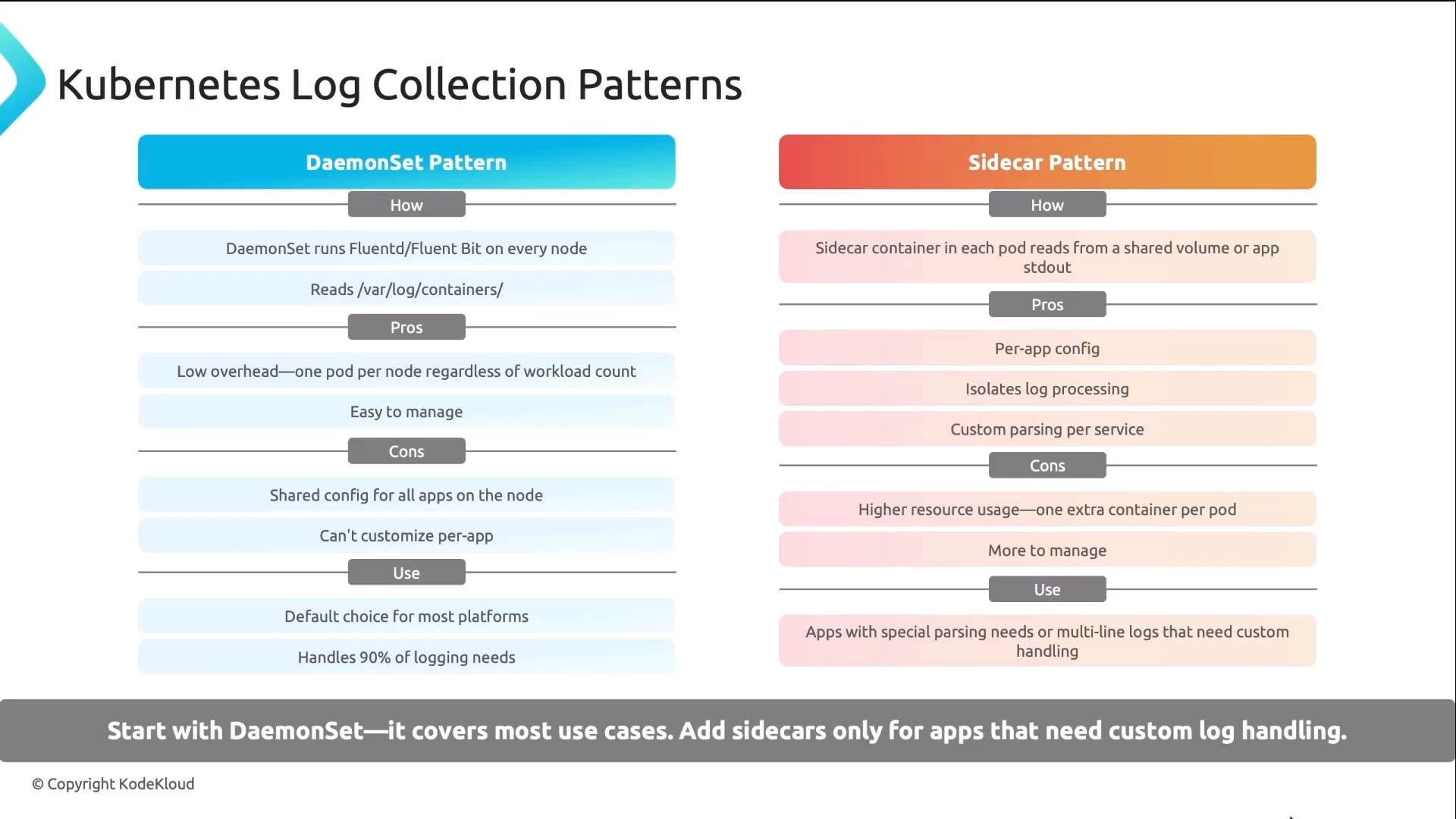
Collectors in Kubernetes: DaemonSet vs Sidecar
There are two common collection patterns in Kubernetes:-
DaemonSet (recommended default)
- One collector per node tails files such as
/var/log/containers/*.log. - Pros: low overhead, simple, handles the majority of use cases.
- Start with this pattern for most clusters.
- One collector per node tails files such as
-
Sidecar (per-pod)
- A collector container runs in the same pod as the application, useful for apps that emit complex or multiline formats and need per-app parsing.
- Cons: more resource usage (collector runs per pod).
- Use only for exceptions where node-level collection can’t parse logs correctly.
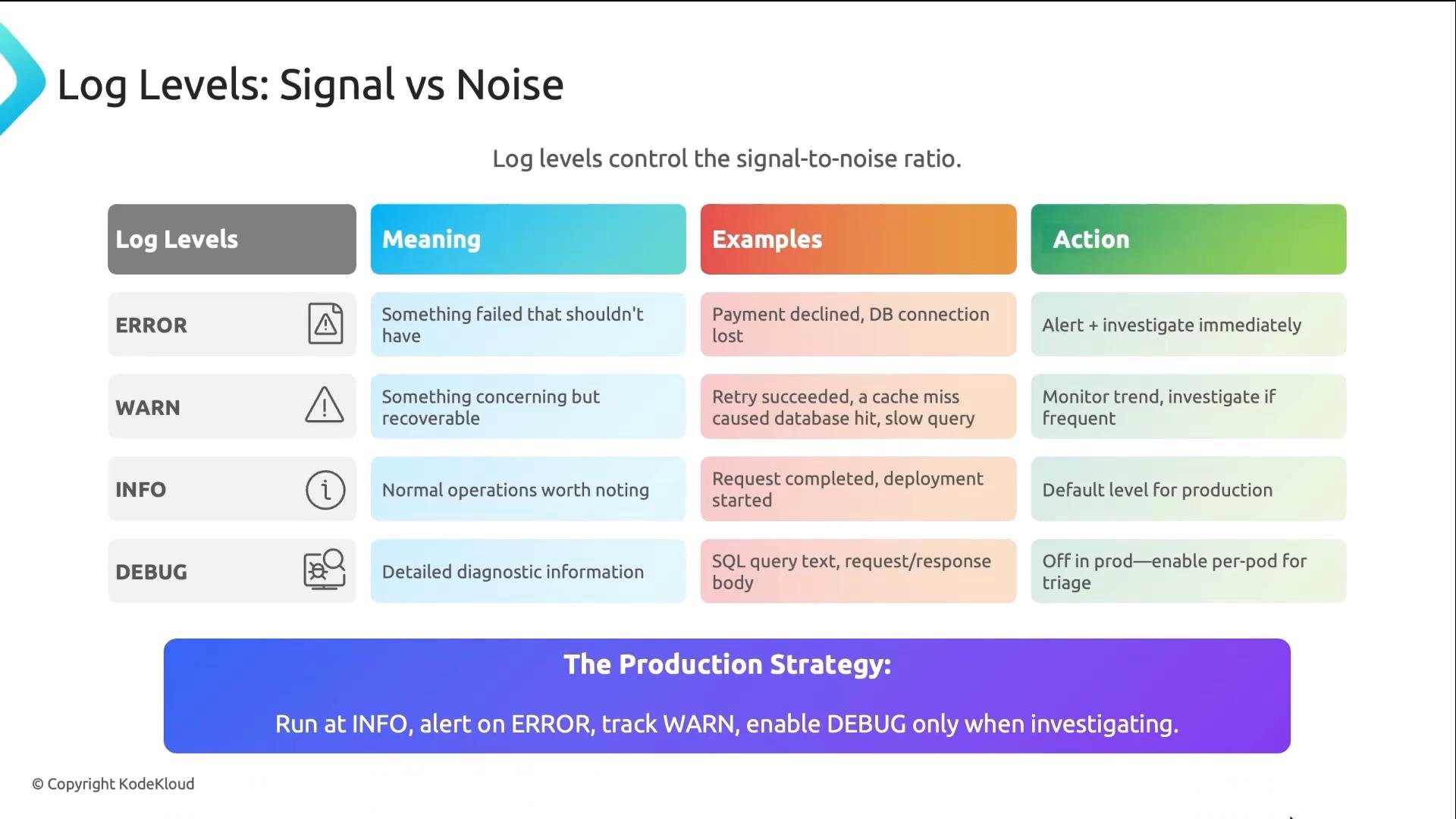
Log levels: signal vs noise
Choosing and enforcing the correct log levels prevents alert fatigue and keeps signal visible.- ERROR: Failure that should be investigated and often alert on.
- WARN: Concerning events that the system recovered from — useful for trends.
- INFO: Normal operational events — production default.
- DEBUG: Verbose diagnostics — enable only for targeted investigation.
- Default to
INFO. - Alert on
ERROR. - Dashboard
WARNas a trend. - Enable
DEBUGonly for limited scopes or temporary investigations.
Tracing integration — connect logs and traces
When your OpenTelemetry SDK is active, it can inject the current trace ID into the logging context. With the proper logging integration or middleware, logs emitted within a trace context include atrace_id field.
Example incident flow:
- Grafana alerts on an error-rate spike.
- Search the central logs for
level="error"during that window. - Locate an error log such as “charge failed — gateway timeout” that includes
trace_id. - Click the
trace_id(if your log UI links to traces) to open Jaeger and inspect the waterfall — you’ll see exactly where the gateway span timed out. - You’ve moved from “something’s wrong” to a focused root-cause by following one ID across metrics, traces, and logs.
Best practices and responsibilities
- Emit structured JSON logs to stdout/stderr from every service.
- Include contextual fields (service, environment, pod metadata,
trace_id, user identifiers when appropriate). - Platform teams should operate the collector, enrichment, storage, retention, and query UX.
- Start with DaemonSet collectors and add sidecars only when necessary.
- Ensure logs that may contain sensitive data are redacted before storage or handled under strict access controls.
Links and references
- kubectl logs command reference
- Fluentd
- Fluent Bit
- Promtail (Grafana Loki client)
- Elasticsearch
- Grafana Loki
- Kibana
- Grafana
- OpenTelemetry
- Jaeger Tracing