

kubectl auth can-i.
Why RBAC matters — a real cost of skipping least privilege
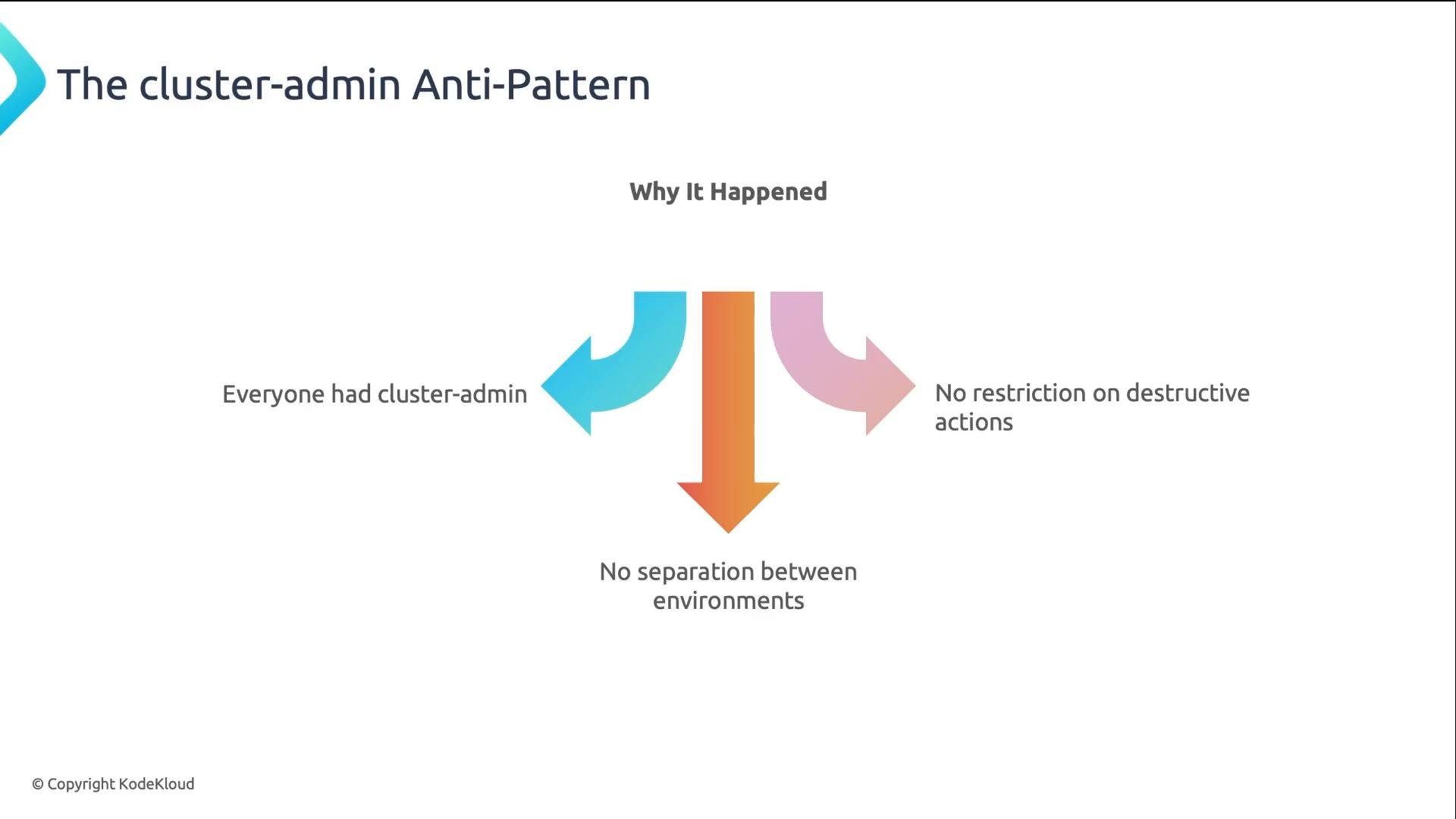
A SaaS company avoided delays by giving all forty developers cluster-admin. A junior developer ran:
Delete, that data was permanently lost. The outage lasted six hours and cost the company significant revenue and recovery expenses.
The root cause: everyone had broad cluster-admin rights, so there was no separation of environments and no restriction on destructive actions.
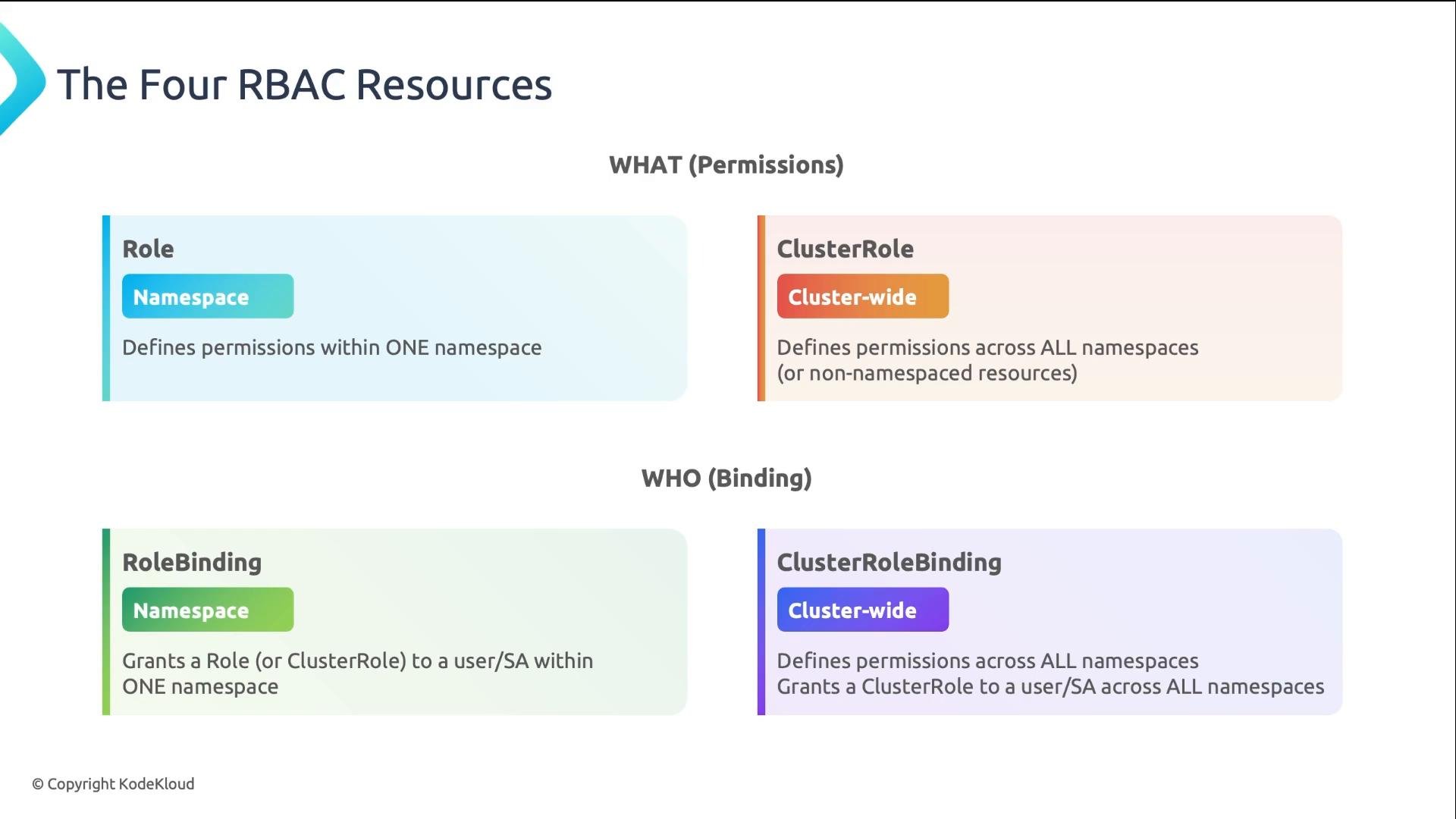
- Role — namespace-scoped permissions.
- ClusterRole — cluster-scoped permissions or permissions for non-namespaced resources (nodes, CRDs).
- RoleBinding — grants a Role or ClusterRole within a single namespace.
- ClusterRoleBinding — grants a ClusterRole across all namespaces.
Start with namespace-scoped Roles and RoleBindings. Only escalate to cluster-scoped permissions when there is a documented, repeatable need.
How to write a Role (example)
Create a namespace-scoped Role that grants read-only access to pods in the
payments namespace:
apiGroups: an empty string ("") is the core API group (pods, services, secrets). Other groups includeapps(Deployments, StatefulSets) andbatch(Jobs).resources: the resource types this rule applies to (e.g.,pods,secrets,deployments).verbs: allowed actions. Common sets:- Read-only:
get,list,watch - Read-write: add
create,update,patch - Delete: include
delete - Wildcard:
"*"— avoid unless absolutely necessary
- Read-only:
resourceNames: narrow scope to specific named resources for very precise access control.
- RoleBinding for a single user in the
paymentsnamespace:
- RoleBinding that grants the reusable
editClusterRole to a CI/CD ServiceAccount (bound per-namespace):
User— human identities provisioned by your identity provider.Group— collections of users from your IdP (useful for role assignment at scale).ServiceAccount— identities used by Pods inside the cluster.
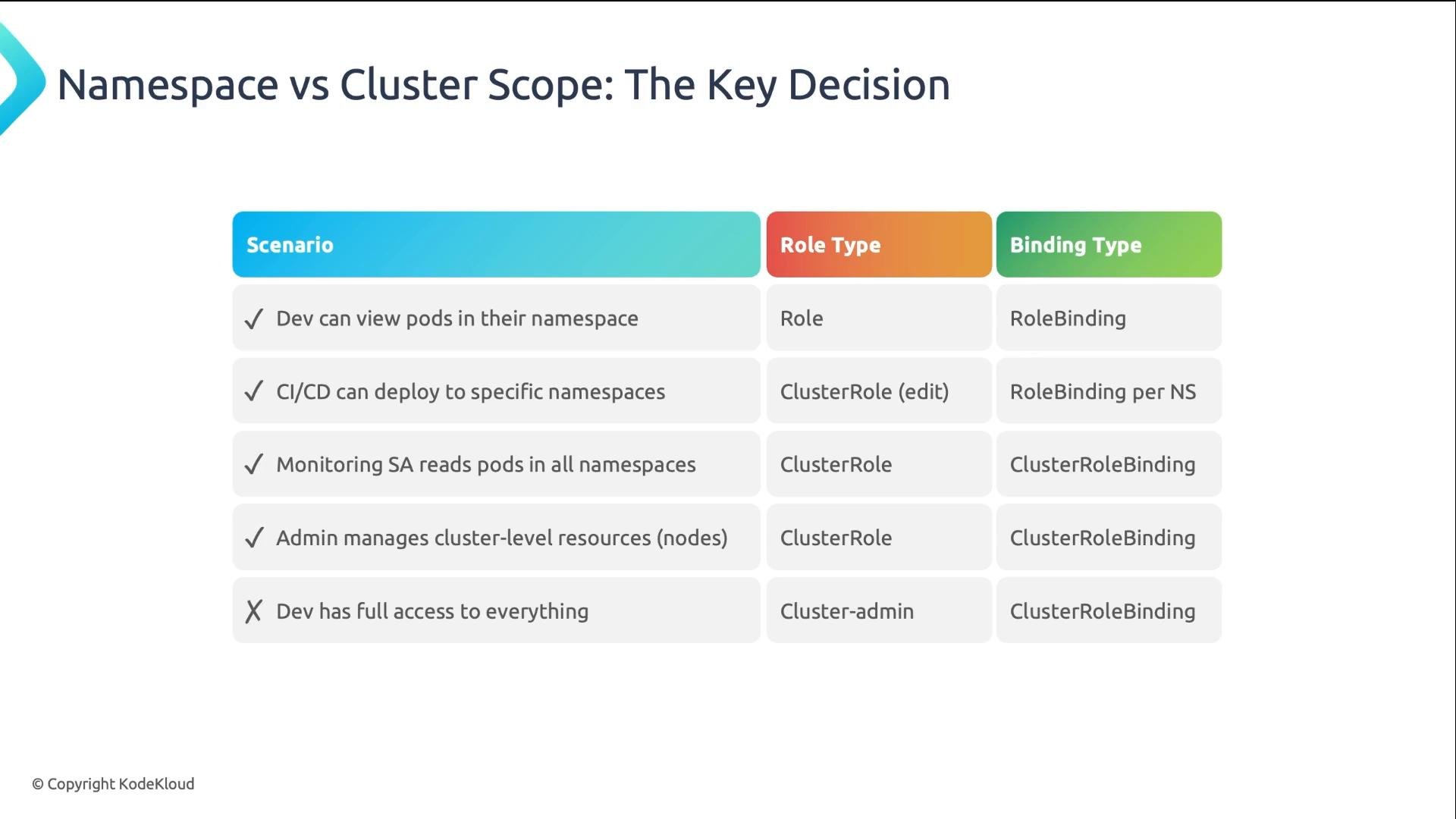
- Developer viewing pods in their own namespace: use
Role+RoleBinding. - CI/CD deploying to multiple namespaces: create a reusable
ClusterRole, and bind it per-namespace withRoleBinding. - Monitoring or tools that require read access across namespaces:
ClusterRole+ClusterRoleBinding. - Platform teams that manage nodes, CRDs, or cluster-level resources:
ClusterRole+ClusterRoleBinding. cluster-adminshould be reserved for emergency or break-glass scenarios only — not day-to-day use.
kubectl auth can-i is the primary tool for testing and troubleshooting RBAC permissions.
Basic examples:
can-i effectively
- Single-action checks return a simple
yesorno. - Use
--as=<user>or--as=system:serviceaccount:<ns>:<name>to impersonate an identity. - Use
--listto enumerate all allowed actions for the impersonated identity in a namespace. - Apply your Role and RoleBinding manifests, then confirm behavior with
kubectl auth can-ibefore granting wider access.
Avoid granting broad cluster-scoped rights to large groups. The cluster-admin anti-pattern leads to accidental deletions and data loss — follow least-privilege principles.
- Know the four RBAC objects:
Role,ClusterRole,RoleBinding,ClusterRoleBinding. - Start with namespace-scoped
Role+RoleBinding. Escalate only when necessary. - Build Roles from
apiGroups,resources, andverbs. UseresourceNamesfor precise limits. - Bind Roles to
User,Group, orServiceAccount. - Validate and debug with
kubectl auth can-i.