ResourceQuota and LimitRange are fundamental guardrails for multi-tenant Kubernetes clusters. In this lesson we deep-dive into both objects, how they interact during admission, and how to apply them to prevent noisy-neighbor incidents and uncontrolled resource consumption. By the end of this lesson you will be able to:
  • Describe the purpose of ResourceQuota and LimitRange.
  • Set namespace-level limits using ResourceQuota.
  • Apply default container limits using LimitRange.
  • Explain how both interact during pod admission.
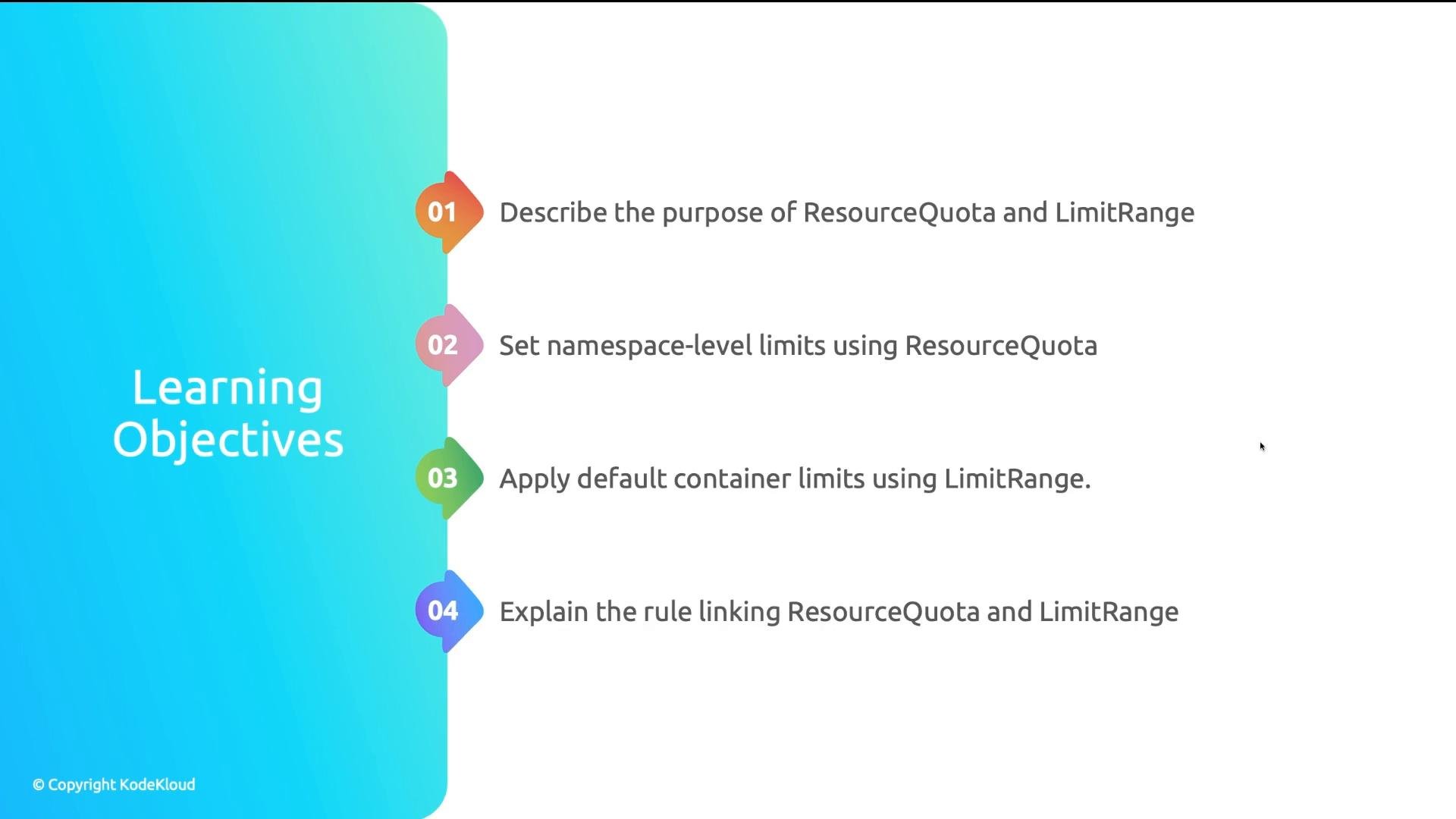
A slide titled "Learning Objectives" listing four numbered goals about Kubernetes resource management—describe ResourceQuota and LimitRange, set namespace-level limits with ResourceQuota, apply default container limits with LimitRange, and explain the rule linking them.
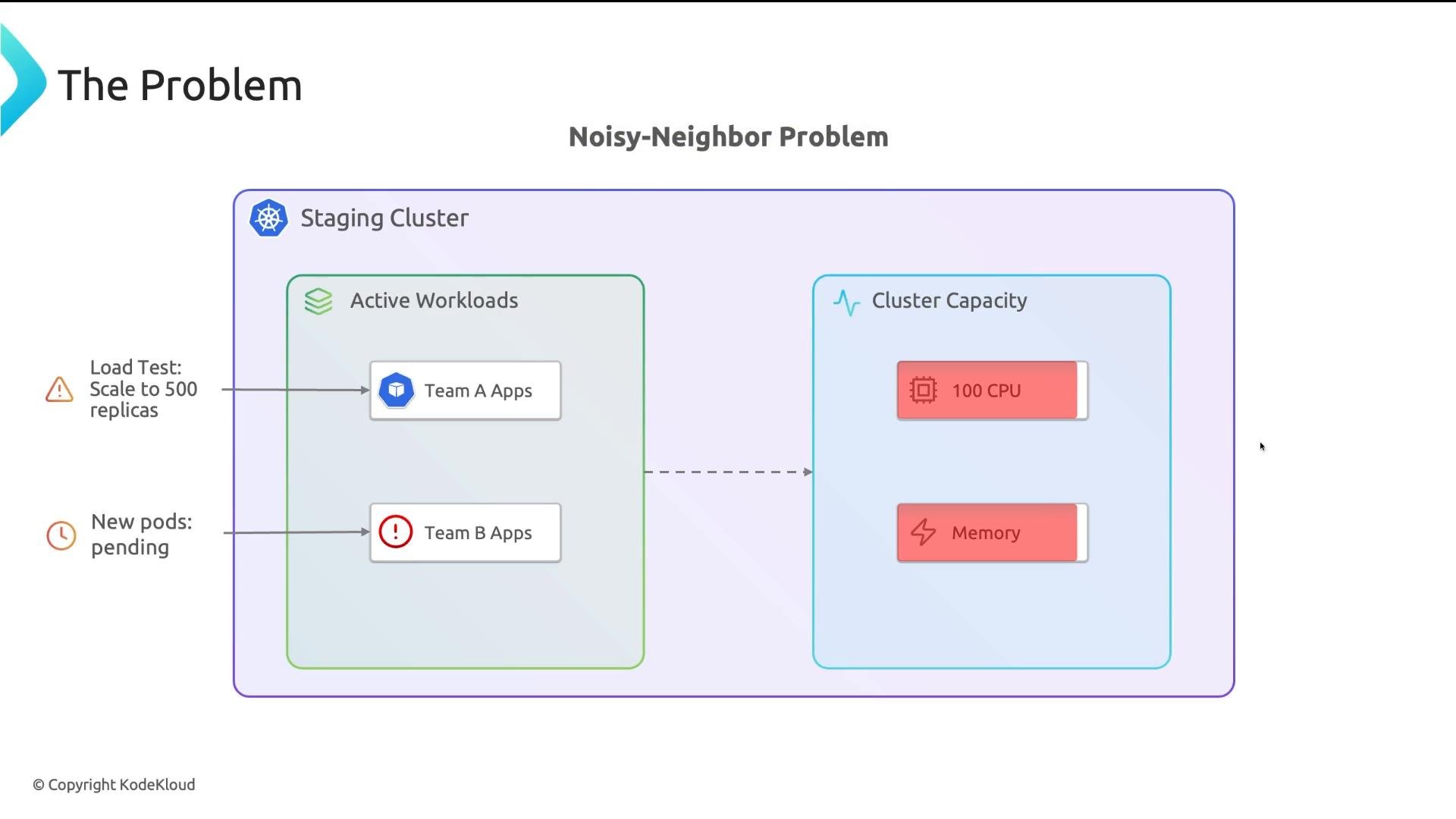
What happens without governance? Imagine a shared staging cluster used by multiple teams. One developer runs a large load test and scales a Deployment to hundreds of replicas on a cluster with limited CPU. Those replicas quickly consume most available CPU and memory. Other teams’ pods cannot be scheduled, existing pods may be evicted, and critical demos fail — a classic noisy neighbor problem.
A diagram titled "Noisy-Neighbor Problem" showing a staging Kubernetes cluster where Team A's load test scales to hundreds of replicas and consumes cluster CPU/memory. As a result, Team B's new pods are shown pending due to exhausted capacity.
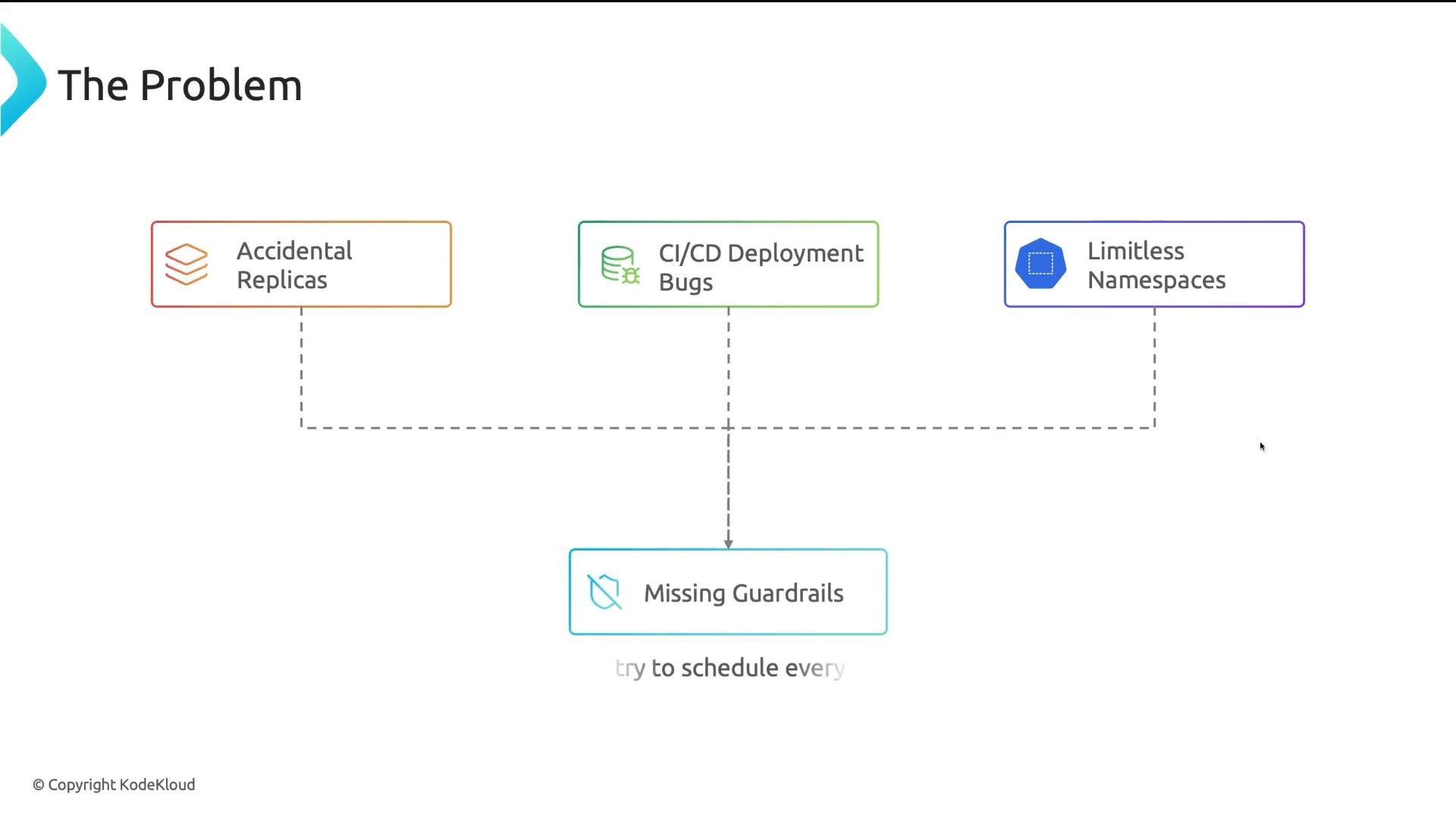
This is more common than it sounds: accidental large replica counts, CI/CD job bugs creating many pods, or namespaces with no defaults/limits. Without guardrails, Kubernetes will accept resource requests and schedule until capacity is exhausted.
A slide titled "The Problem" with three colored boxes labeled "Accidental Replicas", "CI/CD Deployment Bugs", and "Limitless Namespaces", all linked by dashed lines down to a box labeled "Missing Guardrails." It’s a simple diagram illustrating deployment/runtime issues.
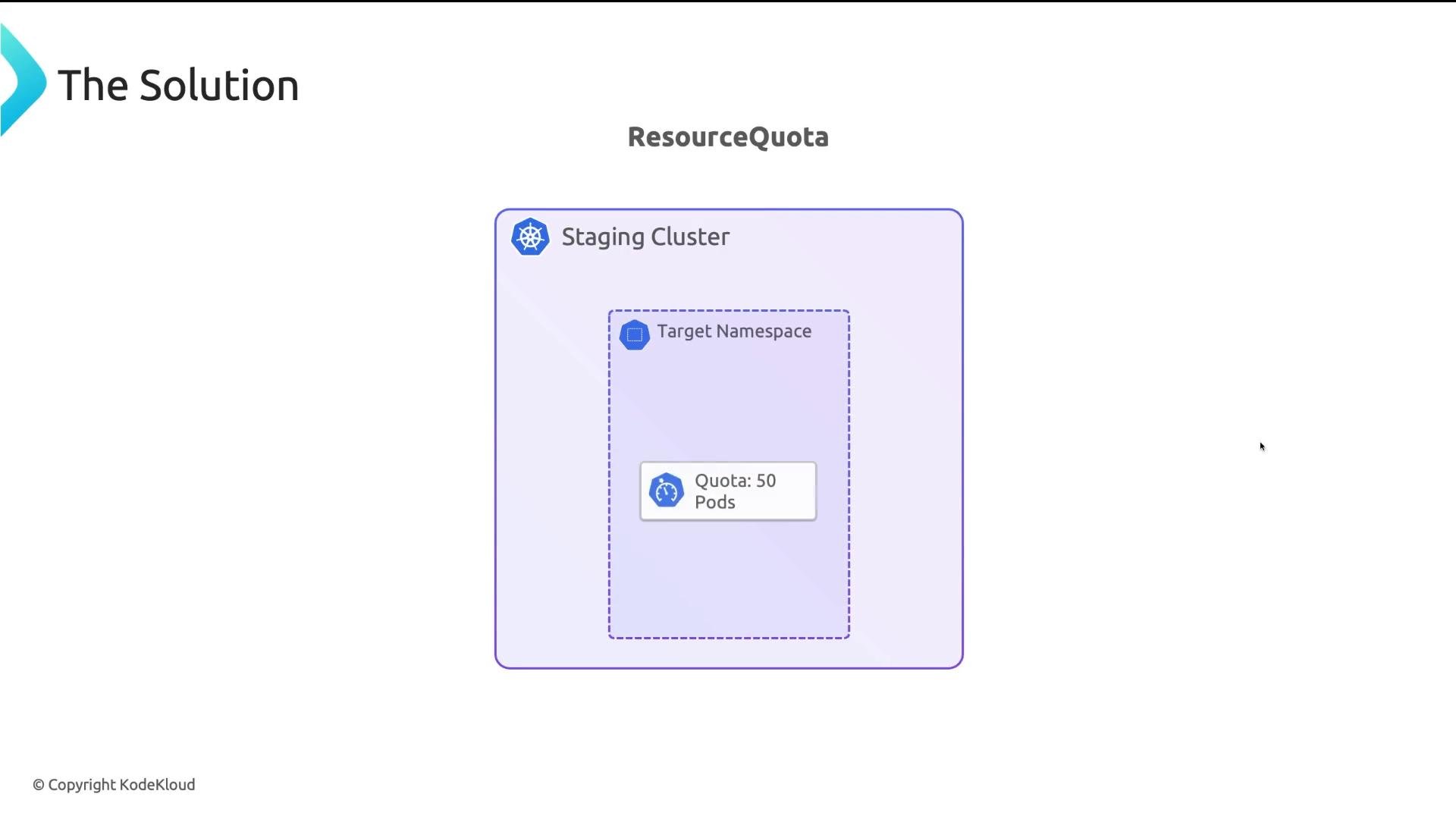
A simple ResourceQuota prevents runaway resource use. For example, setting a 50-pod limit per namespace causes the API server to reject scale-ups beyond that limit.
A slide titled "The Solution" showing a diagram labeled "ResourceQuota" with a large rounded box for a "Staging Cluster." Inside is a dashed "Target Namespace" containing a small label that reads "Quota: 50 Pods."
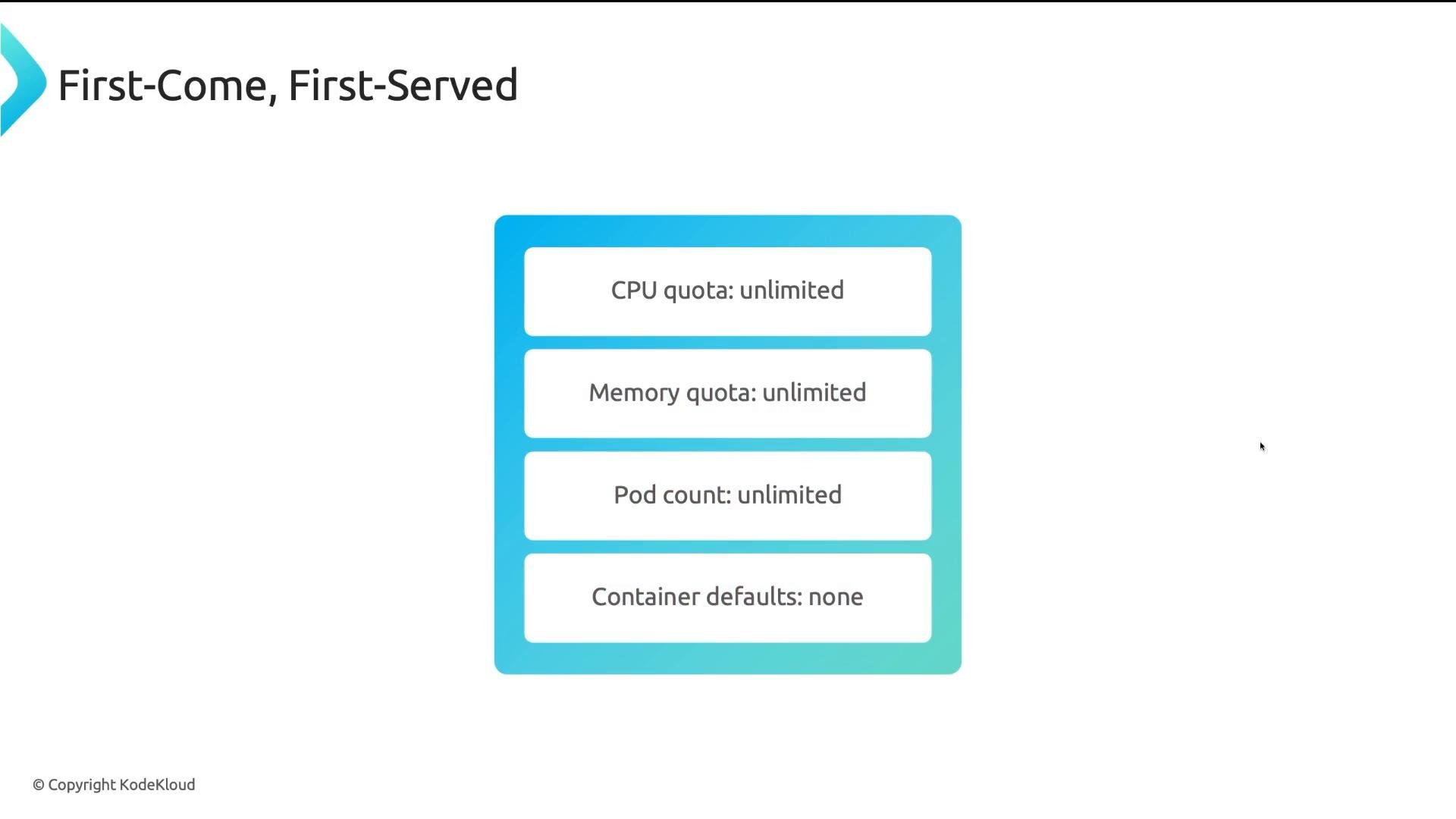
Kubernetes scheduling is effectively first-come, first-served if you don’t apply quotas. On clusters without quotas:
A presentation slide titled "First-Come, First-Served" showing a blue rounded panel listing resource settings: "CPU quota: unlimited," "Memory quota: unlimited," "Pod count: unlimited," and "Container defaults: none." The slide is © KodeKloud.
Whoever deploys first claims resources. For shared clusters, ResourceQuota and LimitRange are baseline guardrails — similar to rules in a shared office: they prevent one team from monopolizing the space. ResourceQuota: namespace budget caps ResourceQuota enforces a namespace-level budget. It caps aggregate resource consumption across all objects in the namespace: CPU and memory requests/limits, pod counts, object counts (ConfigMaps, Services), and storage usage. Example ResourceQuota YAML:
Key effects of this example:
  • The sum of all container CPU requests in the namespace cannot exceed 4 cores.
  • The sum of all memory requests cannot exceed 8Gi.
  • The total number of pods in the namespace cannot exceed 10.
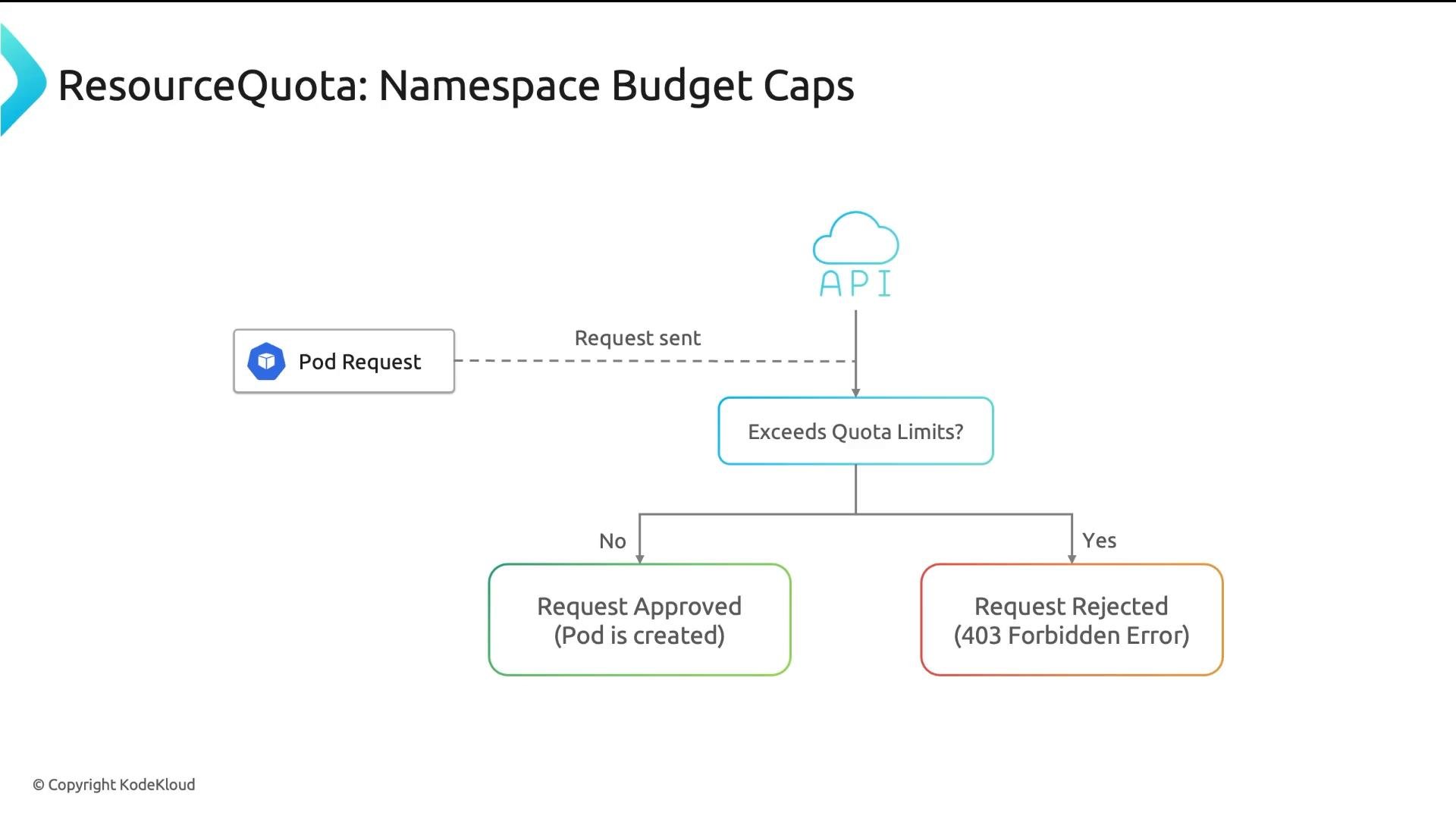
If creating a pod (or updating an object) would cause totals to exceed the quota, the API server rejects the request with a 403 Forbidden before the pod is created. ResourceQuota commonly covers these categories:
  • Compute: requests.cpu, requests.memory, limits.cpu, limits.memory.
  • Object counts: count/pods, count/configmaps, count/services — prevents object sprawl.
  • Storage: requests.storage, number of PersistentVolumeClaims, and volume counts.
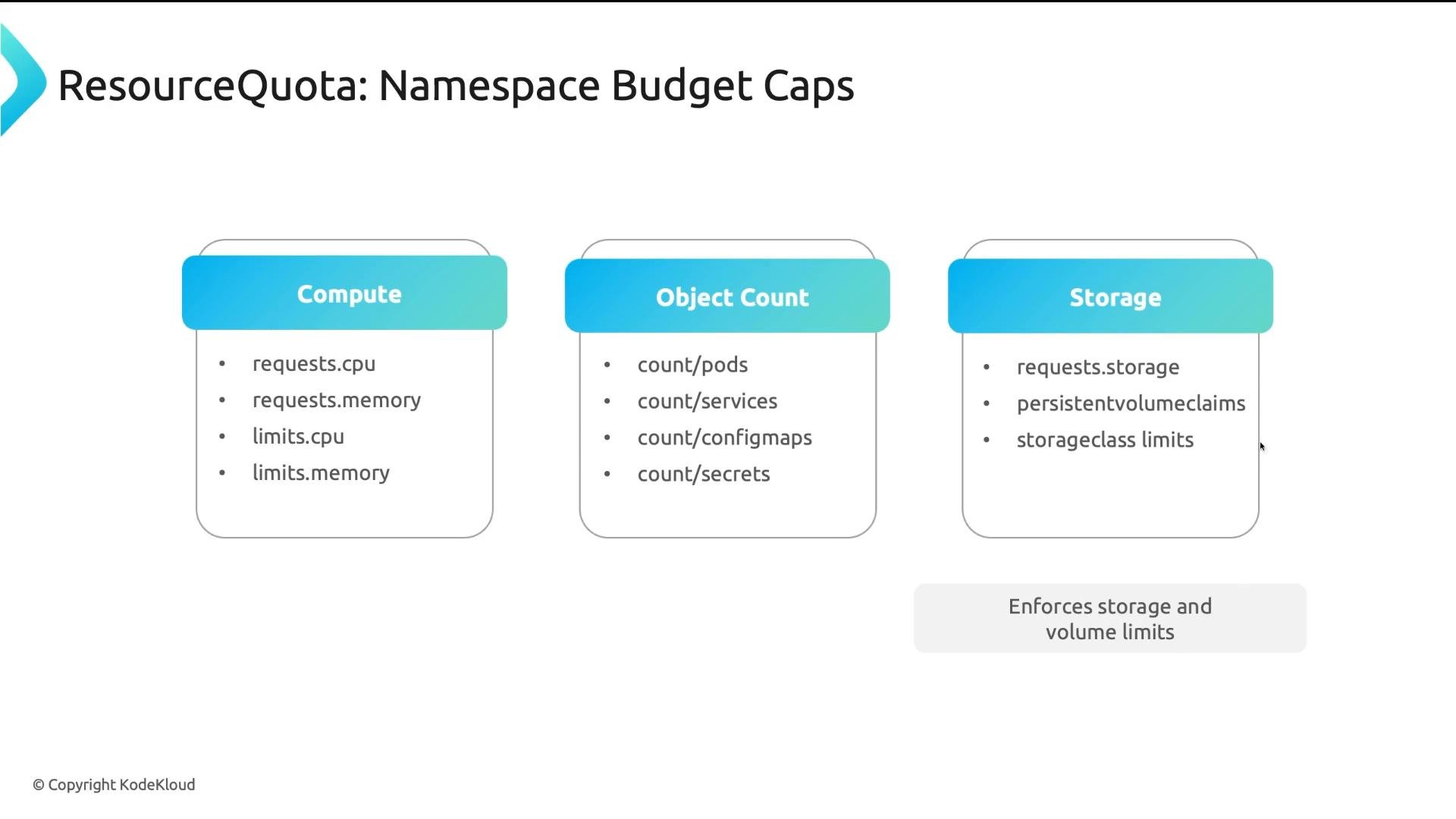
A slide titled "ResourceQuota: Namespace Budget Caps" showing three boxes—Compute, Object Count, and Storage—with bullets like requests.cpu, requests.memory, count/pods, count/services, and requests.storage. It summarizes namespace resource limits and notes enforcing storage and volume limits.
Enforcement: admission-time checks ResourceQuota is enforced at admission time by the API server. When a create/update request arrives, the API server evaluates whether admitting the change would exceed any hard limits in the ResourceQuota. If it would, the operation is rejected with a 403 Forbidden error. This check runs before scheduling.
A flowchart titled "ResourceQuota: Namespace Budget Caps" showing a Pod Request sent to the API, which checks if it exceeds quota limits. If not, the request is approved and the pod is created; if yes, the request is rejected with a 403 Forbidden error.
LimitRange: per-object defaults and bounds LimitRange configures defaults and bounds for individual containers, pods, or PersistentVolumeClaims in a namespace. It serves two main purposes:
  • Inject defaults (defaultRequest / default) when containers omit requests or limits.
  • Enforce minimum (min) and maximum (max) bounds for individual containers or pods.
Because ResourceQuota commonly accounts against requests.* and limits.*, ensuring containers specify these fields is important for accurate quota enforcement. LimitRange automates that by filling in defaults or rejecting pods that fall outside acceptable per-object ranges. LimitRange applies to types such as Container, Pod, and PersistentVolumeClaim (Container is most commonly used).
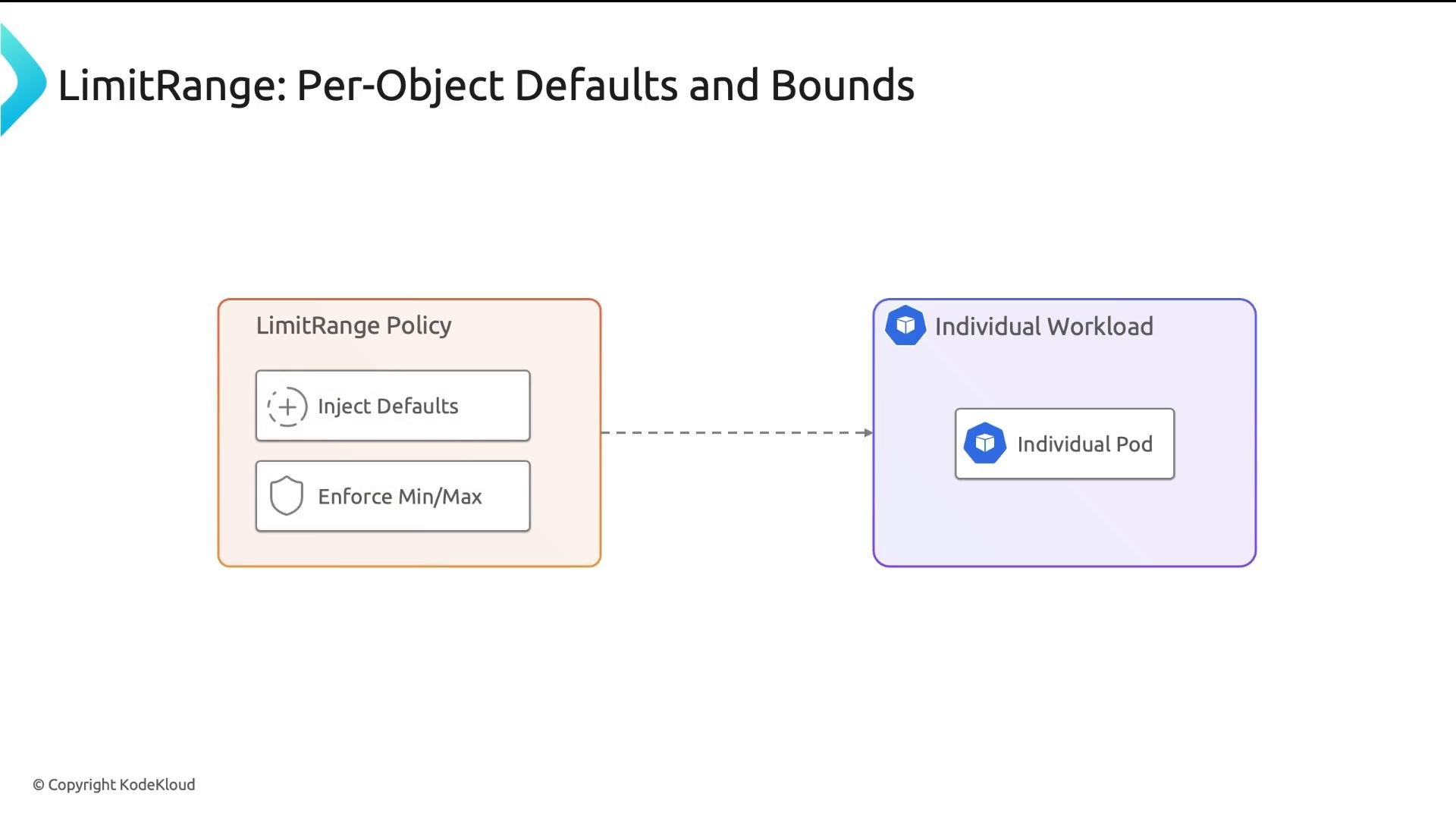
A slide titled "LimitRange: Per-Object Defaults and Bounds" showing a "LimitRange Policy" box with "Inject Defaults" and "Enforce Min/Max" that points to an "Individual Workload" box containing an "Individual Pod."
Example LimitRange YAML:
This configuration:
  • Ensures containers specify at least 50m CPU and 64Mi memory.
  • Caps containers at 1 CPU and 1Gi.
  • Injects default request values when not provided (so pods are not BestEffort).
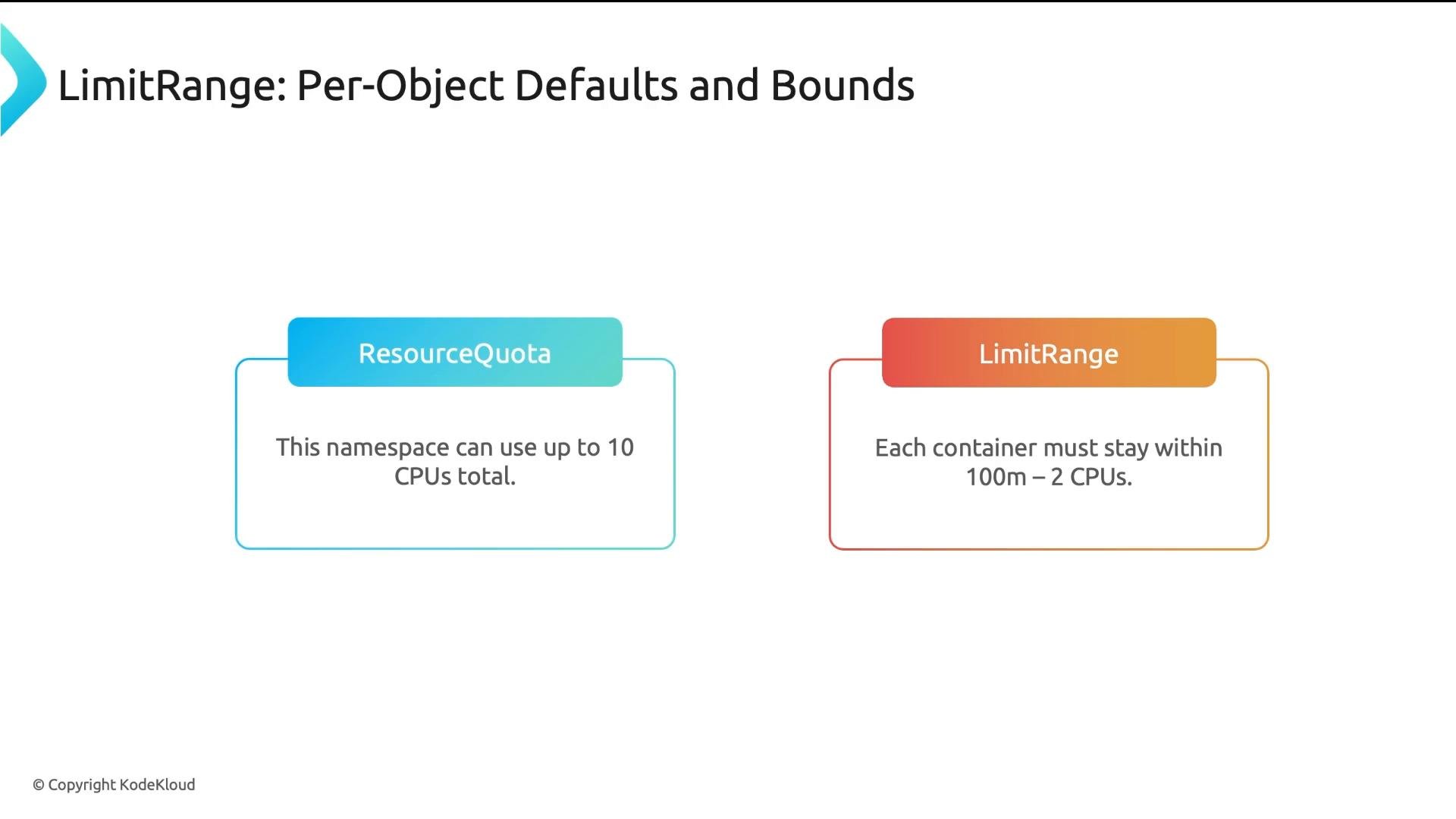
LimitRange and ResourceQuota are complementary: ResourceQuota caps aggregate consumption; LimitRange ensures per-object values make quota accounting accurate and predictable.
A presentation slide titled "LimitRange: Per-Object Defaults and Bounds" showing two labeled boxes: "ResourceQuota" (saying a namespace can use up to 10 CPUs total) and "LimitRange" (saying each container must stay within 100m–2 CPUs). The slide is from KodeKloud.
How they work together (admission flow) Admission order is important. The typical flow for a pod create/update:
  1. Pod submitted to the API server (via kubectl, controller, etc.).
  2. LimitRange admission controller intercepts:
    • Injects defaults if containers omit requests/limits (defaultRequest / default).
    • Validates that per-object min/max constraints are satisfied; rejects if not.
  3. ResourceQuota admission controller evaluates whether admitting this pod would exceed namespace-wide budgets by summing requests/limits with current usage; rejects if quota would be exceeded.
  4. If both checks pass, the pod is admitted and sent to the scheduler for placement.
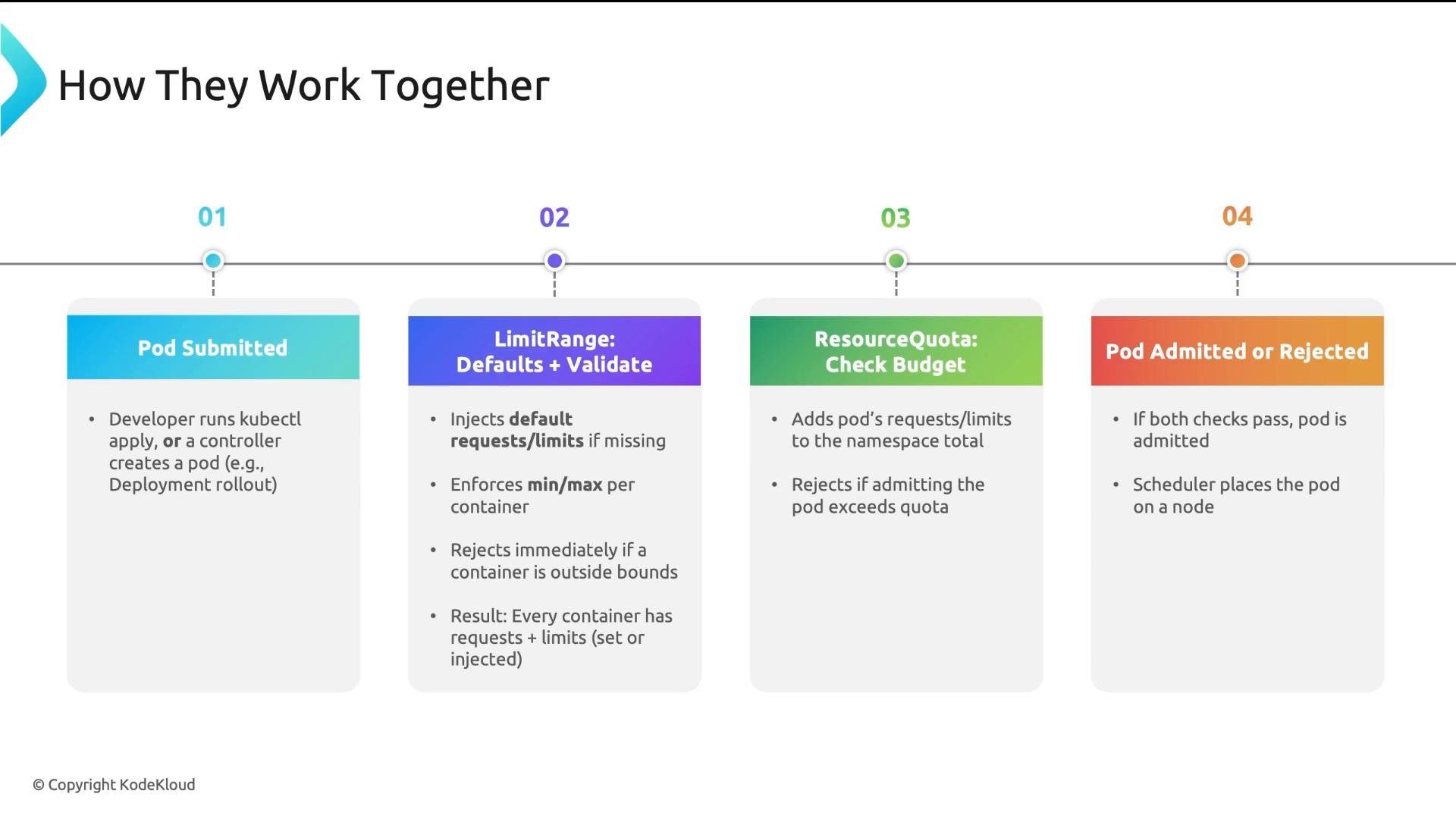
Because defaulting happens before quota computation, LimitRange ensures the API server can accurately calculate quota usage.
A slide titled "How They Work Together" showing a four-step Kubernetes pod admission flow: 01 Pod Submitted, 02 LimitRange (defaults + validate), 03 ResourceQuota (check budget), and 04 Pod Admitted or Rejected. Each step has brief bullet points explaining defaulting/validation, quota checks, and the final admission outcome.
Quick reference: ResourceQuota vs LimitRange Practical examples
  • limit-pod-count (ResourceQuota) — stops a namespace creating more than 10 pods. Useful for development namespaces.
  • team-budget (ResourceQuota) — caps CPU and memory for a team namespace in multi-tenant clusters.
  • container-defaults (LimitRange) — injects default requests so containers are not BestEffort and ResourceQuota can account for them.
Combined example manifests:
Apply LimitRange defaults together with ResourceQuota caps to create predictable, fair resource allocation across teams and environments.
Best practice: Apply a LimitRange that injects reasonable default requests to every namespace, and then use ResourceQuota to cap aggregate consumption per namespace. This prevents BestEffort QoS, enables quota accounting, and reduces noisy-neighbor incidents.
Four takeaways
  1. ResourceQuota caps total namespace consumption (aggregate budget).
  2. LimitRange sets defaults and enforces min/max per container or pod.
  3. Use both together: LimitRange ensures objects have requests/limits so ResourceQuota can account for them accurately.
  4. Admission order matters: LimitRange defaulting/validation runs before ResourceQuota’s quota checks, and both run before scheduling.
Links and references

Watch Video