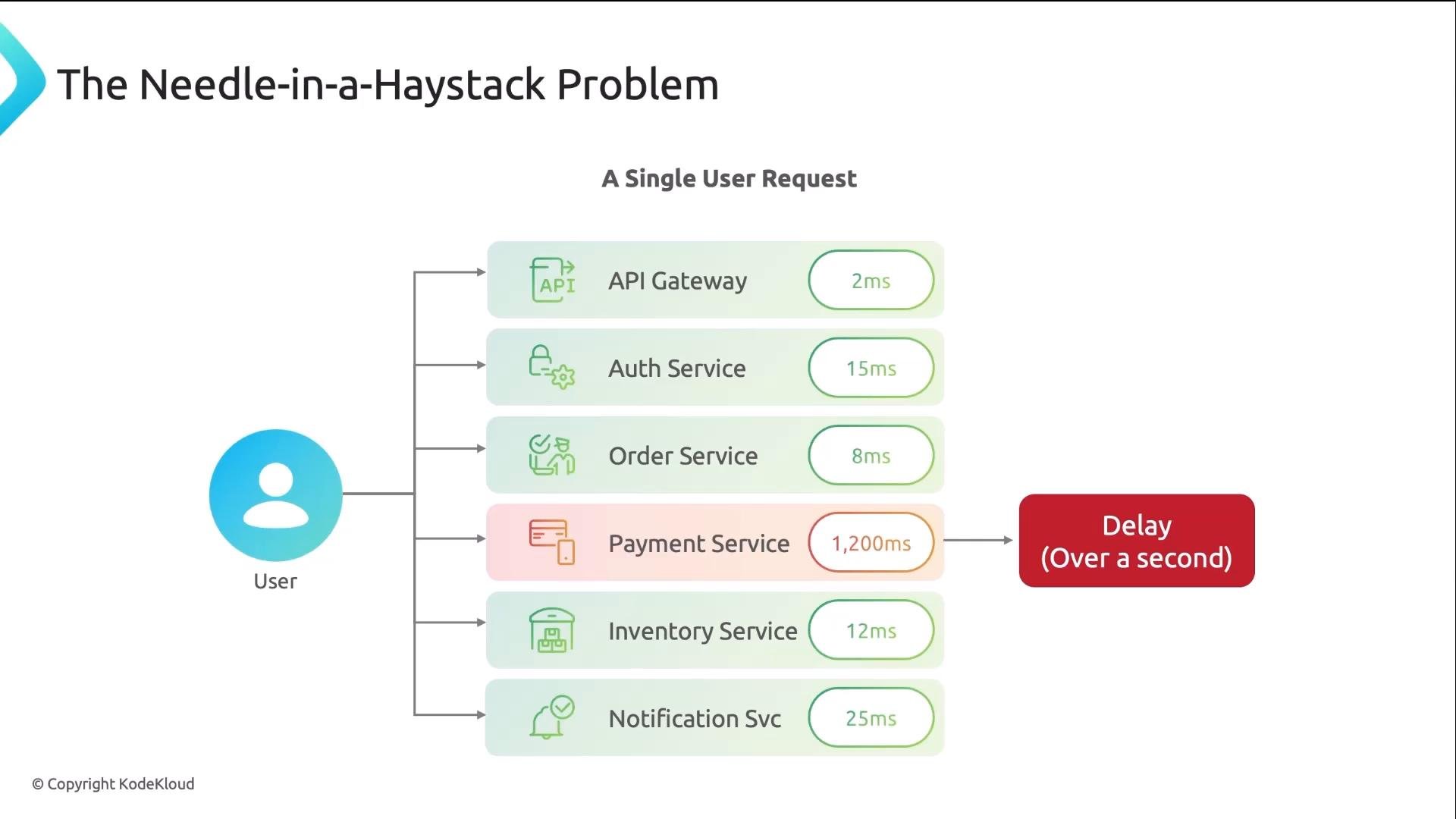
Metrics and alerting give important signals, but tracing is the third observability pillar that shows you where the problem lives. Metrics can tell you “something is slow” and logs can tell you “something errored”, but only tracing reveals which service or operation caused the delay. By the end of this lesson you’ll understand the trace data model, how context propagation works across services, how to configure OpenTelemetry (OTEL) to export traces (OTLP) to Jaeger, and how to read a trace in the Jaeger UI to find the bottleneck. Think of tracing like tracking a shipped package. The parcel goes through multiple hops (local post office, sorting center, airport, customs, etc.). If the whole trip took 21 days, which hop caused the delay? With a timestamped scan at every hop you can instantly see where the package sat — that is distributed tracing. Every hop records when it received and forwarded the request so you can pinpoint slow or failing components. A single request in a microservices environment can traverse many services. If one service (e.g., Payment) takes 1,200 ms while other services take under 25 ms, that slow service makes the entire request slow. Without tracing you might be calling many teams to find the culprit.
A diagram titled "The Needle-in-a-Haystack Problem" showing a single user request routed to multiple services (API Gateway, Auth, Order, Payment, Inventory, Notification) with each service's latency in milliseconds. The Payment Service is highlighted with a 1,200 ms delay labeled "Delay (Over a second)."
Tracing works together with metrics and logs:
  • Metrics: tell you what happened (e.g., p99 latency = 1.3s).
  • Logs: give context for individual failures (e.g., payment timeout after 1,200 ms).
  • Traces: show the full path, with timing at each hop, to reveal where the delay occurred.
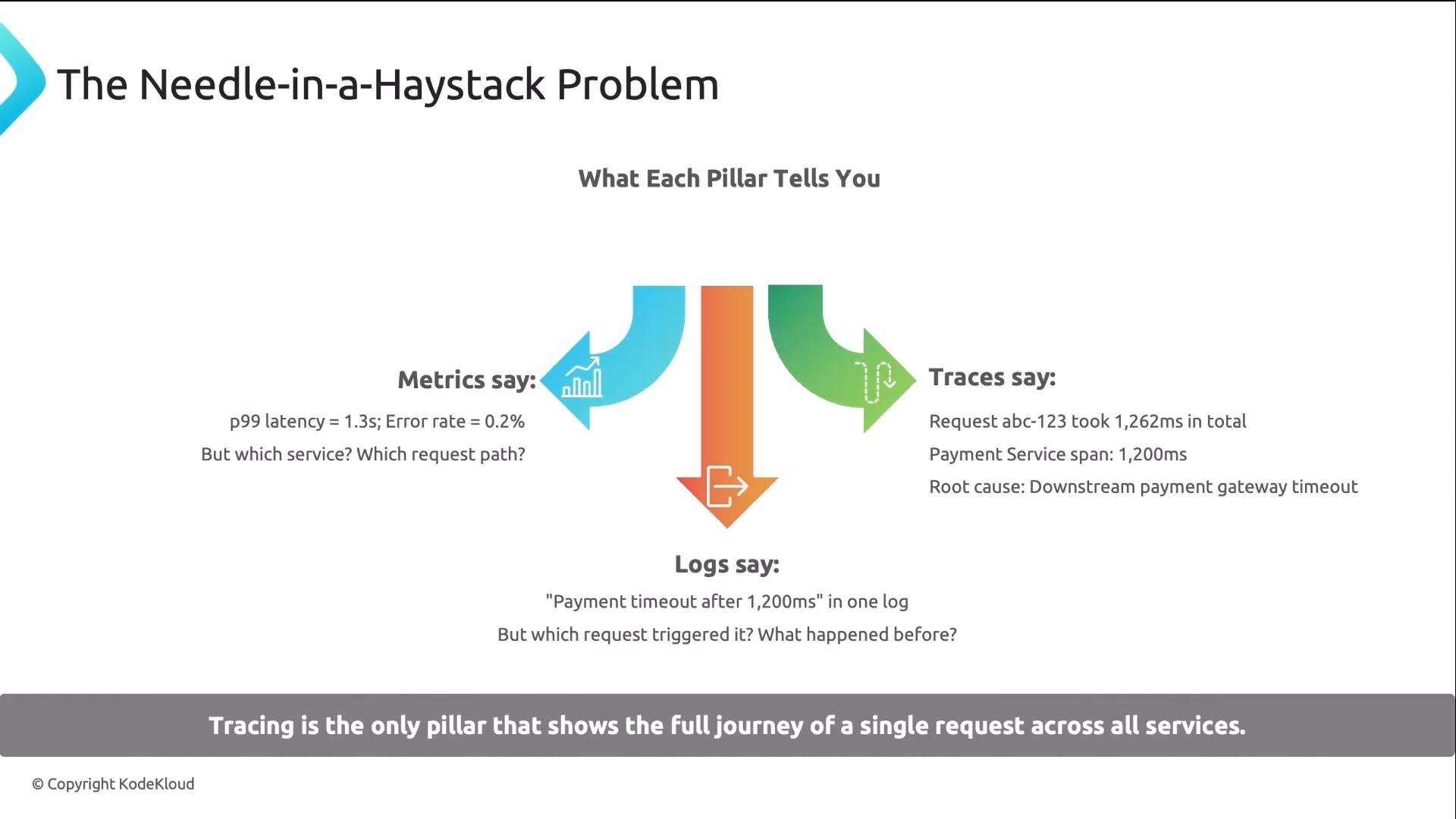
An infographic titled "The Needle-in-a-Haystack Problem" comparing the three observability pillars: Metrics, Traces, and Logs using colored arrows. It shows example diagnostics (p99 latency/error rate for metrics, a traced request with a payment gateway timeout for traces, and a log entry about a payment timeout) and a banner saying tracing shows the full journey of a request.
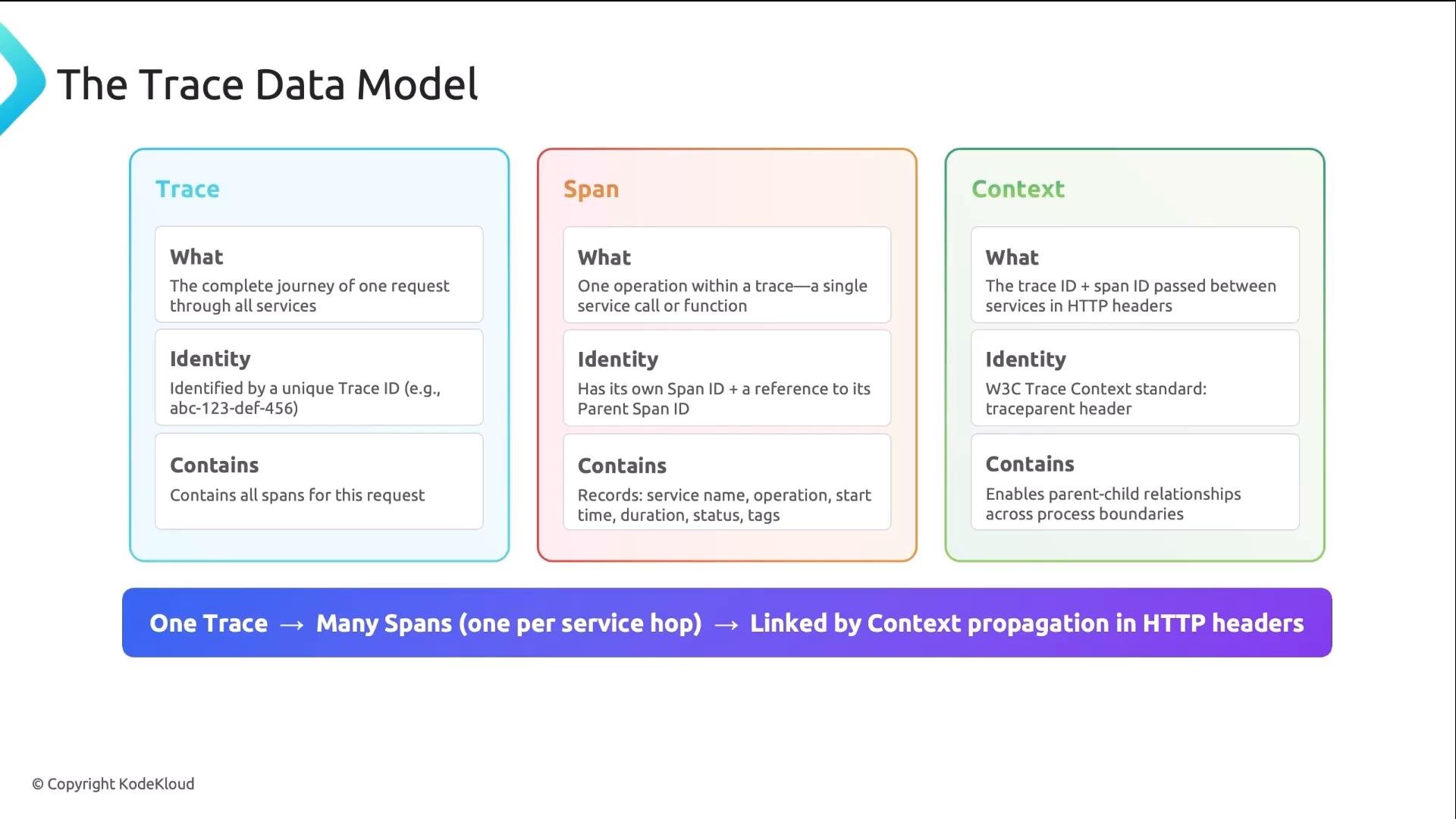
Trace building blocks
A slide titled "The Trace Data Model" showing three colored panels (Trace, Span, Context) with short definitions, identities, and contents for each. A bottom banner explains that one trace maps to many spans linked by context propagation in HTTP headers.
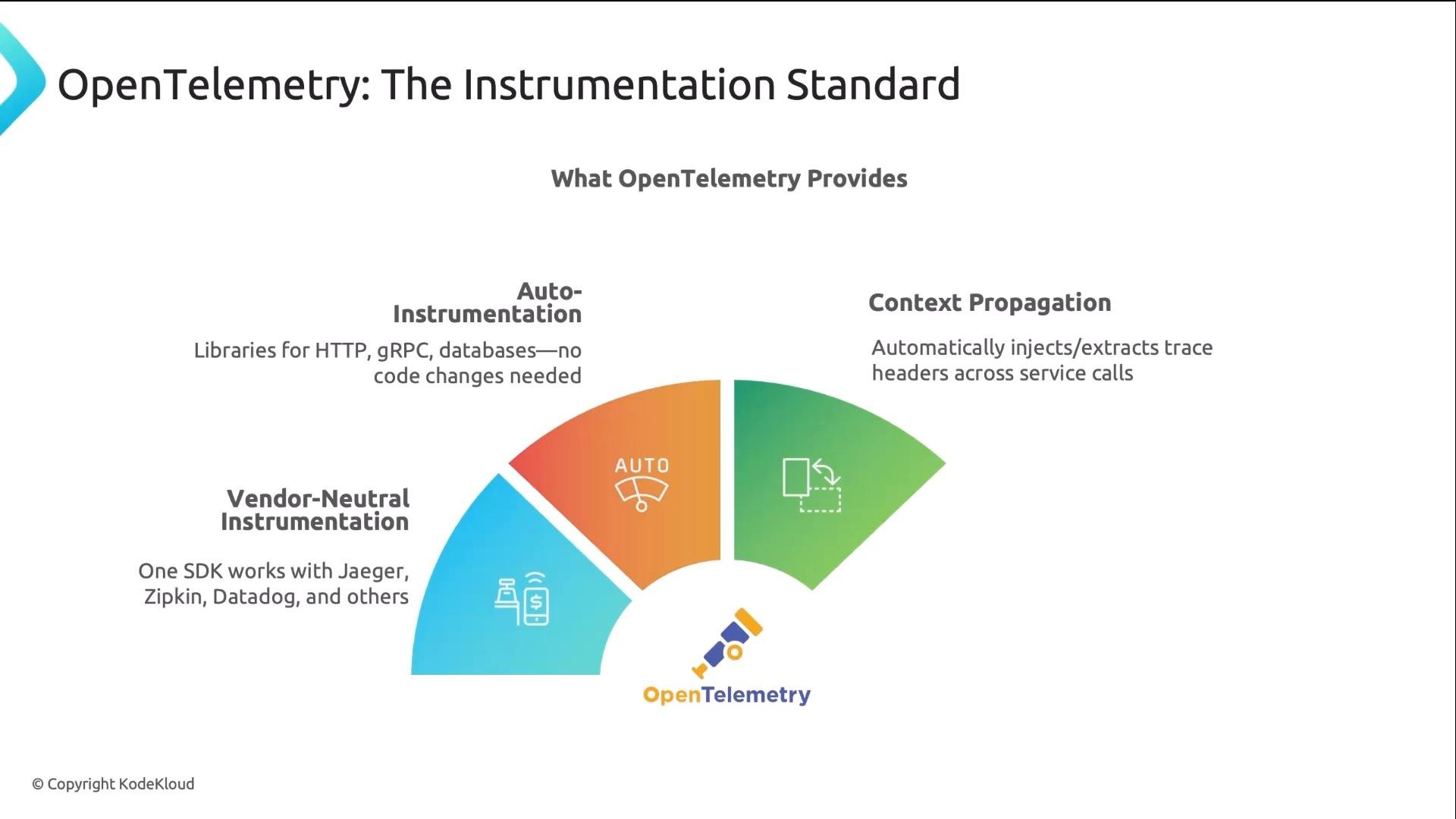
OpenTelemetry (OTEL) and OTLP OpenTelemetry (OTEL) is the CNCF standard for instrumentation. Instrument once and export to many backends. OTEL supports auto-instrumentation for HTTP, gRPC, and common databases — most of the header injection/extraction and context propagation is handled automatically. OTLP (OpenTelemetry Protocol) is the recommended export protocol.
An infographic titled "OpenTelemetry: The Instrumentation Standard" showing a colorful semicircular diagram that highlights features like Auto-Instrumentation, Context Propagation, and Vendor‑Neutral Instrumentation. It notes capabilities such as libraries for HTTP/gRPC/databases and interoperability with backends like Jaeger and Datadog.
Common OTEL environment variables and their purpose A typical Kubernetes Deployment env snippet (illustrative):
gRPC OTLP typically listens on port 4317. If you choose HTTP/protobuf, use port 4318 and set OTEL_EXPORTER_OTLP_PROTOCOL=http/protobuf. Ensure the collector you target supports the selected transport.
Jaeger: collecting and visualizing traces Jaeger is a popular CNCF backend for collecting and visualizing traces. A common architecture:
  • OTEL SDK (instrumentation inside your app) exports via OTLP to the Jaeger Collector.
  • The Collector writes to a storage backend (e.g., Elasticsearch, Cassandra, or a local storage).
  • The Jaeger Query service / UI provides search, timelines, and dependency graphs for analysis.
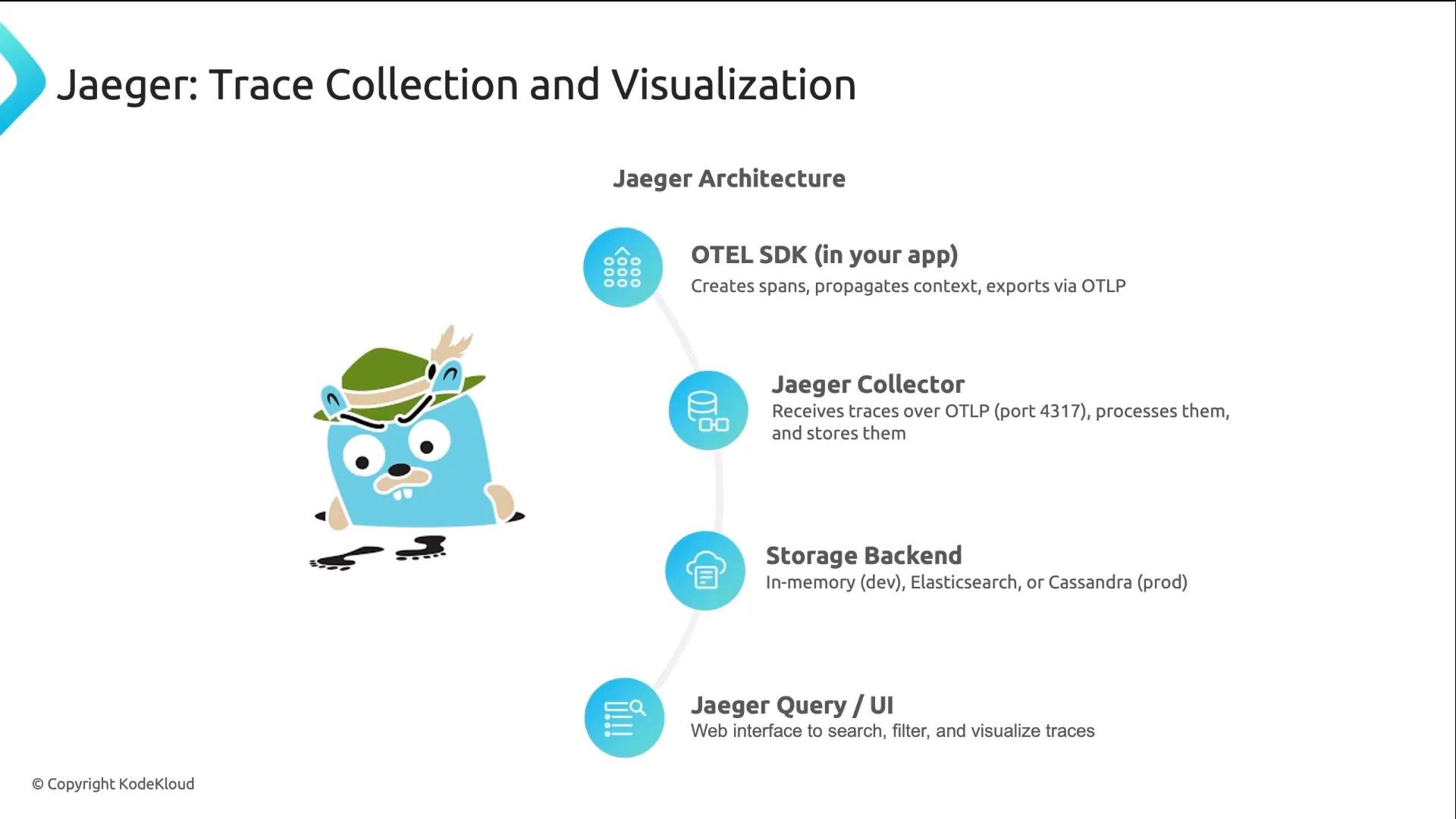
A slide showing the Jaeger trace collection and visualization architecture, with a cartoon mascot on the left and a vertical flow of blue icons and labels on the right. The components listed include OTEL SDK (in your app), Jaeger Collector, Storage Backend, and Jaeger Query/UI.
What the Jaeger UI gives you
  • Search traces by service name, operation, minimum duration, and tags.
  • Waterfall/timeline view where each span is a horizontal bar — the longest bar often indicates the bottleneck.
  • Click any span to inspect attributes, events (logs), and process information.
  • A service dependency graph derived from real trace data.
  • Compare traces to spot regressions or differences between successful and failed requests.
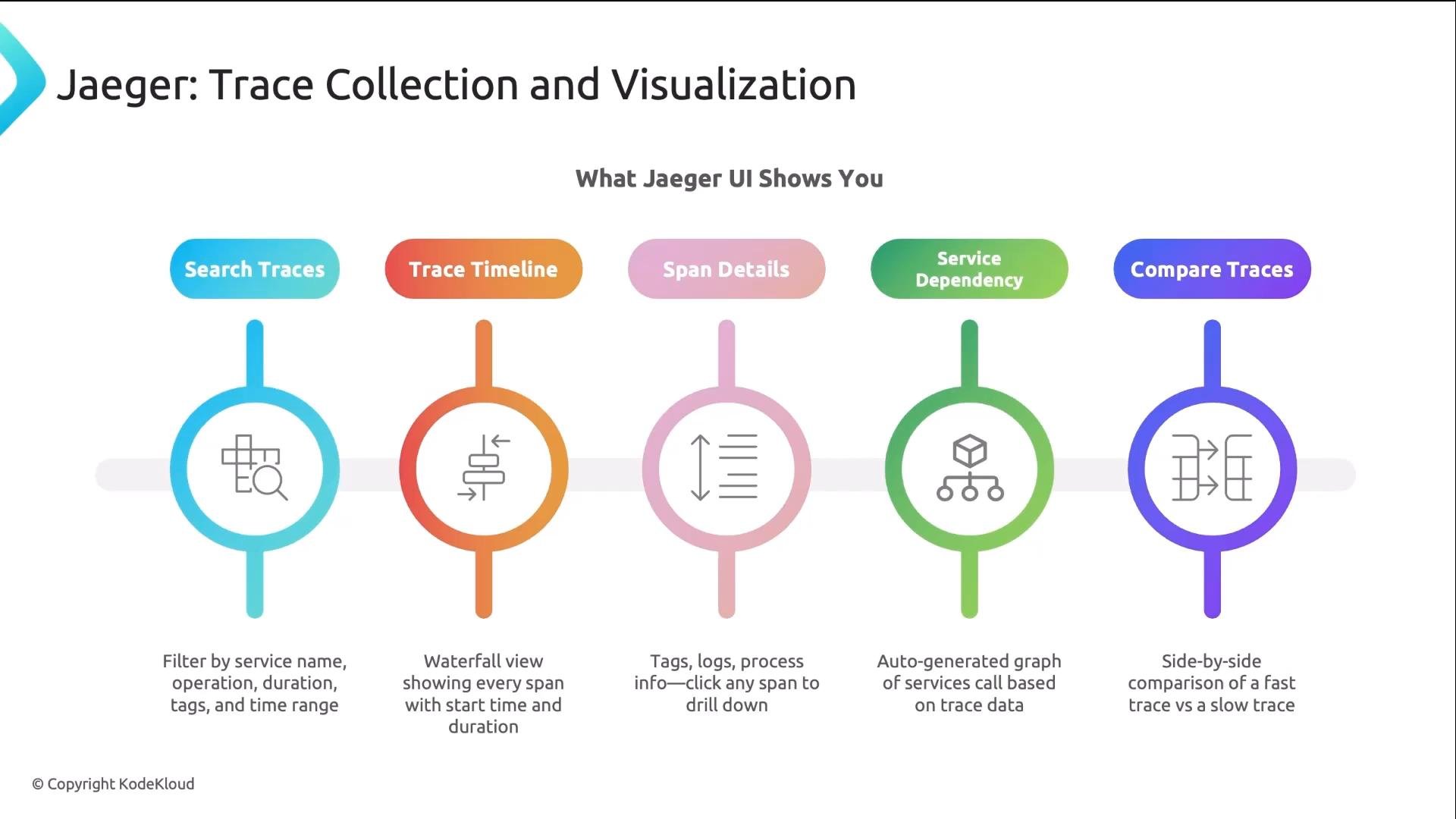
An infographic titled "Jaeger: Trace Collection and Visualization" showing five colored icons and labels for UI features: Search Traces, Trace Timeline, Span Details, Service Dependency, and Compare Traces. Each icon includes a short caption describing the corresponding tracing/visualization capability.
How to read a trace to find the bottleneck (quick workflow)
  1. Search by service name, operation, and minimum duration (e.g., >1s).
  2. Open the trace timeline — locate the widest span(s) across the full trace.
  3. Inspect the long span’s attributes and events to determine the cause (network, DB query, third-party API).
  4. Check sibling spans and parent spans to see whether the delay is upstream or downstream.
  5. Use the dependency graph to identify systemic hotspots across many traces.
Context propagation: how spans are linked across services
  • Service A receives an incoming request and creates a root span (and a new trace ID).
  • When A calls Service B, OTEL instrumentation injects a traceparent (and related context) header into the outgoing HTTP request.
  • Service B extracts the header, creates a child span with the same trace_id but a new span_id, and continues propagation.
  • Service C receives the propagated header and repeats the process.
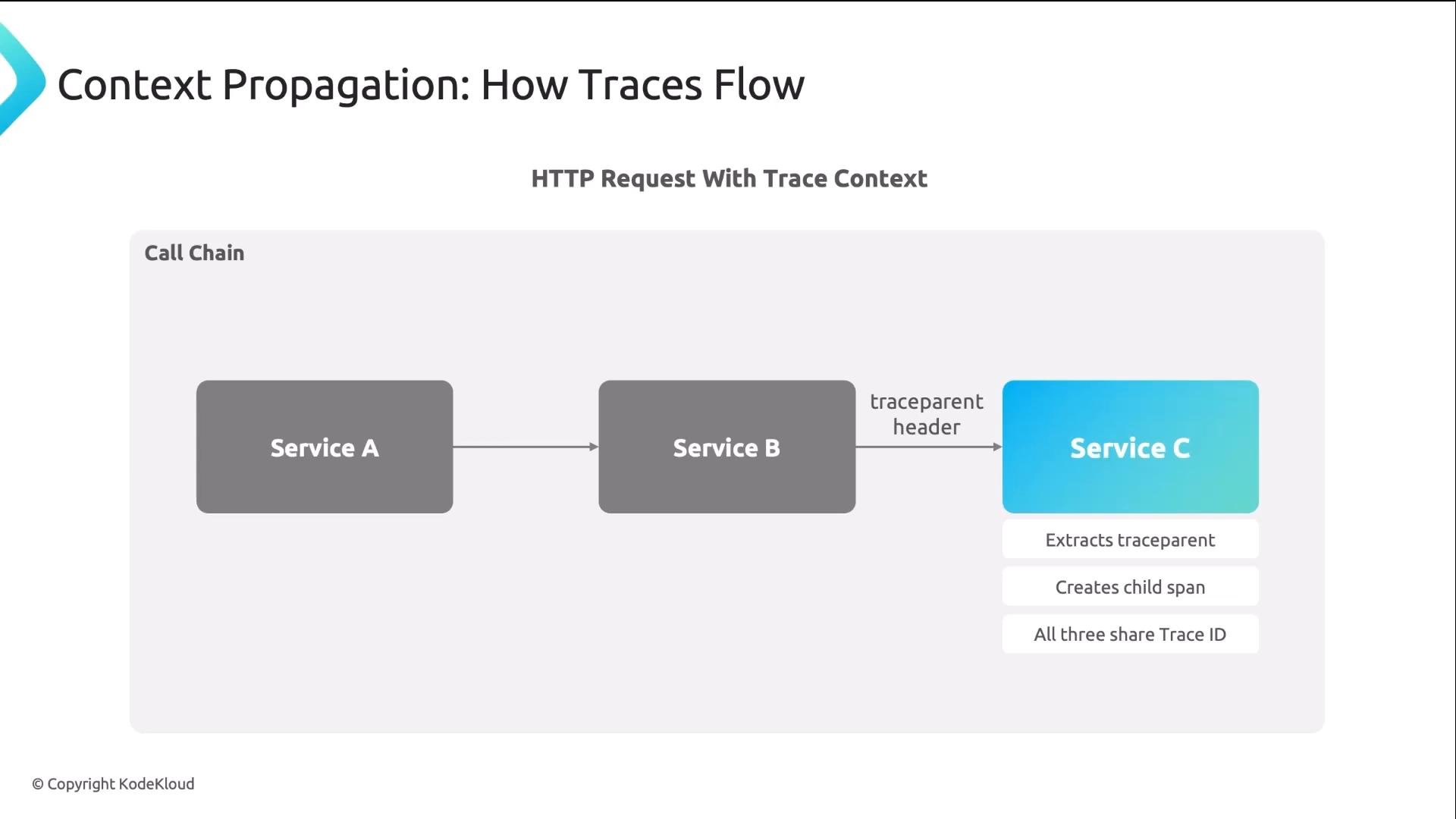
All services share the same trace ID so Jaeger (or any backend) can reconstruct the full journey.
A diagram titled "Context Propagation: How Traces Flow" showing a call chain where Service A calls Service B, which forwards a traceparent header to Service C. Service C extracts the traceparent, creates a child span, and all three share the same Trace ID.
W3C traceparent header The traceparent header follows the W3C Trace Context spec and contains four dash-separated fields:
  • Version (currently “00”)
  • Trace ID (32 hex chars)
  • Span ID (16 hex chars)
  • Trace flags (e.g., “01” indicates the trace is sampled)
Example:
You normally do not create or parse this header manually — OpenTelemetry handles injection and extraction for you.
Do not manually forge or mutate traceparent headers in production traffic. Incorrect IDs or misuse can corrupt traces, cause sampling inconsistencies, or leak correlation data between tenants. Rely on OTEL libraries and the collector for correct context propagation.
Summary and next steps
  • Tracing reveals the end-to-end path and the specific hop responsible for latency or failures.
  • Traces consist of spans connected by a shared trace_id that is carried across services via context propagation headers.
  • Use OpenTelemetry for vendor-neutral instrumentation and OTLP to send trace data to a collector.
  • Visualize and analyze traces with Jaeger (or another backend) to quickly find bottlenecks.
  • Instrument services, verify OTEL environment variables, ensure the collector endpoint and protocol match, and inspect traces in the Jaeger UI.
References and further reading

Watch Video