

- An overview of the common challenges when selecting ResourceQuota and LimitRange values.
- Practical guidance for choosing defaults for typical workloads.
- A method to design environment-specific quotas (namespace tiers).
- A process to refine values using actual usage data.
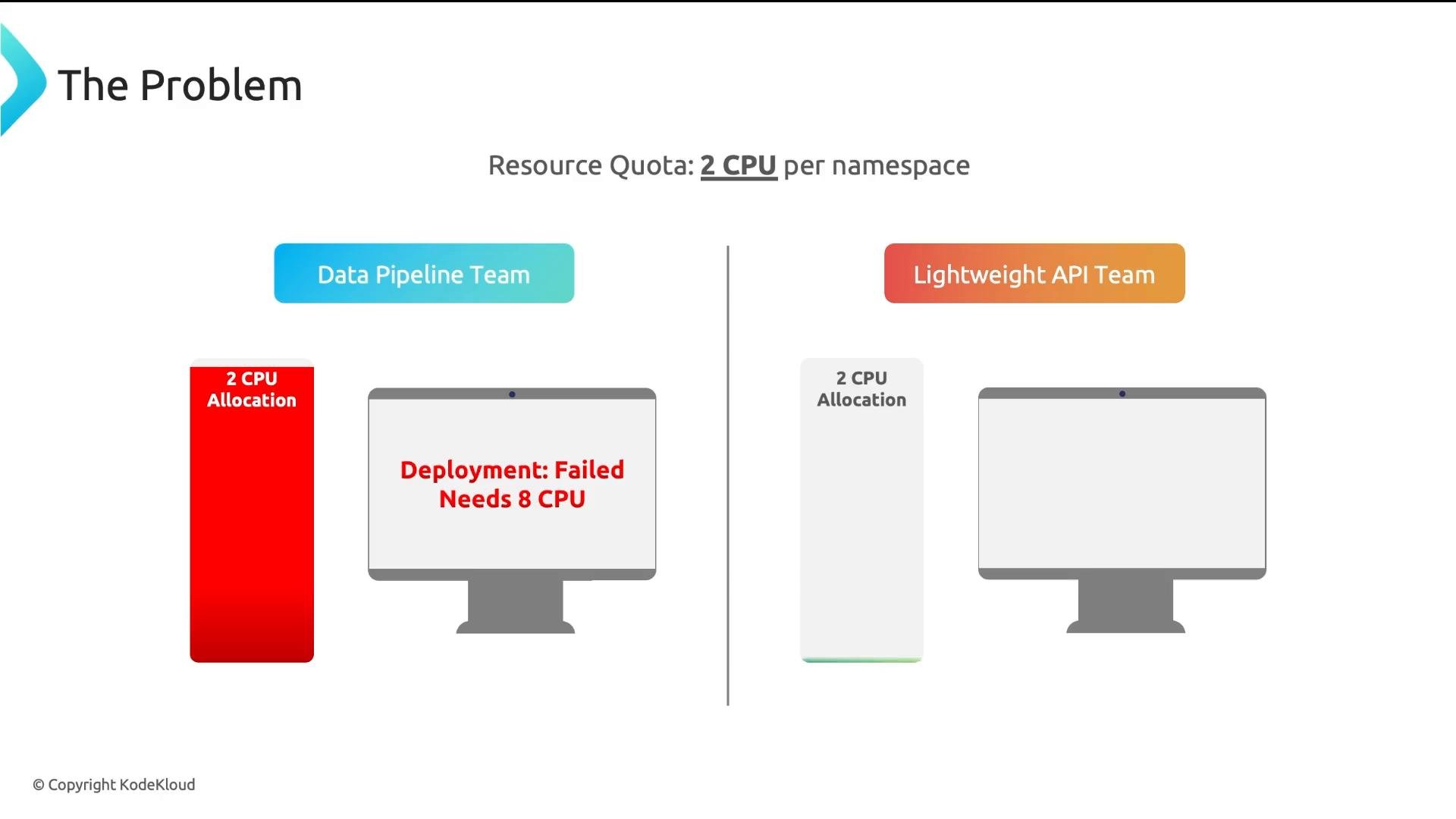
-
What should the default CPU request be?
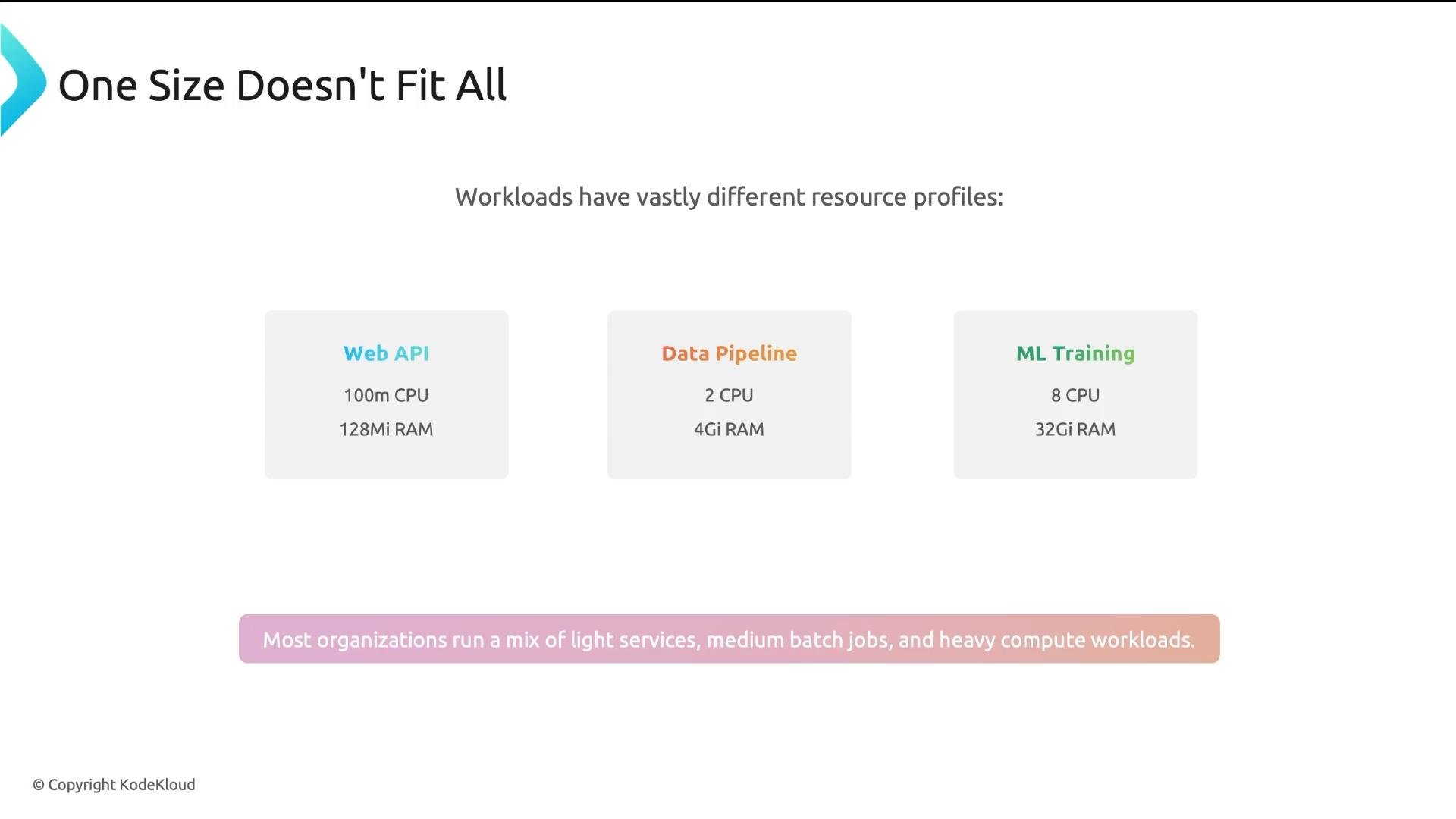
- It depends on workload mix. Web APIs frequently use ~100–500m CPU, data pipelines ~2 CPU, ML training 8+ CPUs. No single default fits all workloads.
-
How much memory quota per namespace is fair?
- Depends on number of services, memory intensity, and whether the namespace is dev, staging, or production.
-
How many Pods per namespace is reasonable?
- Depends on deployment patterns. A single microservice with a few replicas needs few pods; many microservices with autoscaling may require hundreds.
-
What if defaults are too restrictive?
- Defaults that are too low cause frequent increase requests; too high and governance is ineffective. Use a methodology and iterate with data.
- Use LimitRange to inject reasonable defaults for the most common workloads while allowing teams to override when necessary.
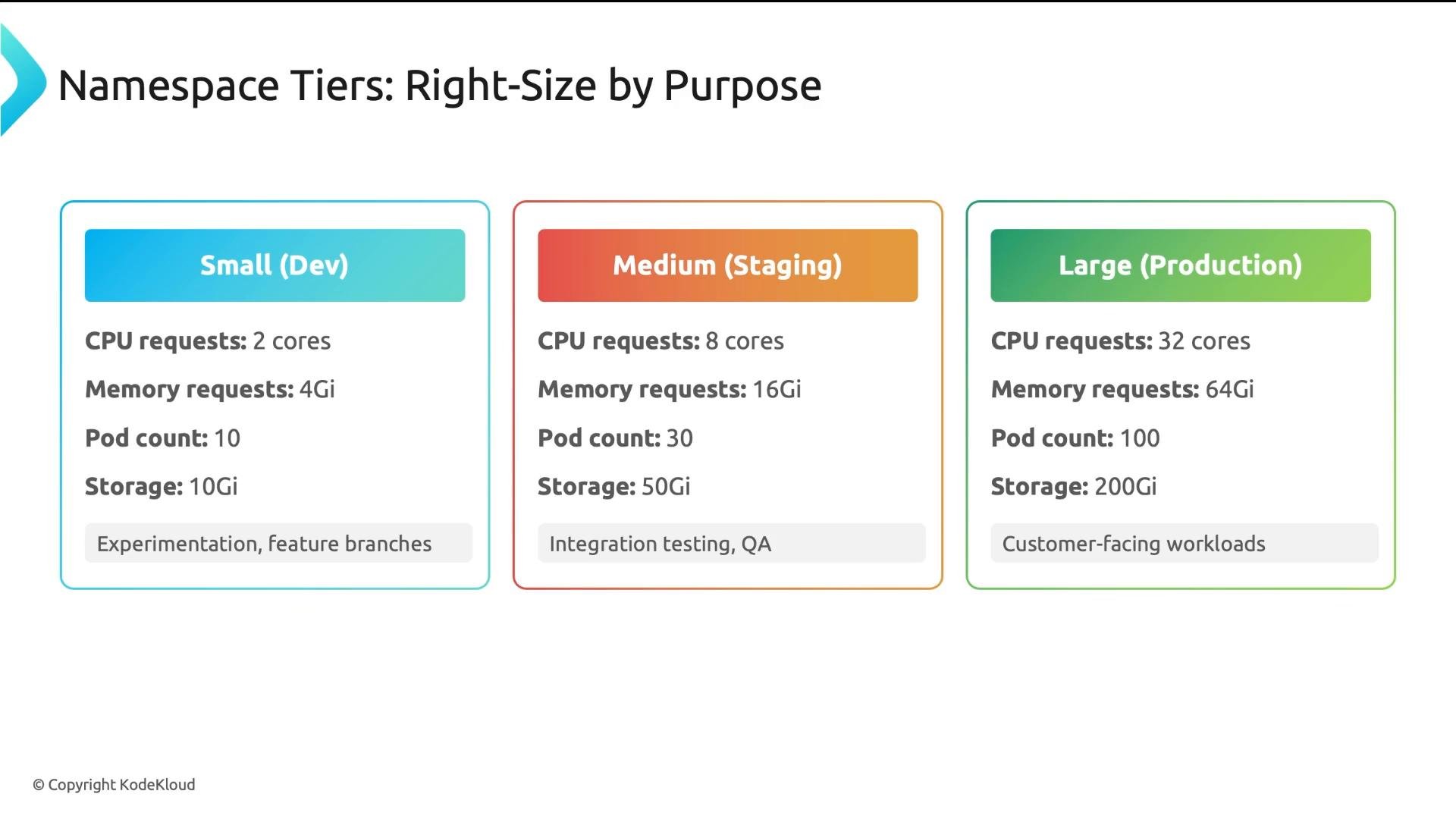
- Implement namespace tiers (small, medium, large) with ResourceQuota templates tailored to each purpose.
- Dev: lower quotas for experimentation.
- Staging: capacity to run production-like tests.
- Production: higher quotas and stricter controls for customer-facing workloads.
- CPU: 3×–5× request → limit (CPU throttling is graceful).
- Memory: 2×–3× request → limit (avoid OOMs; be conservative).
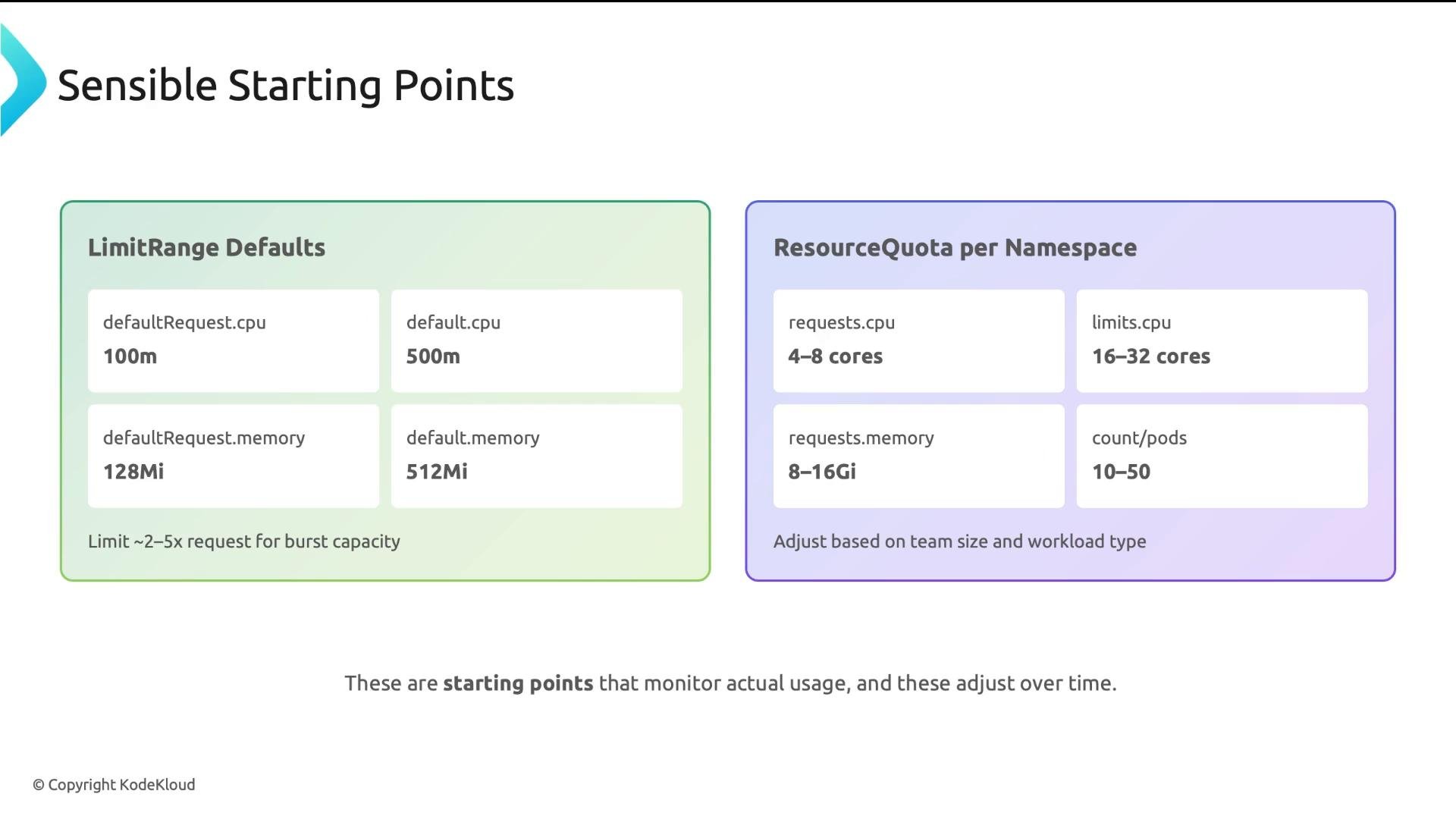
LimitRange — what the fields mean
LimitRange injects defaults only for containers that omit requests/limits and enforces min/max bounds. Key fields:
spec.limits[].default: Values injected into containers that omit requests/limits.spec.limits[].defaultRequest: Default request values injected similarly.spec.limits[].minandspec.limits[].max: Optional hard bounds — the API server rejects Pod/container specs outside these ranges.spec.limits[].type:Containerapplies per container;Podapplies per pod (usePodfor pod-level control).
requests.*fields cap the sum of container requests (scheduling budget).limits.*fields cap the sum of container limits (runtime burst budget).podscaps the number of Pods — prevents accidental sprawl.- You can also quota object counts (e.g.,
services,configmaps) and storage.
Create reusable quota templates for each tier, apply consistently, and review assignments regularly (quarterly is a reasonable cadence).
-
Monitor
- Collect namespace- and pod-level usage with Metrics Server, Prometheus, or cloud provider tooling.
- Monitor requests vs. actual usage and watch for sustained peaks and OOM events.
- Useful links:
- Kubernetes ResourceQuota docs: https://kubernetes.io/docs/concepts/policy/resource-quotas/
- Kubernetes LimitRange docs: https://kubernetes.io/docs/concepts/configuration/manage-resources-containers/
- Prometheus monitoring (example resource): https://learn.kodekloud.com/user/courses/aiops-foundations-intelligent-monitoring-with-prometheus-grafana
-
Adjust
- After 2–4 weeks of telemetry, adjust LimitRange defaults and ResourceQuota values.
- Use peak usage (not just averages) to size production quotas. For dev, favor tighter limits that still permit experimentation.
-
Educate
- Provide guidance describing when teams should request higher quotas vs. when to optimize their workloads.
-
Automate
- Template quota tiers and provide a self-service request/review workflow for quota changes that requires justification.
These are starting points, not final answers. Deploy defaults, monitor for 2–4 weeks, and iterate. The worst mistake is setting quotas once and never revisiting them.
Pair ResourceQuota and LimitRange: ResourceQuota enforces the namespace budget; LimitRange injects defaults so pods count correctly toward quotas and are not rejected for missing requests/limits.
- Start with reasonable defaults, then iterate based on telemetry.
- Use namespace tiers (small, medium, large) to match environment purpose and team needs.
- Always pair ResourceQuota with LimitRange so pods have resource values and quota accounting works predictably.
- Monitor real usage and adjust — governance is not set-and-forget.
- Good governance enables teams by making resource usage predictable, fair, and reliable.
- Kubernetes ResourceQuota docs: https://kubernetes.io/docs/concepts/policy/resource-quotas/
- Kubernetes LimitRange docs: https://kubernetes.io/docs/concepts/configuration/manage-resources-containers/
- Monitoring with Prometheus & Grafana (example course): https://learn.kodekloud.com/user/courses/aiops-foundations-intelligent-monitoring-with-prometheus-grafana