

Pod Security Standards are label-driven and evaluated by Kubernetes’ built-in admission controller. Use
warn to discover issues, audit to log them, and enforce to block non-compliant requests.Profiles
PSS defines three profiles targeting common security postures: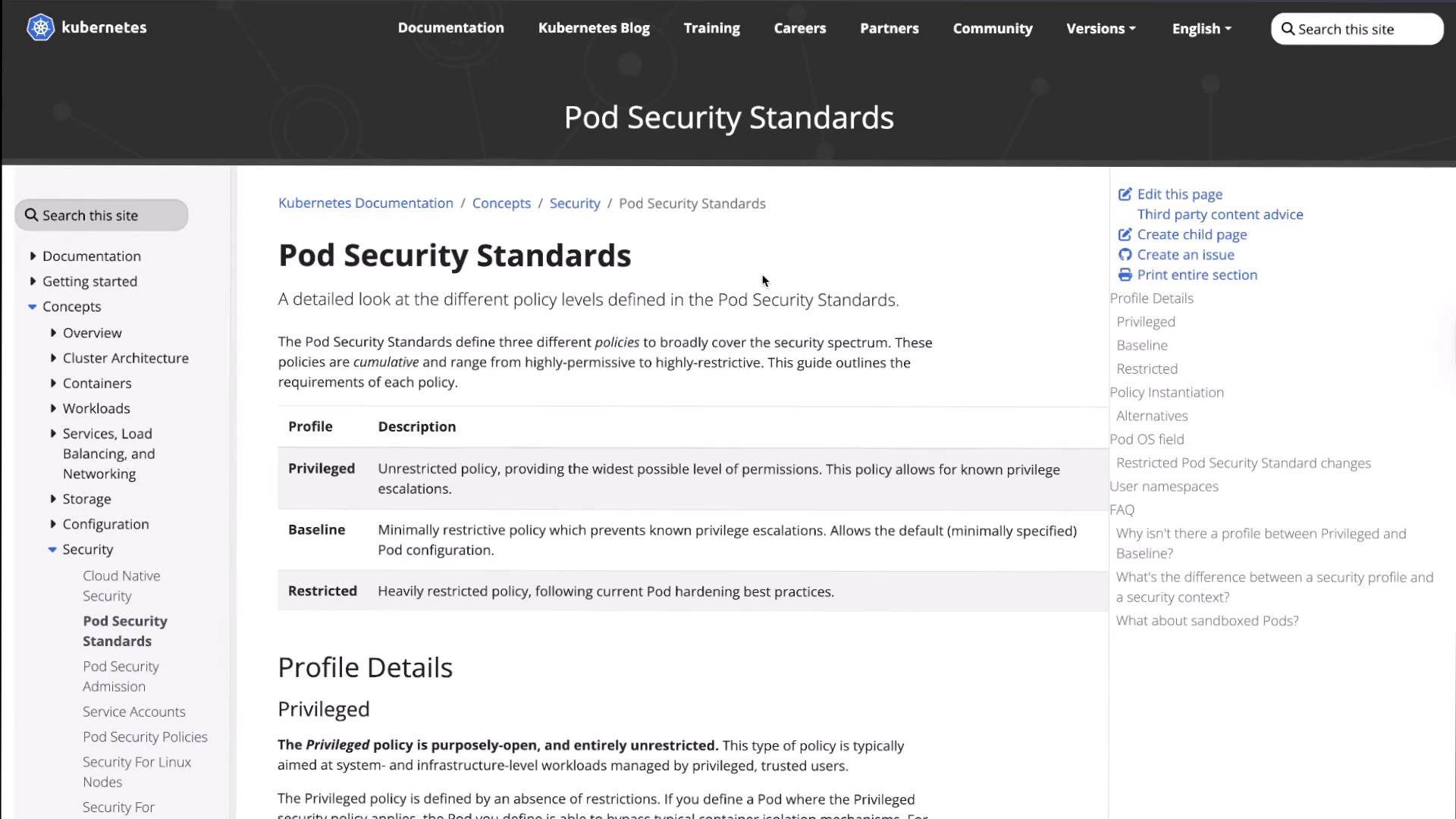
Modes
Each profile can be applied in one of three modes:How PSS is applied
PSS is label-driven. To set a profile and mode on a namespace, add one or more of these labels:pod-security.kubernetes.io/enforcepod-security.kubernetes.io/auditpod-security.kubernetes.io/warn
privileged, baseline, or restricted. For example:
pod-security.kubernetes.io/enforce=baselinepod-security.kubernetes.io/warn=restricted
Inspect namespaces and labels
List namespaces and show current labels:Apply PSS labels
Label thepss-baseline namespace to enforce baseline while auditing and warning for restricted:
Applying
enforce can immediately block workloads in the target namespace. Verify workloads are compliant (or use warn/audit first) before enforcing to avoid downtime.Test admission with a privileged pod (should be blocked)
Here is a manifest for a privileged pod that requests host networking and privilege escalation:pss-baseline namespace:
Test with a non-privileged pod (allowed by baseline, warns for restricted)
Create a simple nginx pod that does not request privileges:audit=restricted and warn=restricted were set, you will see a warning showing how this pod fails the stricter restricted profile while the pod is still admitted:
Example output:
enforce.
Enforce the restricted profile
Label thepss-restricted namespace to enforce restricted:
Example compliant pod for restricted
A pod compliant with restricted typically:
- runs as a non-root user (
runAsNonRoot: true,runAsUser: 1000) - disables privilege escalation (
allowPrivilegeEscalation: false) - drops all capabilities (
capabilities.drop: ["ALL"]) - sets a seccomp profile (
seccompProfile.type: RuntimeDefault)
pss-restricted namespace:
Audit (warn) workflow — discover violations before enforcing
- Use
warnto surface violations when pods are created or updated. This helps teams discover compatibility issues without breaking workloads. - Use
auditto log violations for monitoring and reporting.
warn=baseline:
baseline, no warnings are produced and the pod is created:
restricted (use --overwrite to update labels) and create another pod:
restricted, but the pod remains created:
Summary
- Pod Security Standards provide a simple, built-in mechanism to enforce namespace-level security baselines without additional tooling.
- Use:
warn— discover violations at admission time,audit— log violations for later inspection,enforce— block non-compliant requests.
- Add labels to namespaces:
pod-security.kubernetes.io/enforce|audit|warn=<profile>. - Iterate: start with
warn/audit, fix workloads to be compliant, then move toenforce.
baseline to restricted while avoiding surprises in production.
Links and references
- Pod Security Standards — Kubernetes Concepts
- Kubernetes Pod Security Admission Controller
- Gatekeeper (Open Policy Agent)
- Kyverno — Kubernetes Native Policy Management