

.tf extension and merges them into a single configuration. You can name these files arbitrarily (for example a.tf, b.tf, x.tf), but common naming conventions make the intent of each file obvious to collaborators.
Key file roles and recommended naming conventions:
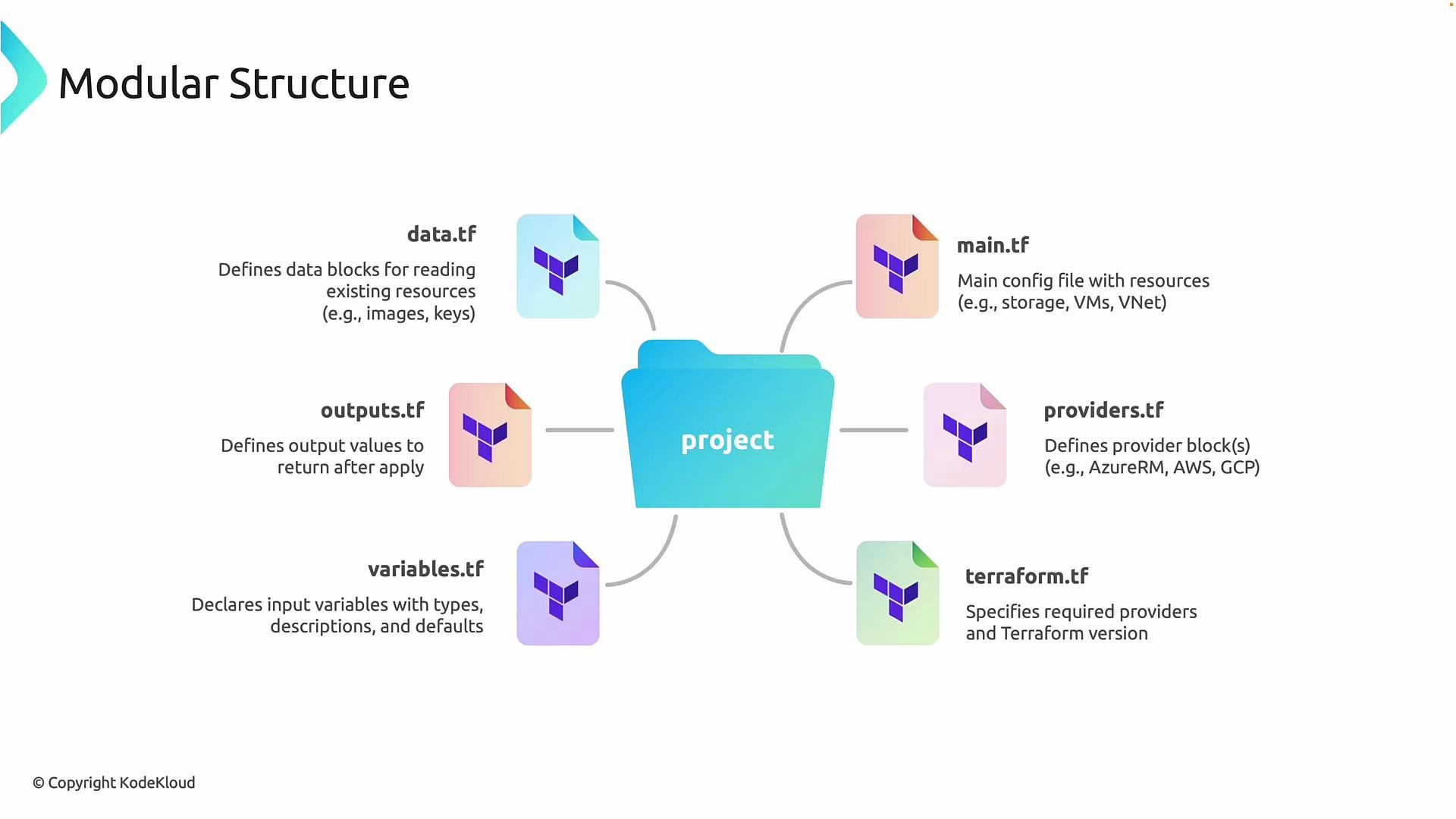
- Everything—provider configuration and resources—is kept in a single file (for example
main.tf). This approach is fine for small demos but becomes difficult to maintain as projects grow.
- Split responsibilities into dedicated files (provider config, resource definitions, variables, outputs, etc.). Functionally Terraform behaves the same; this refactor improves maintainability and aligns with enterprise best practices.
Keep in mind provider and version constraints are usually declared in the
terraform block (commonly placed in terraform.tf or versions.tf) so teams can pin required provider plugins and Terraform CLI versions for consistency.terraform block (place in terraform.tf or versions.tf):
Do not hardcode secrets, credentials, or sensitive data directly in
.tf files. Use environment variables, the provider’s auth mechanisms, or a secrets manager and mark sensitive outputs with sensitive = true.- Group related resources: consider subfolders and modules for logically separate components (networking, compute, security).
- Keep variables and outputs documented inside
variables.tfandoutputs.tf. - Use a
versions.tforterraform.tffor consistent tooling across the team. - Use remote state (for example, a backend like Azure Storage, S3, or Terraform Cloud) when collaborating to avoid state conflicts.
providers.tf, main.tf, variables.tf, outputs.tf, data.tf, and terraform.tf — you can begin organizing your code for better collaboration and long-term maintainability.