

Overview
- The
backendblock (inside theterraformblock) tells Terraform where to store the state file. It must reference an existing Azure Storage account, container, and blob (key). Terraform will not create these backend resources duringterraform init. - You can still manage a storage account as a Terraform resource in your configuration (so it appears in state), but that resource cannot serve as the backend for the same run that creates it — the backend must exist before
terraform init. - Authentication to the Azure
azurermbackend can use an account key (ARM_ACCESS_KEY) or Azure AD credentials (service principal or managed identity). Azure AD-based authentication is recommended for CI/CD.
The backend storage account and container must already exist before running
terraform init. Terraform cannot use a resource that it will create during the same run as its backend.Do not attempt to create the storage account/container/blob in the same Terraform run that you declare as your backend. Terraform needs the backend to exist before it can initialize remote state.
Backend configuration example
A minimalazurerm backend block:
resource_group_name: Resource group containing the storage account.storage_account_name: Name of the storage account where state will be stored.container_name: Blob container within the storage account.key: Blob name (file) used for the state, e.g.remotestate.tfstate. Note: this is not an access key.
Backend parameters at a glance
Example Terraform storage account resource (not usable as backend in same run)
You can create the storage account via Terraform, but remember: if you plan to use it as the backend, it must already exist beforeterraform init.
Authenticate Terraform to the Azure backend
Authentication options:
If using the storage account key, fetch and export it with the Azure CLI:
Initialize, plan, and apply
After adding the backend block to your configuration and exporting any required credentials:- Initialize Terraform to configure the backend and providers:
- Inspect changes and apply:
Migrating local state to a remote backend
If your configuration currently uses local state and you add a backend block,terraform init will detect the existing local state and prompt to migrate it to the new backend:
Full provider and resources example (VS Code walkthrough)
A simple configuration that includes provider, resource group, storage account, and virtual network. Create the storage account/container in the portal or otherwise before using it as a backend.backend block and run:
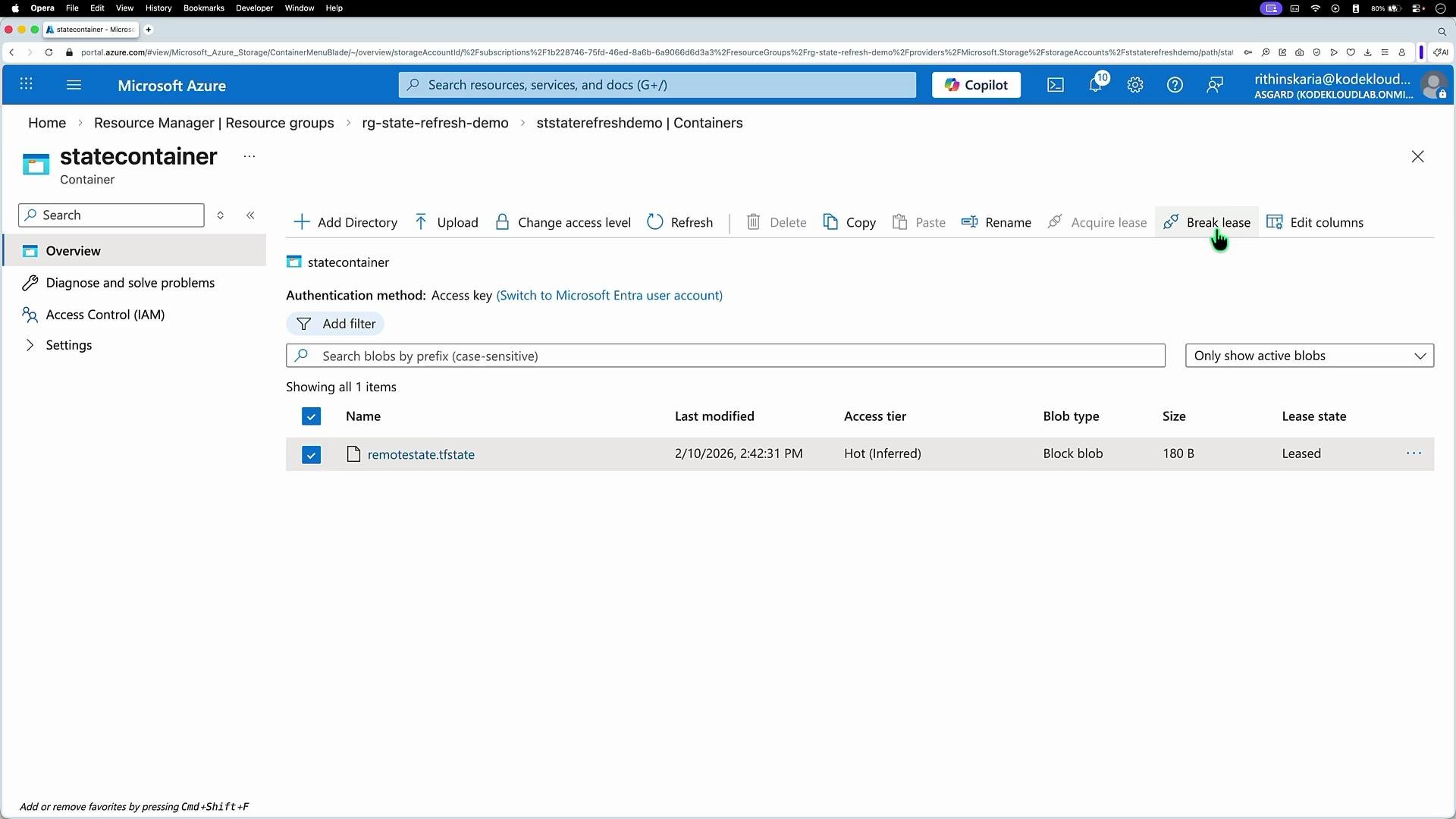
- Acquire a blob lease (state lock) on the remote blob.
- Refresh resource state from Azure.
- Release the lease when finished (or leave it if the run is interrupted).
How the lease looks in the portal
When Terraform holds the blob lease, the Azure portal will show the blob with properties including the URL, creation time, size, encryption status, and an active lease. If the lease remains after an interrupted run, break the lease in the portal.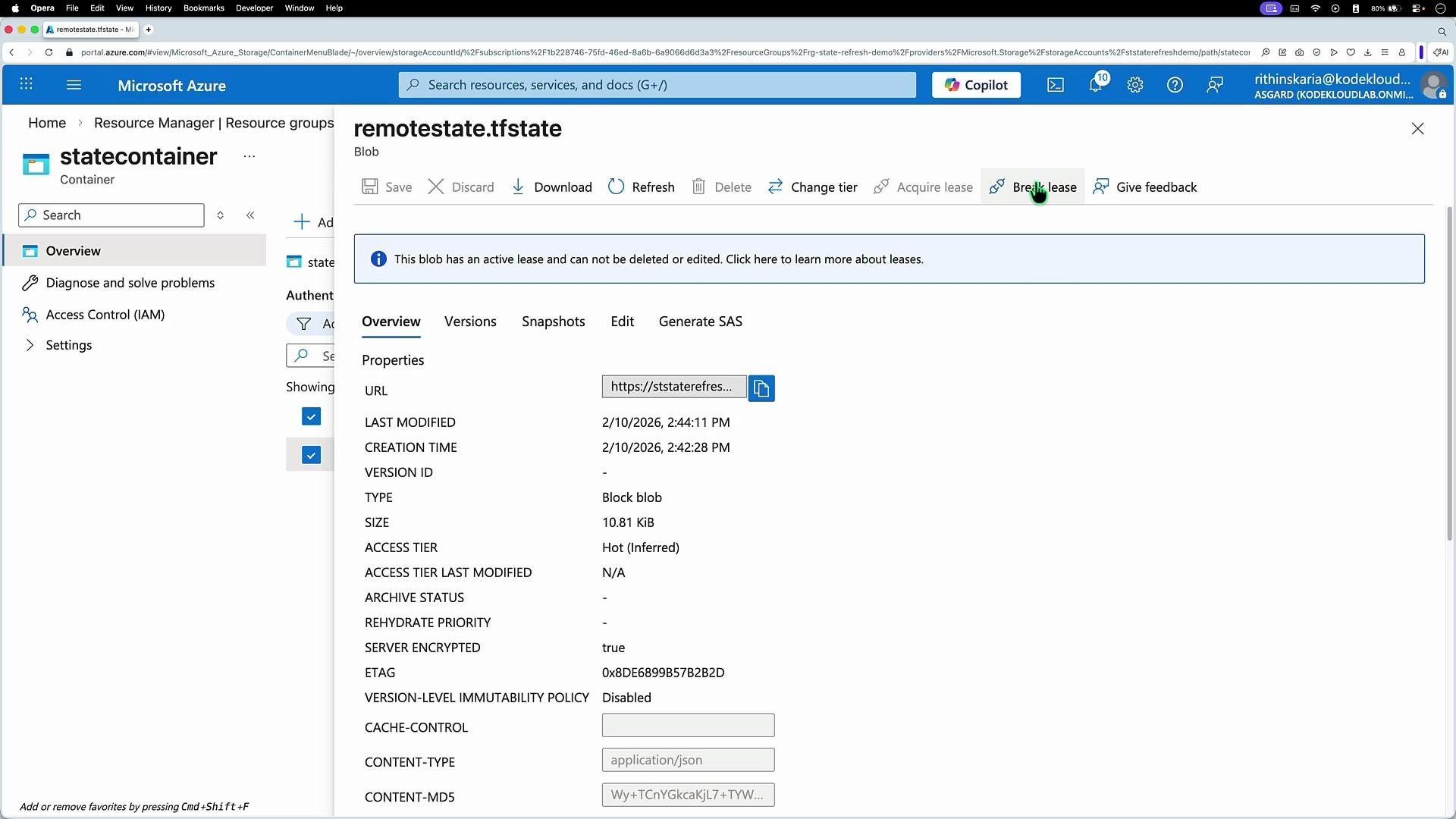
Security recommendations
- Restrict storage account and container access to only necessary identities and roles (least privilege).
- Prefer Azure AD-based authentication (service principal or managed identity) over storage account keys in automation and CI/CD.
- Keep storage accounts private: disable public network access and use service endpoints or private endpoints where applicable.
- Enable encryption at rest (enabled by default) and consider customer-managed keys for additional control.
- Monitor access and audit logs for unexpected actions against the state container.
Troubleshooting tips
- If
terraform initfails to configure the backend, verify the storage account, container, andkeyexist and that the credentials used have appropriate permissions. - If Terraform operations are blocked due to a blob lease, check the Azure Storage container and break the lease from the portal if appropriate.
- Use
az storage blob lease break(Azure CLI) if you prefer CLI-based lease management (ensure you have adequate permissions).
Summary
- Use the
azurermbackend in Terraform to store state in Azure Storage and enable collaboration and locking. - Ensure the backend storage account, container, and blob key are present before
terraform init. - Authenticate using
ARM_ACCESS_KEY(account key) or, preferably, Azure AD credentials (service principal or managed identity). terraform initcan migrate local state to the remote backend.- Terraform uses blob leases for state locking; if a lease persists after an interrupted run, you can break it in the portal.
Links and References
- Terraform Backend Configuration - azurerm
- Azure Storage documentation
- Azure CLI: az storage account keys