

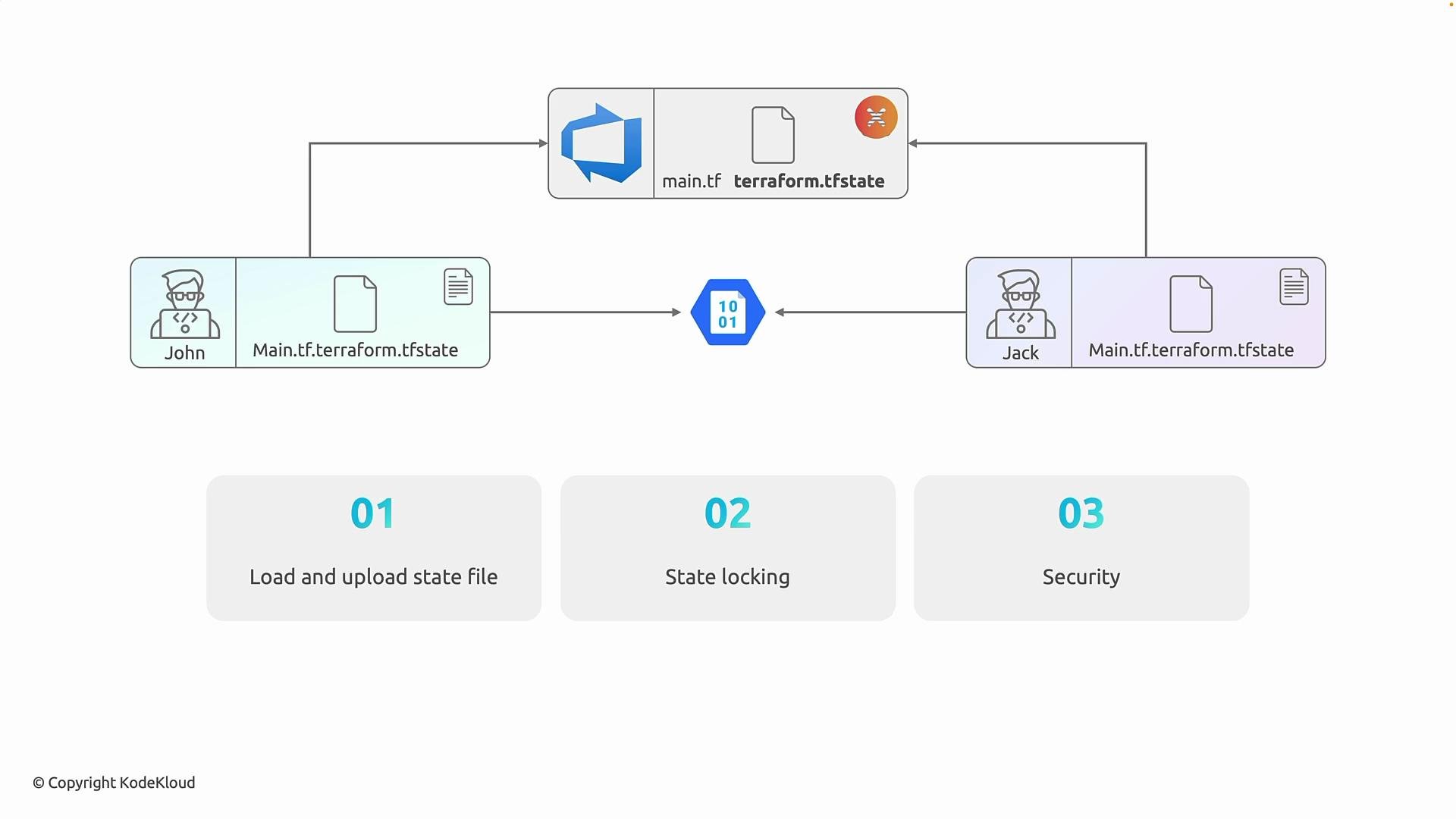
- John has a local Terraform configuration and a
terraform.tfstatefile on his machine. - Jack has a separate local configuration and a different
terraform.tfstate.
Both believe they manage the same infrastructure, yet each holds a different, potentially stale snapshot of the environment.
- Terraform state files change frequently and are not source code; treating them like code produces noisy commits.
- State often contains sensitive values (secrets, resource IDs, connection strings) that should not be in a code repository.
- Git is optimized for textual merges, not for reconciling concurrent binary-like state updates, so merge conflicts and corruption are common.
- Git provides no automatic concurrency control for Terraform operations; two simultaneous applies can overwrite each other’s state.
- A single, authoritative state location so every operation starts from the latest state and writes updates back centrally.
- Concurrency control (state locking) so only one operation can modify state at a time.
- Access controls and encryption to protect sensitive data.
azurerm backend. Azure Storage provides encryption at rest, RBAC integration, and state locking implemented with blob leases to prevent concurrent writes that would corrupt state.
Example azurerm backend block (HCL):
- The Storage account and container must exist before running
terraform init, unless you create them out-of-band (for example, with a separate Terraform run or via Azure CLI). - Ensure the identity used by Terraform (service principal, managed identity, or your user account) has read/write access to the storage container.
- State locking is implemented using blob leases, preventing simultaneous writes.
Initialize the backend after creating your storage resources and adding the backend block:
-backend-config flags:
Confirm the storage account and container exist and that the executing identity has the required permissions before running
terraform init. If they don’t, backend initialization will fail.Do not store Terraform state files in Git. This can expose sensitive data, create frequent merge conflicts, and lead to state corruption.
- If you already have a
terraform.tfstatelocally,terraform initwill detect the configured remote backend and prompt to migrate local state to the remote backend. You can automate migration usingterraform init -migrate-state. - Alternatively, you can use
terraform state pushto upload a local state, or follow a two-step process: create the backend resources out-of-band, then runterraform initand allow it to move state.
- Local state does not scale for teams — it leads to inconsistent views and possible corruption.
- Source control is not a safe place for Terraform state due to sensitivity and concurrency concerns.
- Use a remote backend (for Azure: Azure Storage with the
azurermbackend) to centralize state, enable locking, and secure sensitive data.