

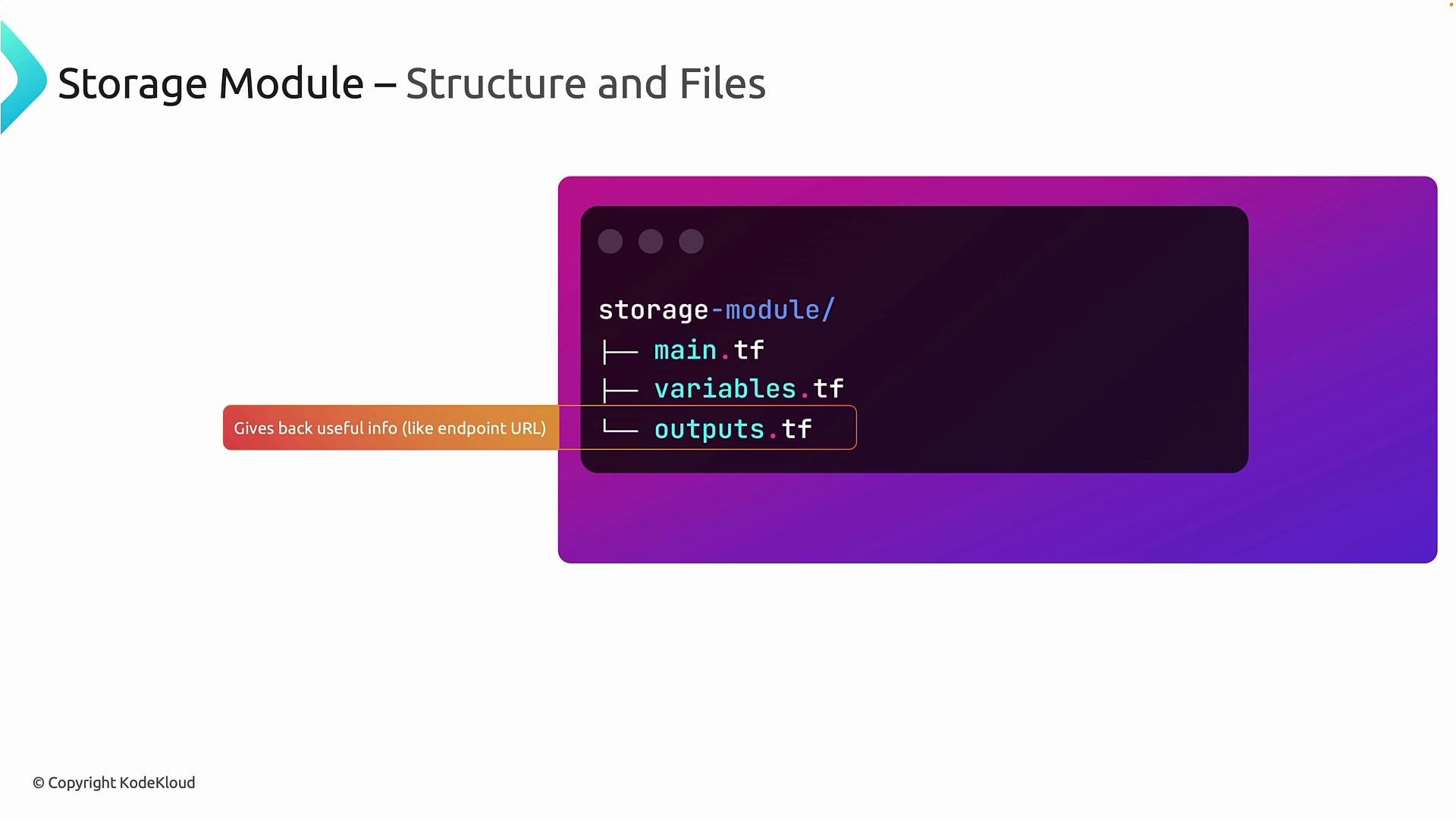
- Defines resources (the “how”).
- Declares inputs (the “what” the caller provides).
- Exposes outputs (values other modules or the root module can consume).
main.tf— resource definitions (execution layer).variables.tf— inputs the module expects (module interface/contract).outputs.tf— values the module exposes to callers.
Standard account tier), the module may enforce it by hard-coding that property:
Hard-coding an argument inside a module (e.g.,
account_tier = "Standard") is a valid way to enforce organizational policies. Do this only for properties you intend to make non-configurable for consumers.resource_group module and a storage_account module. These examples illustrate a clean module structure and how to wire modules together from a root module.
Create the modules directory and subfolders:
Resource Group module
Path:modules/resource_group
main.tf
Storage Account module
Path:modules/storage_account
main.tf
account_tier is enforced to Standard by the module. All other attributes are configurable, which keeps the module reusable while still meeting organizational constraints.
Using these modules from a root module
Once you havemodules/resource_group and modules/storage_account, call them from your root module and wire outputs to inputs.
Example minimal root module usage:
- Modules encapsulate implementation details.
- Inputs (
variables.tf) define the contract with callers. - Outputs (
outputs.tf) enable composition between modules.
Best practices and tips
- Keep modules focused and small: one module per logical resource or closely related set of resources.
- Prefer variables over hard-coded values unless enforcing a policy.
- Document variables and outputs with
descriptionfields so consumers know how to use the module. - Use semantic names for outputs (e.g.,
primary_blob_endpoint) so their intent is clear. - Version modules if you publish them to a registry or share across teams.
Links and references
- Terraform Modules: https://www.terraform.io/docs/language/modules/index.html
- Azure Provider for Terraform: https://registry.terraform.io/providers/hashicorp/azurerm/latest/docs
- Azure Resource Manager documentation: https://docs.microsoft.com/azure/azure-resource-manager/