

terraform init could download a newer provider with breaking changes. Constraints make your configuration deterministic and prevent accidental upgrades.
Example: pin a provider to an exact version
hashicorp/azurerm version 4.27.0. When you run terraform init, Terraform reads the constraints, queries the registry, and installs the matching version instead of the latest:
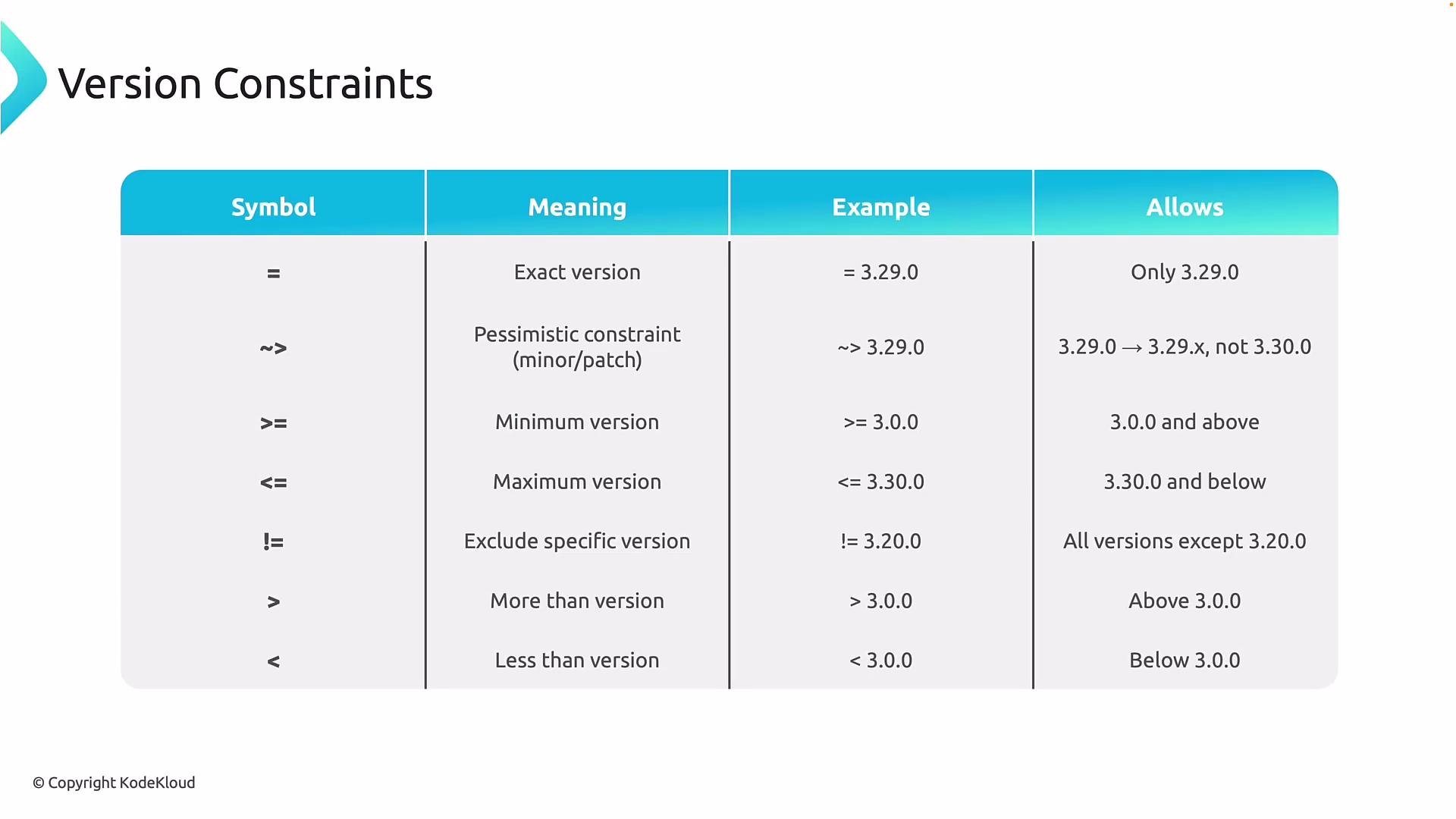
- Exact version:
= 3.29.0or simply3.29.0— only that exact version will be used. - Pessimistic constraint:
~> 3.29.0— allows patch releases within the same minor version (e.g.,3.29.x) but prevents upgrading to3.30.0. - Range operators:
>=,<=,>,<— specify minimum/maximum allowed versions. - Exclusion:
!= 4.28.0— exclude specific versions known to be problematic. - Combine multiple operators to express complex rules like minimum + exclusion.
Example: allow any azurerm version greater than
4.26.0 but exclude 4.28.0
terraform init would select 4.27.0 as the best match. Once a provider version is selected, Terraform records the exact version and its checksums in the .terraform.lock.hcl file so future runs are reproducible.
Include the generated
.terraform.lock.hcl file in version control so everyone running the configuration uses the same provider binaries.terraform init):
.terraform.lock.hcl file exists, subsequent terraform init runs will reuse the recorded versions:
provider.tf and resources in main.tf (or split by resource types). This keeps configuration modular and easier to manage in editors like Visual Studio Code.
Example files
provider.tf
version = "4.55.0", terraform init will fetch that exact provider instead of any newer release:
.terraform.lock.hcl, run terraform init --upgrade. Example: allow versions greater than 4.55.0 but less than 4.58.0:
--upgrade and the new constraint conflicts with the locked version, Terraform will refuse to proceed and instruct you to run terraform init --upgrade. Example error:
- Declare version constraints in the
terraformblock underrequired_providersto control which provider versions Terraform can install. - Use exact pins for maximum stability in production, or ranges/pessimistic constraints for controlled patch updates.
- Combine operators to express ranges and exclusions for known problematic releases.
- Commit
.terraform.lock.hclto version control to ensure all users and CI environments use the same provider binaries. - Use
terraform init --upgradeintentionally to refresh provider selections and update the lock file.