So far we’ve been working with single resources to learn Terraform syntax. Real-world infrastructure rarely consists of only one resource — applications typically require networking, storage, databases, compute, and supporting services working together. This lesson shows how to define multiple resources in one Terraform configuration so they are managed together predictably and repeatably. Concept overview
  • A provider (for example, the AzureRM provider) is the communication layer between Terraform and a cloud platform such as Azure.
  • Providers implement many resource types (virtual networks, storage accounts, SQL databases, Kubernetes clusters, etc.).
  • Each resource type documents its available arguments (some required, some optional) in the Terraform provider docs: https://registry.terraform.io/.
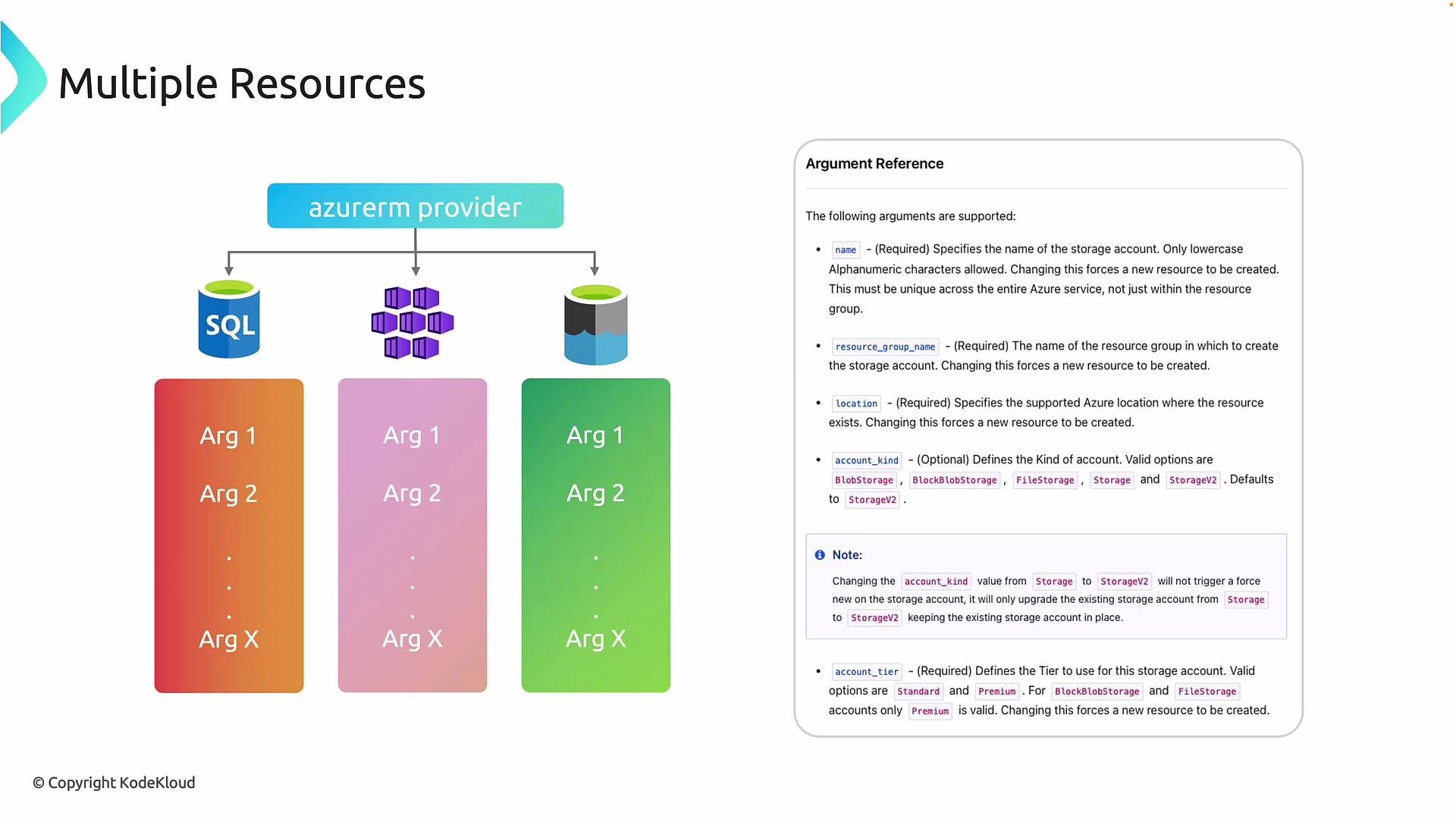
The image illustrates the concept of managing multiple resources using the "azurerm provider," featuring icons for SQL and other services with associated arguments. There's also a section on the right outlining an argument reference guide for configuring these resources.
Key concept: Terraform is declarative — you describe the desired state and Terraform determines the actions required to reach that state. When multiple resource blocks are present in the same configuration, Terraform analyzes references between them to determine ordering and dependencies. Example: resource group, virtual network, storage account Below is a concise, real-world example showing multiple resources in a single configuration. Note how resources reference one another (so values are not duplicated) and how blocks are structured.
Why references matter
  • Each resource block is syntactically independent, but Terraform reads them together and constructs a plan.
  • By referencing azurerm_resource_group.rg.name and azurerm_resource_group.rg.location you avoid duplicating literal values and let Terraform infer implicit dependencies (e.g., the resource group is created before resources that reference it).
If you prefer a more explicit (but duplicative) style while learning, you can hard-code resource_group_name and location in each resource. This works functionally but increases maintenance overhead:
Storage account names and other cloud resource names must follow provider-specific rules (for example, storage account names in Azure must be 3–24 characters, lowercase letters and numbers, and globally unique). These are Azure rules, not Terraform rules.
terraform plan and apply — what to expect
  • terraform plan compares the declared desired state with the current state, showing what will be added, changed, or destroyed.
  • terraform apply executes the plan and streams provisioning progress.
Example trimmed terraform plan output:
Example trimmed terraform apply --auto-approve output:
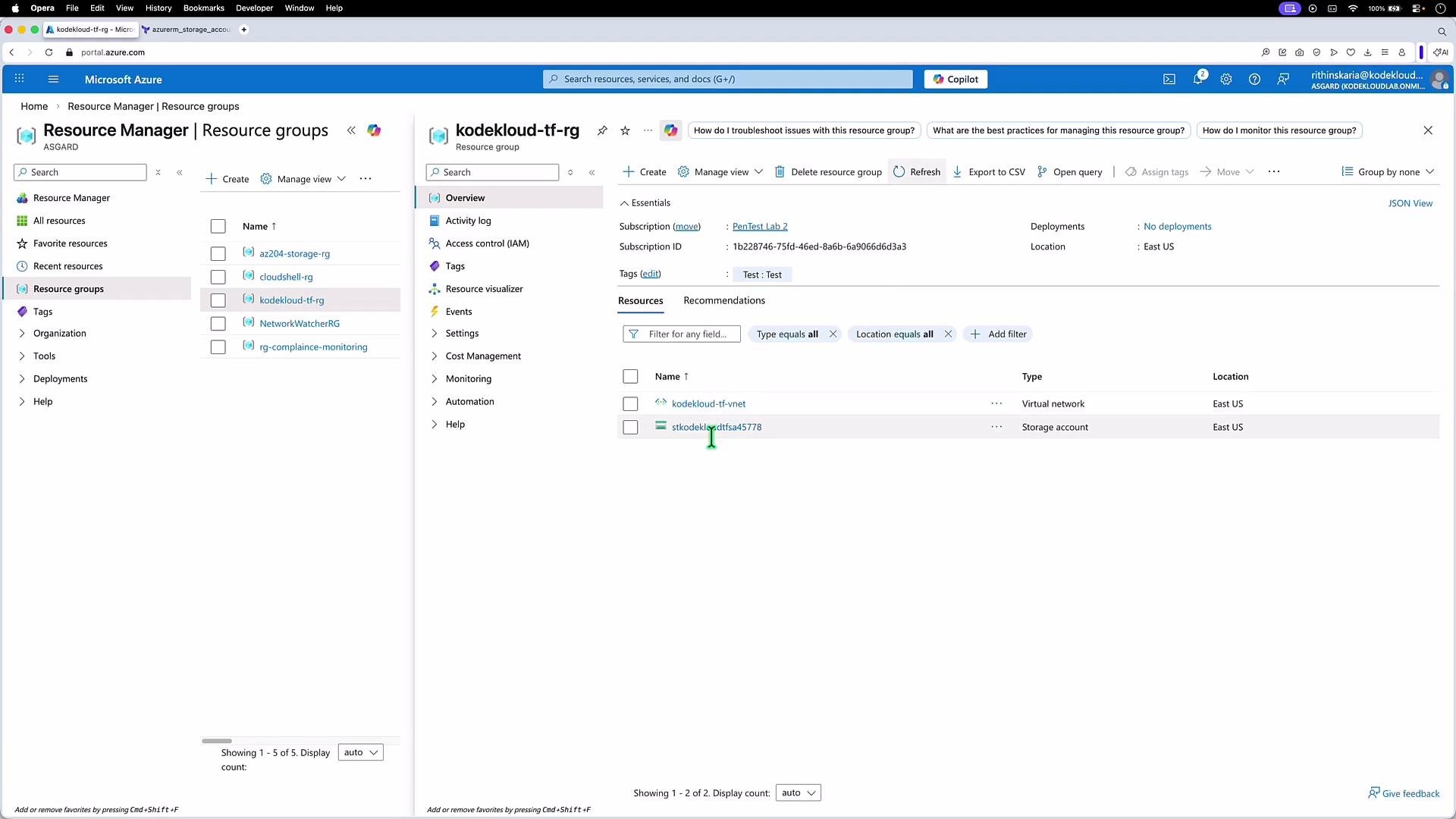
Verify in the Azure Portal After apply completes you can confirm the created resources in the Azure Portal.
The image shows a Microsoft Azure portal interface displaying resource groups and resources within a selected group named "kodekloud-tf-rg," which includes a virtual network and a storage account located in East US.
Quick reference table Further reading and references Advanced topics such as outputs, explicit dependencies, interpolation functions, and lifecycle customizations are beyond this lesson. For now, focus on the core structure: provider declaration + multiple resource blocks, using references to avoid duplication and let Terraform build an accurate execution plan.

Watch Video