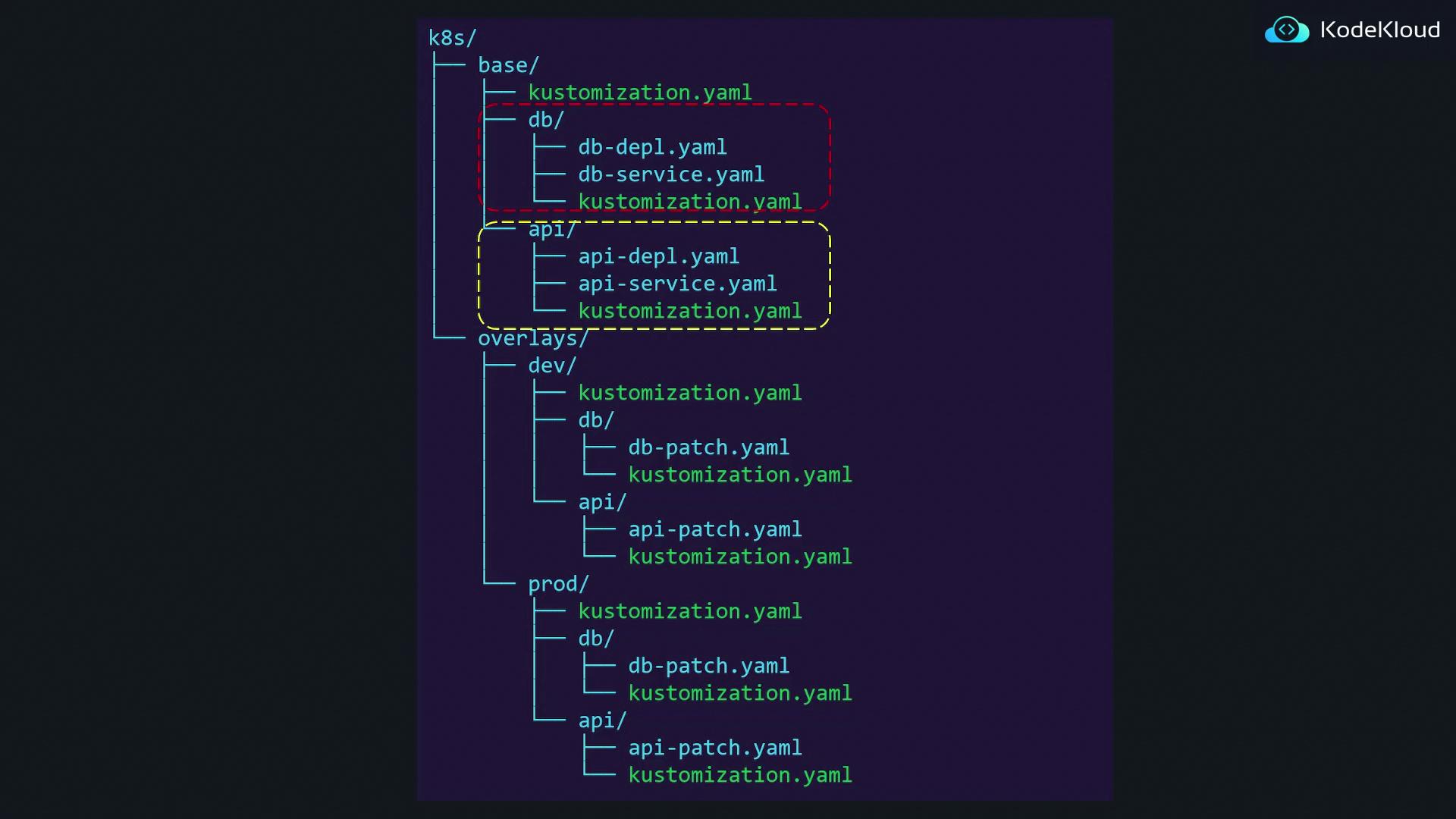
- Base Configuration – Contains all shared configurations applicable across environments.
- Overlays – Contains environment-specific customizations that are applied as patches or additional resources.
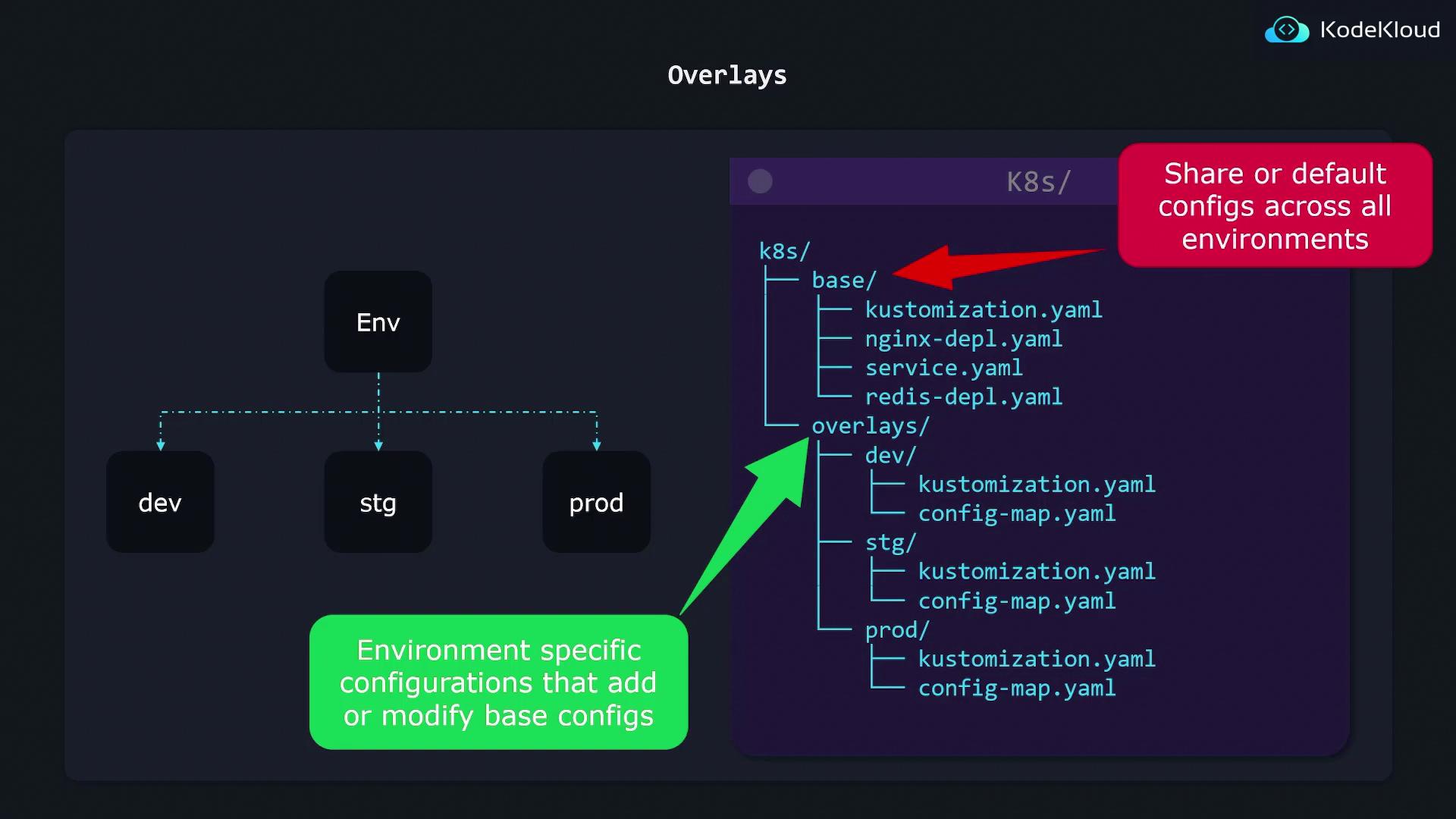
How Overlays Work
To customize your base configuration for a specific environment, you define patches within the overlay. For instance, suppose you have a base deployment file for nginx (nginx-depl.yaml) that specifies a replica count of 1. To adjust the replica count for the development environment, you can define a kustomization.yaml file in the dev overlay folder as follows:
bases property points to the relative path of the base configurations. The provided patch updates the replicas value to 2 for the development environment. The notation ../../base indicates that from the dev folder, you move up two levels (from dev to overlays, and from overlays to k8s), then enter the base directory.
For the production environment, you might require a higher replica count. The kustomization.yaml in the production overlay could look like this:
Overlays can be used to both modify existing configurations and to add new resources that are unique to an environment. This makes it easy to manage environment-specific differences without duplicating configuration files.
Adding Unique Resources
Overlays are not limited to patching the base configuration. In your overlay folders, you can also introduce additional resources that do not exist in the base. For example, if the production environment requires a Grafana deployment, you can add it using the following kustomization.yaml:grafana-depl.yaml) is also imported specifically for the production environment.
Ensure that all relative paths in your kustomization.yaml files are correctly defined. An incorrect path can lead to configuration import errors which can impact your deployment.
Flexible Directory Structure
Kustomize offers significant flexibility in organizing your Kubernetes configurations. You are not limited to a fixed directory layout; you can structure your base and overlay directories into subfolders by features or any other scheme that suits your project. The key is ensuring that the resources are correctly referenced in the kustomization.yaml files.