

Visual Example
Imagine deploying an application in three variations: Development, Premium (for premium customers), and Self-Hosted (for customers who manage their own hosting). These variations correspond to three overlay folders, which all reference a shared Base configuration folder. Suppose the application offers two optional features: caching and an external Postgres database. The caching feature, which includes configuration details for a Redis database, should only be applied to the Premium and Self-Hosted overlays. In contrast, the external database is only relevant for the Development and Premium overlays. Placing the caching configuration in the Base folder would inadvertently activate it across all overlays, while copying it individually into the Premium and Self-Hosted overlays risks inconsistencies during future updates. Components solve this problem by encapsulating the caching configuration in a reusable block that is imported only by the overlays that require it. The overall project hierarchy is structured so that the Base configuration is common to all overlays, while each overlay selectively includes components for features like caching or an external database.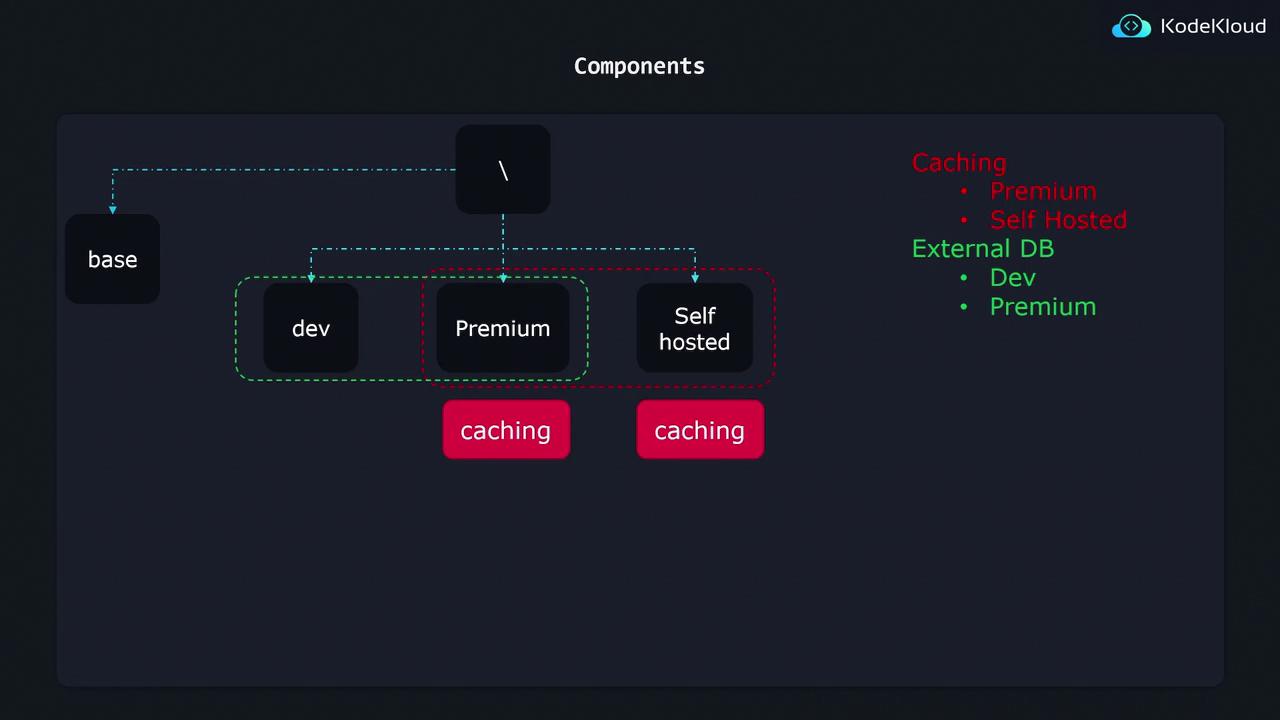
Organizing Your Project Structure
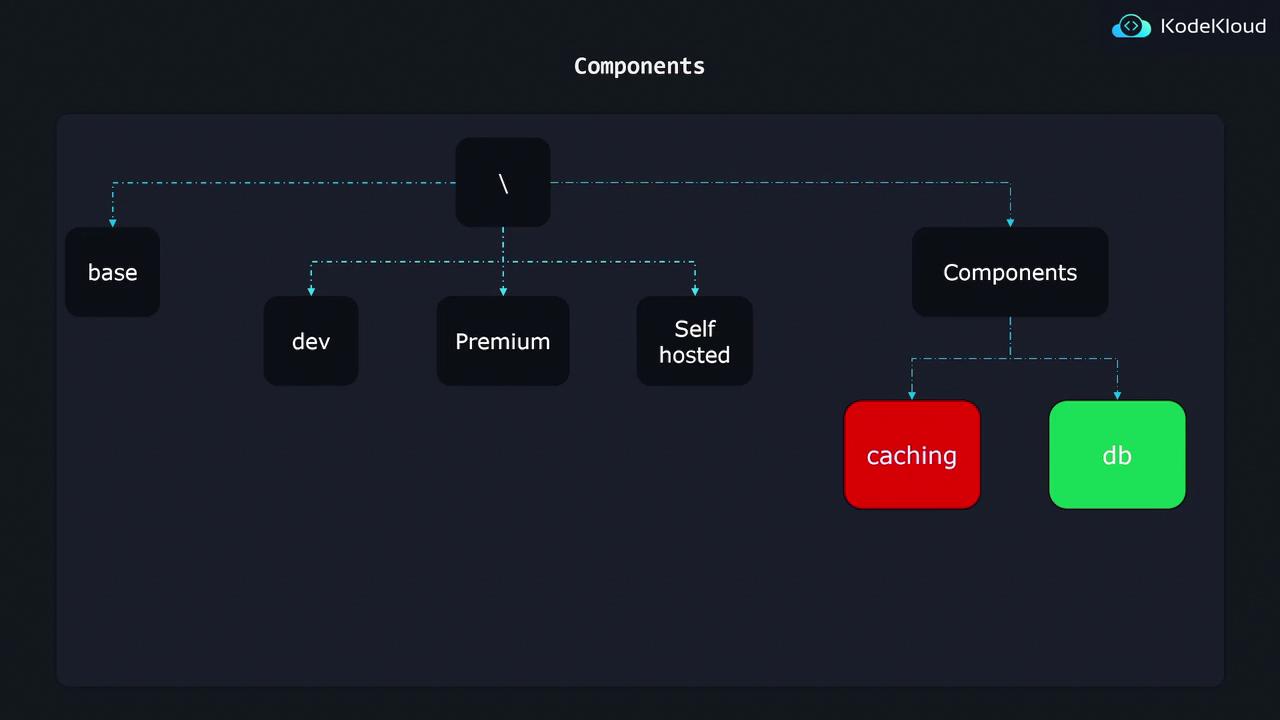
To effectively implement components, consider adding a dedicated folder for components in your project structure. A typical folder layout may resemble the following structure:components folder houses dedicated subdirectories for each optional feature (e.g., caching and database). Each component subfolder includes all relevant Kubernetes configurations such as deployments, patches, configuration maps, and secrets. Overlays can import these components as required, ensuring that configurations remain centralized, reusable, and easy to maintain.
A well-organized project differentiates between the immutable Base configuration and the flexible environment-specific overlays. This separation allows you to add or remove optional features without disrupting the overall system configuration.
Implementing a Component
Let’s focus on the database component. Within thedb folder, the following three files are present:
kustomization.yamldeployment-patch.yamlpostgres-depl.yaml
postgres-depl.yaml file defines the deployment for a Postgres database, which is the sole required Kubernetes resource for the external database feature:
The Component’s kustomization.yaml
Thekustomization.yaml file inside the database component is slightly different from standard configuration files. It indicates that this is a Component:
- Imports the Postgres deployment defined in
postgres-depl.yaml. - Generates a secret named
postgres-credcontaining the database password. - Applies patches from
deployment-patch.yamlto update the base configuration (for example, by integrating an environment variable for the database password).
The Deployment Patch
Thedeployment-patch.yaml file constitutes a strategic merge patch that updates the base API deployment configuration. Specifically, it introduces a new environment variable for the database password:
Importing Components in Overlays
To activate a component in an overlay, include its reference in the overlay’skustomization.yaml file. For example, the kustomization.yaml in the dev overlay might be configured as follows:
- The base configuration is imported first.
- The database component is then imported, enabling the external database feature for that overlay.