The Challenge with Multiple Environments
Consider a simple example using an nginx deployment YAML file that deploys a single nginx pod:- 1 replica in development,
- 2–3 replicas in staging, and
- 5–10 replicas in production.
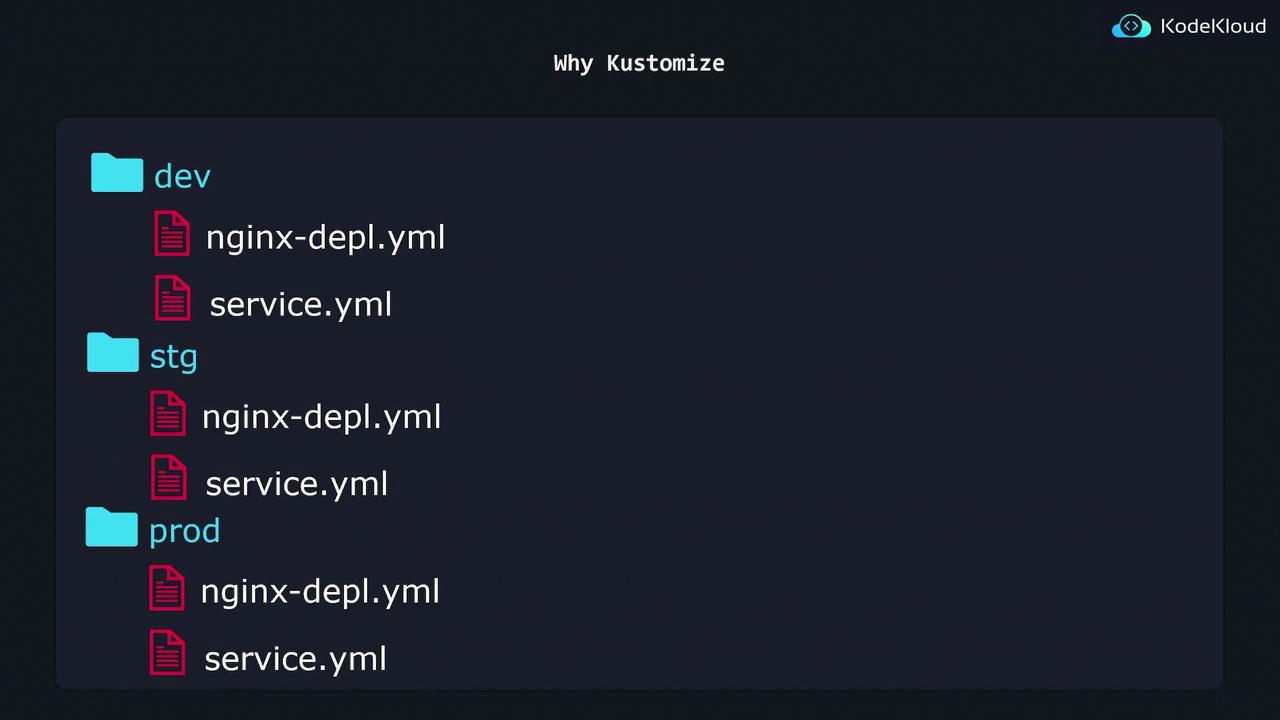
Example Directory Structure
Your directory might be organized as follows:- dev: The deployment file sets replicas to 1.
- stg: The same configuration is used but with replicas set to 2.
- prod: The replica count is set to 5.
This approach works for small deployments. However, as you add more resources (e.g., a separate
service.yaml file), you must copy every new file to each environment directory, increasing both maintenance overhead and the risk of inconsistencies.Enter Kustomize
Kustomize provides a scalable solution to avoid excessive duplication. Instead of maintaining separate configurations for each environment, you can create a single Base configuration and apply environment-specific Overlays for adjustments.Base and Overlays Explained
-
Base: Contains settings common to all environments. For example, the Base for the nginx deployment might look like this:
- Overlays: Allow you to override or add environment-specific configurations. For example, you can change the replica count to 2 for staging and 5 for production.
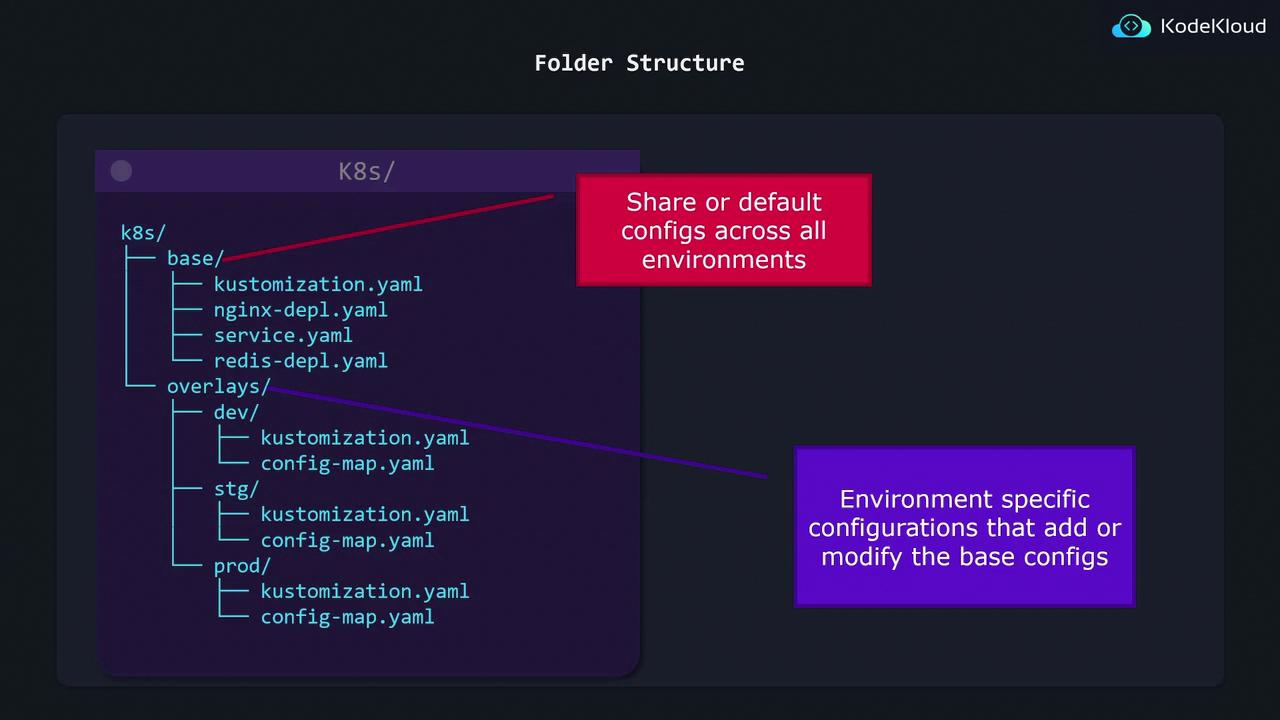
Recommended Folder Structure
A typical folder structure when using Kustomize might include:- A base directory containing all the shared Kubernetes configurations.
- An overlays directory with subdirectories for each environment (dev, stg, and prod). Each subdirectory includes patches or additional resources that override the Base configuration.
This approach adheres to the principle of treating configuration as code, minimizing repetition while ensuring consistency across your Kubernetes deployments.
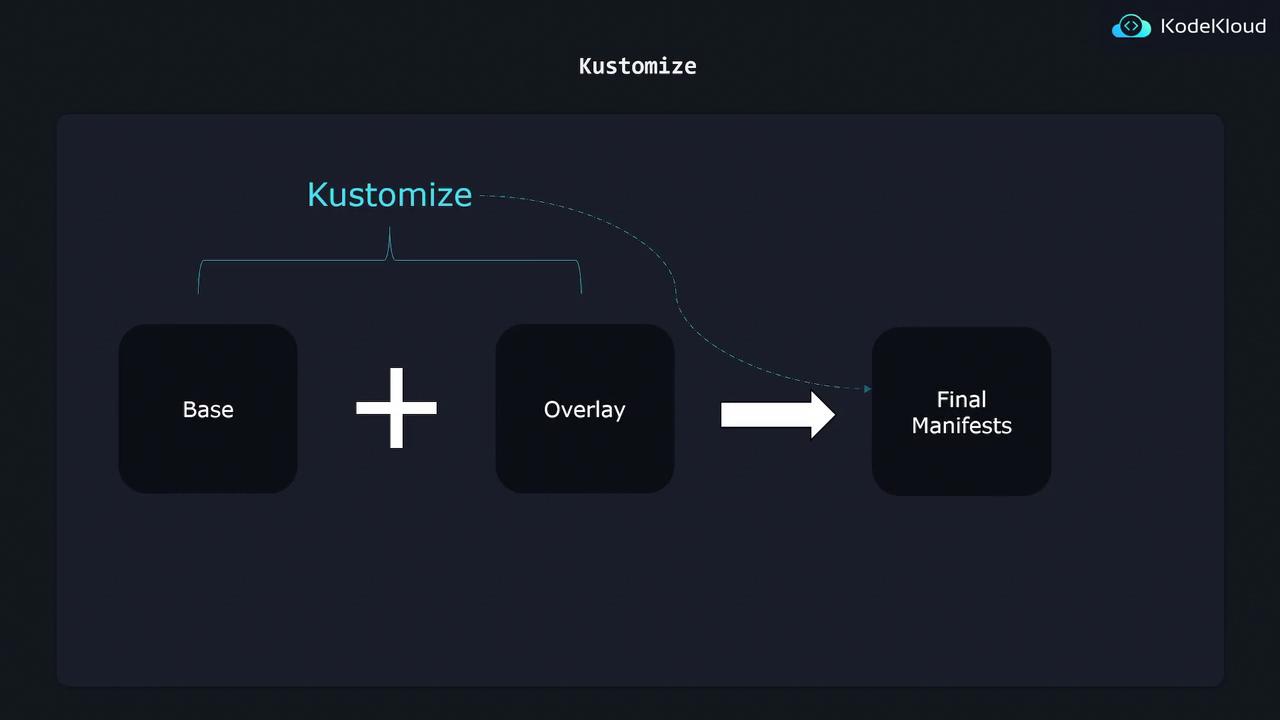
The Merging Process
When you run Kustomize, it merges the Base configuration with your selected environment overlay, producing a complete set of manifests ready for deployment.