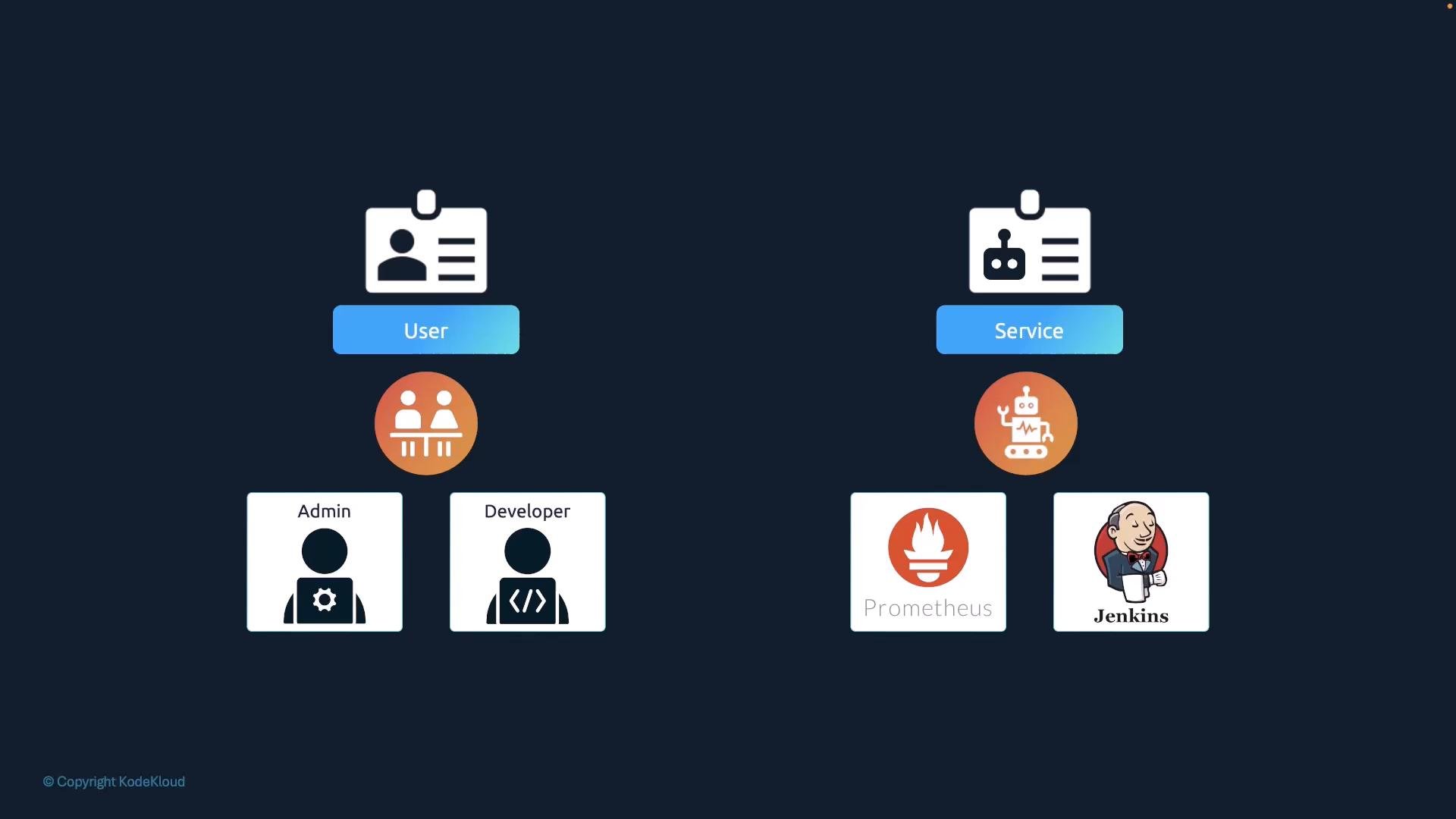
Welcome to this comprehensive guide on Kubernetes service accounts. In this lesson, we focus on how service accounts function—primarily from an application developer’s perspective. While advanced security topics such as authentication, authorization, and role-based access control (RBAC) are covered extensively in the Kubernetes Administrators Course, this guide is dedicated solely to working with service accounts. There are two main types of accounts in Kubernetes:
  • User Accounts: Designed for human users like administrators or developers.
  • Service Accounts: Intended for machine-to-machine interactions or application-specific tasks. For instance, monitoring tools like Prometheus use a service account to query the Kubernetes API for performance metrics, while Jenkins uses one for deploying applications.
The image shows a comparison between "User" and "Service" roles, with icons for Admin, Developer, and robots.

Example: A Kubernetes Dashboard Application

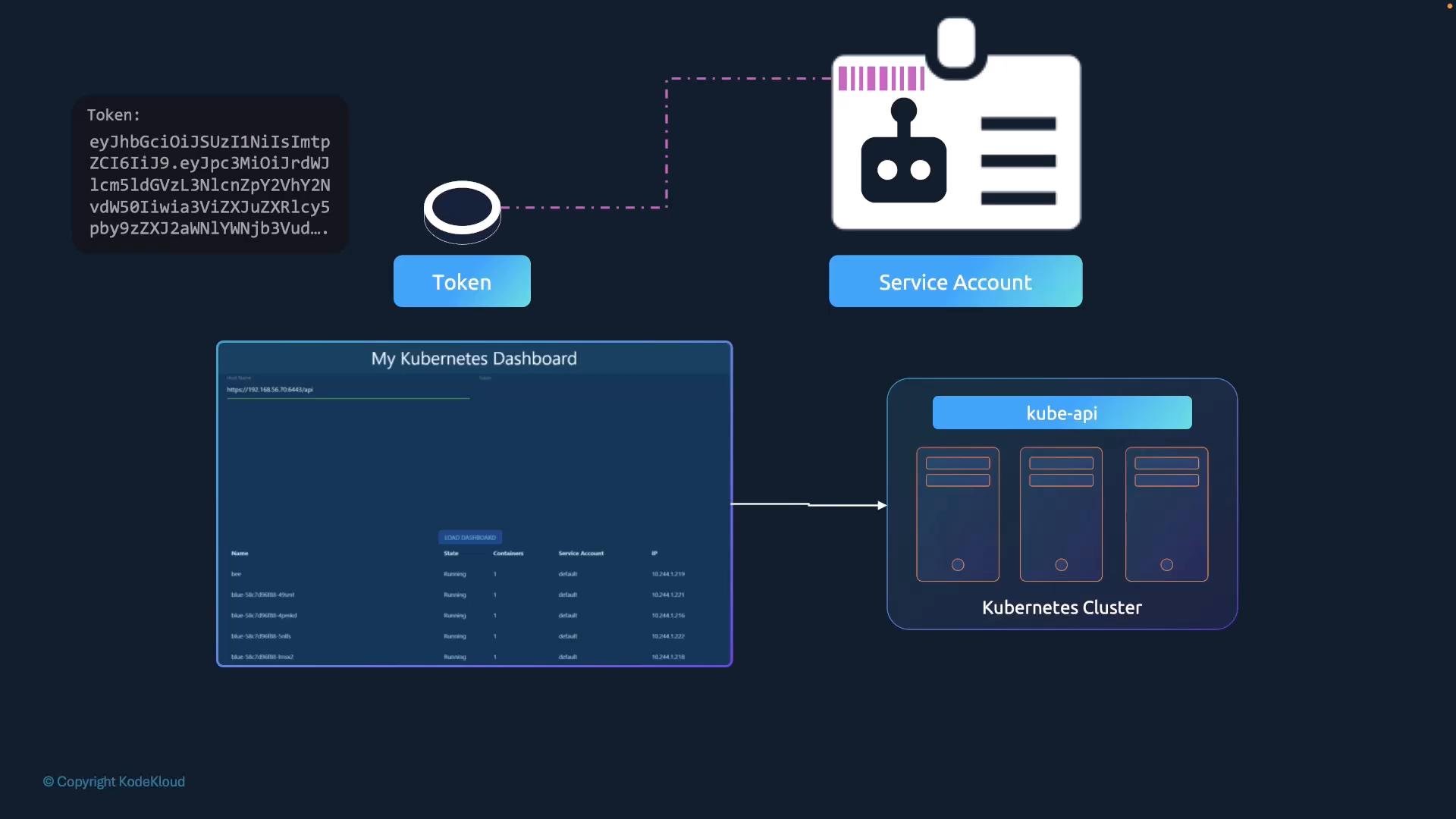
Consider an example: “my Kubernetes dashboard,” a basic dashboard application built with Python. This application retrieves a list of Pods from a Kubernetes cluster by sending API requests and subsequently displays the results on a web page. To authenticate its API requests, the application uses a dedicated service account.
The image shows a Kubernetes dashboard interface connected to a Kubernetes cluster with three nodes via the kube-api.

Creating a Service Account

To create a service account named dashboard-sa, run:
To view all service accounts, use:
The output will appear similar to:
Upon creation, Kubernetes automatically generates a service account token stored as a Secret and links it to the account. To inspect the details of your service account and its token, execute:
Expected output:
To examine the token itself, view the corresponding Secret:
Sample output:
This token serves as the authentication bearer token for accessing the Kubernetes API. For example, using curl:
In your custom dashboard application, you would typically place the token into the appropriate configuration field to enable API authentication.

Automatic Mounting of Service Account Tokens

When deploying third-party applications (such as a custom dashboard or Prometheus) on a Kubernetes cluster, you can have Kubernetes automatically mount the service account token as a volume into the Pod. This token is typically available at the path: /var/run/secrets/kubernetes.io/serviceaccount.
The image shows a Kubernetes dashboard interface with icons representing security, a database, and user credentials, indicating a secure connection to a Kubernetes pod.
Every namespace includes a default service account that is automatically injected into Pods. For example, consider the following simple Pod manifest using a custom dashboard image:
After creating this Pod, running:
will reveal a volume mounted from a Secret (usually named something like default-token-xxxx). You might see an excerpt similar to:
Inside the Pod, listing the contents of the service account directory shows files such as the token file containing the bearer token:

Using a Different Service Account

By default, Pods use the default service account. To assign a different service account—like the previously created dashboard-sa—update your Pod definition to include the serviceAccountName field:
Remember that you cannot modify the service account of an existing Pod. To use a new service account, delete and recreate the Pod. Deployments will automatically roll out new Pods when changes are made to the Pod template.
After deploying the updated manifest, running:
will show that the new service account is now in effect, with volume mounting information reflecting the token for dashboard-sa (e.g., dashboard-sa-token-kbbdm). If you wish to disable the automatic mounting of the service account token, set automountServiceAccountToken to false in the Pod specification:

Changes in Kubernetes Versions 1.22 and 1.24

Prior to Kubernetes v1.22, service account tokens were automatically mounted from Secrets without an expiration date. Starting with v1.22, the TokenRequest API (KEP-1205) was introduced to generate tokens that are audience-bound, time-bound, and object-bound—enhancing security significantly. Below is an example Pod definition using a projected volume sourced from the TokenRequest API:
Starting with Kubernetes v1.24, Kubernetes no longer automatically creates non-expiring service account tokens stored as Secrets. Instead, after creating a new service account, you must generate a token explicitly with:
This command produces a token with an expiry (by default, one hour from creation). You can verify and decode this token using tools like jq or jwt.io:
If necessary (though not recommended), you can still create a non-expiring token by manually creating a Secret. Ensure the service account exists first:
It is highly recommended to use the TokenRequest API to generate tokens, as API-generated tokens provide additional security features such as expiry, audience restrictions, and improved manageability.
The image shows a JWT (JSON Web Token) decoding interface with encoded data on the left and decoded JSON data on the right.
The image describes Kubernetes' JWT security issues, including lack of audience binding, broad attack surfaces, absence of time bounds, and scalability challenges requiring secrets per service account.
The image is a slide about Kubernetes v1.22, featuring KEP 1205 for Bound Service Account Tokens, highlighting the TokenRequest API with audience and time-bound features.
The image explains Kubernetes service account token secrets and recommends the TokenRequest API for secure token management since version 1.22.

Summary

  • Service Accounts vs. User Accounts: Service accounts are meant for applications (or machines), whereas user accounts are for human users.
  • Token Generation: Creating a service account automatically generates a token stored in a Secret, which is used for API authentication.
  • Automatic Token Mounting: Pods can automatically mount the service account token at /var/run/secrets/kubernetes.io/serviceaccount, though this behavior can be modified.
  • Enhanced Security: Since Kubernetes v1.22, tokens are generated using the TokenRequest API, making them audience-bound, time-bound, and more secure.
  • Kubernetes v1.24 Changes: With v1.24, Kubernetes no longer provisions non-expiring tokens automatically via Secrets; use the kubectl create token command to generate tokens as needed.
For additional insights, refer to the Kubernetes enhancement proposals and the official documentation on service accounts and tokens.
The image lists references related to Kubernetes service account tokens, including links to GitHub and Kubernetes documentation.

Watch Video

Practice Lab