

- Allow only the API Pod to initiate connections to the DB Pod on TCP port 3306.
- Deny traffic from the Web Pod to the DB Pod.
- Keep other Pods unaffected unless they match the DB Pod selector.
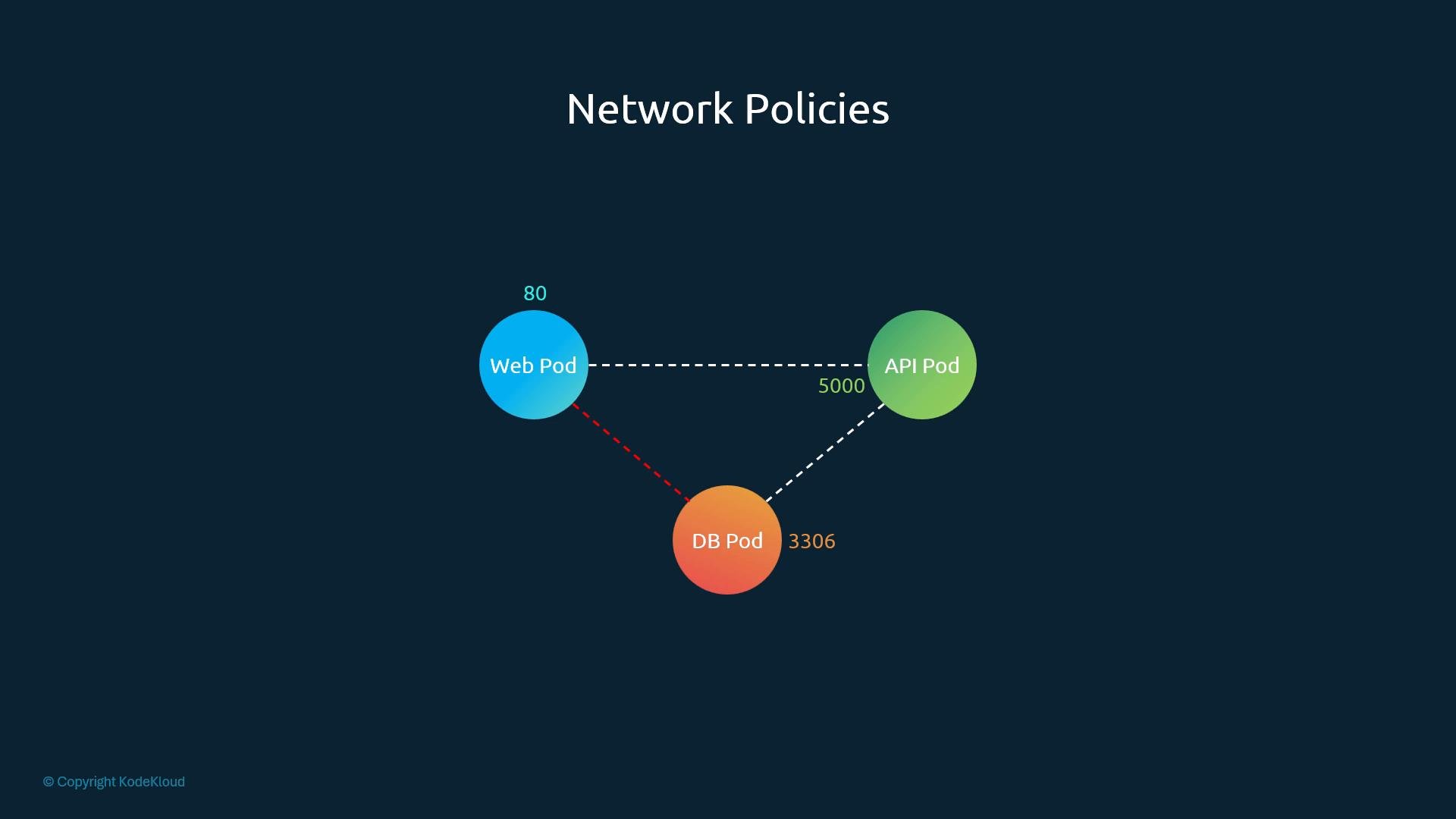
- Kubernetes networking is permissive by default: Pods can communicate with each other unless a NetworkPolicy selects a Pod and restricts traffic.
- NetworkPolicies only take effect if your cluster CNI implements them (for example, Calico, Cilium, or Weave Net). If your CNI does not implement NetworkPolicy, the rules will not be enforced.
- To secure the DB Pod we create a NetworkPolicy that selects the DB Pod (via labels) and declares which sources are permitted to send traffic to it.
- Because the API Pod initiates the connection to the DB Pod, an Ingress policy applied to the DB Pod is sufficient. Replies are allowed automatically; a separate Egress rule is not required just for responses.
If a Pod is selected by any NetworkPolicy that defines ingress (or egress) rules, traffic in that direction is restricted to the policy’s allowed sources/destinations. If no NetworkPolicy selects a Pod, it remains unrestricted.
-
Associate the policy with the DB Pod
UsepodSelectorso the NetworkPolicy targets only the DB Pod(s). In this example the DB Pod has the labelrole: db. -
Choose the policy direction(s)
Since the API Pod initiates DB requests, addIngresstopolicyTypes. AddEgressonly if the DB Pod must initiate outbound connections (e.g., pushing backups). -
Define allowed sources and ports
Eachingressrule containsfrom(allowed sources) andports(destination ports/protocols).fromaccepts:podSelector— selects Pods by label (defaults to the same namespace)namespaceSelector— selects Namespaces by labelipBlock— allows specific IPs or CIDRs (useful for external systems)
Important: multiple entries in a single
from/to list are ORed. But within a single list item, specifying both podSelector and namespaceSelector requires both to match (logical AND). Small YAML placement changes can change the logic and the resulting security posture.
Ingress-only example
- DB Pods labeled
role: dbare allowed incoming TCP traffic on port 3306 only from:- API Pods labeled
role: apiin theprodnamespace, OR - the external IP
192.168.5.10
- API Pods labeled
- The first
fromitem contains bothpodSelectorandnamespaceSelector: the source Pod must matchrole: apiand be in the namespace labeledkubernetes.io/metadata.name: prod. - The second
fromitem is anipBlock: traffic from192.168.5.10is also allowed. - These two
fromlist entries are alternatives (OR). Traffic matching either one is accepted.
podSelector and namespaceSelector are placed as separate top-level list items, they are evaluated as independent OR entries — which may unintentionally permit broader access.
Egress example (DB initiates outbound traffic)
If a process on the DB Pod needs to push backups to an external server, add Egress to policyTypes and define egress rules. The to field supports the same selector types as from.
Combined ingress + egress example
- Allow API Pods to connect to DB on 3306/TCP.
- Allow DB Pod to reach an external backup server at
192.168.5.10:80.
- Always test NetworkPolicies in a development or staging cluster before applying them in production.
- Use simple
kubectl runPods to attempt connections (e.g.,nc,telnet, ormysqlclients) from Web, API, and external test Pods to validate allowed and denied flows. - If a policy appears to have no effect, confirm your CNI supports NetworkPolicy and that the policy selects the intended Pods (labels and namespaces must match).
- Ensure DB Pods have the correct label (e.g.,
role: db). - Confirm API Pods have the expected label and are in the intended namespace.
- Verify CNI/plugin supports NetworkPolicy (Calico, Cilium, Weave Net, etc.).
- Review YAML indentation and placement of selectors to avoid accidental OR/AND mistakes.
- Attach NetworkPolicies to Pods using
podSelector. - Choose
Ingresswhen the Pod receives connections,Egresswhen it initiates them. - Use
podSelector,namespaceSelector, andipBlockto precisely allow traffic. - Within one
from/tolist item, multiple selectors are ANDed; separate list items are ORed. - Test policies carefully to avoid unintended exposure or blocks.