

How built-in Kubernetes resources work
When you create a built-in resource such as a Deployment, Kubernetes persists the object in etcd and a controller reconciles the cluster to match the desired state recorded in that object. You can manage these objects with kubectl. Example: a simple Deployment YAML and typical kubectl commands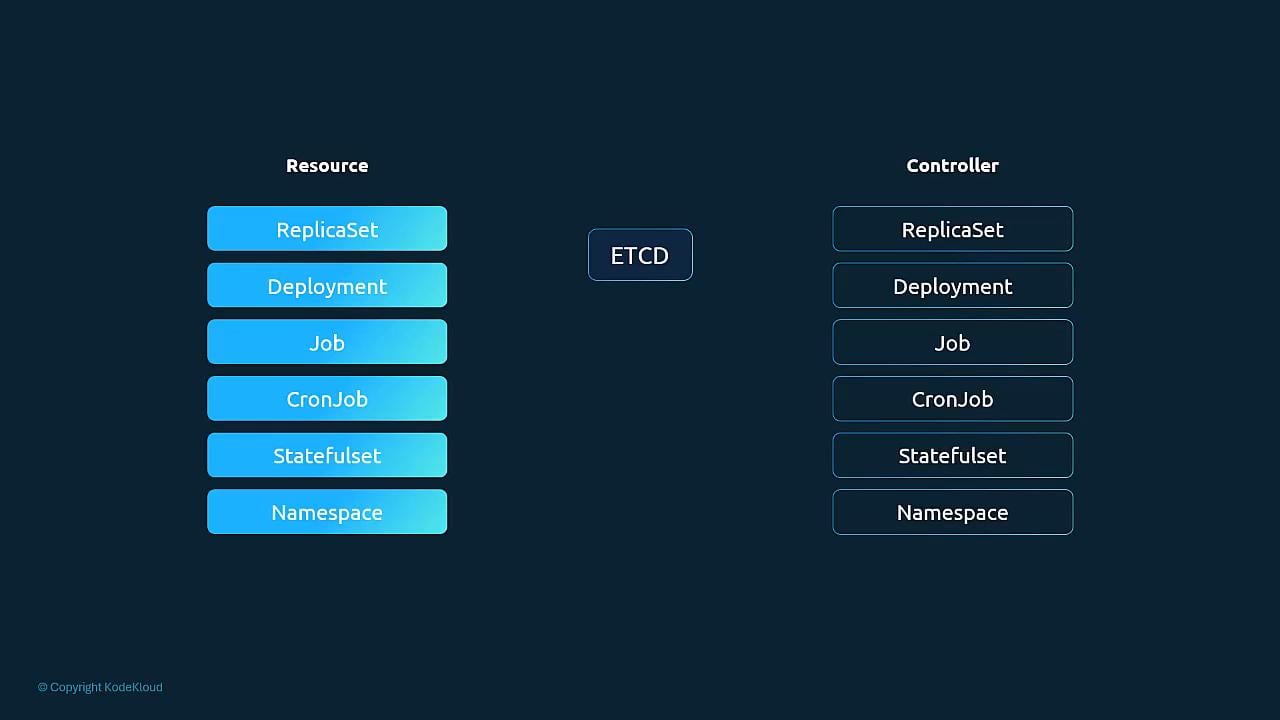
Extending the Kubernetes API: custom resource example
You can extend the Kubernetes API to include your own resource types using a CustomResourceDefinition (CRD). For example, suppose you want to model flight bookings inside Kubernetes with a custom resource called FlightTicket. Desired FlightTicket manifest:bookflight.com/API when a FlightTicket is created), you must run a controller that watches FlightTicket objects and takes action.
Illustrative snippet of a custom controller in Go:
What is a CustomResourceDefinition (CRD)?
A CRD is itself an API object (apiVersion:apiextensions.k8s.io/v1, kind: CustomResourceDefinition) that instructs the API server to accept a new resource type. The CRD defines:
- API group and versions (for example,
flights.com/v1) - resource names (
kind,singular,plural,shortNames) - scope (
NamespacedorCluster) - OpenAPI v3 validation schema (
openAPIV3Schema) for server-side validation - which version is
servedand which isstorage
openAPIV3Schema field lets the API server validate incoming objects. In this example, from and to are strings and number must be an integer between 1 and 10. If a user submits invalid data, the API server will reject the object according to this schema.
Create the CRD and then the custom resource:
Creating a CRD registers a new resource type with the Kubernetes API and enables persisted objects of that type. A CRD provides validation and API wiring but does not implement business logic — to make the resource trigger actions (for example, call an external booking API), you must deploy a controller that watches those custom objects and reconciles desired state to actual state.
Quick reference: CRD spec fields
Summary
- CRDs extend the Kubernetes API by registering new resource types (for example,
FlightTicket). - After a CRD is created, you can create, list, and delete custom resources using kubectl.
- CRDs support OpenAPI v3 schemas for server-side validation of resource fields.
- To make custom resources trigger real-world actions, implement and run a controller that watches the custom resources and reconciles them (e.g., call external APIs).
Links and references
- Kubernetes Custom Resources and CRDs: https://kubernetes.io/docs/concepts/extend-kubernetes/api-extension/custom-resources/
- etcd: https://etcd.io/
- kubectl reference: https://kubernetes.io/docs/reference/kubectl/overview/
- OpenAPI Specification (v3): https://spec.openapis.org/oas/latest