

10.244.0.3 that needs to call the back-end. Which back-end pod should it target? Who decides? Kubernetes Services solve this by grouping a set of pods and exposing a stable interface (a ClusterIP and DNS name) that other pods use to reach that group reliably.
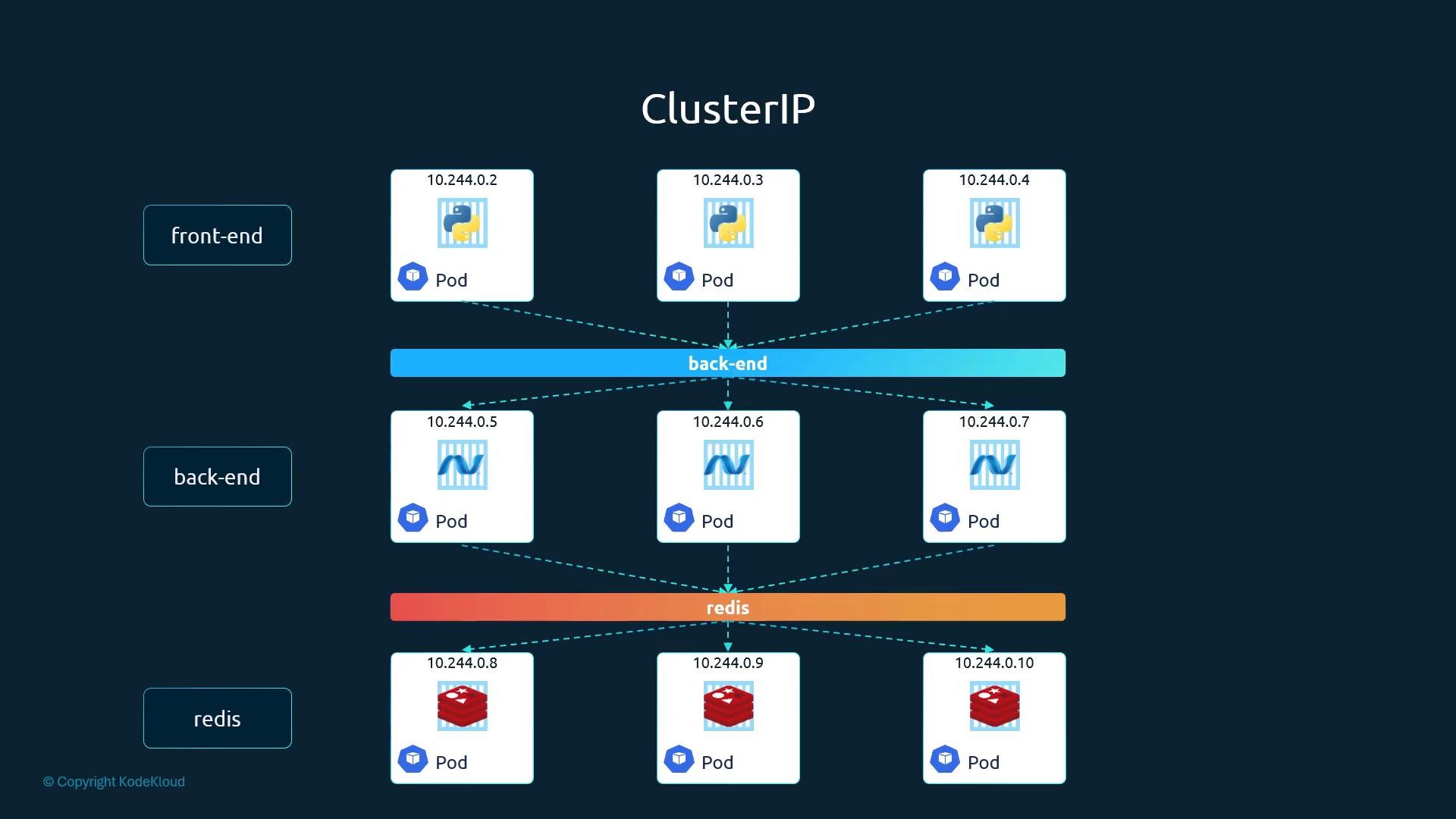
ClusterIP is the default Service type and is only reachable from within the cluster. You can omit
type: ClusterIP in the Service manifest because Kubernetes will use it by default.ClusterIP Service manifest (example)
A minimal Service manifest containsapiVersion, kind, metadata, and spec. Under spec you declare the ports mapping and a selector that matches pod labels.
Example Service manifest (service.yaml):
pod.yaml):
Apply and verify
Create the pod and service, then confirm their status:back-end. If you need the fully qualified domain name, use back-end.<namespace>.svc.cluster.local (for the default namespace this becomes back-end.default.svc.cluster.local).
Service manifest fields (at a glance)
How traffic gets to pods
- The Service defines a stable ClusterIP and DNS name.
- kube-proxy configures networking rules on nodes so traffic sent to the Service is redirected to one of the endpoints (matching pods).
- kube-proxy handles load distribution; the specific algorithm depends on kube-proxy’s mode (iptables, ipvs, or userspace).
Key takeaways
- Services provide a stable network endpoint for a group of pods selected by labels.
- ClusterIP is the default Service type and is accessible only from within the cluster.
- Use the Service DNS name or ClusterIP to reach a set of pods instead of individual pod IPs.
- kube-proxy is responsible for forwarding and load-balancing Service traffic to pod endpoints.