

Inspect Services
List Services in the cluster:- Observation: There is only the default
kubernetesService. - Type:
ClusterIP— created by the cluster to expose the API server within the cluster network.
targetPort configured on the Kubernetes Service?Answer:
6443 (shown as TargetPort: 6443/TCP).
Labels on the Kubernetes Service
From thedescribe output:
component=apiserver and provider=kubernetes.
Note: This Service maps to the Kubernetes API server — the cluster control plane endpoint.
Endpoints attached to the Kubernetes Service
From thedescribe output:
What are Endpoints?
Endpoints are the concrete Pod IPs and ports a Service routes to based on the Service selector. Quick flow:- Create Pods with labels (e.g.,
app=FE). - Create a Service with a
selectorthat matches those labels. - Kubernetes finds Pods that match the selector and lists their IP:port under the Service’s Endpoints.
- If a Pod matches the selector accidentally, it will also become an endpoint — always check labels/selectors when troubleshooting.
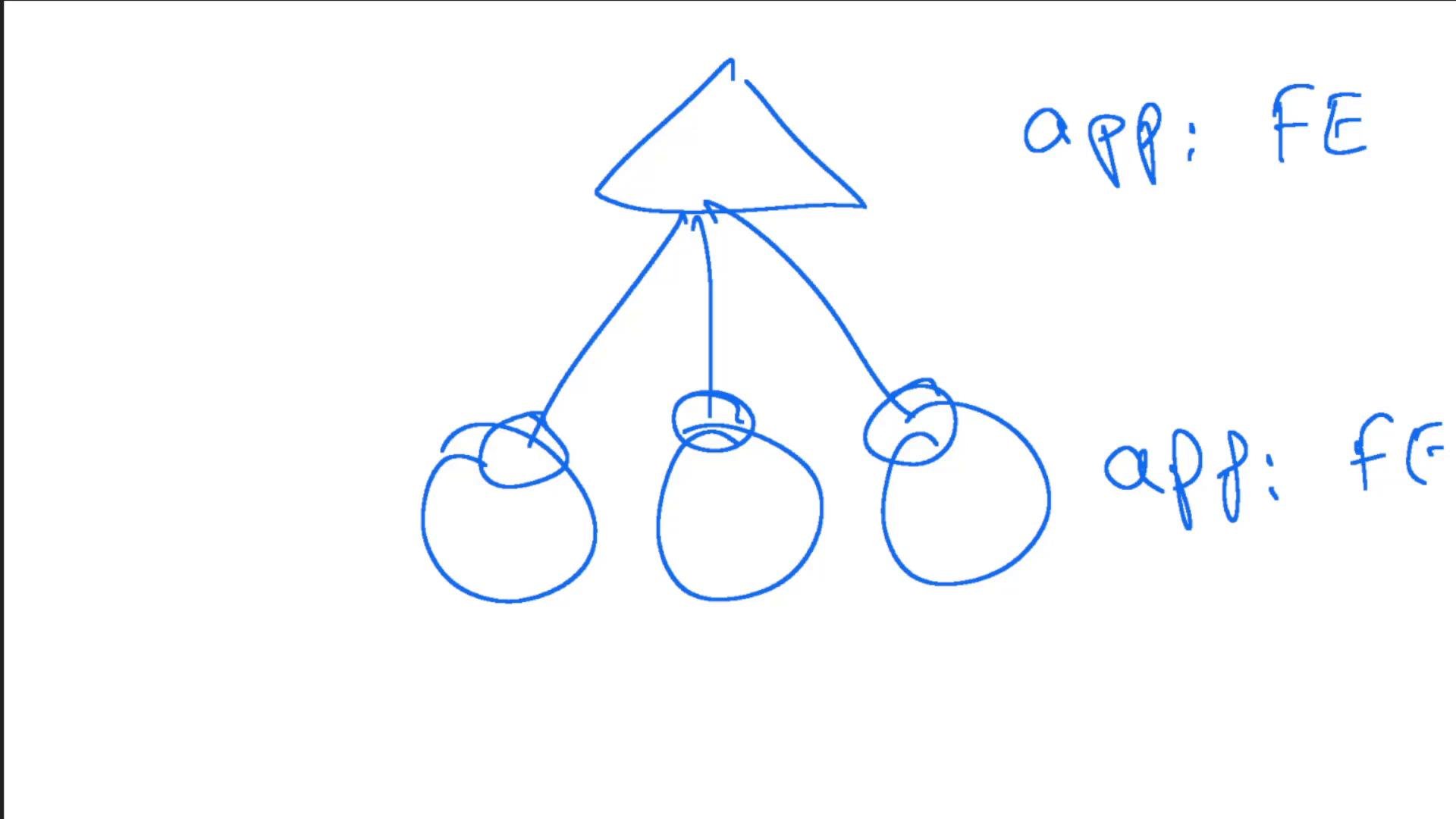
Endpoints list the actual Pod IPs and ports that a Service routes to; they are derived from Pod labels and the Service selector.
Deployments in the default namespace
List Deployments:simple-webapp-deployment.
To inspect which image the deployment uses, describe it:
kodekloud/simple-webapp:red.
Accessing the web app UI
The UI returned a “Bad Gateway” error initially. Reason: the application Pods are running, but no Service exposes the app to the node network yet — so the UI is not reachable externally. To expose the app to nodes, create a NodePort Service. Use the provided template and save it (example:service-definition-1.yaml):
NodePort values must generally be within the default range
30000-32767 unless your cluster allows a different range. Choose nodePort carefully to avoid conflicts.Helpful kubectl imperative commands (generate YAML with dry-run)
Use these to generate manifests for inspection or editing:kubectl apply -f.
Quick reference
Links and references
This completes the Services lab solution.