

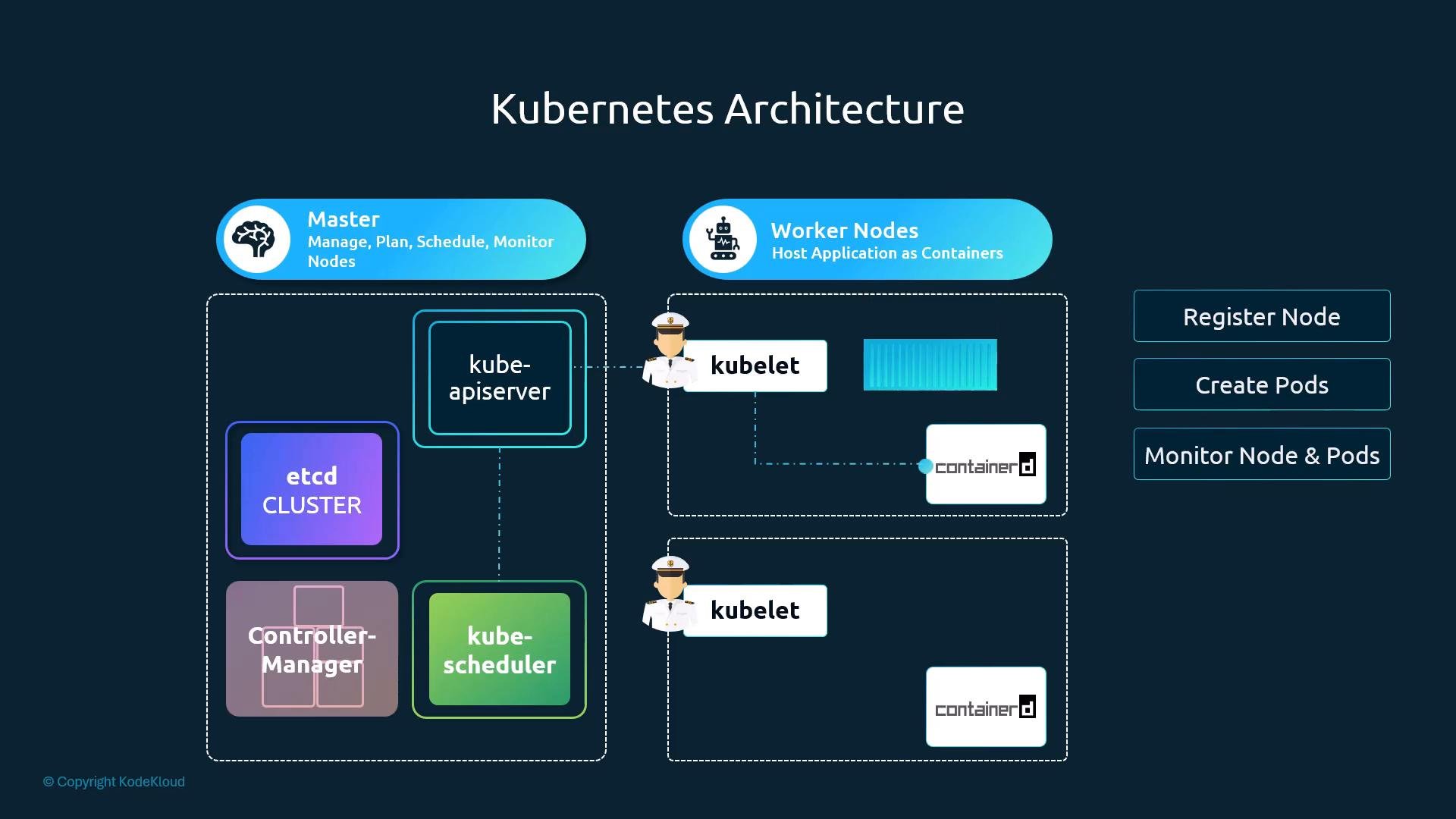
- Registering and reporting node status to the control plane
- Watching for PodSpecs and ensuring containers are running as described
- Interacting with the container runtime (containerd, Docker, CRI implementations)
- Performing liveness/readiness probe handling and pod lifecycle management
- Optionally bootstrapping TLS credentials for secure communication with the control plane
Installing the kubelet
If you deploy Kubernetes with kubeadm, be aware that kubeadm does not install the kubelet for you. Each node must have a supported container runtime and the kubelet installed and running before you usekubeadm to initialize or join a cluster.
kubeadm expects the kubelet and a supported container runtime to already be present on each node. It will not automatically install the kubelet.Verifying kubelet status
You can verify the kubelet using systemd, logs, or by inspecting the process:
Example verification commands:
Common kubelet flags
Configuration and TLS bootstrapping
Kubelet configuration can be provided via a static file (--config) or a dynamic config mechanism. Production clusters typically use TLS credentials for kubelet <-> API server communication. Kubelet supports certificate rotation and TLS bootstrap; refer to the Kubernetes docs for the recommended secure setup and certificate bootstrapping process.
Ensure kubelet and control plane component versions are compatible. Running mismatched versions or using unsupported flags can prevent nodes from joining the cluster.
References and further reading
- kubeadm setup tool documentation
- Kubelet configuration and command-line flags
- Kubelet TLS bootstrapping