

What is an operator?
An operator packages Kubernetes application knowledge — the human operational procedures required to install, upgrade, back up, and recover an application — into code that runs inside the cluster. Operators combine:- A CustomResourceDefinition (CRD) that declares a new Kubernetes API kind.
- One or more controllers that watch and reconcile instances of that CRD, implementing domain-specific logic.
- Provisioning and configuring application instances (create/update).
- Automated backups and restores.
- Upgrades and schema migrations.
- Failure detection and remediation.
- Exposing operational metrics and status.
Key concepts and mapping
Minimal operator example
Below is a compact example illustrating the three parts you typically see in an operator package: the CRD YAML, a simplified Go controller snippet, and the command used to deploy the operator manifest. CRD example:Example: etcd operator and higher-level behaviors
The etcd operator is a good real-world example: when installed it creates theetcdCluster CRD, allows CRs to request etcd clusters, and runs controllers to reconcile those CRs. Operators like this often include additional subcomponents or controllers for scheduled backups, restores, and other operational flows (commonly called backup and restore operators).
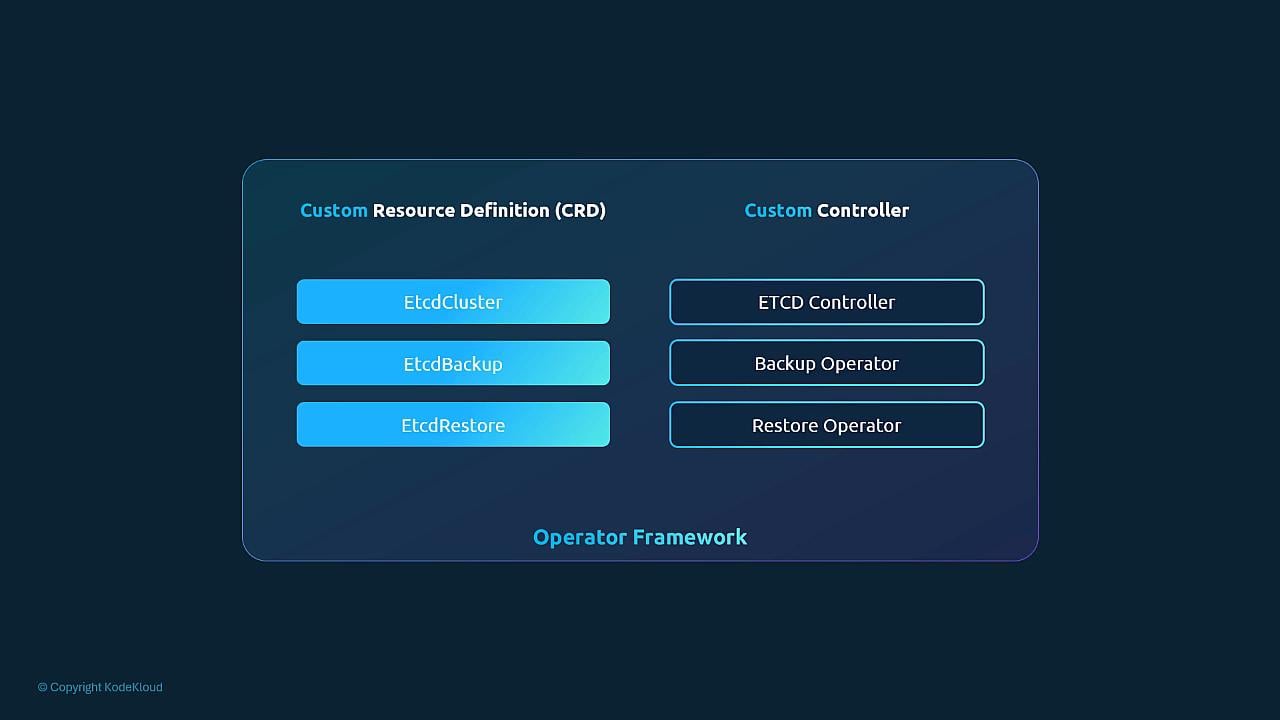
Deploying operators from OperatorHub
OperatorHub hosts many prebuilt operators. Typical high-level steps to deploy an operator from OperatorHub:
Example commands (install a specific OLM release and the etcd operator):
Operator responsibilities and implementation details vary by project. Some operators only manage lifecycle (install/upgrade), while others include complex operational logic like automated backups, restores, and recovery workflows. When evaluating an operator, review its CRDs, ClusterServiceVersion (CSV), and documentation for exact capabilities.
When operators matter for exams and practical use
For most Kubernetes certification objectives and fundamentals, focus on:- Understanding CRDs and how they extend the Kubernetes API.
- How controllers watch resources and reconcile desired state.
- How to deploy CRDs and controllers (manually or via an operator).
Links and references
- Operator Framework / OLM: https://operatorframework.io/
- OperatorHub: https://operatorhub.io/
- etcd: https://etcd.io/
- Kubernetes API and CRDs: https://kubernetes.io/docs/tasks/extend-kubernetes/custom-resources/custom-resource-definitions/
- Prometheus: https://prometheus.io/
- Grafana: https://grafana.com/
- Argo CD docs: https://argo-cd.readthedocs.io/en/stable/
- Istio: https://istio.io/