

- The Helm command-line utility runs on your local machine and performs Helm actions (install, upgrade, rollback, etc.).
- A Chart is a file tree that contains templates and metadata describing how to create a set of Kubernetes resources for an application.
- Applying a Chart to a cluster creates a Release — a single installation of an application using that Chart.
- Each Release has multiple Revisions. A Revision is a snapshot of a Release’s state; Helm creates a new Revision whenever you change a Release with Helm (for example,
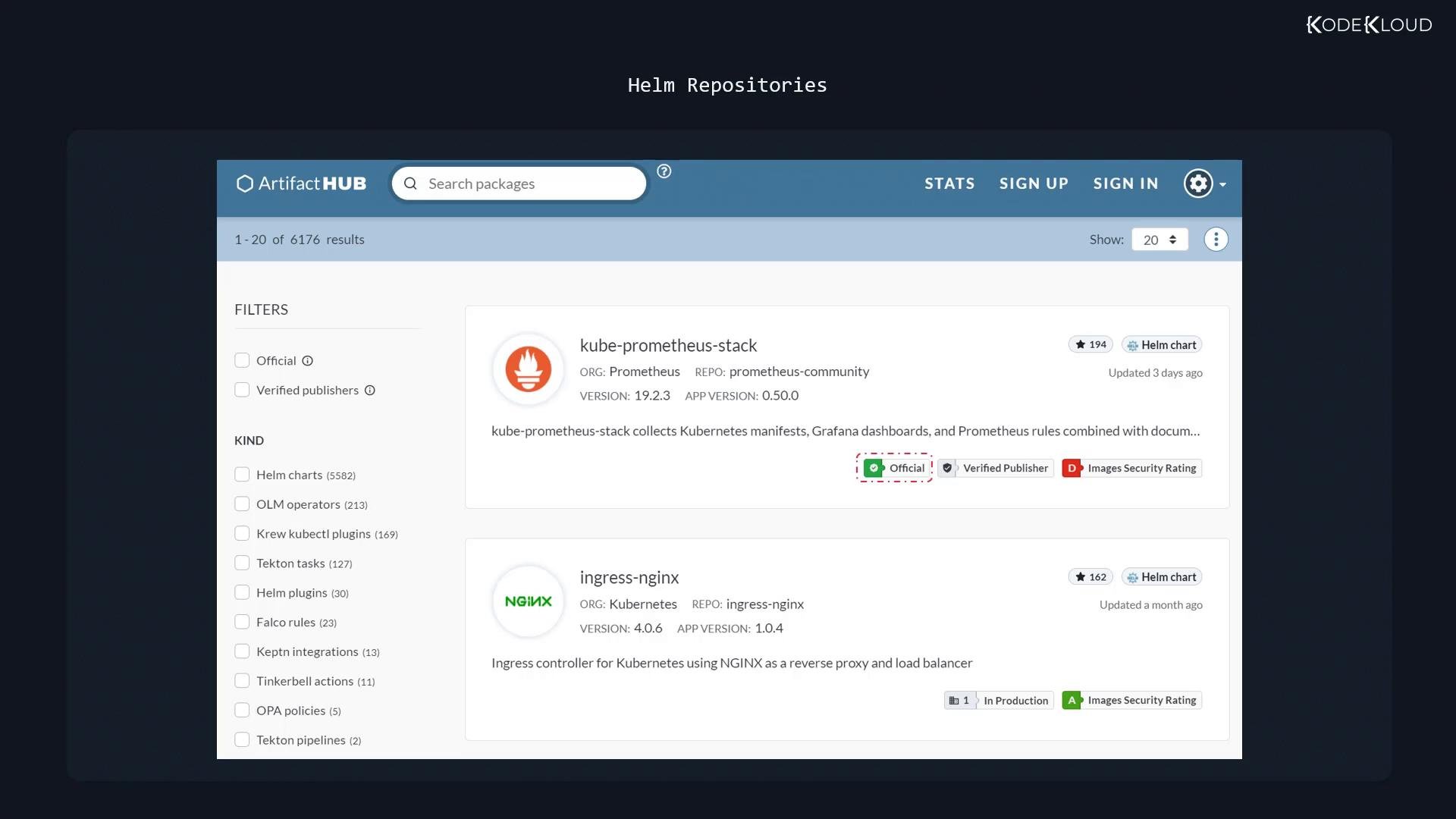
helm upgrade). - Charts are published in repositories (public or private) for discovery and reuse.
- Helm stores Release metadata inside the Kubernetes cluster — by default Helm 3 uses Kubernetes Secrets in the target namespace (it can also be configured to use ConfigMaps). Storing metadata in-cluster enables team members with cluster access to manage Releases without copying local state.
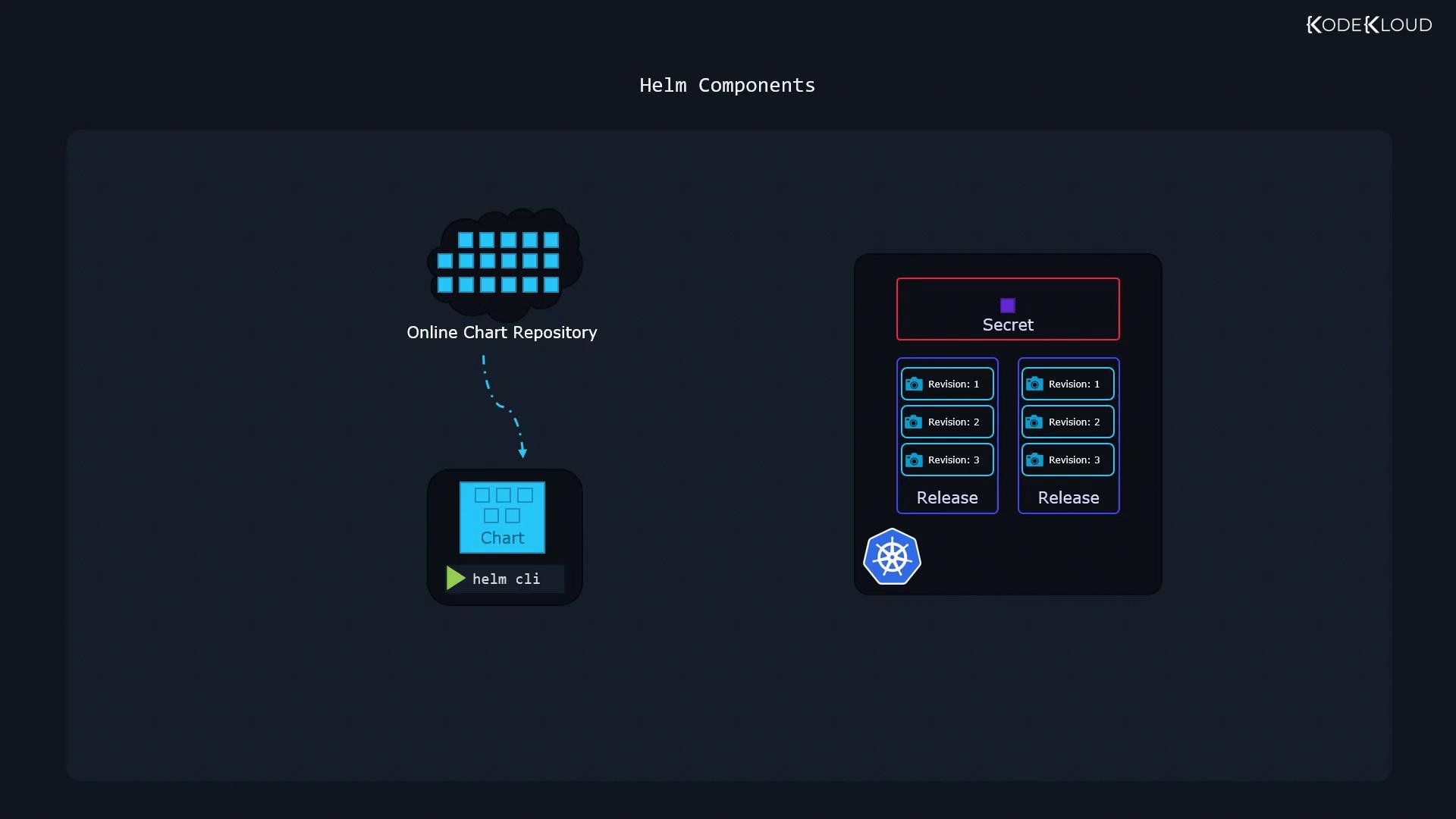
Helm stores its history (Releases and Revisions) in the cluster by default. This means anyone with appropriate namespace or cluster access can list and manage Releases for that namespace — Helm will always be able to determine the history and perform rollbacks using in-cluster metadata.
Charts and templating
A Helm chart is a file tree containing templates (YAML files with Go template placeholders) and a
values.yaml file that supplies configurable inputs for those templates. Most users consume existing charts and customize them by editing values.yaml or passing overrides with --values/--set rather than modifying templates directly.
Common patterns:
.Values— the values exposed to templates, populated fromvalues.yamland CLI overrides.includeand helper templates — to share logic and produce consistent names/labels.- Conditional logic (
if,with,range) — to render resources only when required.
values.yaml:
values.yaml or use helm install --set/--values to change behavior without touching the chart templates.
Advanced templating patterns
Larger charts (WordPress, Prometheus, Redis) use helpers and conditional rendering. This example demonstrates typical patterns like include, nindent, and conditional blocks:
my-site) has its own Revision history, enabling safe rollbacks and auditability.
Important: Helm only creates new Revisions when you modify a Release using Helm commands (for example
helm upgrade). Changes made directly with kubectl (like scaling a Deployment) do not create Helm Revisions and will not be tracked in the Helm Release history.- Search for popular charts (Redis, NGINX, WordPress, Prometheus).
- Inspect chart versions, publisher metadata, and security/verification badges.
- Find installation instructions and values examples.
- Installing charts from repositories
- Customizing charts with
values.yaml,--values, and--set - Templating basics and common helper patterns
- Release lifecycle: install, upgrade, rollback, history
- Hands-on examples (Hello World and WordPress scenarios)
Chart.yaml and values.yaml of example charts, and try installing a simple chart to see Release and Revision behavior firsthand.