

- Admission controllers are plugins invoked by the API server after authentication and authorization but before an object is persisted.
- They can either mutate the incoming object (mutating admission controllers) or accept/deny the request (validating admission controllers). Some controllers perform both roles.
storageClassName when none is supplied.
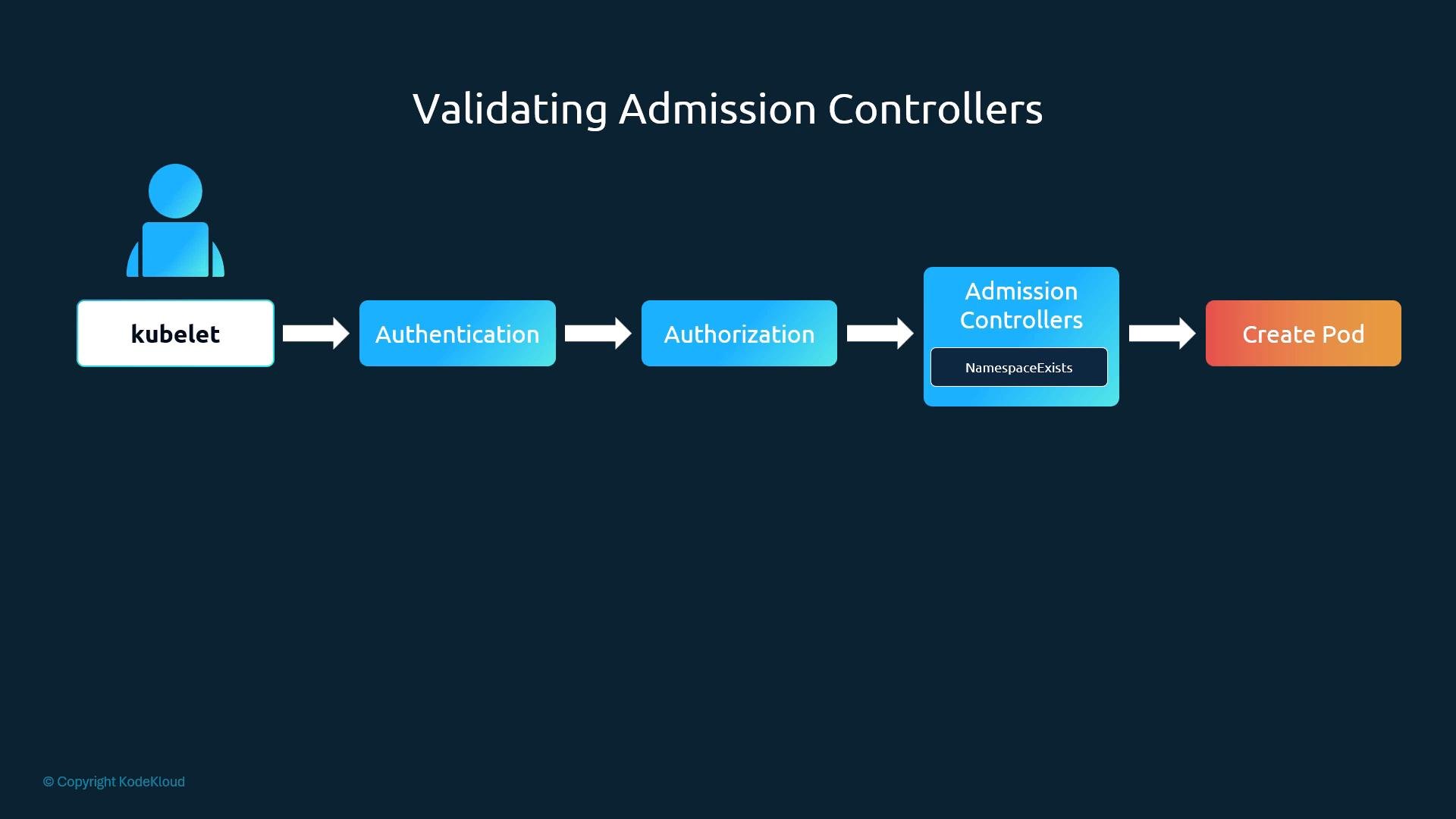
Important ordering note: mutating controllers are invoked before validating ones. For instance, a mutating controller that auto-provisions a namespace (NamespaceAutoProvision) must run before NamespaceExists; otherwise, NamespaceExists could reject the request for a non-existent namespace.
If any admission controller rejects a request, the API server returns an error and the request is not applied.
Webhook-based admission controllers
Kubernetes also supports webhook-based admission controllers to allow custom logic hosted as external services:
MutatingAdmissionWebhook— can modify the request using JSONPatch and return patches.ValidatingAdmissionWebhook— only allows or denies the request.
uid and an allowed boolean. For mutating webhooks, the response can include a base64-encoded JSONPatch and patchType: "JSONPatch".
AdmissionReview request (example)
allowed is false, you may include a status with a message explaining why the request was rejected.
Two main steps to add a webhook-based admission controller
- Deploy the admission webhook server (your logic).
- Register the webhook with the API server using a
MutatingWebhookConfigurationorValidatingWebhookConfigurationobject that points to your server.
- Language: You can write the webhook server in any language that can accept and return AdmissionReview JSON objects.
- Location: Host the webhook inside the cluster (Deployment + Service) or outside the cluster. If inside, the webhook registration can reference the in-cluster Service.
- TLS: The API server calls webhooks over TLS. The webhook server must serve TLS and the webhook configuration must include the CA bundle that signed the webhook server certificate.
admission/v1 types. It reads and decodes the AdmissionReview request, calls an admit function, and writes back a matching AdmissionReview response.
From an exam perspective, you are not expected to implement webhook servers. Understand the concepts and how admission webhooks are invoked, and that the webhook must accept and respond with AdmissionReview objects.
- In-cluster: deploy your webhook as a Deployment and expose it via a Service (for example,
webhook-service). - TLS: the webhook must present a certificate whose Common Name (CN) or SAN matches the Service DNS name. The
clientConfig.caBundlein the webhook configuration must contain the CA that signed the webhook server certificate (base64-encoded). - Out-of-cluster: register the external URL in the webhook configuration; TLS is still required.
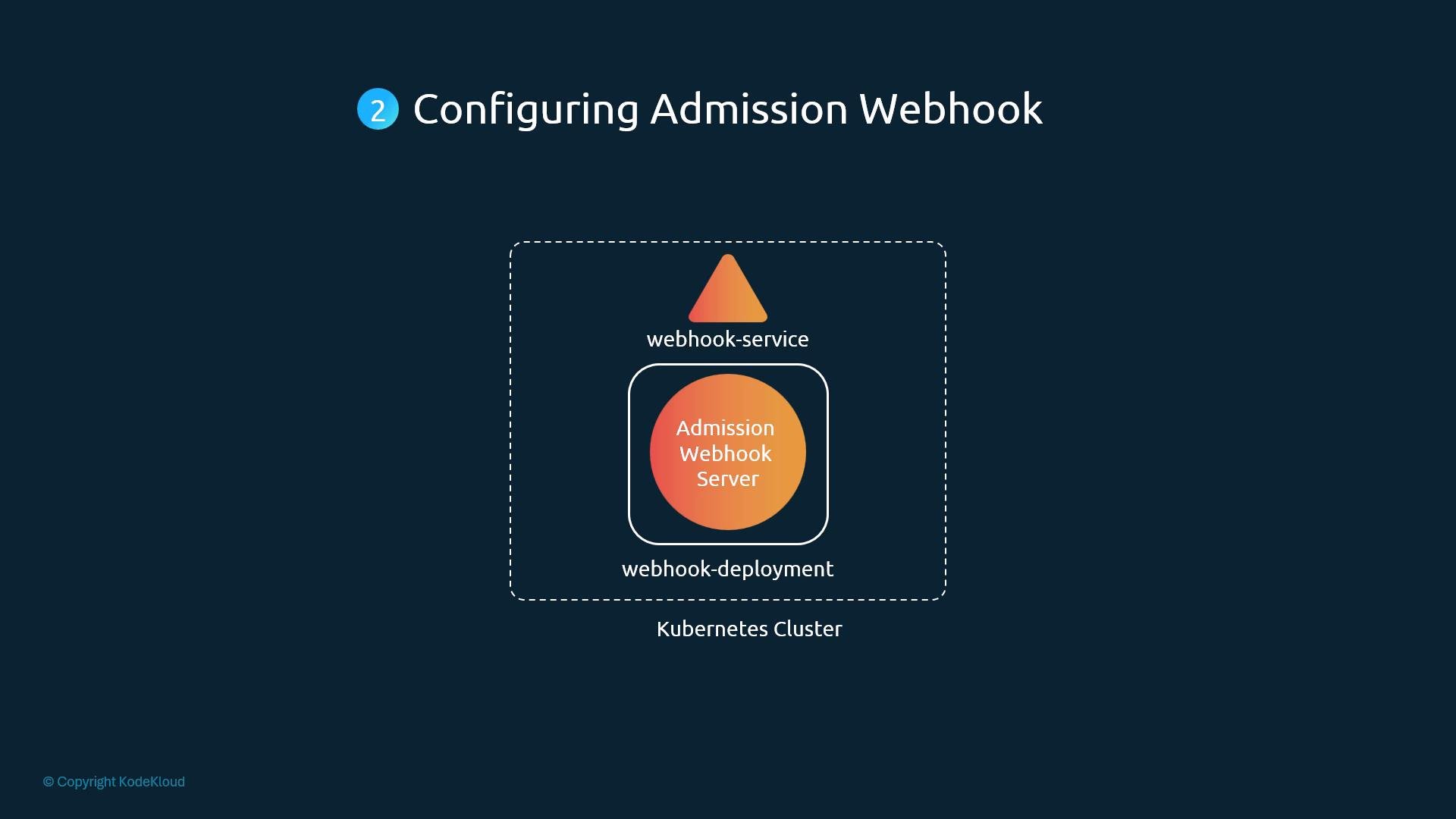
- Use
MutatingWebhookConfigurationfor mutating webhooks andValidatingWebhookConfigurationfor validators. - Each webhook entry contains:
name: unique webhook name.clientConfig: where the API server should call (Service or URL) andcaBundle.rules: which resources, API groups, versions, and operations the API server should send to the webhook.admissionReviewVersionsandsideEffectsindicating supported review versions and side-effect semantics.
Example ValidatingWebhookConfiguration
Replace the
caBundle value with your base64-encoded CA certificate.
TLS is required for webhook communication. Ensure the webhook server’s certificate matches the service DNS name and that the
caBundle in the webhook configuration contains the CA that signed that server certificate.- After creating the webhook configuration, the API server evaluates matching requests against the
rulesand sends AdmissionReview objects to the webhook. - Mutating webhooks may return patches; the API server applies them and then runs validators against the mutated object.
- Webhook responses control whether requests are admitted; failure to contact a webhook may cause requests to be denied depending on the
failurePolicy(if configured).
- Test webhooks in a dev cluster first. Use self-signed certs for experiments and ensure your webhook serves TLS.
- Log AdmissionReview requests and responses in your webhook to debug matching and patch application.
- Kubernetes Admission Controllers (Concepts)
- Admission webhooks | Kubernetes API reference
- k8s.io/api/admission/v1 Go types