

- A user sends an HTTP request to the web server (front end) on port 80.
- The web server calls the API server (back end) on port 5000.
- The API server queries the database on port 3306 and returns results back through the chain.
- Ingress — traffic arriving at the pod (for example, a user request to the web server).
- Egress — traffic that originates from the pod (for example, the web server calling the API).
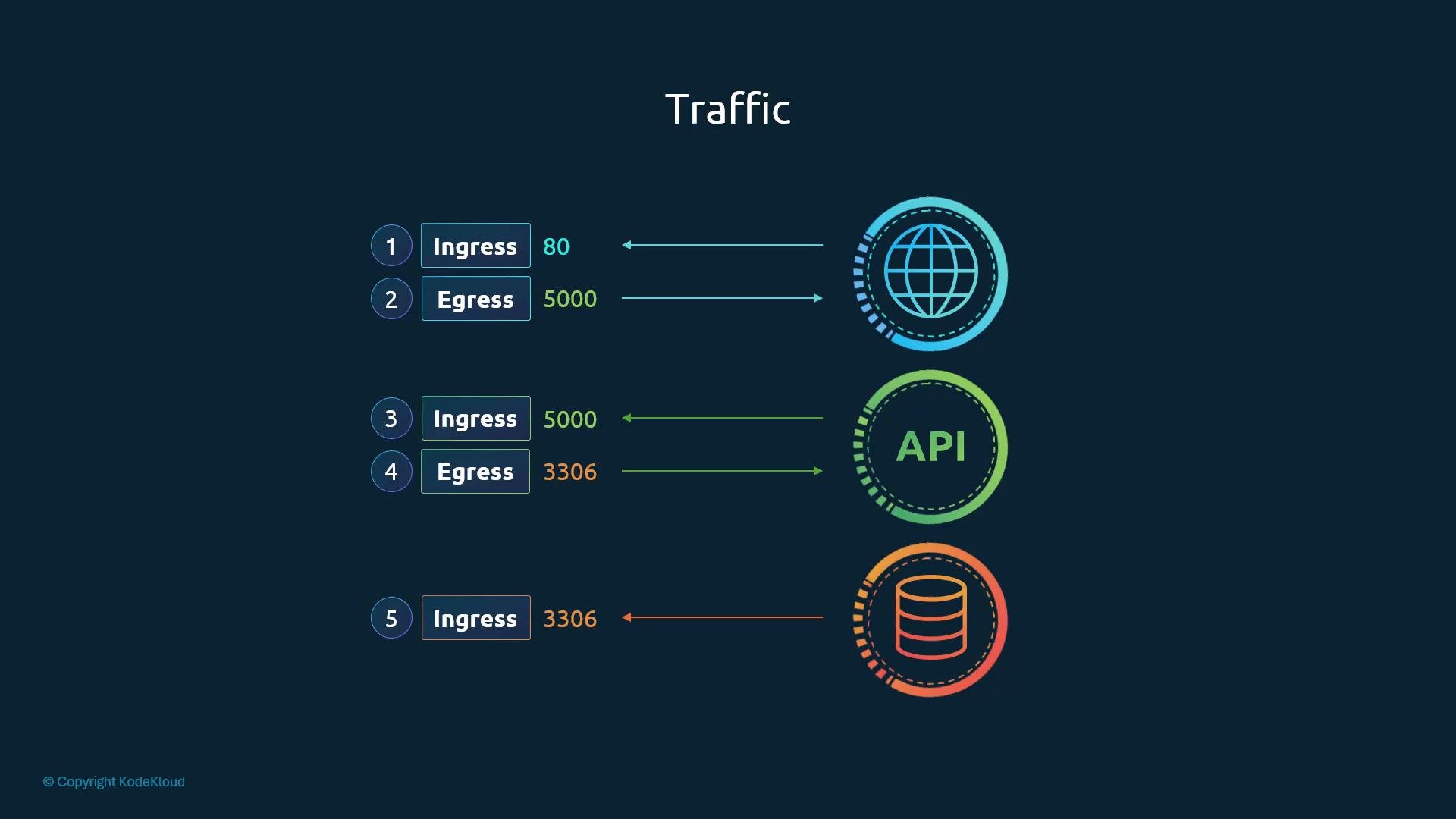
For this flow to work when using NetworkPolicies you must explicitly allow each of the above directions (ingress on the recipient, and egress on the origin) if you are locking down traffic.
Kubernetes cluster networking basics:
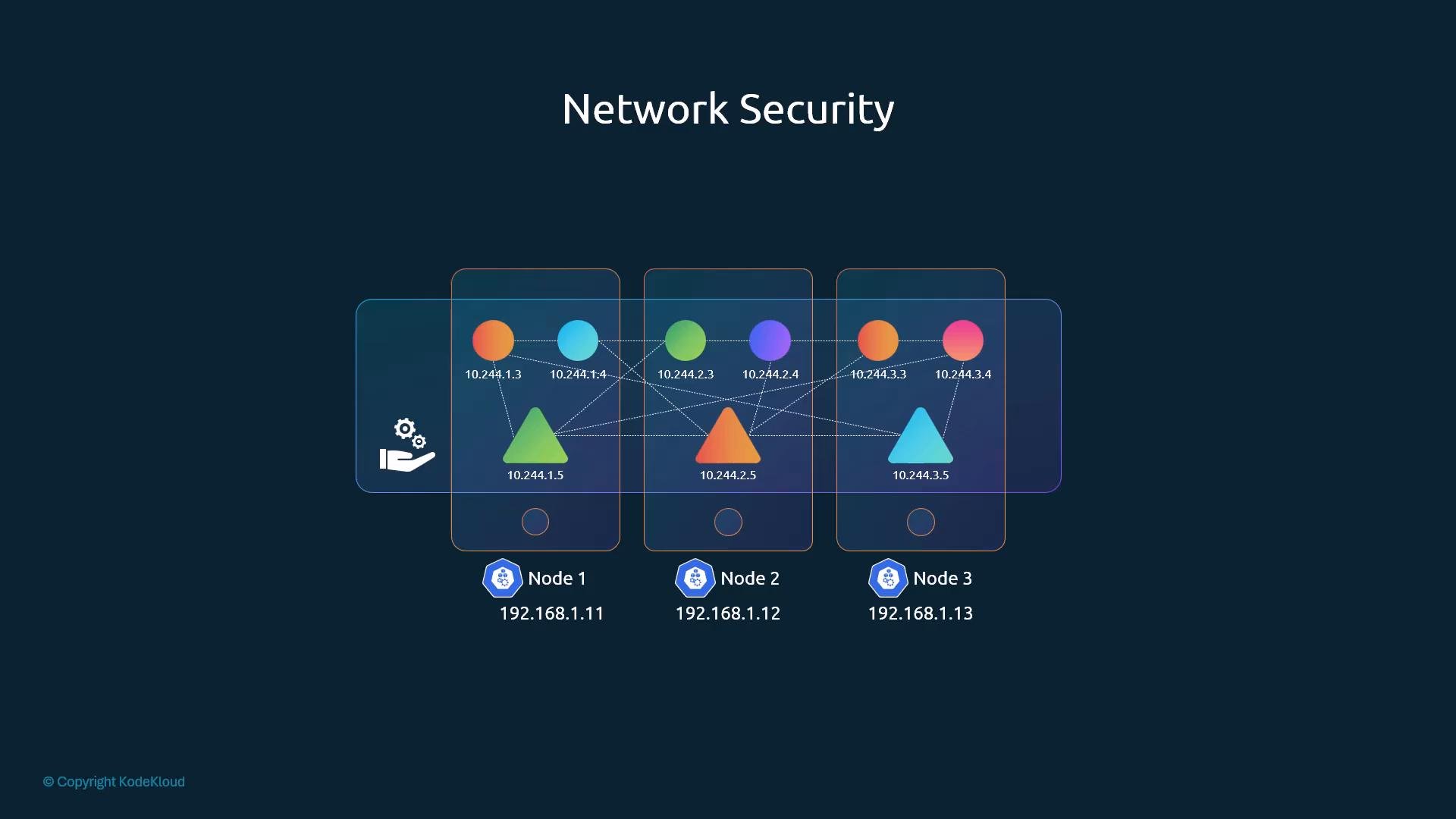
- Each node, pod, and Service has an IP address.
- The CNI (Container Network Interface) must enable pod-to-pod connectivity across nodes without manual routing.
- By default, Kubernetes permits all pod-to-pod and pod-to-Service traffic (an “all-allow” baseline). NetworkPolicy resources allow you to restrict that default.
- Enforce least privilege between workloads (for example, prevent frontend pods from talking directly to DB pods).
- Reduce attack surface by limiting which peers and ports can access a pod.
- Split trust boundaries between namespaces and services.
- Resource type:
NetworkPolicy(namespaced). - Targeting: uses
spec.podSelectorto pick which pods the policy applies to. - Policy types: set
spec.policyTypesto controlIngress,Egress, or both. - Rules: use
spec.ingressand/orspec.egressto define allowed sources/destinations and ports. - Peers: specify allowed peers by
podSelector,namespaceSelector, oripBlockwithin each rule.
- If a NetworkPolicy selects a pod and declares
Ingressrules, any ingress not explicitly allowed by that policy is denied (default deny for ingress). Egress remains unaffected unlessEgressrules exist or another policy controls egress for that pod. - Policies are additive: multiple policies selecting the same pod combine to form the union of allowed traffic.
- NetworkPolicy resources only express allowed traffic — they are allow-lists, not deny-lists.
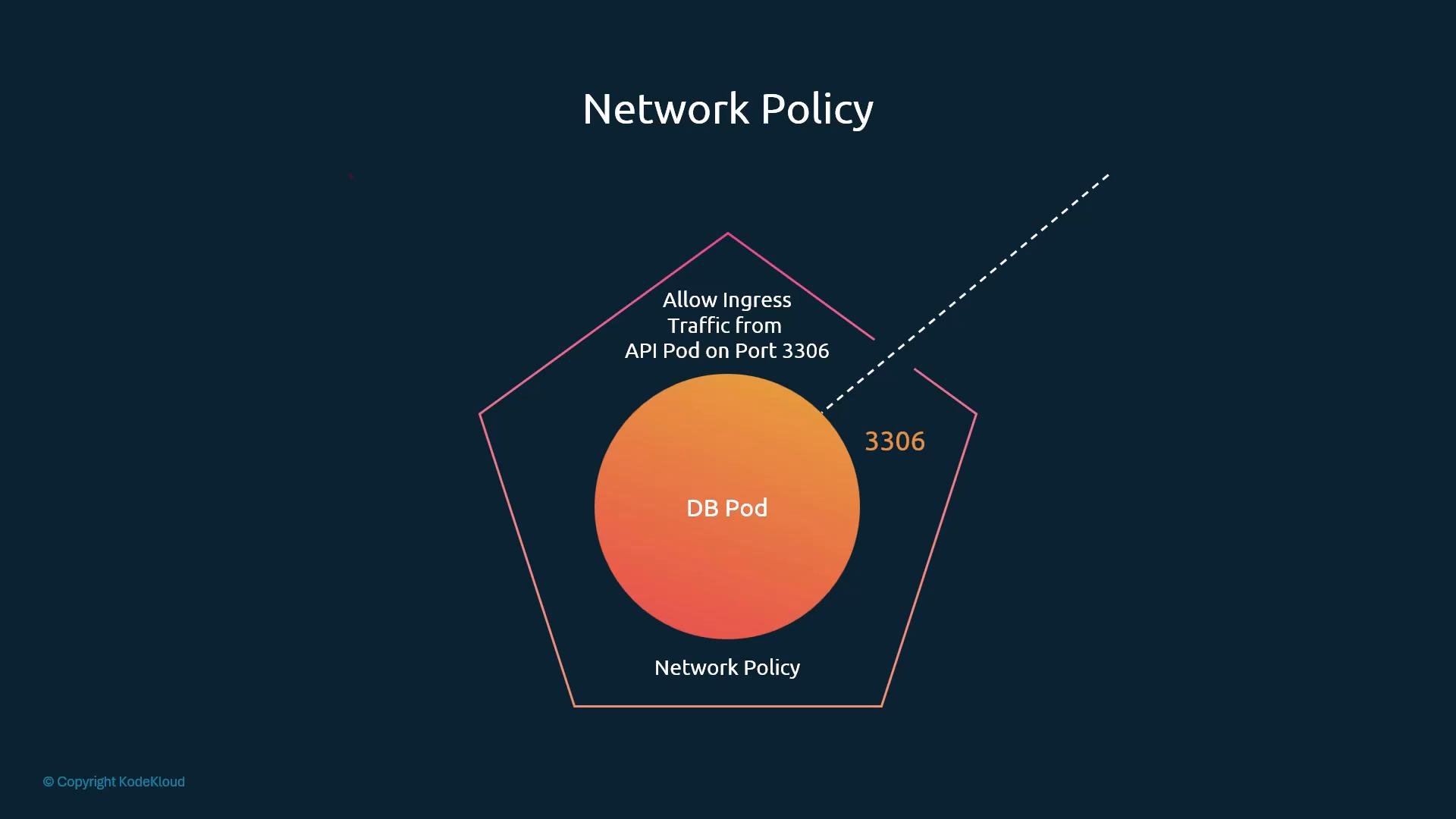
- Use pod labels to target pods (for example
role: dbfor database pods andname: api-podfor API pods). - Use
policyTypesto indicate which directions the policy governs.
NetworkPolicy YAML that allows only pods labeled name: api-pod to connect to pods labeled role: db on TCP port 3306:
db-policy.yaml) and apply it:
NetworkPolicies are enforced by the cluster CNI plugin. Creating a NetworkPolicy resource only defines desired rules — your CNI must implement enforcement for the policy to take effect.
Not every CNI supports NetworkPolicy enforcement. CNIs commonly supporting NetworkPolicy include Calico, Cilium, Kube-router, Romana, and Weave Net. A basic Flannel setup, for example, may not enforce NetworkPolicies. Always consult your CNI provider documentation for current support details.
CNI enforcement examples
Additional reminders
- NetworkPolicy objects are namespaced and affect only pods in their namespace unless you use
namespaceSelector. - You may create NetworkPolicy objects on clusters whose CNI does not enforce them; Kubernetes will accept the resources but no enforcement will occur. Always test connectivity after applying policies.
- Policies are additive: multiple policies can apply to the same pod and combine to form allowed traffic.
- Kubernetes NetworkPolicy docs: https://kubernetes.io/docs/concepts/services-networking/network-policies/
- Calico: https://docs.tigera.io/
- Cilium: https://cilium.io/
- Weave Net: https://www.weave.works/docs/net/latest/kubernetes/kube-addon/