

Core components at a glance
Start troubleshooting at the application Pod and work outward: Pod health → direct Pod connectivity → Service definition/endpoints → DNS → CNI → kube-proxy.
1) Check Pod health
A Service only sends traffic to Pods that are Ready. Begin by verifying the Pods backing the Service are Running and Ready. Example:READY 1/1— all containers are ready.STATUSshould beRunning.RESTARTS > 0— may indicate container instability.AGE— how long the Pod has been running.
2) Reach Pods directly (bypass the Service)
If Pods appear healthy, test direct connectivity to confirm the application is listening on the expected port. This removes the Service layer from the equation. Get Pod IPs:- If direct requests succeed, the app is serving traffic; investigate Service, kube-proxy, or DNS next.
- If direct requests fail, the issue is likely the application itself or Pod-level networking (CNI).
3) Validate Service definition and endpoints
A Service must select the correct Pods and mapport → targetPort correctly.
Inspect the Service:
ENDPOINTS column is empty:
- The Service selector is not matching any Pods — re-check Pod labels vs Service selector.
- The targeted port may be incorrect — ensure
targetPortmatches the container port.
4) CoreDNS (cluster DNS)
CoreDNS resolves service names to ClusterIPs and Pod names to IPs. DNS failures prevent services from being reachable by name. CoreDNS runs in thekube-system namespace and is exposed via the kube-dns Service. Key resources: CoreDNS Deployment, Corefile (ConfigMap), Service, and RBAC.
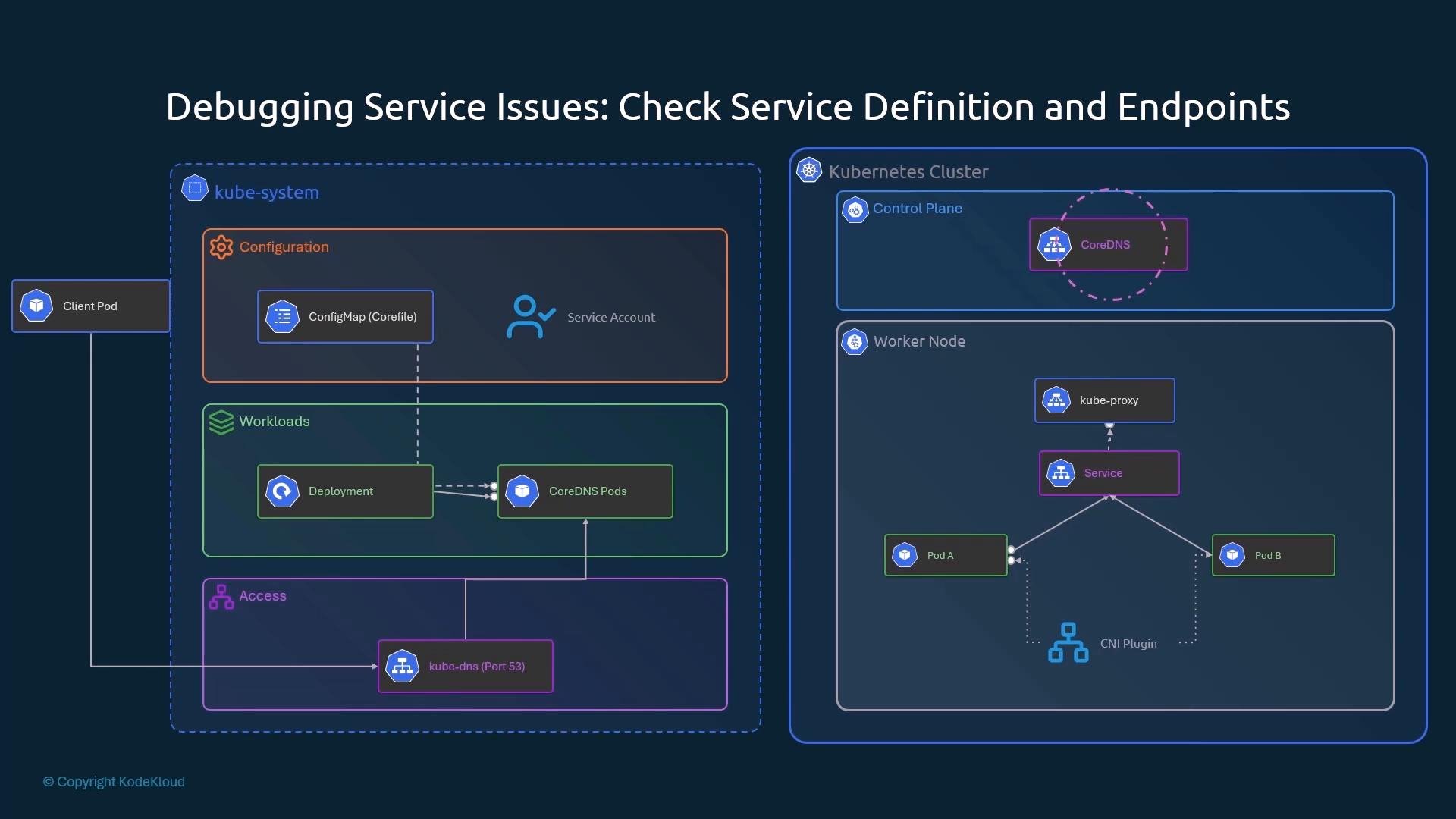
- Check CoreDNS Pod status:
PendingPods may indicate CNI issues.CrashLoopBackOff— inspect logs:
- Verify kube-dns endpoints (EndpointSlices):
- Inspect
/etc/resolv.confinside a Pod:
nameservershould be the kube-dns Service ClusterIP.searchmanages short-name resolution.ndotsinfluences how unqualified names are searched.
- Test DNS resolution from a Pod:
5) CNI plugins
CNI plugins assign Pod IPs and set up Pod-to-Pod networking. A broken or misconfigured CNI commonly results in Pods stuck inPending, or Pods running but lacking network connectivity.
Popular CNIs:
- Flannel — simple overlay (no default NetworkPolicy enforcement). Install example:
- Calico — supports NetworkPolicy, can run with or without overlay. Install by applying the Calico manifest from the project.
If multiple CNI config files exist, remove or rename the unwanted ones so the intended plugin is the alphabetically first file.
- Ensure the CNI DaemonSet Pods are Running (namespace depends on plugin, e.g.,
kube-flannel,calico-system). - Check the CNI Pods’ logs for allocation errors.
- If Pods remain
Pending, inspect kubelet logs and CNI plugin logs for network allocation failures.
6) kube-proxy
kube-proxy runs on every node and programs packet-forwarding rules (iptables or IPVS) so Services reach Pod backends. It watches Services and Endpoints and keeps the node’s rules in sync.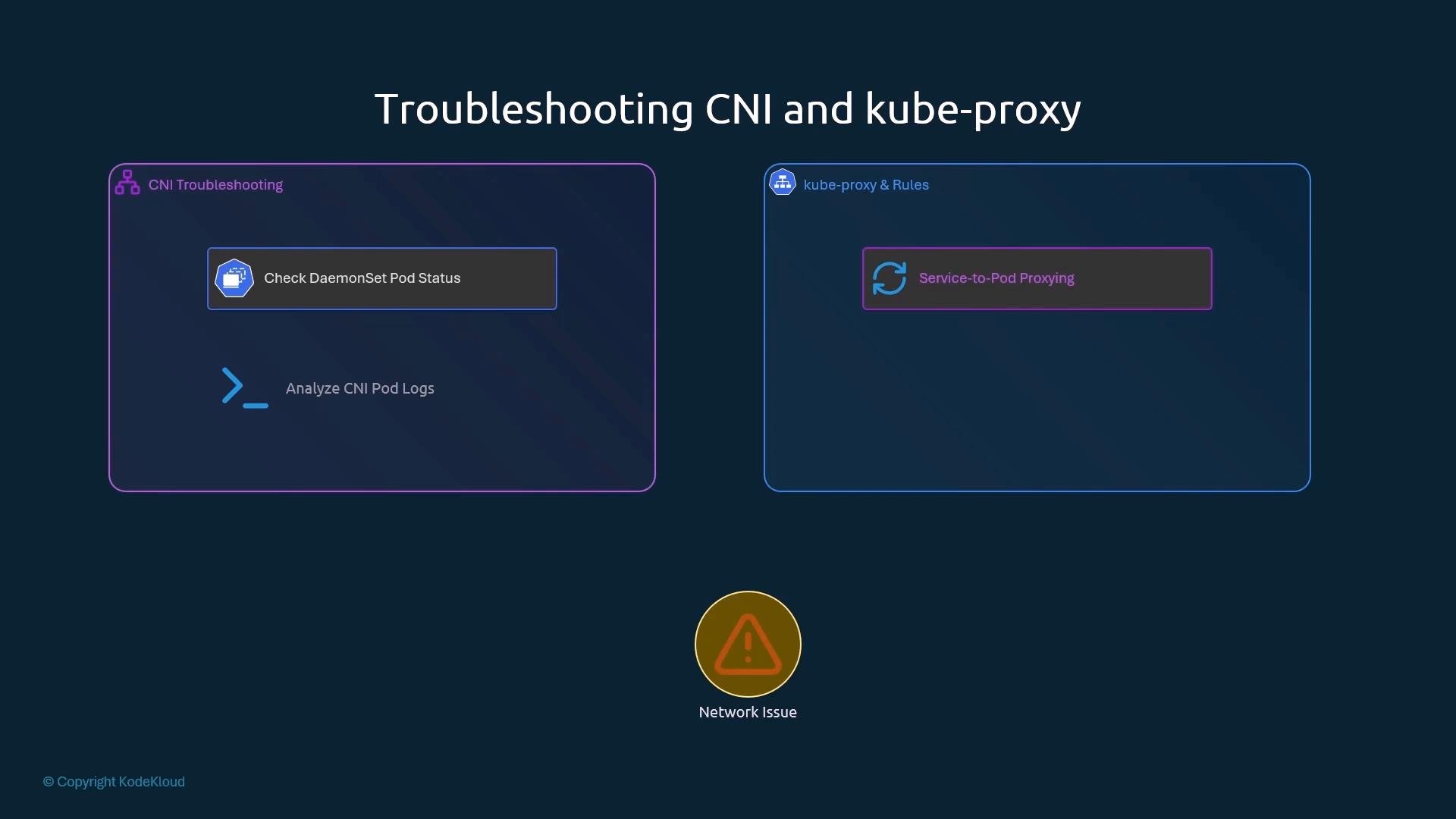
- Check kube-proxy Pods:
- Inspect kube-proxy logs:
- Check kube-proxy configuration:
- Verify rules on the node:
- For
iptablesmode: SSH to the node and inspect iptables rules. - For
ipvsmode: useipvsadm -Lnto list IPVS virtual servers and destinations to confirm that Service VIPs map to Pod backends.
Recap — recommended troubleshooting sequence
- Pod health:
kubectl get pods→ logs and describe if unhealthy. - Direct Pod reachability: curl/wget Pod IPs from a debug Pod.
- Service validation: verify Service YAML (
selector,port,targetPort). Check EndpointSlices/Endpoints. - DNS: check CoreDNS Pods, Corefile, Service, and test resolution from a Pod.
- CNI: ensure CNI DaemonSet Pods are running and logs show successful Pod IP allocation.
- kube-proxy: check Pod status, logs, ConfigMap, and node-level iptables/IPVS rules.