

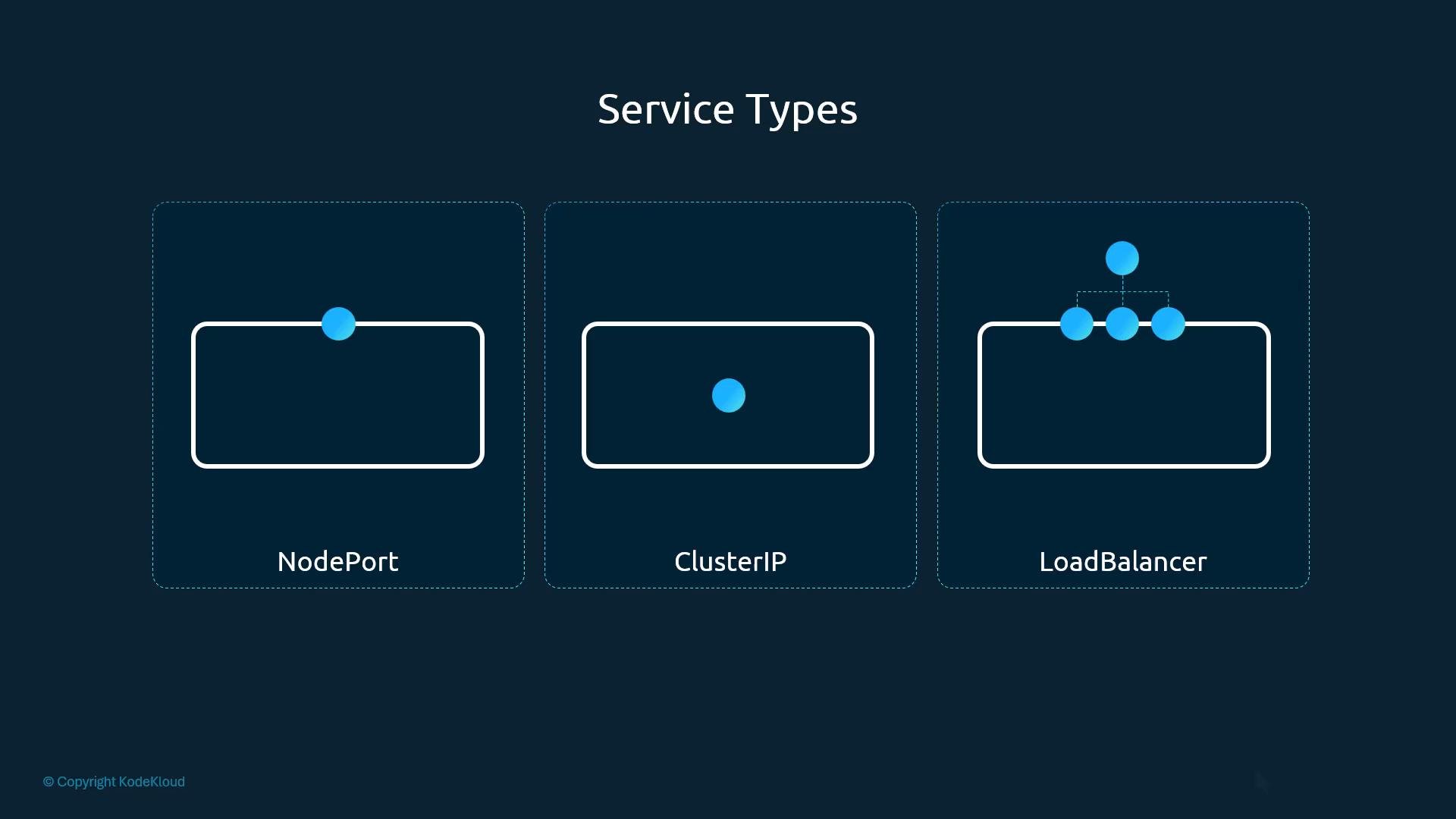
- Expose a front-end application to end users.
- Let front-end Pods communicate with back-end Pods.
- Provide access to external data sources or users.
- Distribute load across multiple Pod instances.
- front-end Pods serving user traffic,
- back-end Pods handling business logic,
- Pods connecting to external data sources.
- Kubernetes node IP:
192.168.1.2 - Your laptop IP:
192.168.1.10 - Pod network range:
10.244.0.0/16 - Pod IP:
10.244.0.2
10.244.0.2 directly from your laptop:
NodePort explained
NodePort maps a port on each node to a Service port; the Service then forwards to Pod
targetPort. Conceptually there are three ports involved:
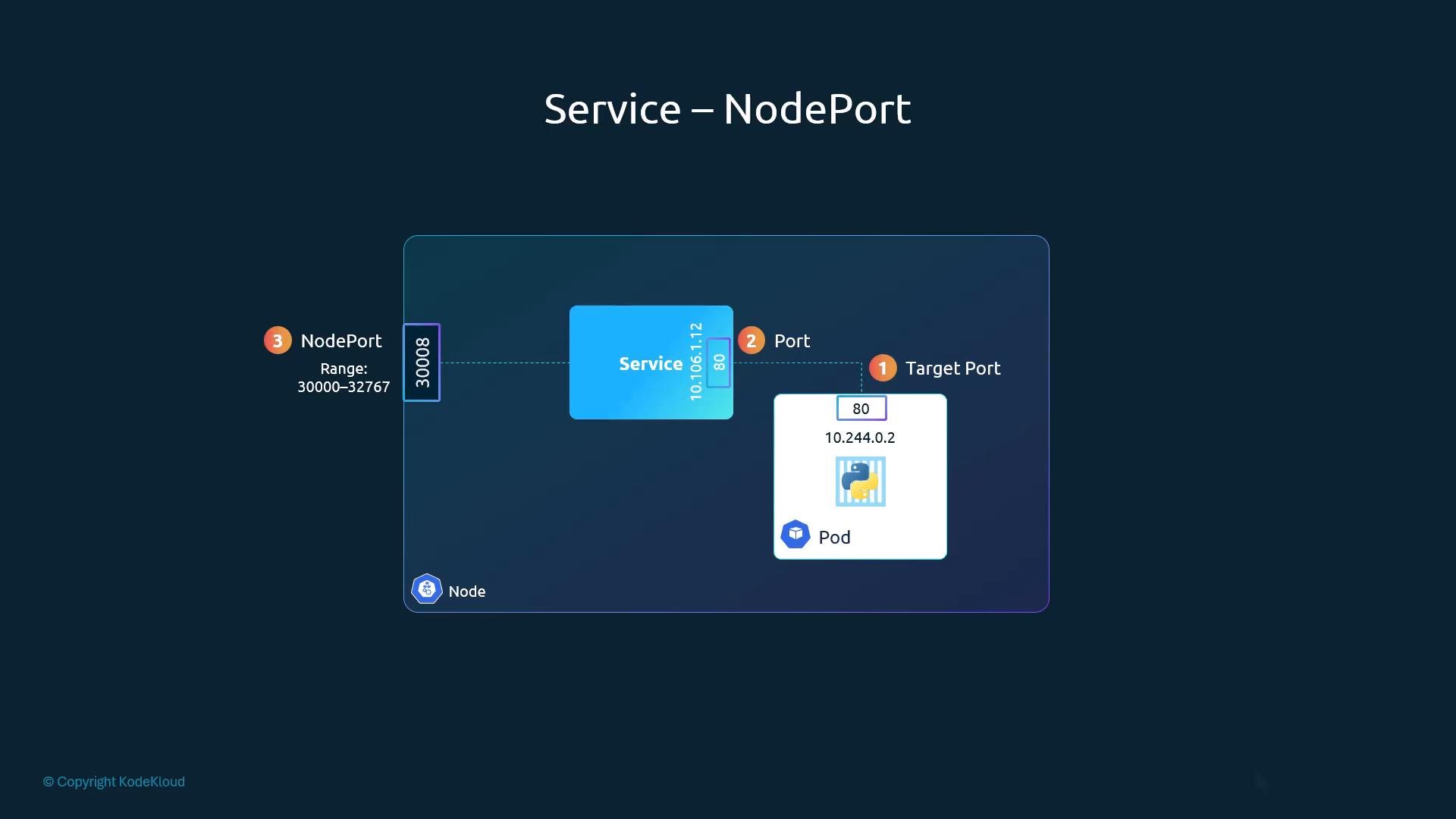
portsin a Service manifest is an array; each element must includeport.- If
targetPortis omitted, it defaults to the same value asport. - If
nodePortis omitted, Kubernetes will allocate a free port in the NodePort range.
If you omit
targetPort, it defaults to the port value. If you omit nodePort, Kubernetes assigns a free port from the configured NodePort range (default 30000–32767).Exposing NodePorts opens a port on every cluster node. For production workloads, prefer
LoadBalancer (cloud) or an Ingress controller with proper TLS, authentication, and firewall rules. NodePort can be acceptable for on-prem or debug scenarios.80 on the Service, maps to container targetPort 80, and selects Pods using the labels app: myapp and type: front-end. It explicitly sets nodePort: 30008.
- Apply the Service manifest:
- List Services and confirm the
NodePortmapping:
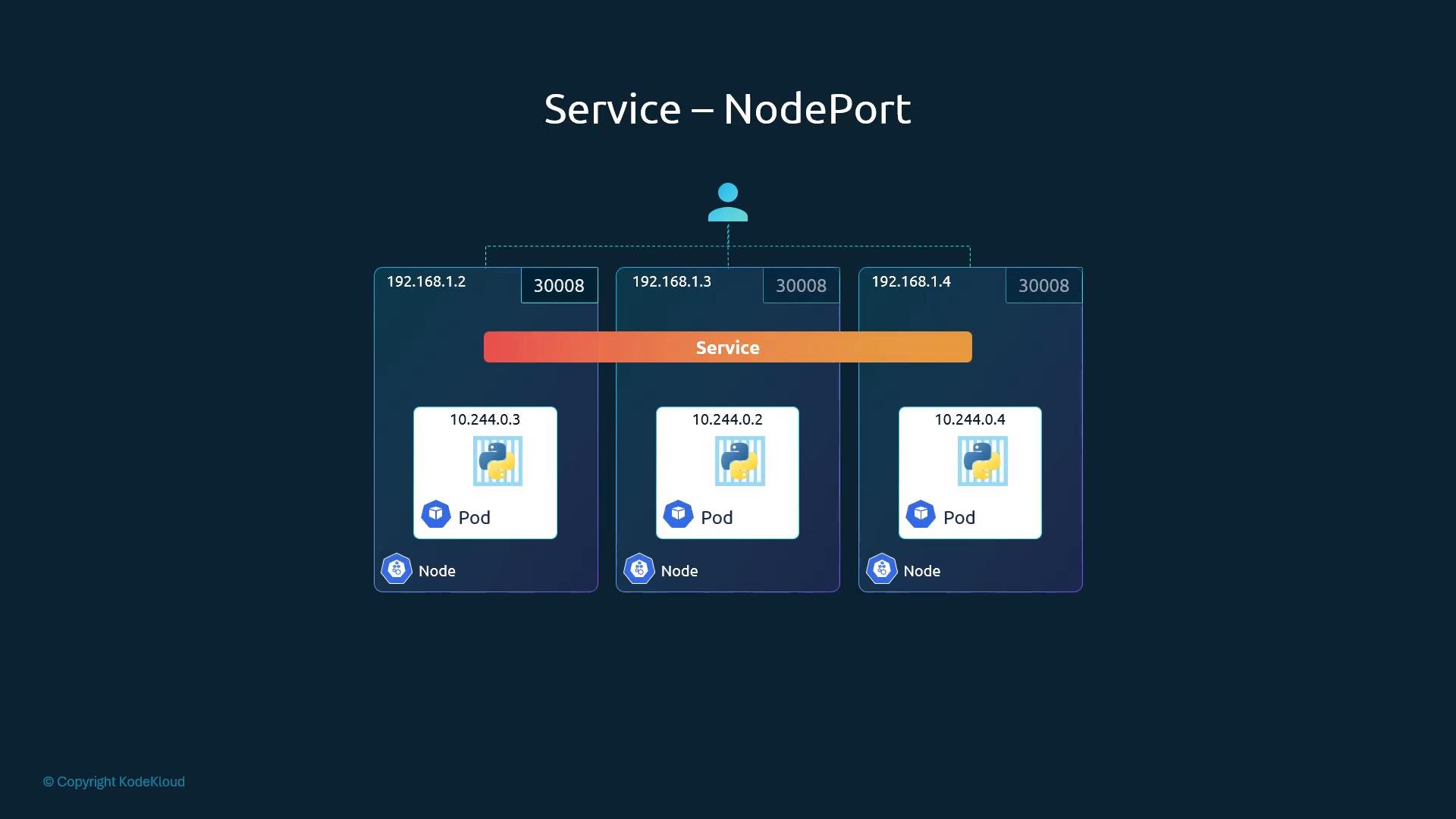
- From any client on the same network, curl the node IP and the NodePort:
app: myapp), the Service routes traffic to all matching Pods.
Kubernetes performs load distribution via kube-proxy. Distribution specifics depend on the kube-proxy mode:
iptablesmode uses probabilistic selection across endpoints.ipvsmode supports round-robin and other algorithms.
- Services provide stable networking for Pods and decouple clients from Pod lifecycles.
NodePortexposes a Service on a static port on every node (default range30000–32767) and mapsnodePort → service port → targetPort.- Use label selectors to connect Services to Pods; when multiple Pods match, the Service distributes traffic across them automatically.
- Prefer
ClusterIPfor internal services andLoadBalancer(or Ingress) for production external access on cloud platforms. - Secure NodePorts with firewall rules, network policies, or by using Ingress/LoadBalancer front-ends in production.
- Kubernetes Services documentation
- kube-proxy modes and behavior
- Exposing an application using a NodePort