

ctr, crictl, and nerdctl — which can be confusing. This article clarifies the history, key differences, and when to use each tool.
Early history and the rise of CRI
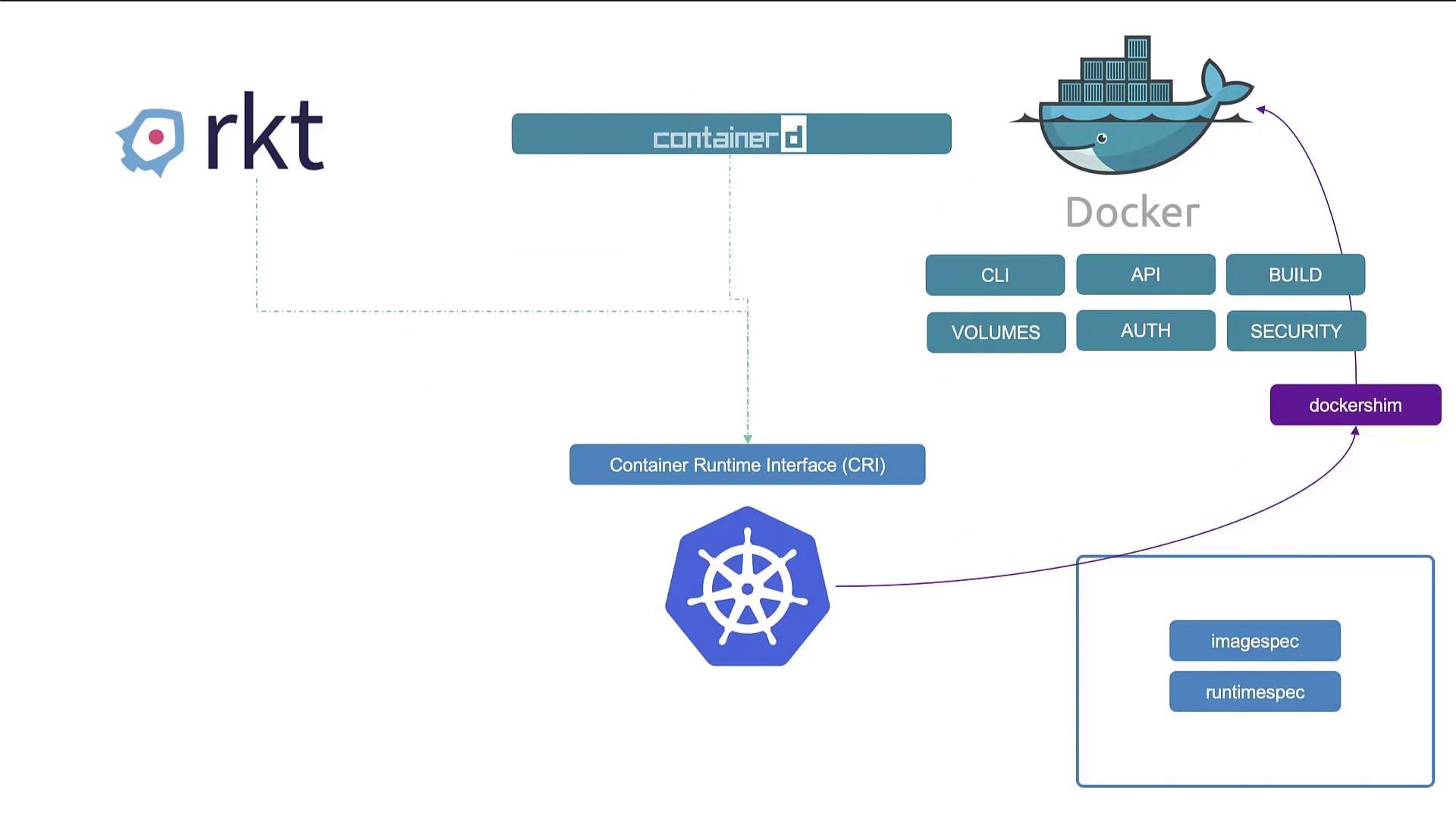
- Docker (and a few alternatives like rkt) dominated early container adoption because Docker’s developer experience made containers easy to use.
- Kubernetes was originally designed to orchestrate Docker, so the two were tightly coupled.
- As Kubernetes evolved, the need to support multiple runtimes led to the Container Runtime Interface (CRI), allowing any CRI-compatible runtime to integrate with Kubernetes.
OCI (Open Container Initiative)
OCI defines two specifications that matter for runtime compatibility:- Image spec — how container images are built and stored.
- Runtime spec — how a container runtime should behave.
Dockershim and the decoupling
- Docker predates CRI and was not originally built to implement it.
- Kubernetes implemented dockershim — a compatibility layer — to keep supporting Docker while CRI was adopted.
- Maintaining dockershim eventually became unnecessary overhead; Kubernetes removed dockershim in v1.24 and dropped direct support for Docker Engine as a node runtime.
- Crucially: images built with Docker remain compatible because Docker follows the OCI image spec. Those images still run on CRI-compliant runtimes such as containerd.
What is containerd?
containerdbegan inside Docker but is now a standalone, graduated CNCF project.- It implements container lifecycle operations and is CRI-compatible, so Kubernetes can use it directly without Docker.
- Install
containerdif you do not need Docker’s higher-level features (CLI, build tooling, volume/auth management, etc.).
ctr — containerd’s low-level CLI
ctris a low-level CLI bundled with containerd.- It’s primarily for debugging and low-level interactions; it exposes a narrower feature set than Docker.
- For routine tasks,
ctris less user-friendly than higher-level tooling.
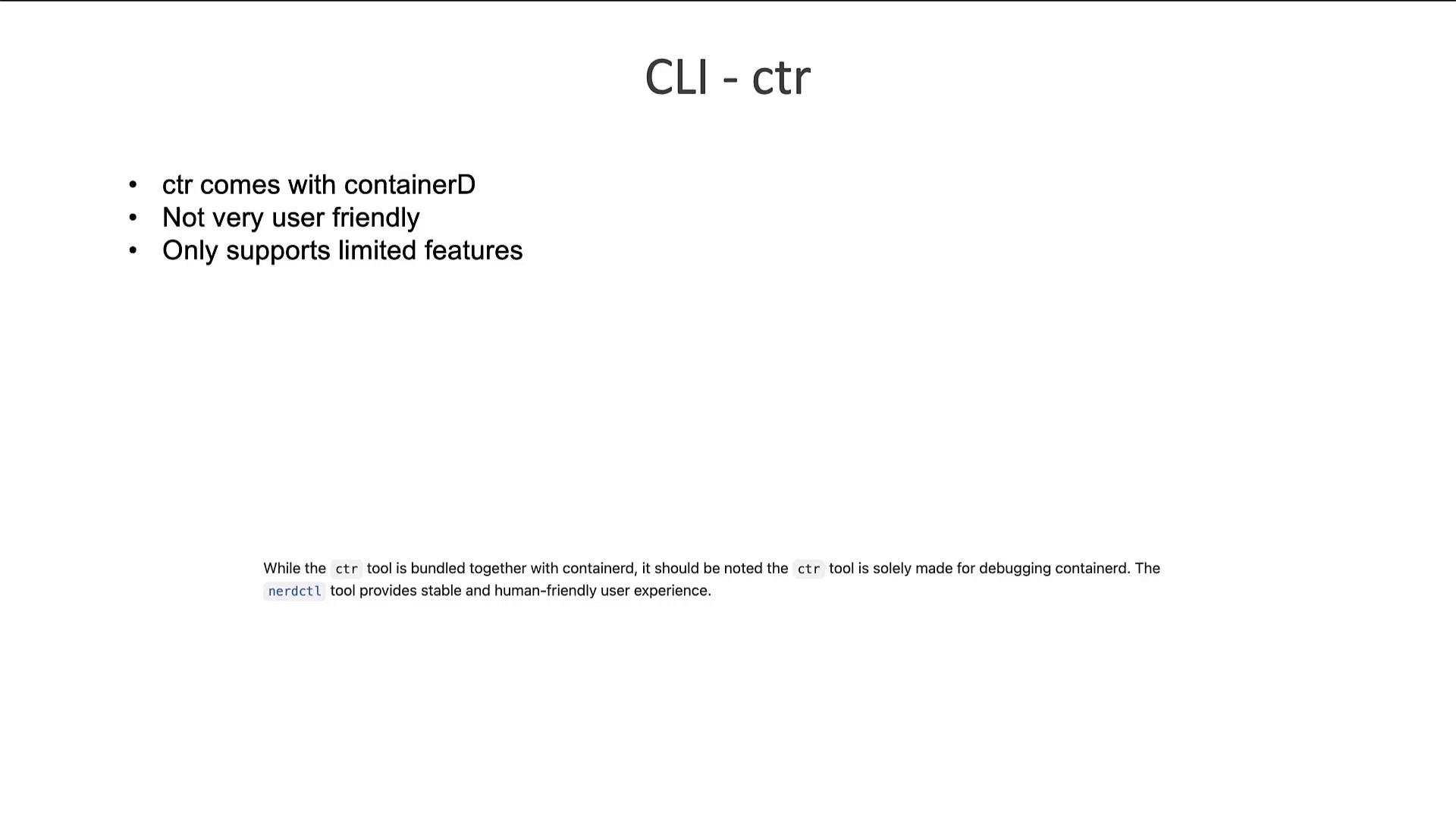
ctr is intended for debugging and internal use. It is not recommended for general-purpose container management in production environments.nerdctl — a Docker-like CLI for containerd
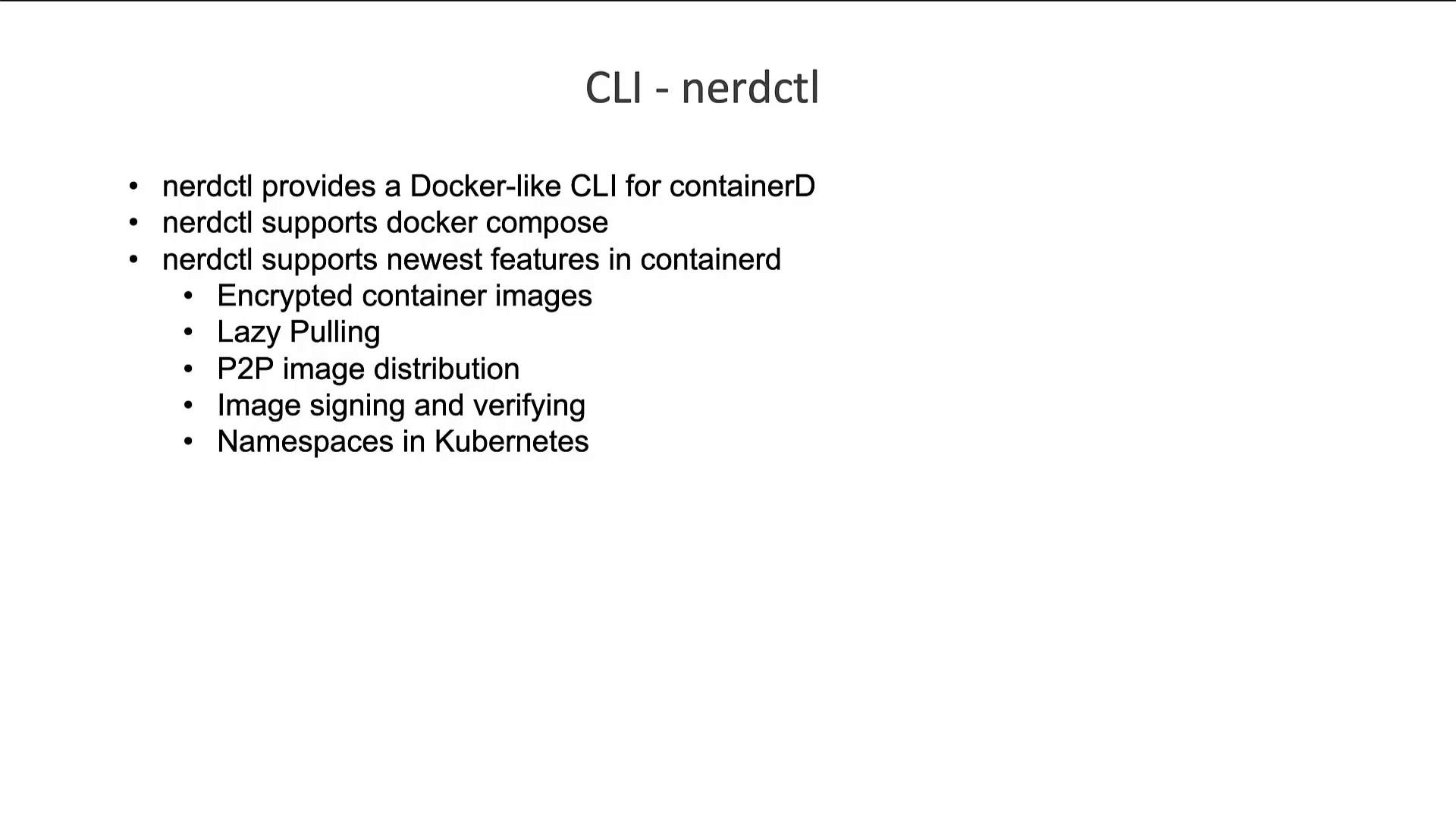
nerdctlprovides a Docker-compatible CLI that talks to containerd.- It supports many Docker commands (including
docker-composein some setups) and adds modern features: encrypted images, lazy-pulling, P2P distribution, image signing/verifying, and Kubernetes namespaces. - For many workflows, replacing
dockerwithnerdctlis straightforward.
crictl — CLI for CRI-compatible runtimes
crictlis a kubelet-aware debugging and inspection tool maintained by the Kubernetes community.- It talks to the CRI endpoint and works across CRI-compatible runtimes (containerd, CRI-O, etc.).
- Use
crictlfor inspecting or troubleshooting CRI-managed containers and pods; it’s not intended for general container lifecycle management outside Kubernetes because kubelet reconciles Pod state.
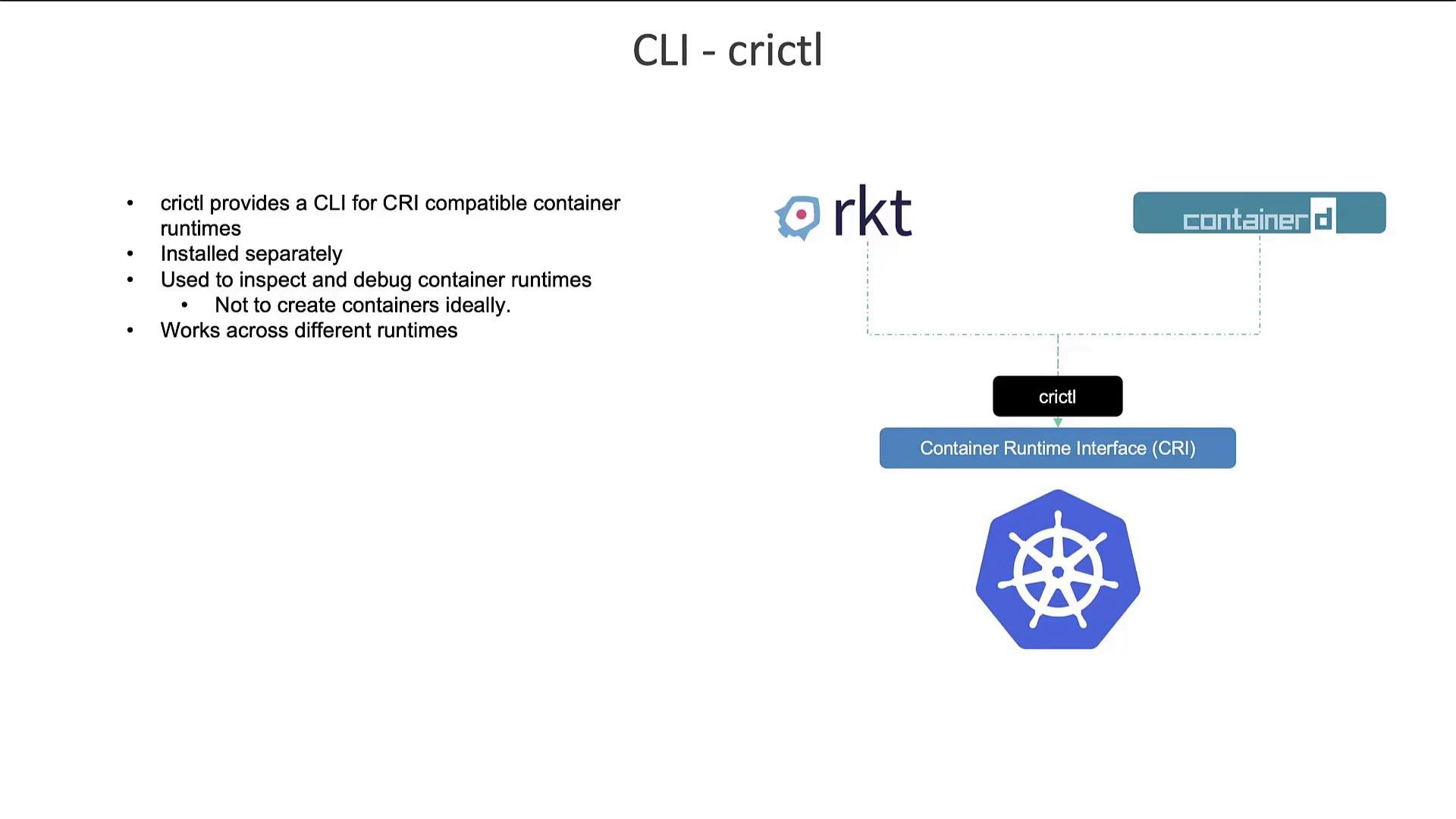
crictl is kubelet-aware — containers created by crictl outside of a Pod may be removed by kubelet because kubelet reconciles the node state to match the Pods it manages.
Comparing Docker CLI and crictl
Manydocker commands have equivalent crictl commands, but some options are unsupported or behave differently. Use crictl primarily for debugging and inspection.
For a complete mapping and up-to-date differences, see the Kubernetes reference:
crictl runtime endpoints and the Kubernetes 1.24 change
Prior to Kubernetes v1.24, many clusters relied on dockershim and default CRI socket endpoints such as:unix:///var/run/dockershim.sockunix:///run/containerd/containerd.sockunix:///run/crio/crio.sockunix:///var/run/cri-dockerd.sock
cri-dockerd and associated endpoints changed. You should explicitly set the CRI endpoint for crictl when needed.
Setting the runtime endpoint
Summary and recommendations
ctr: low-level containerd CLI for debugging. Use for deep troubleshooting of containerd internals.nerdctl: Docker-compatible CLI for everyday container management on containerd. Best choice for replacing Docker CLI workflows.crictl: Kubernetes community tool for inspecting and debugging CRI-compatible runtimes; kubelet-aware and intended for diagnostics.containerd: a CRI-compatible runtime (formerly part of Docker, now a graduated CNCF project). Docker Engine is no longer a supported runtime in Kubernetes since v1.24, but Docker-built images remain compatible thanks to the OCI image spec.
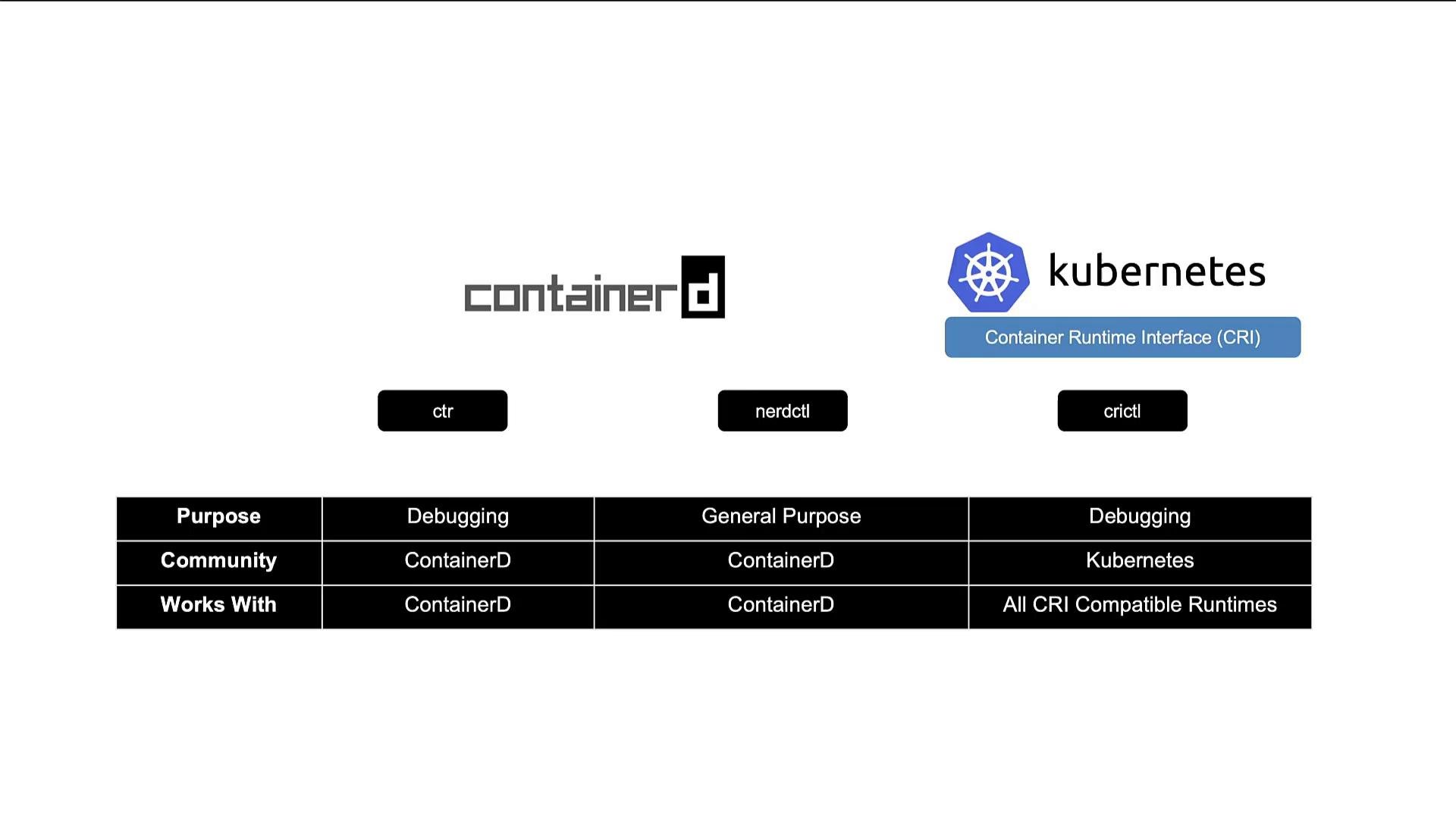
Quick tip: For day-to-day container work on nodes running containerd, prefer
nerdctl for a Docker-like experience. Use crictl when troubleshooting CRI interactions with kubelet, and ctr only for low-level containerd debugging.Links and references
- Kubernetes documentation: https://kubernetes.io/docs/
- cri-tools (crictl): https://github.com/kubernetes-sigs/cri-tools
- Kubernetes removal of dockershim: https://kubernetes.io/blog/2021/12/06/dockershim-faq/