

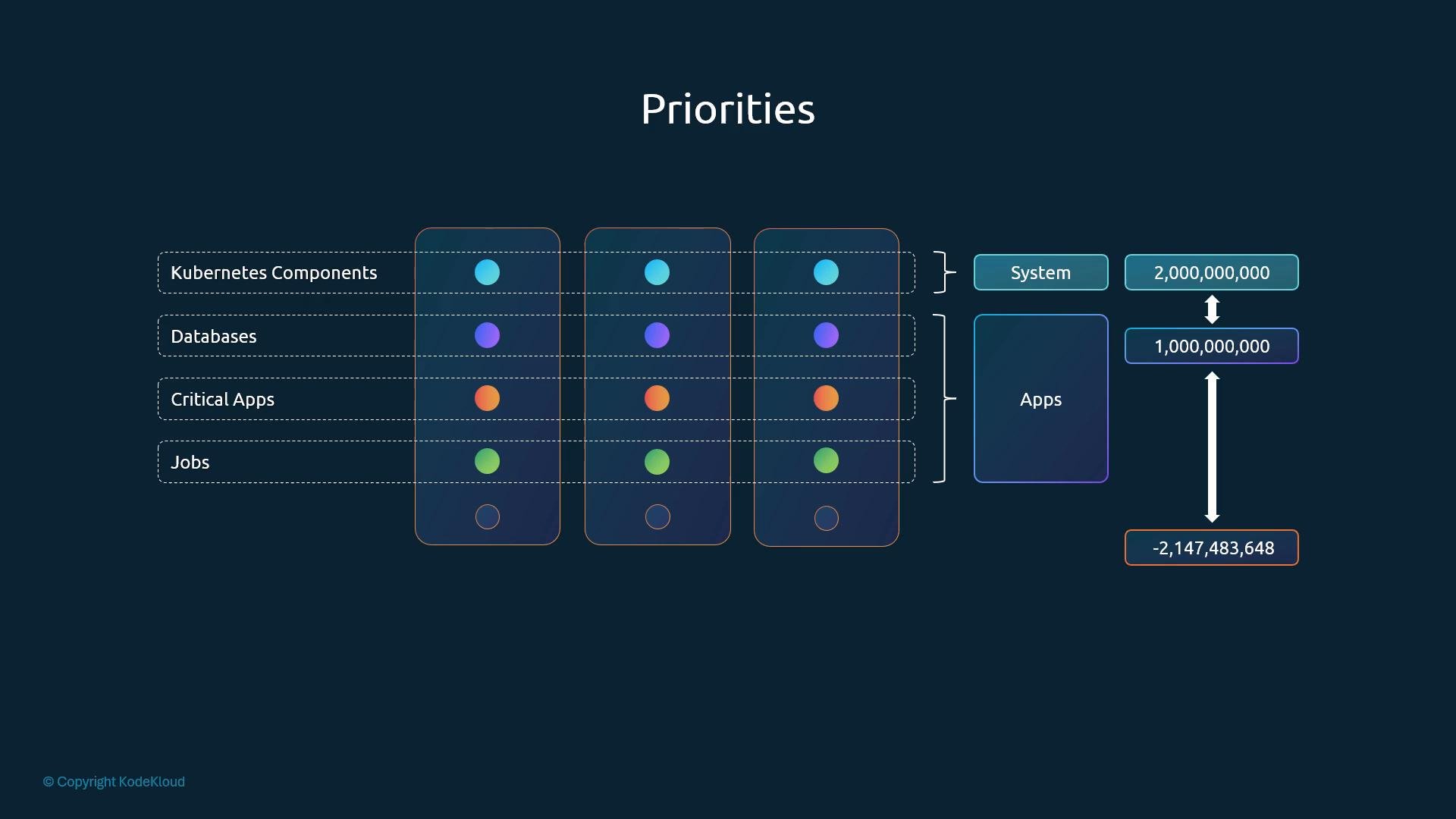
- Ensure mission-critical Pods are scheduled ahead of less-important workloads.
- Control eviction behavior during resource contention via
preemptionPolicy. - Provide a cluster-wide, reusable priority model by defining PriorityClass objects once and referencing them from any namespace.
Creating and using a PriorityClass
- PriorityClasses are created with
apiVersion: scheduling.k8s.io/v1andkind: PriorityClass. - The
valuefield is the integer priority used by the scheduler. descriptionis optional and helps document intent.globalDefault(optional boolean) makes a single PriorityClass the default for Pods that do not specifypriorityClassName. Only one PriorityClass may haveglobalDefault: true.
priorityClassName and no PriorityClass is marked globalDefault: true, the Pod receives a default numeric priority of 0.
Only one PriorityClass may have
globalDefault: true. If multiple classes set globalDefault: true, the creation/update will be rejected.- The scheduler orders pending Pods by priority and tries to schedule higher-priority Pods first.
- If a pending higher-priority Pod cannot be scheduled because of insufficient resources, the scheduler consults the pending Pod’s
preemptionPolicy.PreemptLowerPriority(default): the scheduler may evict lower-priority Pods to free resources.Never: Pods of this PriorityClass will not evict running Pods; they stay in the scheduling queue until resources become available.
- Preemption only occurs if evicting one or more lower-priority Pods would make scheduling the pending Pod feasible. The scheduler attempts to minimize eviction cost.
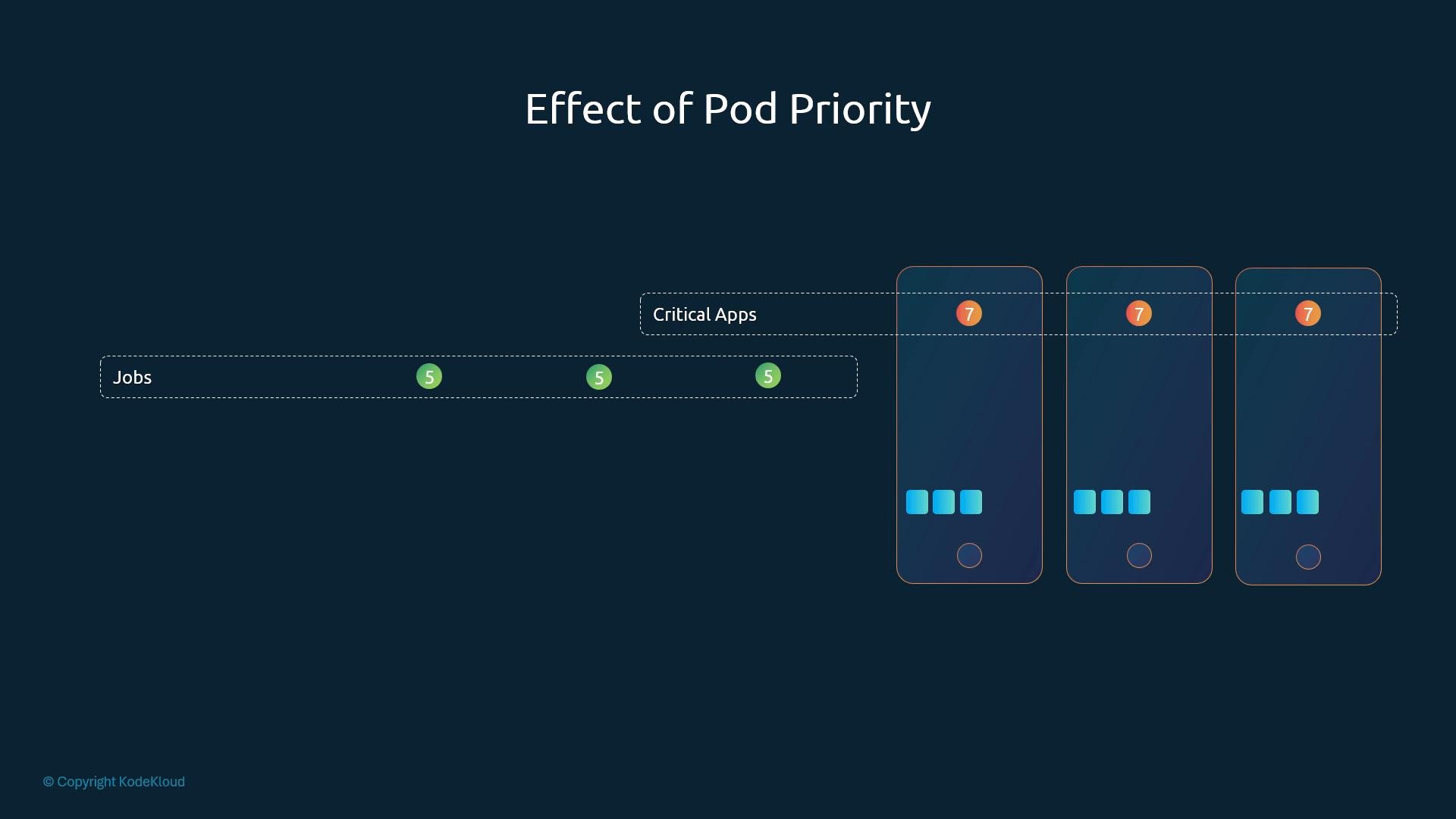
- Given limited resources, a Pod with priority 7 will be scheduled before a Pod with priority 5. If necessary and allowed, lower-priority Pods may be evicted to accommodate the higher-priority Pod.
- Use high numeric priorities sparingly and document their intent — overly aggressive priorities can lead to frequent evictions and cluster instability.
- Reserve extremely large values for Kubernetes system components to avoid conflicts with application priorities.
- Monitor eviction events (
kubectl get events, metrics, and logs) to understand how priority and preemption affect your workloads.
- Kubernetes scheduling concepts: https://kubernetes.io/docs/concepts/scheduling-eviction/
- Priority and Preemption (API reference): https://kubernetes.io/docs/reference/generated/kubernetes-api/v1.27/#priorityclass-v1-scheduling-k8s-io