

- How each node’s virtual bridge gets a subnet
- How Pods receive IP addresses
- Where allocation state is stored
- Who ensures IP uniqueness across allocations
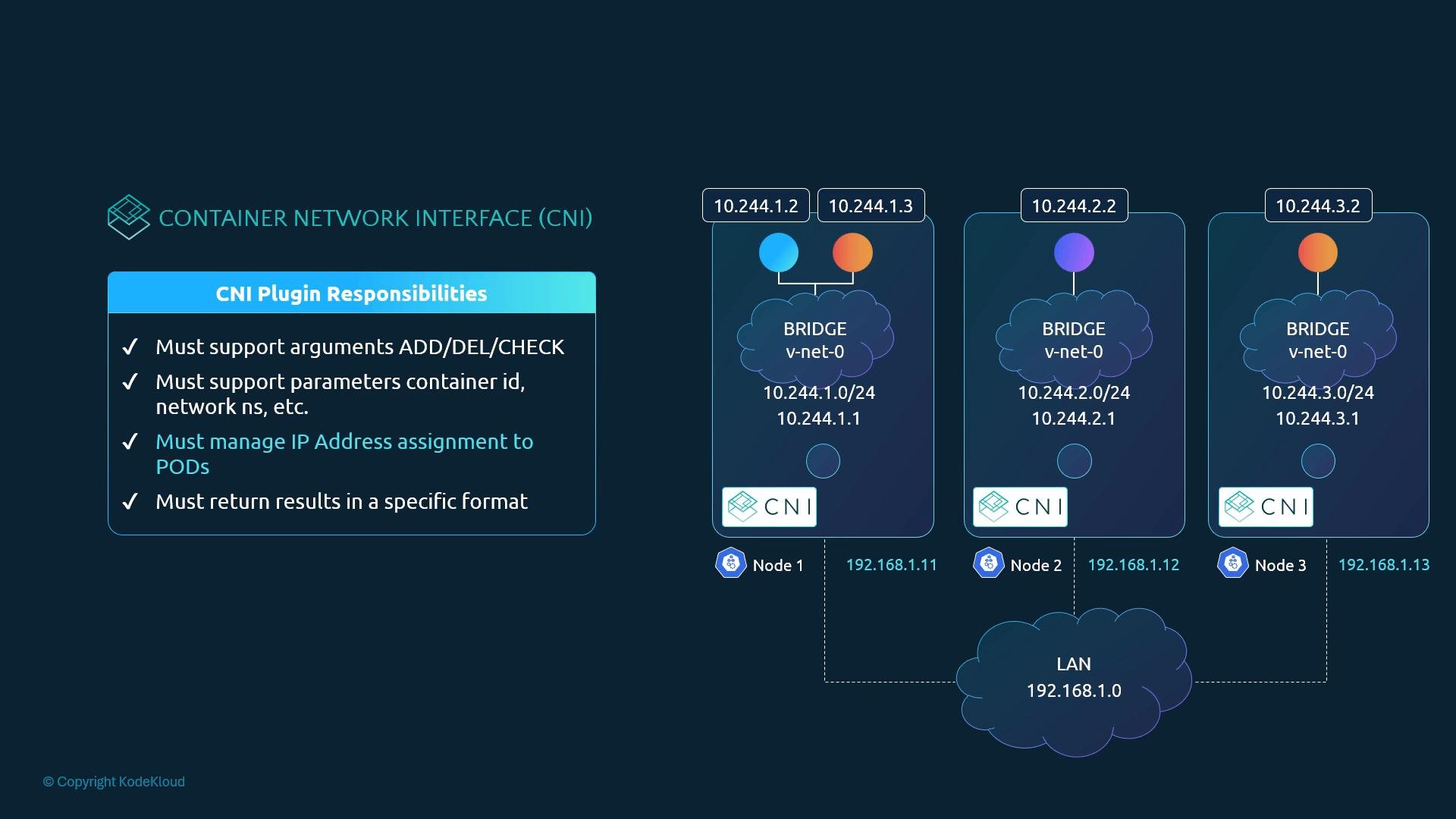
How IP allocation is typically implemented
A minimal CNI-style network script can both create the veth pair and configure the Pod-side IP. A simplified implementation might follow these steps:Common IPAM approaches
How a plugin invokes IPAM
Instead of hard-coding an allocator, a network plugin reads theipam block in the CNI configuration and invokes the indicated IPAM implementation. Conceptually:
ipam block, calls the configured IPAM plugin binary, reads the JSON response (which contains the allocated IP and any routes), and then applies the IP and routes inside the Pod network namespace.
Example CNI configuration (with IPAM block)
Place CNI configs in/etc/cni/net.d/. The ipam section tells the network plugin which IPAM implementation to invoke and any subnet or routes to use:
"type": "host-local" is configured, the host-local IPAM plugin will allocate an IP and return JSON like:
The CNI spec expects the network plugin to invoke the configured IPAM plugin. Using
host-local stores allocations on the node (under /var/lib/cni/networks/<network-name>), while other IPAM plugins can provide cluster-wide coordination if you need globally unique addresses.Host-local storage location
Thehost-local IPAM plugin persists allocation state on the node under:
/var/lib/cni/networks/<network-name>
host-local straightforward to inspect and debug.
Best practices
- Prefer a maintained IPAM plugin (like
host-local) instead of rolling custom file allocators. - Use external IPAM controllers if you need cluster-wide IP coordination or integration with enterprise IPAM systems.
- Always parse and respect the
ipamblock in the CNI config so your plugin can support different IPAM implementations. - Inspect
/var/lib/cni/networks/and the CNI config files in/etc/cni/net.d/when troubleshooting Pod IP allocation issues.
Links and references
- CNI specification: https://github.com/containernetworking/cni
- host-local IPAM plugin: https://github.com/containernetworking/plugins/tree/main/plugins/ipam/host-local
- Kubernetes networking concepts: https://kubernetes.io/docs/concepts/cluster-administration/networking/
ipam types and observe where allocations are stored on each node using a hands-on lab or a practice cluster.