

- A controller is a loop: it monitors one or more resource types, evaluates the current state against the desired state, then issues API calls to reconcile differences.
- Controllers continuously run inside the kube-controller-manager process (or can be managed separately in very custom setups).
- Examples include: NodeController, ReplicaSet (and ReplicationController), Deployment controller, PV binder, Job controller, Namespace controller, and many others.
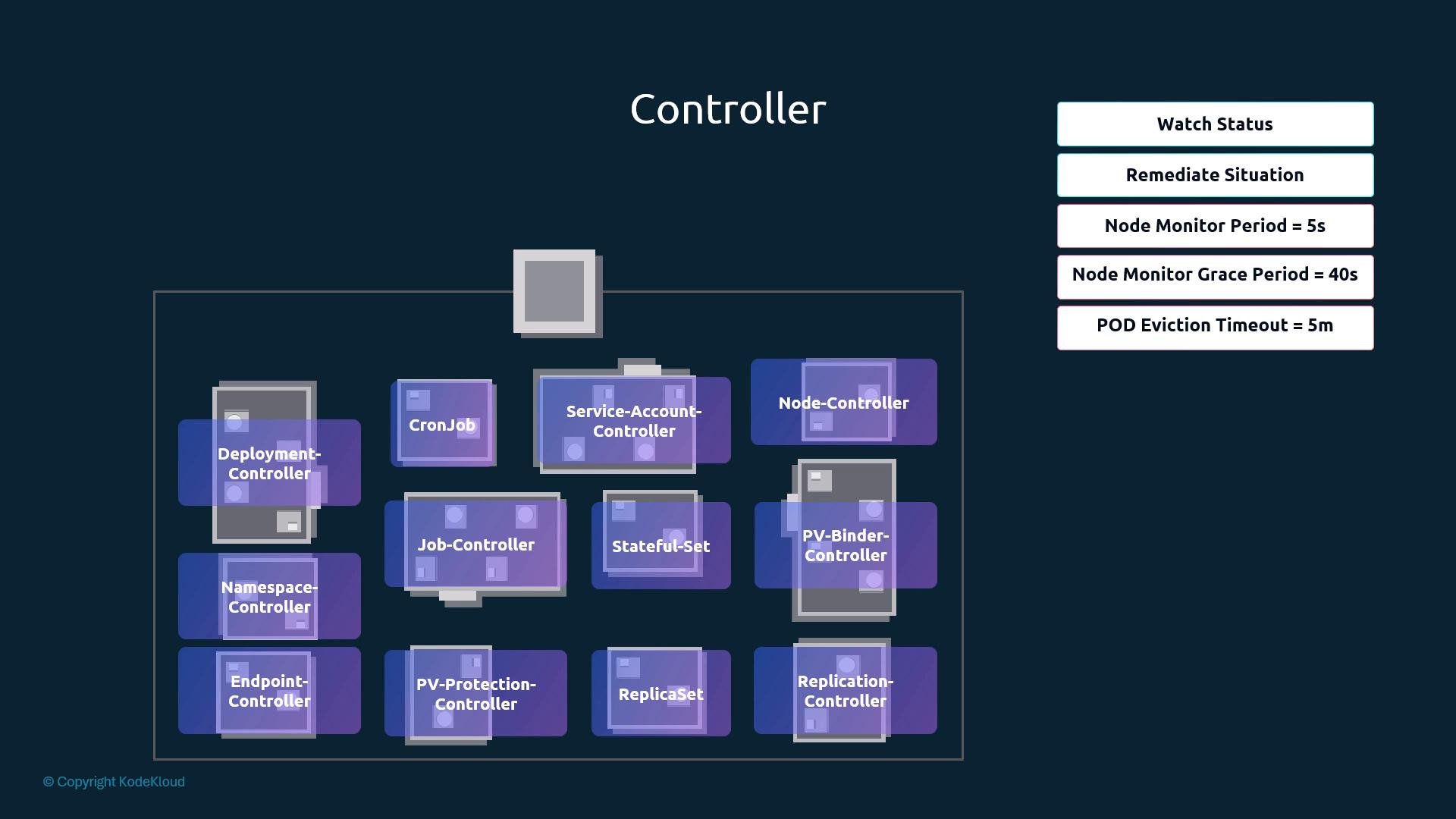
- The node controller monitors node health and takes action so workloads keep running.
- Default timing behavior:
- It checks node status periodically (
node-monitor-period). - If heartbeats/conditions stop, the node is marked unreachable after the grace period (
node-monitor-grace-period). - After a node is marked unreachable, pods on that node get a pod eviction timeout (
pod-eviction-timeout) before they are evicted and, if managed by a controller (ReplicaSet/Deployment), recreated elsewhere.
- It checks node status periodically (
Healthy nodes example:
- The ReplicationController (and its successor ReplicaSet) ensures a specified number of pod replicas run.
- If a pod fails or is deleted, the controller creates a replacement to maintain the declared replica count.
- Controllers are packaged together into a single binary/process: kube-controller-manager.
- When kube-controller-manager starts, it runs multiple controller loops inside the same process.
- The binary can be downloaded from the Kubernetes release page and run as a service or as a static pod depending on how your cluster is installed.
- One important flag is
--controllers. It controls which controllers are enabled or disabled. - The default enables all on-by-default controllers (
[*]). You can enable a specific controller by its name or disable one by prefixing with-.
You can restrict which controllers run by using
--controllers. The default is [*] (all on-by-default controllers). Enable a controller with its name (e.g., replicaset) or disable it by prefixing with - (e.g., -replicaset).--controllers:
- kubeadm deploys kube-controller-manager as a static pod in the
kube-systemnamespace on the control plane node. You can list pods and inspect the static pod manifest to view flags.
- Some installations run kube-controller-manager as a systemd service. Inspect the systemd unit file (commonly under
/etc/systemd/system/) to reviewExecStartand flags.
- You can also run
ps aux | grep kube-controller-manageron the control plane host to see the runtime arguments actually in use.
- The kube-controller-manager runs controllers that implement Kubernetes control loops.
- Controllers monitor resources and reconcile state via the API server.
- You can configure which controllers run with
--controllersand tune controller behavior with flags like--node-monitor-period,--node-monitor-grace-period, and--pod-eviction-timeout. - Inspect manifests (static pods) or systemd units to verify the flags active in your environment.