

- Each node (master or worker) must have at least one functional network interface (for example
eth0). - That interface must be assigned an IP address reachable from other nodes that need to communicate with it.
- Each node must have a unique hostname.
- Each node must have a unique MAC address — especially important when virtual machines are created from cloned images or templates.
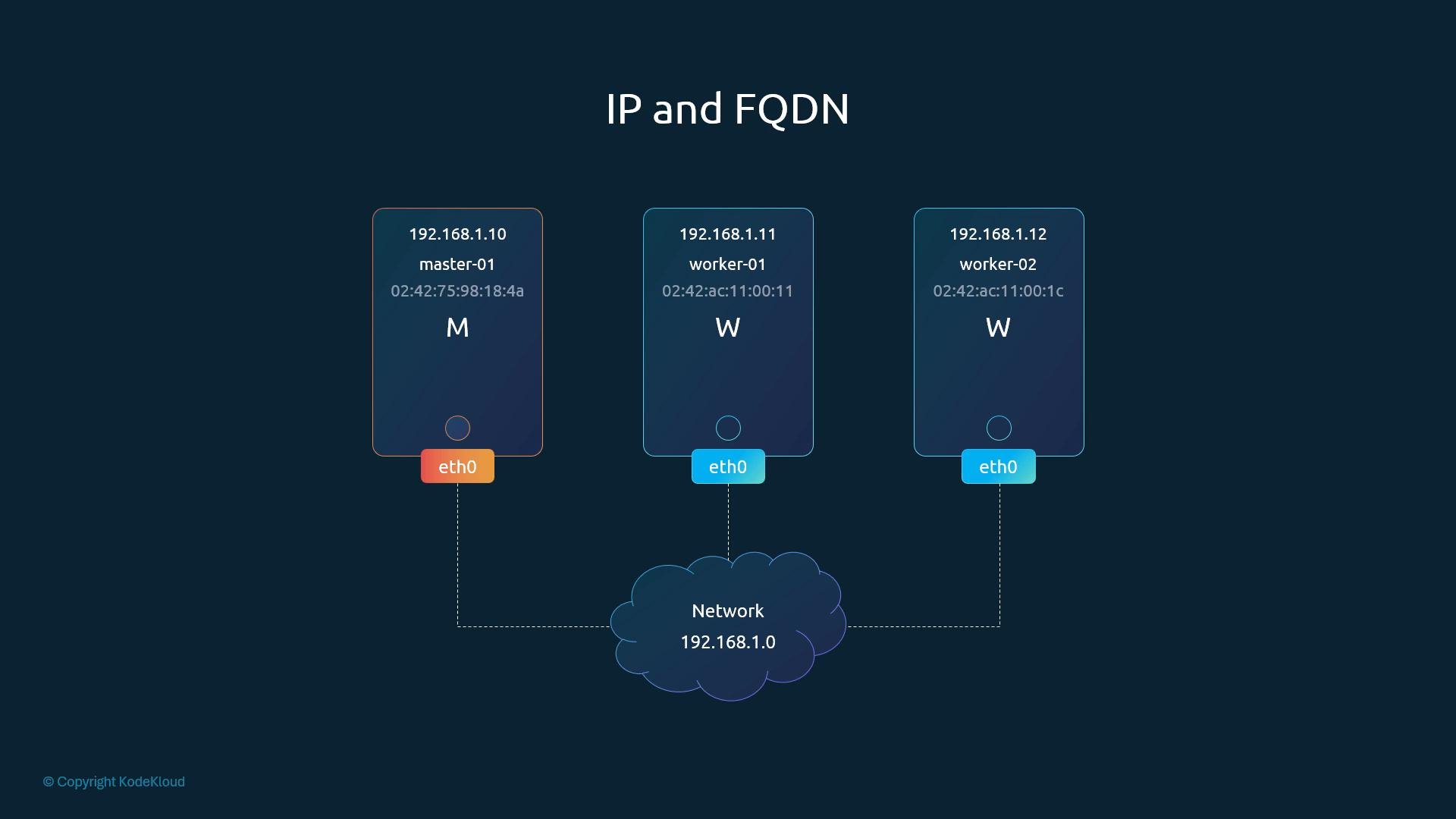
If you create VMs from templates or snapshots, always assign a unique hostname and regenerate or reassign MAC addresses before joining them to a cluster. Duplicate hostnames or MACs can cause network and cluster membership problems.
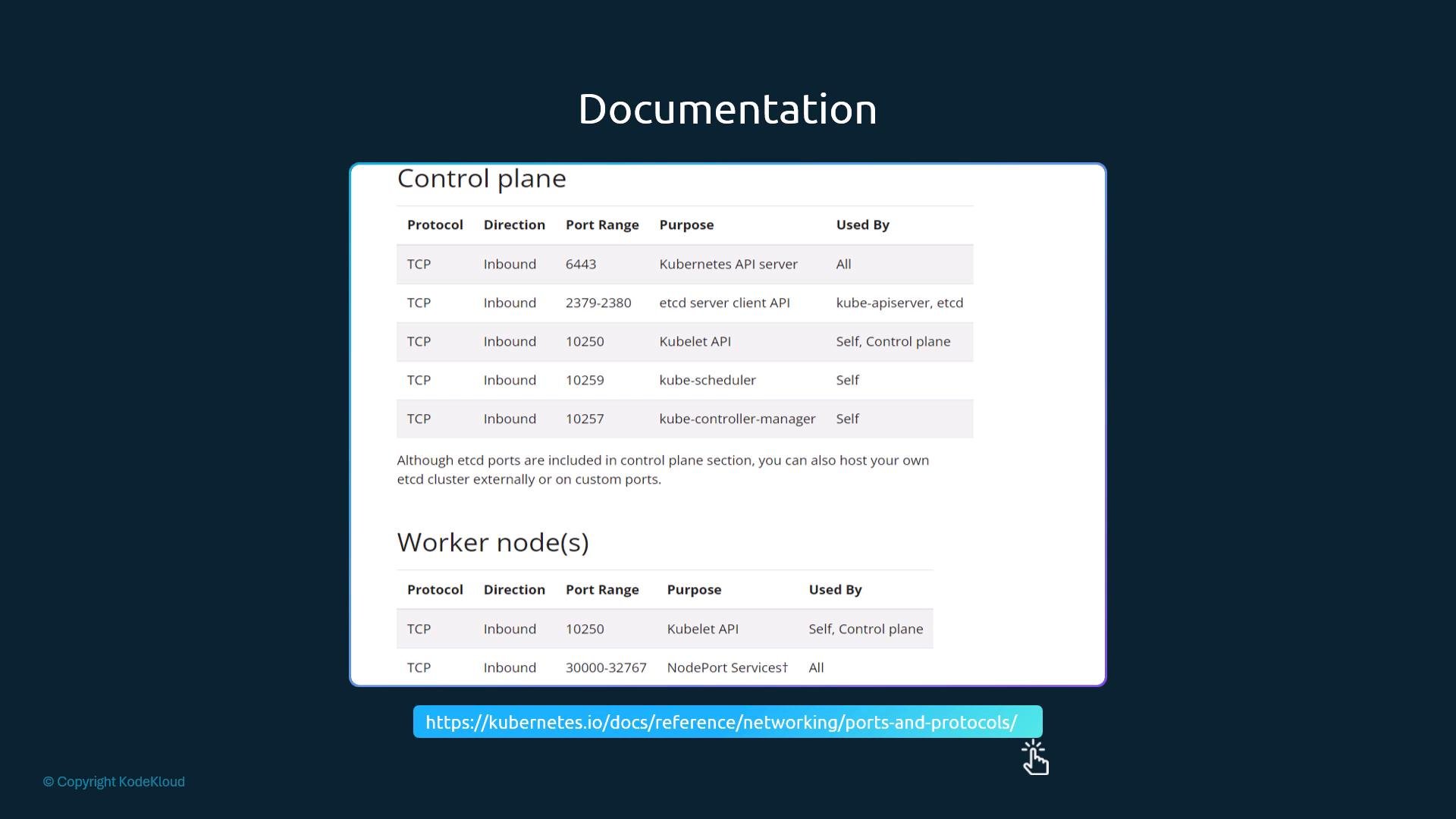
If you run multiple control-plane nodes, ensure etcd peer port
2380 is open between every etcd member. Blocking this port prevents etcd quorum and can break the control plane.- Host-based firewalls (iptables, nftables, firewalld, ufw).
- Cloud provider security rules (for example AWS Security Groups, GCP firewall rules, Azure NSGs).
- Any network ACLs or external firewalls that sit between nodes.
- Verify node IPs and hostnames: ensure they are unique and resolvable (DNS or /etc/hosts).
- Confirm MAC addresses for VMs: cloned VMs must have unique MACs.
- Ensure required ports are open and reachable from the appropriate sources:
- From workers to control plane:
TCP 6443 - Between control-plane nodes:
TCP 2380(etcd peer),TCP 2379(etcd client as needed) - From control plane to kubelets:
TCP 10250
- From workers to control plane:
- Check cloud provider firewall or security groups in addition to host-based firewalls.
- Use
ss,telnet/nc(netcat), orcurl(for HTTP endpoints) to test TCP reachability.
- Run the commands above to map your cluster: list nodes, view interfaces, capture MAC addresses, and confirm listening ports.
- From a worker node, verify you can reach
TCP 6443on your control plane IP(s). - If using multiple control-plane nodes, validate etcd peer connectivity on
TCP 2380. - Move on to advanced network troubleshooting (CNI plugin checks, service IP routing, and overlay network diagnostics) once these host-level validations are complete.
- Kubernetes ports and protocols: https://kubernetes.io/docs/reference/ports-and-protocols/
- AWS Security Groups: https://docs.aws.amazon.com/vpc/latest/userguide/VPC_SecurityGroups.html
- GCP VPC firewall rules: https://cloud.google.com/vpc/docs/firewalls
- Azure Network Security Groups (NSGs): https://learn.microsoft.com/azure/virtual-network/network-security-groups-overview