

- No new VMs.
- No downtime for user-facing applications.
- Follow kubeadm-supported upgrade paths (upgrade
kubeadmfirst when changing minor versions).
Before upgrading a control plane node to a newer minor version, update the local
kubeadm package to the target minor version (for example, 1.20.x) and verify the upgrade plan with kubeadm upgrade plan.Prerequisites and constraints
- Two-node cluster: one control plane and one worker (
controlplane,node01). - Both nodes are schedulable (no taints preventing workloads).
- You have SSH access to both nodes and apt package access (Debian/Ubuntu example).
- Follow the kubeadm upgrade documentation: https://kubernetes.io/docs/tasks/administer-cluster/kubeadm/kubeadm-upgrade/
Quick reference: upgrade strategy (summary)
1) Inspect the cluster
Start by listing nodes and observing where workloads run. Create a short alias if you like:controlplane and node01. Because the control plane is schedulable, you can move workloads between nodes during the upgrade.
2) Choose an upgrade strategy
Constraints to respect:- Only two VMs (no extra capacity).
- Applications must remain available.
- Upgrade nodes one at a time. Drain a node and let Kubernetes reschedule pods onto the other node.
- Never upgrade all nodes simultaneously.
3) Check what kubeadm can upgrade to
On the control plane node (or whereverkubeadm is installed), run:
kubeadm binary supports and explains whether you must update kubeadm first (required when moving to a newer minor version).
Example excerpt:
kubeadm package first to follow the kubeadm-supported path (for minor bumps).
4) Consult the official docs and pick the exact target
Follow the official guide: Upgrading kubeadm clusters.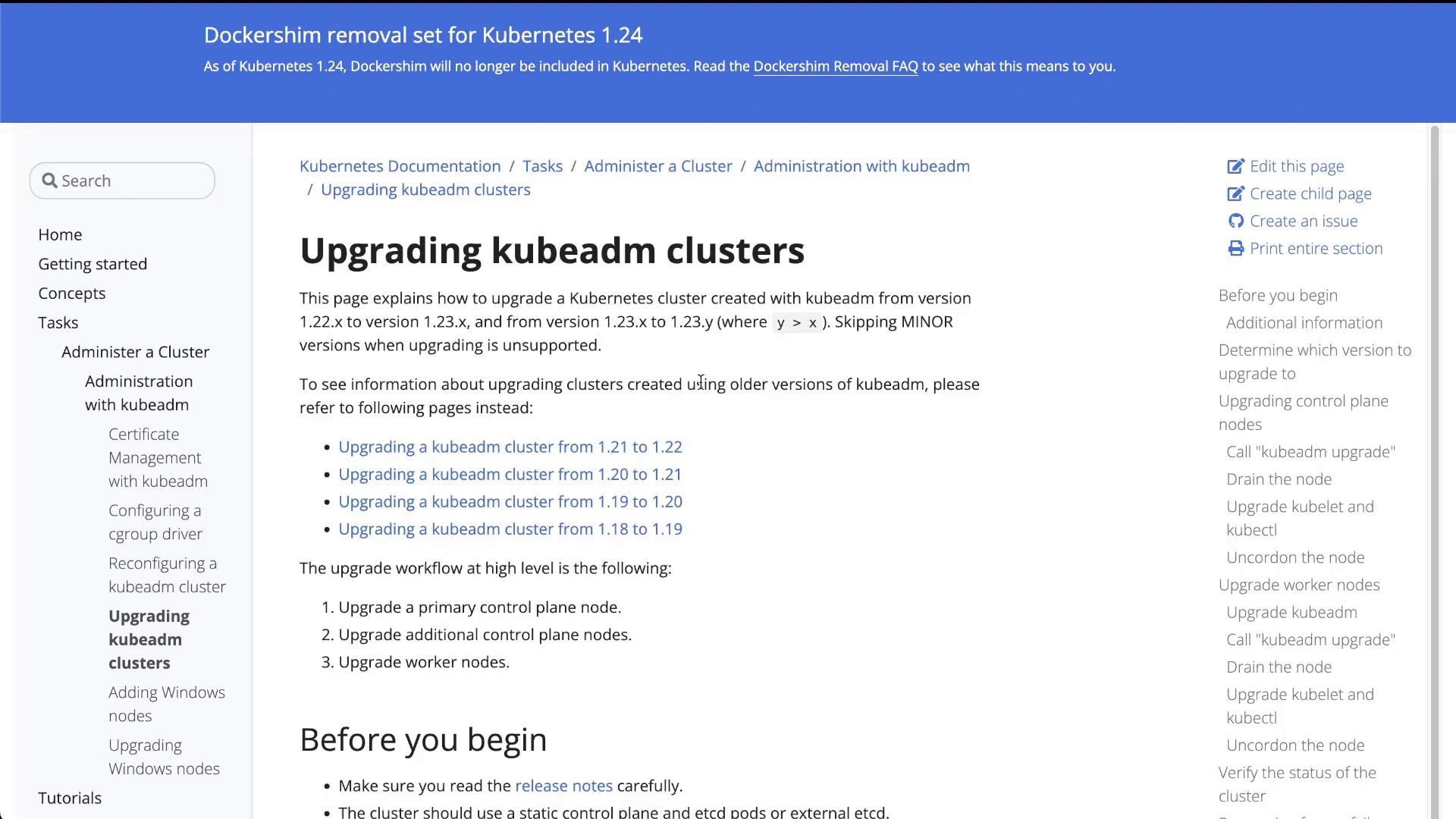
- Select the supported upgrade path (e.g., 1.19 → 1.20).
- Determine the exact patch package to install (e.g.,
1.20.0-00or latest1.20.x-00available from apt).
5) Control plane node upgrade (step-by-step)
High-level steps:- Drain and cordon the control plane node (move regular workloads off).
- Upgrade
kubeadmon the control plane to the target minor version (e.g.,1.20.x-00). - Run
kubeadm upgrade apply v1.20.0(or chosen patch). - Upgrade
kubeletandkubectl. - Restart
kubeletand uncordon the control plane node.
--ignore-daemonsets when draining so DaemonSet-managed pods do not block eviction.
Upgrade the
kubeadm package on the control plane to the target minor version before running kubeadm upgrade apply when moving across minor versions (for example 1.19 → 1.20). Failing to do so will prevent the upgrade.5.1 Drain the control plane node
From your management shell:node01.
5.2 Upgrade kubeadm on the control plane node
SSH intocontrolplane and update kubeadm to the chosen patch. Replace 1.20.0-00 with your selected patch:
5.3 Apply the control plane upgrade
Run the upgrade apply command on the control plane:- Updates control plane static pods:
kube-apiserver,kube-controller-manager,kube-scheduler. - Writes new kubelet config and creates a
kubelet-config-1.20ConfigMap. - Updates required cluster addons (e.g., CoreDNS, kube-proxy) if needed.
5.4 Upgrade kubelet and kubectl on the control plane
Still on controlplane, install matching kubelet and kubectl packages:
5.5 Uncordon the control plane node
Make the control plane schedulable again:6) Worker node upgrade (node01)
Repeat similar steps for each worker node, one at a time. High-level worker steps:- Drain the worker (
--ignore-daemonsets). - Upgrade
kubeadmon the worker. - Run
sudo kubeadm upgrade nodeon the worker to update node kubelet config. - Upgrade
kubeletandkubectl. - Restart
kubeletand uncordon the worker.
6.1 Drain node01
From the control plane or management shell:controlplane:
6.2 Upgrade kubeadm on node01
SSH tonode01 (or use its internal IP discovered with kubectl get nodes -o wide) and run:
kubeadm upgrade node updates kubelet configuration and supporting files on the worker to match the upgraded control plane.
6.3 Upgrade kubelet and kubectl on node01
Still onnode01:
node01:
7) Final checks and validation
- Ensure all pods are Running and Ready:
- Verify cluster components and API health:
- Check addons and CNI plugin compatibility. Consult the CNI plugin docs for any required post-upgrade steps (for example, Flannel, Calico, Weave).
- Validate application-level availability by exercising endpoints or load balancers.
Troubleshooting tips
- If
kubeadm upgrade planreports incompatible versions, do not proceed—consult kubeadm docs for the supported path. - Use
kubectl describe pod <pod>andkubectl logs <pod>for pod-level failures. - If kubelet fails after restart, inspect
journalctl -u kubeleton the node.
Summary
- Inspected the cluster and confirmed two schedulable nodes on v1.19.0.
- Upgraded the control plane first: drained, upgraded
kubeadm, rankubeadm upgrade apply v1.20.0, then upgradedkubelet/kubectl. - Upgraded the worker next: drained, upgraded
kubeadm, rankubeadm upgrade node, then upgradedkubelet/kubectl. - After uncordoning each node, both nodes show Ready at v1.20.0 and user workloads remained available throughout the process.