- Label nodes with key/value pairs that describe their attributes (for example,
size=large). - Add a
nodeSelectorto the Pod spec referencing those keys and values. - The scheduler matches the Pod’s
nodeSelectoragainst node labels and schedules the Pod only onto nodes that satisfy all the required labels.
nodeSelector:
kubectl label nodes with the node name and key=value format. For example, to label node node01 as large:
node01 (or any node that has the label size=large).
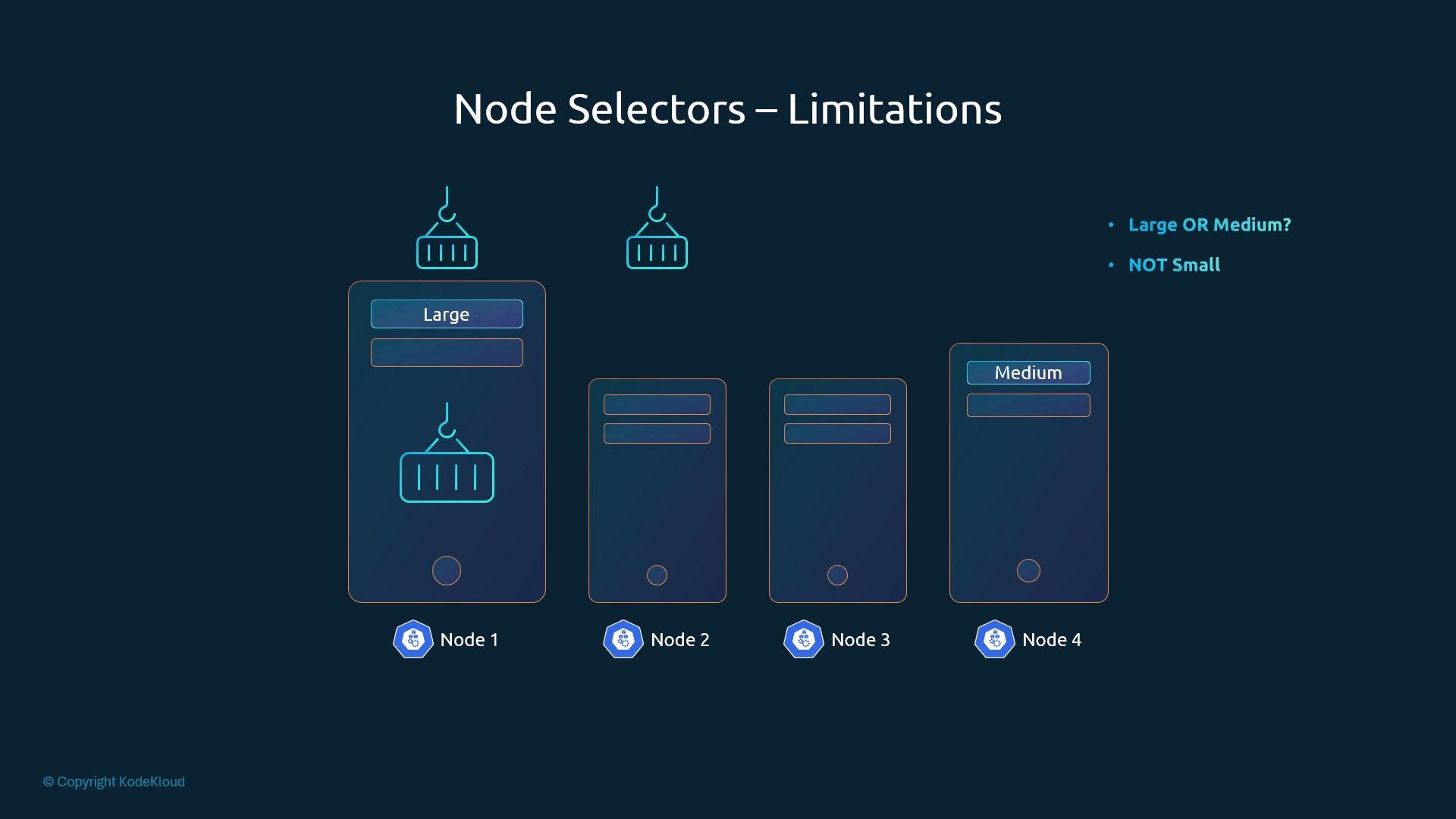
nodeSelector performs exact key/value matching. Keys and values are case-sensitive, and all key/value pairs specified under nodeSelector must match a node for scheduling to occur.nodeSelectorsupports only equality matches (exact match ofkey=value).- It cannot express logical OR or negation (for example, “large OR medium” or “not small”).
- It has no notion of preferred vs required — everything listed under
nodeSelectoris required.
- Node affinity (supports operators, required vs preferred).
- Pod affinity / pod anti-affinity (scheduling based on the presence or location of other Pods).
References
- Kubernetes: Node selection and affinity — https://kubernetes.io/docs/concepts/scheduling-eviction/assign-pod-node/
- Kubernetes: Labels and selectors — https://kubernetes.io/docs/concepts/overview/working-with-objects/labels/