kubectl, client libraries, or direct curl requests—talks to the kube-apiserver. The server exposes resources organized by API group and version.
For example, to check the cluster version you can query the API server directly:
pods resource under the core API at GET /api/v1/pods:
api/v1, while named API groups appear under apis/<group>/<version>.
Core (legacy) group vs named API groups
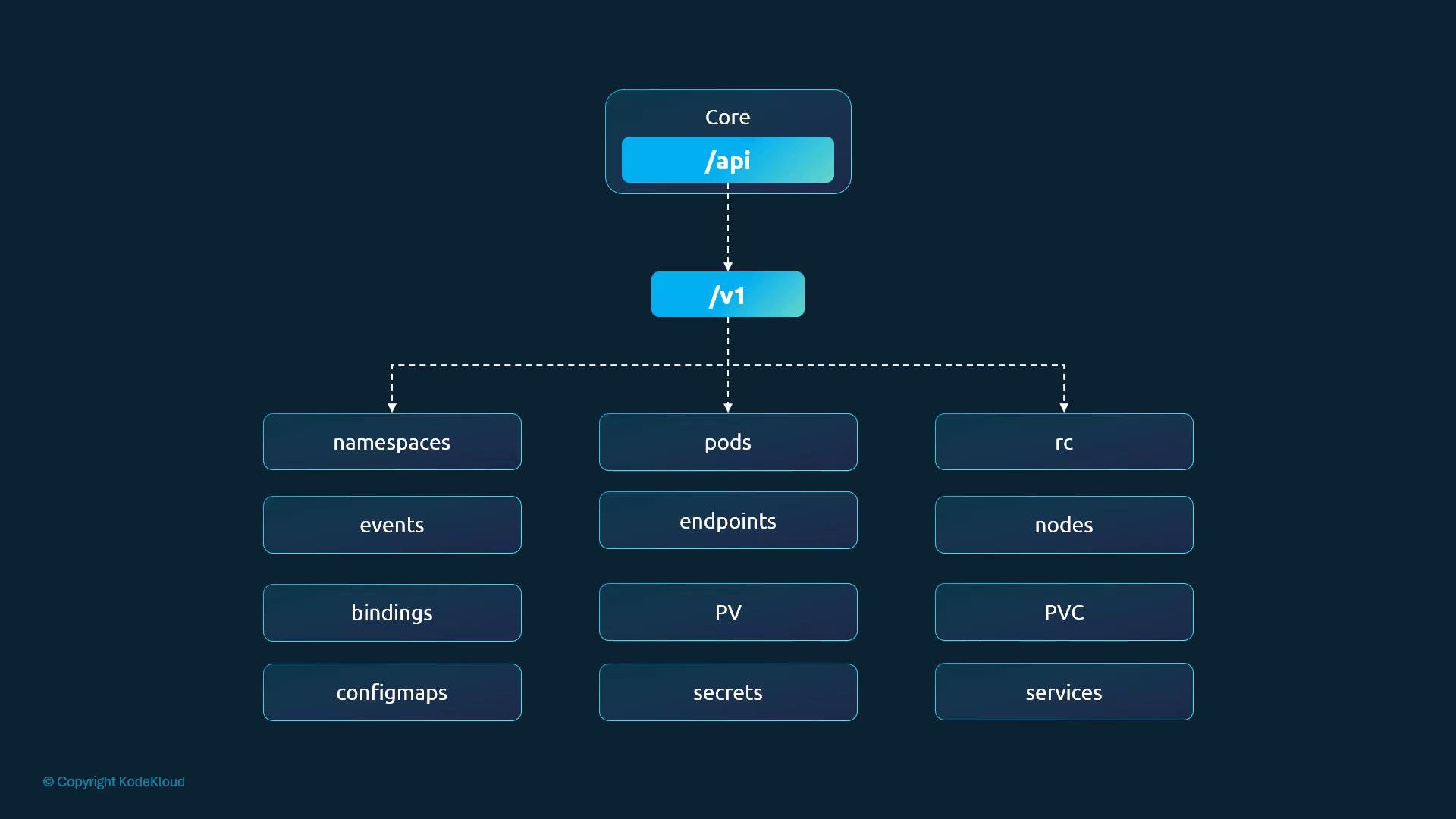
- The core (legacy) group contains built-in primitives such as
namespaces,pods,services,nodes,configmaps,secrets,persistentvolumes,persistentvolumeclaims,endpoints,replicationcontrollers,events, andbindings. Core resources are accessed under the pathapi/v1.
- Named API groups host additional functionality and newer features. They are exposed under
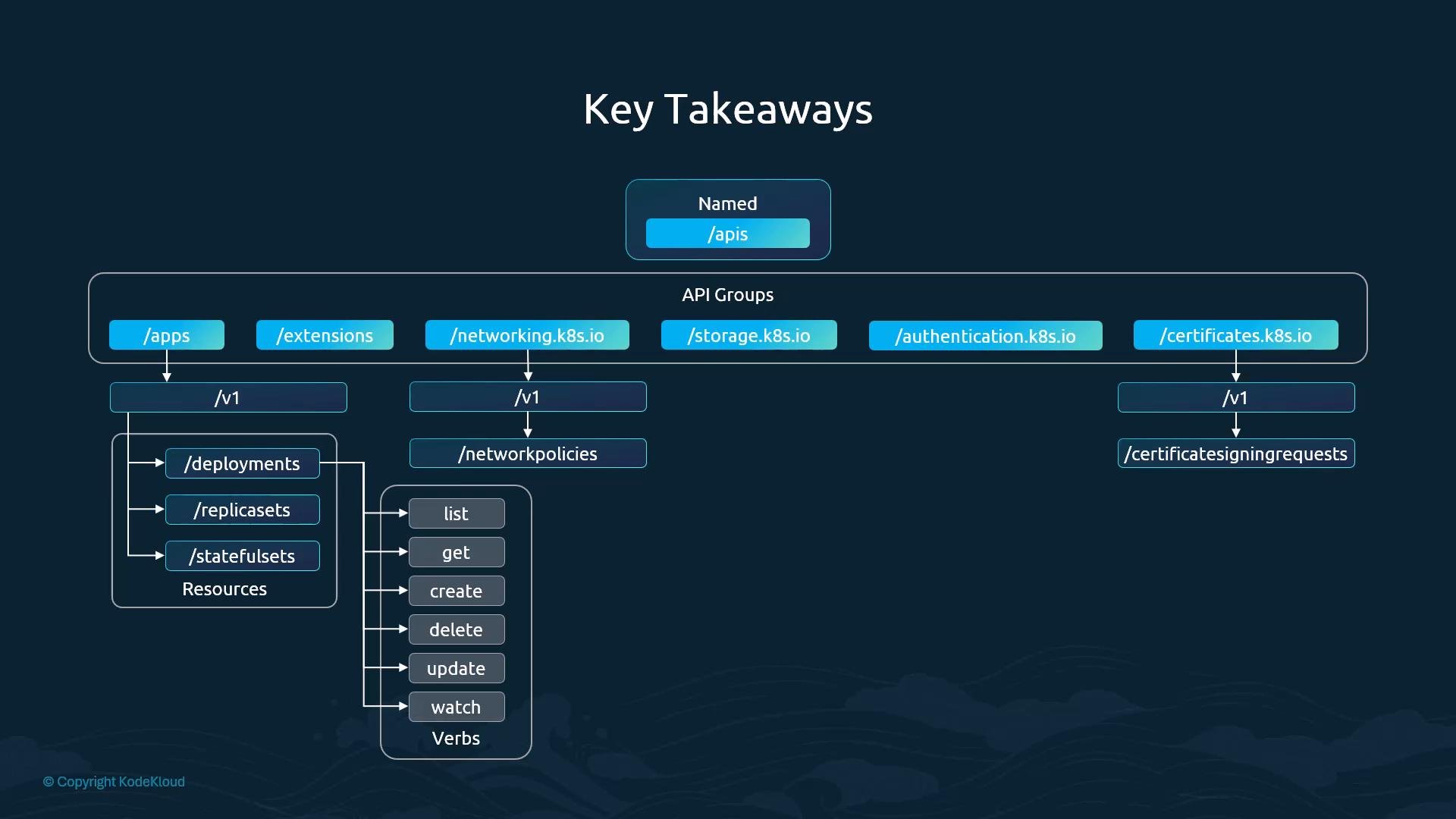
apis/and typically follow the patternapis/<group>/<version>. Examples includeapps,networking.k8s.io,storage.k8s.io,authentication.k8s.io,authorization.k8s.io, andcertificates.k8s.io.
apps— resources likedeployments,replicasets,statefulsets.networking.k8s.io— resources likenetworkpolicies.certificates.k8s.io— resources likecertificatesigningrequests.
list, get, create, delete, update, and watch. The Kubernetes API reference lists groups, versions, and supported verbs for each resource: https://kubernetes.io/docs/reference/
Discovery: Inspect available API groups on a cluster
You can discover which top-level paths and API groups the server advertises (if you have access):
/apis (e.g., GET /apis), which returns the groups and versions supported by the cluster.
Unauthenticated access and the kubectl proxy convenience
If you call the API server without credentials, most endpoints will be forbidden. For example:
If you need to query the API from your workstation without manually supplying client certificates, use
kubectl proxy. kubectl proxy runs a local HTTP proxy and forwards requests to the API server using the credentials in your kubeconfig.kubectl proxy:
kube-proxyis a cluster-level component that programs networking rules on nodes to enable Service <-> Pod connectivity.kubectl proxyis a client-side tool that exposes the API server to your local machine using your kubeconfig credentials.
Key takeaways
- The kube-apiserver serves resources organized by group and version: core resources under
api/v1, named API groups underapis/<group>/<version>. - Named API groups are how Kubernetes adds functionality and newer APIs (e.g.,
apps,networking.k8s.io,storage.k8s.io). - Each resource exposes standard verbs (get, list, create, delete, update, watch); authorization is evaluated against these verbs and resources.
- Use
kubectl proxyfor convenient, authenticated access to the API server from your workstation.