

Manual horizontal scaling
Suppose you are running an application backed by this Deployment:- The container requests
250mCPU and has a limit of500m. - HPA computes percentage utilization against the CPU requests (not limits). The scheduler also uses requests for pod placement.
- Limits cap actual CPU usage but do not change how HPA evaluates utilization.
kubectl scale when you need more capacity:
- Pod CPU usage:
450m - CPU request:
250m - Average utilization = 450m / 250m * 100% = 180%
What HPA does
The Horizontal Pod Autoscaler continuously monitors one or more metrics (CPU, memory, custom, or external metrics) and adjusts the number of pods in a Deployment, ReplicaSet, or StatefulSet. When metrics exceed configured targets, HPA increases replicas; when metrics fall, HPA reduces replicas—always honoring the min/max bounds you configure.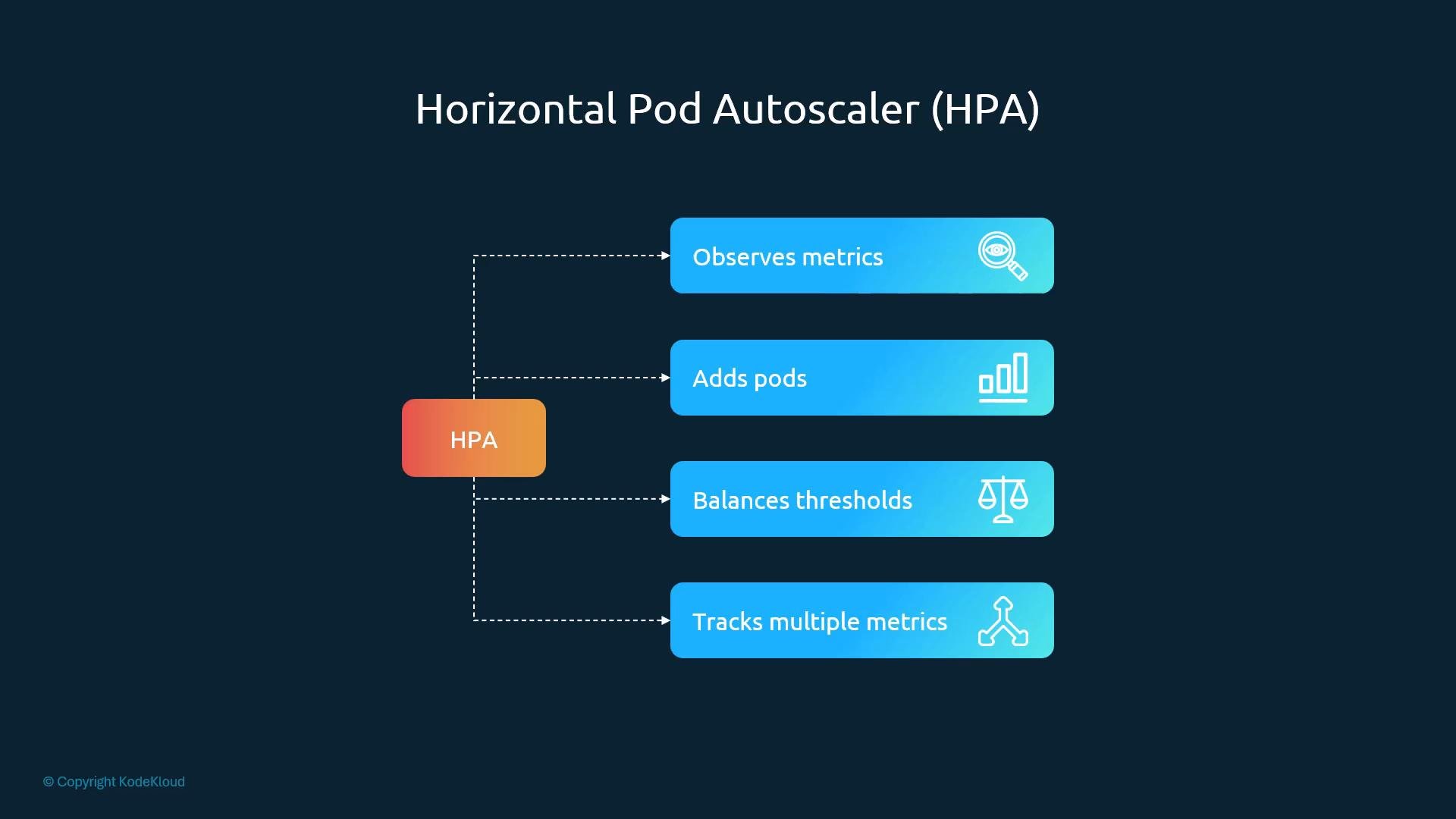
How HPA computes desired replicas
When using resource metrics withaverageUtilization, HPA scales proportionally using this formula:
desiredReplicas = ceil(currentReplicas * (currentAverageUtilization / targetUtilization))
Using the example above:
- currentReplicas = 1
- currentAverageUtilization = 180%
- targetUtilization = 50%
Imperative (kubectl) example
Create an HPA quickly usingkubectl autoscale. This sets a CPU target of 50% with min/max replicas 1 and 10:
TARGETSdisplays the current average utilization versus the configured target (current/target).- HPA will not scale above
maxReplicasor belowminReplicas. - To remove the HPA:
Declarative HPA (YAML)
Define HPA in YAML using the autoscaling API (example usesautoscaling/v2, which supports multiple metric types):
Important implementation notes
HPA is part of the Kubernetes control plane and does not require a separate control-plane installation. However, HPA depends on a metrics provider (commonly
metrics-server) or an adapter to supply current metrics. Ensure metrics-server or a compatible metrics adapter is running in your cluster for resource-based autoscaling to function.HPA evaluates utilization against the container requests, not the CPU limits. If your pods have low requests relative to limits, HPA may scale aggressively because utilization percentages are computed from the request value.
Metrics and adapters
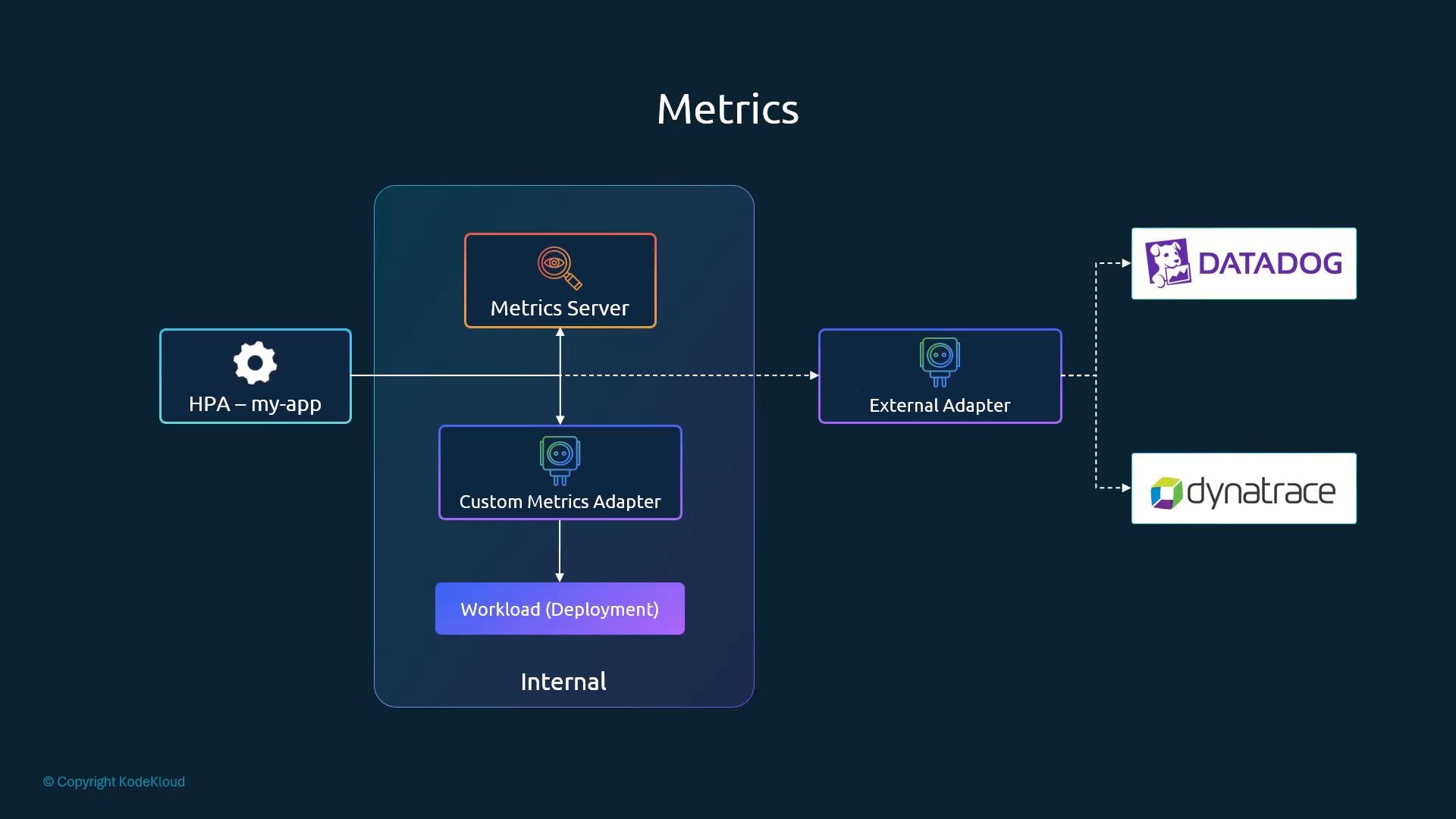
HPA can consume multiple metric sources and adapters to support advanced scaling scenarios:
Adapters and external providers enable use cases such as scaling on queue length, external API throughput, or APM-derived signals. Configuring and operating these adapters is specific to each adapter and is outside the scope of this guide.
The diagram below illustrates how metrics flow from various sources into HPA using metrics-server and adapters:
Summary
- Use HPA to automatically scale Deployments, ReplicaSets, and StatefulSets based on metrics.
- HPA evaluates metrics (commonly CPU/memory) against configured targets and adjusts replicas automatically within configured min/max bounds.
- Ensure a metrics provider (for resource metrics) or the appropriate adapter (for custom/external metrics) is installed and configured in the cluster.
- Monitor both requests and limits in your Pod specs to avoid unexpected scaling behavior.
- Kubernetes HPA documentation: https://kubernetes.io/docs/tasks/run-application/horizontal-pod-autoscale/
- metrics-server: https://github.com/kubernetes-sigs/metrics-server
- Prometheus Adapter: https://github.com/kubernetes-sigs/prometheus-adapter
- Datadog: https://www.datadoghq.com/
- Dynatrace: https://www.dynatrace.com/